
Listen to this Post
Introduction:
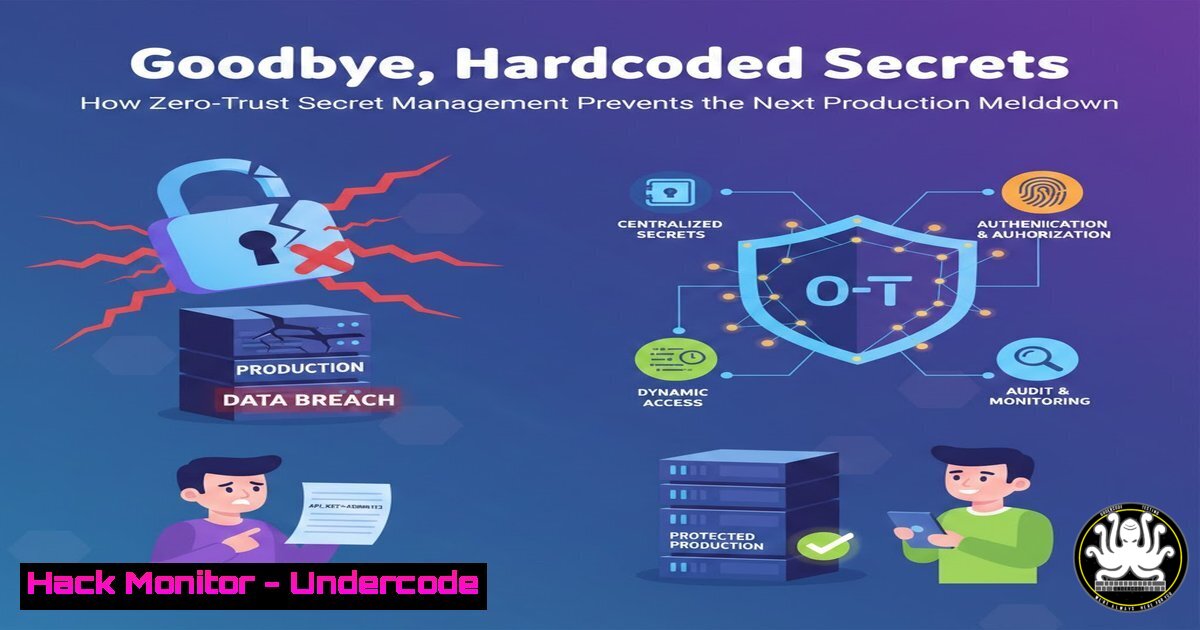
In the modern cloud-native ecosystem, secrets—API keys, database passwords, and TLS certificates—have become the primary attack vector for breaches. Traditional methods like hardcoded environment variables or periodic manual rotation create a “blast radius” that can bring down entire production environments if compromised. By shifting to a Zero-Trust secrets management model, engineers can eliminate long-lived credentials, enforce cryptographic identity verification, and ensure that even if a pod or server is breached, the attacker finds nothing of value.
Learning Objectives:
- Understand the risks associated with static credentials in CI/CD and Kubernetes.
- Learn how to implement cryptographic identity verification using Akeyless.
- Explore step‑by‑step migration from hardcoded secrets to dynamic, just‑in‑time credentials.
You Should Know:
1. The Problem with Static Credentials
Traditional secret management relies on static strings stored in files, Helm charts, or CI/CD variables. If a developer’s laptop is compromised or a misconfigured S3 bucket leaks `.env` files, attackers gain persistent access. From an SRE perspective, a leaked database password is not just a security incident—it’s a production incident waiting to happen, often leading to data deletion or ransomware.
Extended Context:
The post highlights that leaked credentials = production incident. This is because attackers don’t just steal data; they often delete backups, encrypt volumes, or trigger lateral movement that degrades service reliability. Zero-Trust models assume breach and therefore issue credentials that are:
– Ephemeral (short-lived)
– Bound to the identity of the workload (machine identity, not human identity)
– Audited per access request
- Initial Setup: Deploying Akeyless Gateway in Your Cluster
To start, you need to deploy the Akeyless Gateway, which acts as a bridge between your infrastructure and the Akeyless SaaS control plane. This allows you to cache secrets locally for high availability without exposing them to the public internet.
Step‑by‑step guide (Linux/Kubernetes):
1. Add the Akeyless Helm repository:
helm repo add akeyless https://akeylesslabs.github.io/helm-charts
helm repo update
2. Create a namespace and install the gateway:
kubectl create namespace akeyless
helm install akeyless-gateway akeyless/akeyless-gateway \
--namespace akeyless \
--set gateway.config.adminAccessId=<YOUR_ACCESS_ID> \
--set gateway.config.adminAccessKey=<YOUR_ACCESS_KEY>
3. Verify the gateway pod is running:
kubectl get pods -n akeyless
What this does: This installs a highly available gateway inside your cluster. All subsequent secret requests from your applications will go through this local gateway, reducing latency and allowing offline access in case of connectivity loss.
3. Migrating a Static Secret to Dynamic Credentials
Assume you have a database password stored as a Kubernetes Secret. Instead of deleting it immediately, you can use the Akeyless CLI to create a dynamic secret producer for your database.
Step‑by‑step guide:
- Install the Akeyless CLI on a Linux jump box:
wget https://github.com/akeylesslabs/akeyless/releases/latest/download/akeyless-linux-amd64
chmod +x akeyless-linux-amd64
sudo mv akeyless-linux-amd64 /usr/local/bin/akeyless
2. Authenticate with your Akeyless account:
akeyless configure --access-id <YOUR_ACCESS_ID> --access-key <YOUR_ACCESS_KEY>
3. Create a dynamic secret producer for MySQL:
akeyless dynamic-secret create \
--name /production/mysql-producer \
--gateway-url http://akeyless-gateway.akeyless:8000 \
--mysql-producer-host mydb.prod.internal \
--mysql-producer-port 3306 \
--mysql-producer-username root \
--mysql-producer-password <ROOT_PW> \
--mysql-producer-create-user-ddl \
"CREATE USER '{{name}}'@'%' IDENTIFIED BY '{{password}}';GRANT SELECT ON myapp. TO '{{name}}'@'%';"
What this does: This creates a producer that generates ephemeral database users on‑the‑fly. Each application pod gets a unique, short‑lived username/password, and the DDL ensures the user is automatically deleted when the lease expires.
4. Consuming Secrets in Kubernetes with CSI Driver
To avoid storing secrets in etcd, use the Secrets Store CSI driver to mount dynamic secrets directly into pods.
Step‑by‑step guide:
- Install the Secrets Store CSI driver and Akeyless provider:
kubectl apply -f https://raw.githubusercontent.com/kubernetes-sigs/secrets-store-csi-driver/main/deploy/rbac.yaml
kubectl apply -f https://raw.githubusercontent.com/akeylesslabs/akeyless-csi-provider/main/deploy/provider.yaml
2. Create a SecretProviderClass:
apiVersion: secrets-store.csi.x-k8s.io/v1
kind: SecretProviderClass
metadata:
name: app-secrets
spec:
provider: akeyless
parameters:
akeylessGatewayUrl: "http://akeyless-gateway.akeyless:8000"
objects: |
- name: "/production/mysql-producer"
version: "dynamic"
3. Reference it in a pod:
apiVersion: v1
kind: Pod
metadata:
name: my-app
spec:
containers:
- name: my-app
image: myapp:latest
volumeMounts:
- name: secrets-store
mountPath: "/mnt/secrets"
readOnly: true
volumes:
- name: secrets-store
csi:
driver: secrets-store.csi.k8s.io
readOnly: true
volumeAttributes:
secretProviderClass: "app-secrets"
What this does: The pod mounts the dynamic secret as a file in /mnt/secrets. The database credentials are generated just before the pod starts and are valid only for the lifetime of the pod (or a configured TTL).
5. Hardening CI/CD Pipelines with Zero‑Trust
In GitHub Actions or Jenkins, you often need secrets for building and pushing images. Instead of storing them as encrypted variables, use OIDC federation to exchange the pipeline’s identity for a temporary token.
Step‑by‑step guide (GitHub Actions):
- Configure AWS as a target in Akeyless and set up OIDC.
- Add a step in your workflow to fetch secrets:
</li>
</ol>

- name: Fetch secrets from Akeyless
uses: akeyless/akeyless-action@v1
with:
access-id: ${{ secrets.AKEYLESS_ACCESS_ID }}
api-gateway-url: "https://api.akeyless.io"
static-secrets: |
- name: "/ci/dockerhub-token"
output: "DOCKERHUB_TOKEN"
What this does: The GitHub Actions runner presents its OIDC token. Akeyless verifies the token signature, checks the repository name and branch, and issues a short‑lived token for Docker Hub. The real token is never stored as a GitHub secret.
6. Rotating and Auditing Secrets
Manual rotation is error‑prone. With Akeyless, you can automate rotation for static secrets (like AWS IAM keys) and get a full audit trail.
Step‑by‑step guide:
1. Create a Rotated Secret for AWS:
akeyless rotated-secret create \
--name /infra/aws-keys \
--rotator-type aws-iam-user \
--rotator-credentials-username <IAM_USER> \
--rotator-credentials-password <INITIAL_KEY> \
--rotation-interval 24h
2. View audit logs:
akeyless list-items --filter "/infra/aws-keys" --show-audit-logs
What this does: The rotator automatically generates a new access key every 24 hours and updates the secret value. The old key is deactivated, ensuring that even if a key leaks, it becomes useless within a day.
What Undercode Say:
- Key Takeaway 1: Reliability and security are not trade‑offs—they are two sides of the same coin. Eliminating static credentials reduces both the blast radius of a breach and the toil of manual rotations.
- Key Takeaway 2: The shift to cryptographic workload identity (via OIDC/JWT) means your infrastructure no longer needs to “trust” a human‑readable password; instead, it trusts the code’s signature and the platform’s proof of authenticity.
In a world where supply chain attacks and credential theft dominate headlines, adopting a zero‑trust secrets management model is the only logical evolution. It moves the needle from “we rotate secrets every 90 days” to “we rotate secrets every 90 seconds.” The operational overhead is minimal once automated, but the reduction in incident response calls is massive.
Prediction:
Within two years, the use of long‑lived static secrets in production will be seen as a critical compliance failure by most auditors and insurance underwriters. As ransomware gangs increasingly target credentials stored in CI/CD systems, organizations that have not adopted ephemeral, identity‑bound secrets will face skyrocketing cyber insurance premiums—or outright denial of coverage. The industry will standardize on a “secretless” architecture where credentials are generated on‑demand and never written to disk.
▶️ Related Video (84% Match):
🎯Let’s Practice For Free:
IT/Security Reporter URL:
Reported By: Ramshankar Govindharaj – Hackers Feeds
Extra Hub: Undercode MoN
Basic Verification: Pass ✅🔐JOIN OUR CYBER WORLD [ CVE News • HackMonitor • UndercodeNews ]
📢 Follow UndercodeTesting & Stay Tuned:


