
Listen to this Post
Introduction:
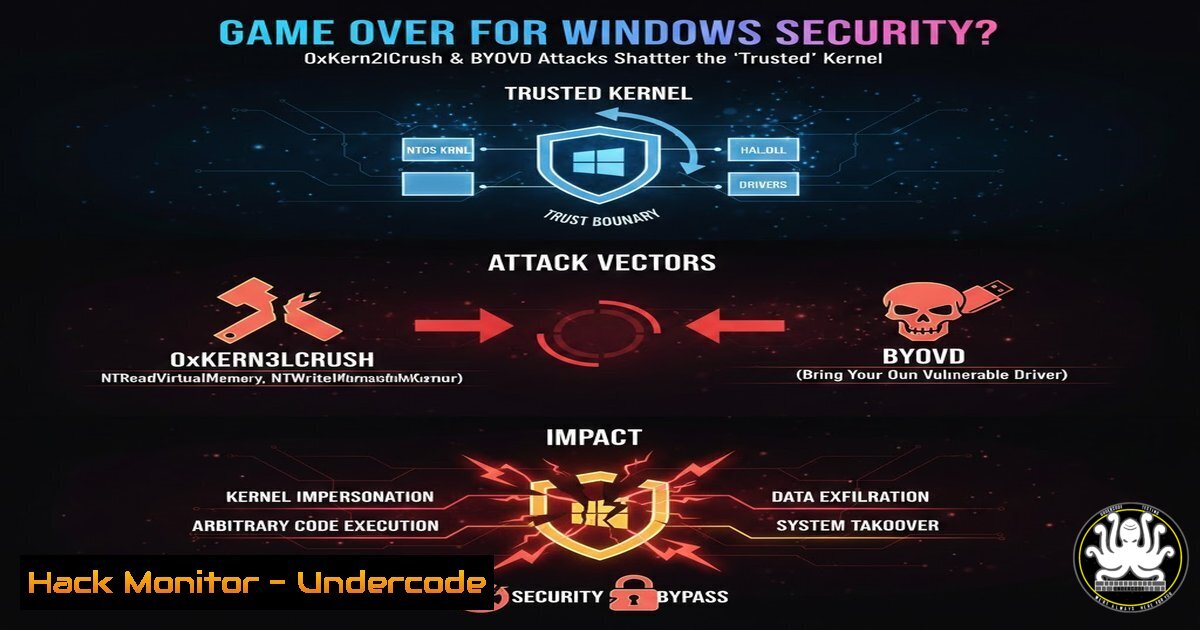
The foundational “trust” model of Windows security, which relies heavily on code signing and protected processes, is under unprecedented assault. The release of the 0xKern3lCrush-Foreverday proof-of-concept demonstrates how Bring Your Own Vulnerable Driver (BYOVD) attacks can weaponize legitimate, signed kernel drivers to dismantle critical defenses like Protected Process Light (PPL) and Endpoint Detection and Response (EDR) agents. This paradigm shift moves the battlefield from exploiting OS vulnerabilities to abusing the very third-party software trust that Windows implicitly grants.
Learning Objectives:
- Understand the mechanics and critical impact of Bring Your Own Vulnerable Driver (BYOVD) attacks on modern Windows security architectures.
- Analyze the specific exploit primitives provided by CVE-2026-0828 (Safetica) and CVE-2025-7771 (ThrottleStop) for kernel-level privilege escalation and memory manipulation.
- Learn practical steps for both executing reconnaissance for vulnerable drivers and implementing mitigations to harden systems against BYOVD threats.
You Should Know:
- Deconstructing the BYOVD Kill Chain: From Signed Driver to Kernel God-Mode
The BYOVD attack chain bypasses traditional exploit mitigation by leveraging a driver that is already digitally signed, and therefore trusted by the Windows kernel. Attackers simply load this compromised but “legal” driver to gain a foothold in kernel space.
Step‑by‑step guide explaining what this does and how to use it.
Step 1: Driver Acquisition & Reconnaissance. Attackers curate or discover drivers with inadequate access control or dangerous capabilities. Tools like `driverquery.exe` can be used for initial reconnaissance on a target system.
 Windows: List all signed drivers
driverquery /v /fo table | findstr /i "signed"
Alternatively, on a Linux analysis machine, use `sigcheck` from Sysinternals via Wine or a Windows VM to inspect driver certificates.
 Linux/Windows with Sysinternals: Check a driver's signature
sigcheck.exe -accepteula -nobanner -q C:\Path\To\ProcessMonitorDriver.sys
Step 2: Driver Loading. The attacker loads the vulnerable driver using a standard Windows API like `NtLoadDriver` or a utility like sc.exe.
 Windows: Load a driver via Service Control Manager (requires admin)
sc create VulnerableDriver binPath= C:\temp\BadDriver.sys type= kernel
sc start VulnerableDriver
Step 3: Exploit Primitive Execution. Once loaded, the driver exposes dangerous Device I/O Control (IOCTL) interfaces. The attacker sends crafted IOCTLs from a user-mode process to perform privileged operations.
// Simplified PoC Snippet to open a handle and send IOCTL
HANDLE hDevice = CreateFileW(L"\\.\VulnerableDriver", GENERIC_ALL, 0, NULL, OPEN_EXISTING, 0, NULL);
DeviceIoControl(hDevice, EXPLOIT_IOCTL_CODE, inputBuffer, inputSize, outputBuffer, outputSize, &bytesReturned, NULL);
2. Weaponizing CVE-2026-0828: The Safetica Driver Sledgehammer
This vulnerability in Safetica’s `ProcessMonitorDriver.sys` incorrectly validates user-mode caller privileges, allowing unprivileged users to send IOCTLs that can terminate protected processes (PPL), including security software.
Step‑by‑step guide explaining what this does and how to use it.
Step 1: Identify and Extract the Driver. The vulnerable driver may be present on systems with certain security or monitoring software. It can be extracted from an installer or a compromised system.
Step 2: Map the IOCTL Interface. Reverse engineer the driver or use documented PoC code to identify the specific IOCTL codes that control process termination. Tools like OSR Driver View or `WinObjEx64` can help enumerate driver device objects.
Step 3: Craft the Attack. The exploit code opens a handle to the driver’s device object and sends the malicious IOCTL with the PID of a target protected process. This directly asks the kernel-mode driver to kill the process, which it does due to flawed checks.
 Example using a Python PoC (conceptual)
import ctypes
kernel32 = ctypes.windll.kernel32
hDevice = kernel32.CreateFileA("\\.\SafeticaDevice", 0xC0000000, 0, None, 3, 0, None)
 Prepare IOCTL to kill PID 1234 (e.g., an EDR process)
ctypes.windll.DeviceIoControl(hDevice, 0x22A008, ...)
3. Exploiting CVE-2025-7771: ThrottleStop’s Physical Memory Playground
The ThrottleStop driver (ThrottleStop.sys) exposes an IOCTL that provides arbitrary read/write access to physical memory via MmMapIoSpace. This gives attackers a direct line to modify kernel objects, disable patch guard, or manipulate EDR data structures.
Step‑by‑step guide explaining what this does and how to use it.
Step 1: Load the Driver. As with any BYOVD, the first step is loading the signed but vulnerable ThrottleStop driver.
Step 2: Understand Physical Memory Addressing. The attacker needs to translate a virtual address (like the base of the `ntoskrnl.exe` kernel module) to a physical address. This often involves reading the Page Table Entries (PTEs), which can be done via other exploit primitives or by leveraging the driver’s own read/write capability iteratively.
Step 3: Perform “God-Mode” Modifications. By mapping physical memory, an attacker can directly overwrite function pointers, security tokens, or flags. For example, to disable a kernel callback routine used by EDR:
// Pseudocode for finding and patching a callback array in physical memory
PHYSICAL_ADDRESS targetPa = TranslateVirtualToPhysical(&CallbackArray);
PVOID mappedMemory = MapPhysicalMemory(hDriver, targetPa, length);
RtlFillMemory(mappedMemory, length, 0x00); // Null out the callbacks
UnmapPhysicalMemory(mappedMemory);
- Blue Team Telemetry & Hunting for BYOVD Activity
Proactive detection is key. Security teams must hunt for anomalous driver loads and unusual kernel module behavior.
Step‑by‑step guide explaining what this does and how to use it.
Step 1: Enable Detailed Driver Auditing. Configure Sysmon (Rule 6: Driver Load) and Windows Security Auditing (4688, 4697) to log driver loads.
 PowerShell: Install and configure Sysmon with SwiftOnSecurity config
Sysmon.exe -accepteula -i path\to\sysmonconfig-export.xml
Step 2: Hunt for Known-Bad Drivers. Use the hashes (SHA256) published by researchers like those in the 0xKern3lCrush repo. Query your EDR or SIEM for matches.
 Example KQL query for Microsoft Defender for Endpoint
DeviceImageLoadEvents
| where SHA256 has_any ("SHA256_HASH_1", "SHA256_HASH_2")
| project Timestamp, DeviceName, FolderPath, SHA256, InitiatingProcessFileName
Step 3: Baseline and Alert on Abnormalities. Establish a baseline of normal, signed drivers in your environment. Alert on the loading of new, unknown kernel drivers, especially from temporary paths or by non-administrator processes.
- Mitigation Strategies: Building a Fortress, Not Just a Wall
A layered defense is required to combat BYOVD.
Step‑by‑step guide explaining what this does and how to use it.
Step 1: Enforce Windows Security Features.
Enable Hypervisor-Protected Code Integrity (HVCI): This uses virtualization to enforce kernel-mode integrity, preventing unsigned code from running and making PatchGuard-level modifications harder.
GPO Path: Computer Configuration > Administrative Templates > System > Device Guard > Turn On Virtualization Based Security.
Enable Memory Integrity (Core Isolation): In Windows Security > Device Security.
Step 2: Implement Driver Block Policies. Use Windows Defender Application Control (WDAC) to create policies that allow only drivers signed by specific, authorized publishers.
 PowerShell: Create a WDAC policy allowing only Microsoft and WHQL-signed drivers
New-CIPolicy -Level WHQL -FilePath C:\Policy\DriverPolicy.xml -UserPEs
ConvertFrom-CIPolicy -XmlFilePath C:\Policy\DriverPolicy.xml BinaryFilePath C:\Policy\DriverPolicy.bin
Step 3: Harden Third-Party Software Management. Inventory all kernel drivers in your environment. Pressure vendors to ensure their drivers follow secure development practices (e.g., strict IOCTL validation, not loading from user-writable paths). Consider disabling unnecessary driver loading via Group Policy (Computer Configuration > Windows Settings > Security Settings > System Objects: Require case insensitivity for non-Windows subsystems and other related settings).
What Undercode Say:
- The Trust Model is Fundamentally Broken: The assumption that a signed driver is a safe driver has been catastrophically invalidated. Security must now assume kernel compromise from any allowed third-party component.
- Detection Over Pure Prevention: Given the legitimate nature of the abused software, perfect prevention is impossible. The focus must shift to high-fidelity detection of driver misuse through robust telemetry and behavioral analytics.
The 0xKern3lCrush project is not just a tool; it’s a stark indictment of an entire security philosophy. It proves that attacker innovation has shifted from finding bugs in the OS to cataloging and weaponizing the insecure design of trusted third-party software. While mitigations like HVCI and WDAC are strong steps, they are not universally deployed. The immediate future belongs to attackers who have mastered the “living-off-the-signed-land” technique, making driver hygiene and kernel access monitoring the most critical frontiers in endpoint security.
Prediction:
In the next 12-24 months, we will see a sharp rise in commodity malware and ransomware payloads incorporating BYOVD techniques as a standard module for disabling security software. This will force Microsoft to accelerate deprecating legacy driver signing models and may lead to a “curated driver store” model, similar to mobile OS app stores, where drivers undergo stricter review. The cybersecurity industry will respond with a new generation of EDRs that operate from within the Hyper-V secure kernel or use hardware-assisted isolation (like Intel TDX, AMD SEV-SNP) to remain resilient even when the host kernel is fully compromised. The arms race is moving from ring 3 (user) to ring 0 (kernel), and now to ring -1 (hypervisor).
▶️ Related Video (80% Match):
🎯Let’s Practice For Free:
IT/Security Reporter URL:
Reported By: Syed Wajeeh – Hackers Feeds
Extra Hub: Undercode MoN
Basic Verification: Pass ✅


