Listen to this Post
Introduction:
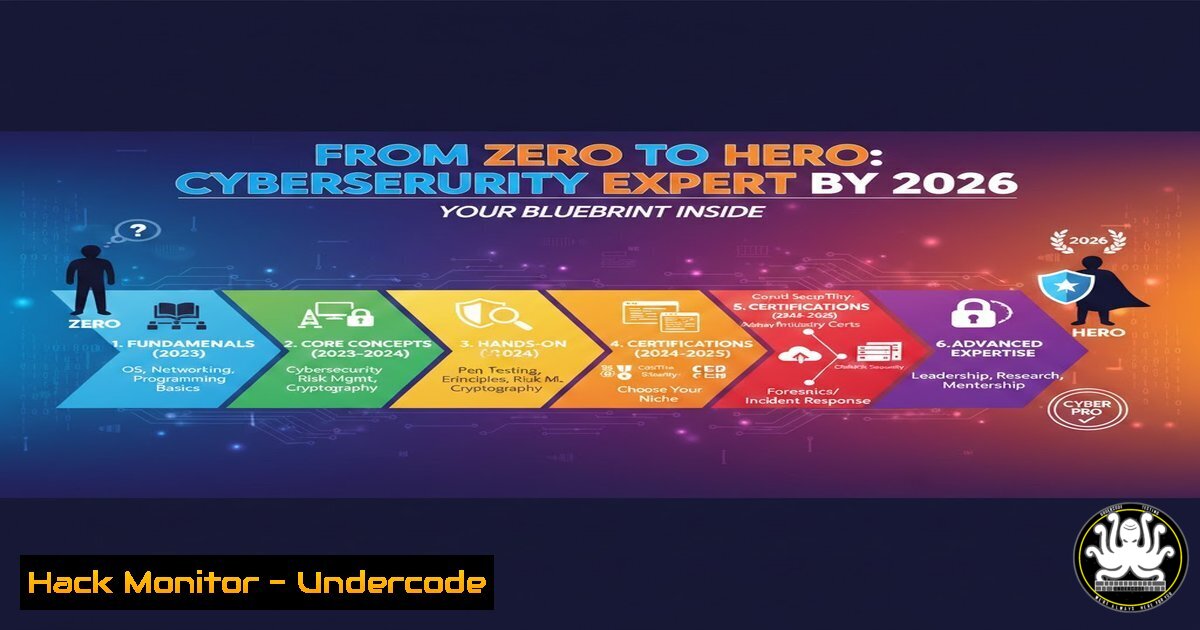
The cybersecurity landscape is evolving at a breakneck pace, with AI-powered threats and cloud vulnerabilities redefining the battleground. To remain relevant and formidable in 2026, professionals must move beyond theoretical knowledge and master hands-on, practical skills across penetration testing, cloud hardening, and defensive AI. This article provides a structured, technical blueprint to build the expertise demanded by the future of security.
Learning Objectives:
- Establish a foundational lab environment and master essential command-line operations for both offensive and defensive tasks.
- Develop practical skills in network analysis, cloud security configuration, and basic AI-driven security scripting.
- Understand and apply key techniques for vulnerability identification, exploitation, and mitigation in a controlled environment.
You Should Know:
- Building Your Cyber Fortress: The Essential Home Lab
To practice safely and effectively, you need an isolated environment. A home lab using virtualization is non-negotiable.
Step‑by‑step guide explaining what this does and how to use it.
1. Choose Your Hypervisor: Install VMware Workstation Player or Oracle VirtualBox on your host machine (Windows/Linux).
2. Acquire Lab Images: Download pre-configured, vulnerable virtual machines from VulnHub or the Metasploitable series. For a target Linux client, use a minimal Ubuntu Server ISO.
3. Network Configuration: Set your VMs to “Host-Only” or “NAT Network” mode in your hypervisor. This isolates lab traffic from your main network.
4. Kali Linux as Your Attack Platform: Download and install the Kali Linux offensive security distribution as a VM. This is your primary toolkit.
5. Basic Connectivity Test: From your Kali VM, use `ping` to confirm communication with your target VMs.
ping -c 4 <TARGET_IP_ADDRESS>
- Command-Line Fluency: The Hacker’s & Defender’s Lingua Franca
Efficiency in cybersecurity is impossible without mastering the terminal. These commands are your first tools.
Step‑by‑step guide explaining what this does and how to use it.
Linux (Kali/Ubuntu):
Network Recon: `ip a` (show interfaces), `netstat -tulnp` (list listening ports), `ss -tuln` (modern socket statistics).
File Manipulation & Privilege: `find / -type f -perm -4000 2>/dev/null` (find SUID files), `grep -r “password” /etc/ 2>/dev/null` (search for sensitive strings).
Process Management: ps aux | grep <process_name>, kill -9 <PID>.
Windows (Command Prompt/PowerShell):
Network Info: `ipconfig /all`, `netstat -ano`.
System & User Info: `whoami /priv` (view privileges), systeminfo.
PowerShell for Deep Analysis: `Get-Process | Where-Object {$_.CPU -gt 50}` (find high CPU processes).
- Decoding the Digital Conversation: Network Analysis with Wireshark & Tcpdump
Understanding network protocols is critical for identifying malicious traffic and diagnosing issues.
Step‑by‑step guide explaining what this does and how to use it.
1. Capture Traffic: Open Wireshark on your Kali VM and select the lab network interface (e.g., eth0). Start capturing.
2. Generate Traffic: From your Kali VM, perform a simple Nmap scan on your target: nmap -sS -T4 <TARGET_IP>.
3. Analyze in Wireshark: Apply a filter: tcp.port == 80 or tcp.flags.syn == 1. Observe the TCP three-way handshake (SYN, SYN-ACK, ACK) and the scan packets.
4. Command-Line Analysis with Tcpdump: For a lightweight alternative, use:
sudo tcpdump -i eth0 'tcp port 443' -w https_capture.pcap
This captures all HTTPS traffic on `eth0` and saves it to a file for later analysis.
- Securing the Cloud Frontier: AWS CLI & Hardening S3
Misconfigured cloud storage is a leading cause of breaches. Learn to configure it securely.
Step‑by‑step guide explaining what this does and how to use it.
1. Install & Configure AWS CLI: On your lab machine, install the AWS CLI and configure it with dummy credentials (use a free-tier account for real practice).
aws configure
 Enter Access Key, Secret Key, Region (e.g., us-east-1)
2. Create a Private S3 Bucket: The default is often insecure.
aws s3api create-bucket --bucket my-unique-secure-bucket-2026 --region us-east-1
aws s3api put-public-access-block --bucket my-unique-secure-bucket-2026 --public-access-block-configuration "BlockPublicAcls=true,IgnorePublicAcls=true,BlockPublicPolicy=true,RestrictPublicBuckets=true"
3. Verify Bucket Policy: Ensure no overly permissive policies are attached.
aws s3api get-bucket-policy --bucket my-unique-secure-bucket-2026
- AI for Cybersecurity: Automating Threat Detection with Python
Use simple Python scripts to analyze logs and detect anomalies, a foundational AI/ML skill.
Step‑by‑step guide explaining what this does and how to use it.
1. Create a Sample Log File: `auth.log` with failed login attempts.
2. Write a Basic Detection Script: `detect_bruteforce.py`
import re
from collections import defaultdict

def analyze_ssh_log(log_file_path):
failed_attempts = defaultdict(int)
ip_pattern = r'Failed password for . from (\d+.\d+.\d+.\d+)'

with open(log_file_path, 'r') as file:
for line in file:
match = re.search(ip_pattern, line)
if match:
ip = match.group(1)
failed_attempts[bash] += 1

for ip, count in failed_attempts.items():
if count > 10:  Threshold
print(f"[!] Potential brute-force attack from IP: {ip} ({count} failures)")

if <strong>name</strong> == "<strong>main</strong>":
analyze_ssh_log('/path/to/auth.log')
3. Run the Script: python3 detect_bruteforce.py. This automates the identification of suspicious IPs.
- From Vulnerability to Exploit: A Practical Metasploit Example
Understanding how exploits work is the best way to learn how to defend against them.
Step‑by‑step guide explaining what this does and how to use it.
1. Identify a Target Service: Use Nmap on your Metasploitable VM: `nmap -sV
2. Search for an Exploit: Within the Metasploit Framework console (msfconsole):
search vsftpd 2.3.4
use exploit/unix/ftp/vsftpd_234_backdoor
set RHOSTS <TARGET_IP>
exploit
3. Mitigation: The defense is simple: update the vulnerable service. On the target (simulated):
sudo apt update && sudo apt upgrade vsftpd -y
This demonstrates the critical link between exploitation and patch management.
What Undercode Say:
- Foundations Trump Flashy Tools: Mastery of networking, operating systems, and scripting (Bash/Python) is the durable core of expertise. Tools change, but these fundamentals do not.
- The Lab is Sacred: Real skill is forged in isolated, hands-on practice. Certificates open doors, but demonstrable, practical ability wins jobs and secures networks.
- Analysis: The provided roadmap correctly emphasizes a progression from core IT fundamentals to specialized offensive and defensive techniques. The inclusion of cloud and AI basics is forward-thinking and aligns with industry direction. However, success hinges on consistent, daily practice in a lab, not just passive consumption of courses. The most common failure point is neglecting the foundational command-line and networking skills in a rush to use automated exploit tools. True expertise in 2026 will belong to those who can code their own tools, deeply analyze systems, and adapt principles—not just follow click-button tutorials.
Prediction:
By 2026, the delineation between “offensive” and “defensive” roles will blur further, with all security professionals expected to understand attack lifecycle. AI will automate both attack vectors (phishing, vulnerability discovery) and defensive responses (automated patching, behavioral threat hunting), raising the baseline skill requirement. Professionals who have built a solid, practical foundation as outlined will be positioned to specialize in securing AI systems themselves and managing zero-trust architectures in pervasive cloud environments. Those relying solely on theoretical knowledge from yesterday’s courses will be obsolete.
🎯Let’s Practice For Free:
IT/Security Reporter URL:
Reported By: Tolulopemichael Your – Hackers Feeds
Extra Hub: Undercode MoN
Basic Verification: Pass ✅


