Listen to this Post
Introduction:
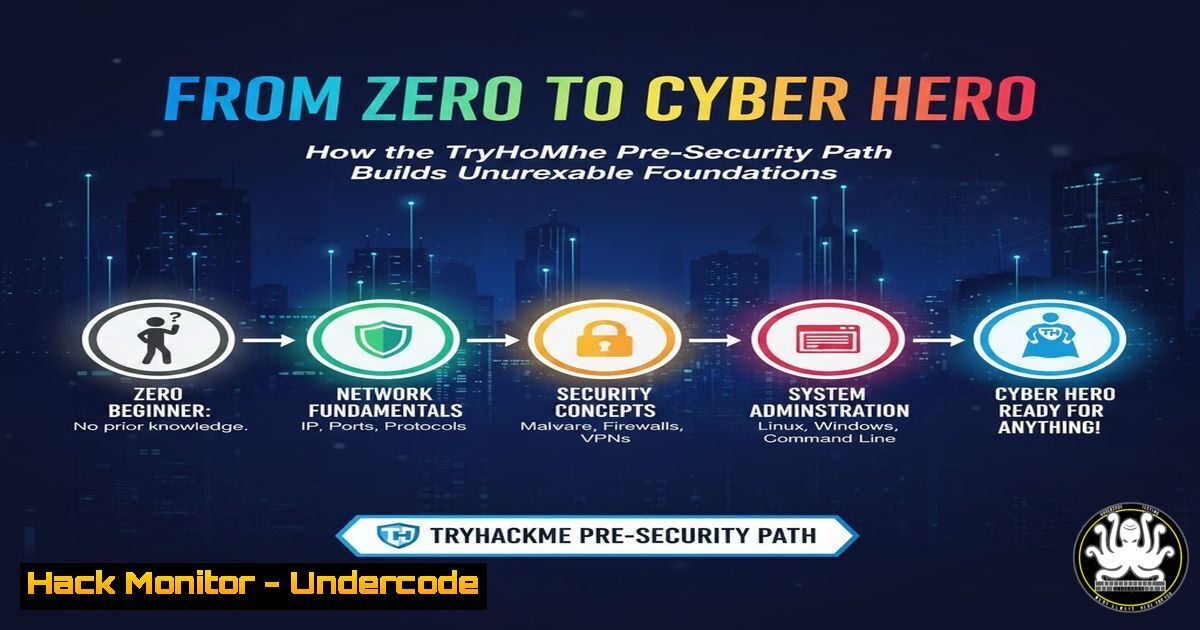
The journey into cybersecurity begins not with advanced exploits, but with mastering the fundamental architecture of digital systems. Completing a structured learning path like TryHackMe’s Pre-Security module represents a critical first step, transitioning from theoretical knowledge to practical, hands-on understanding of how networks operate, how systems are built, and how attackers think. This foundational prowess is what separates certified professionals from truly industry-ready security engineers.
Learning Objectives:
- Deconstruct and map the flow of data across a network using essential diagnostic tools.
- Navigate, manage, and secure a Linux environment through the command line.
- Identify common attack surfaces and apply basic threat-mitigation techniques.
You Should Know:
1. Networking Foundations: How Data Really Flows
The core of all security is understanding the network. The Pre-Security path emphasizes protocols like TCP/IP, DNS, and HTTP/S. Let’s move beyond theory and see the traffic.
Step‑by‑step guide explaining what this does and how to use it.
Step 1: Protocol Analysis with tcpdump. On your Linux machine or TryHackMe attack box, use `tcpdump` to listen to traffic. The command `sudo tcpdump -i any -n port 80` captures all HTTP traffic on port 80, showing raw packet headers. This reveals source/destination IPs and the protocol in action.
Step 2: Mapping the Path with traceroute/tracert. To understand the route your data takes, use `traceroute google.com` (Linux) or `tracert google.com` (Windows). This command shows every hop (router) between you and the destination, highlighting potential points where traffic could be intercepted.
Step 3: Service Discovery with nmap. A foundational security tool, Nmap scans for open ports. A basic scan `nmap -sV -O -sV) and OS detection (-O) scan, revealing the attack surface of a target machine by listing running services and their versions.
- Linux Command Line: The Hacker’s and Defender’s Playground
Linux is the OS of the internet and of security tools. Proficiency here is non-negotiable.
Step‑by‑step guide explaining what this does and how to use it.
Step 1: File System Navigation & Permissions. Use `ls -la` to list all files with permissions. The output shows `rwx` (read, write, execute) for user, group, and others. A misconfigured permission like `-rwxrwxrwx` (777) on a sensitive file is a critical finding. Change it with `chmod 600 filename` to restrict to user read/write only.
Step 2: Process Management. Use `ps aux` to view all running processes. To stop a suspicious process, first find its PID (Process ID) and then run kill <PID>. For persistent processes, `kill -9
Step 3: Log Inspection. Security incidents leave traces. Use `sudo tail -f /var/log/auth.log` (on Debian/Ubuntu) or `/var/log/secure` (on RHEL/CentOS) to follow authentication logs in real-time, watching for failed login attempts or unauthorized access.
- Security Concepts: From Threat Models to Basic Hardening
Understanding the “why” behind attacks informs defense. This involves thinking about Confidentiality, Integrity, and Availability (CIA Triad).
Step‑by‑step guide explaining what this does and how to use it.
Step 1: Password Security & Hashing. Understand why storing plain-text passwords is fatal. Use the command `echo -n “MyPassword123” | md5sum` (or sha256sum) to generate a hash. While MD5 is broken, this demonstrates the one-way transformation. Crack it using a tool like John the Ripper on a wordlist to see the importance of strong, salted passwords.
Step 2: Basic Firewall Configuration. On Linux using `ufw` (Uncomplicated Firewall), enable it with sudo ufw enable. To allow only SSH and block everything else by default: `sudo ufw allow 22/tcp` and sudo ufw default deny incoming. This is a primary host-based mitigation.
Step 3: Vulnerability Scanning with Nessus/OpenVAS. Install the OpenVAS scanner and run a credentialed scan against a local machine. The report will categorize findings (Critical, High, Medium) like missing OS patches or default credentials, providing a prioritized remediation list.
4. Web Attack Surfaces: Your First SQL Injection
The web is a primary target. Understanding injection flaws is a cornerstone of both offensive and defensive training.
Step‑by‑step guide explaining what this does and how to use it.
Step 1: Identifying a Potential Injection Point. On a deliberately vulnerable app (like OWASP Juice Shop or a TryHackMe room), find a login or search field.
Step 2: Crafting the Payload. In a login field, instead of a username, try: ' OR 1=1--. This payload manipulates the backend SQL query to always return true, potentially bypassing authentication.
Step 3: Mitigation via Parameterized Queries. The fix is on the code side. Explain that instead of concatenating user input into a query, developers must use prepared statements. Show a pseudo-code example contrasting insecure `”SELECT FROM users WHERE name = ‘” + input + “‘”` with secure parameterized queries.
5. Active Directory Basics: The Corporate Target
For Windows/enterprise security, understanding Active Directory (AD) is crucial.
Step‑by‑step guide explaining what this does and how to use it.
Step 1: Enumerating Users with `net` commands. From a domain-joined Windows machine, `net user /domain` lists all domain users. This is legitimate enumeration that an attacker would use for reconnaissance.
Step 2: Understanding Kerberos Attacks. Explain the theory behind a Kerberoasting attack: an attacker requests service tickets for SPNs and attempts to crack the associated password hashes offline using a tool like hashcat.
Step 3: Implementing Strong Password Policies. The primary mitigation. Show how to enforce this via Group Policy: Computer Configuration > Policies > Windows Settings > Security Settings > Account Policies > Password Policy. Enforce minimum length (14+ characters) and complexity.
What Undercode Say:
- Foundations Trump Flashy Tools. True expertise is built on the immutable basics of networking and systems administration. A professional who can expertly interpret `tcpdump` output or correct Linux file permissions will outperform someone who only knows how to launch automated exploit tools.
- Hands-On Labs Are the Critical Bridge. Certifications provide a map, but platforms like TryHackMe provide the terrain. The muscle memory built in controlled environments directly translates to the composure needed during real incidents, reducing time-to-response and improving accuracy.
The completion of a Pre-Security path signals a shift from passive learning to active application. This foundational phase is often underestimated, yet it is the bedrock upon which all advanced security roles—from SOC analyst to penetration tester—are built. The individual’s focus on becoming “industry-ready, not just certified” highlights a key market insight: employers increasingly prioritize demonstrable, practical skills over credential collection alone. This hands-on, fundamentals-first approach cultivates the analytical mindset required to understand not just how an attack works, but why it works, which is the essence of effective defense.
Prediction:
The normalization of hands-on, gamified cyber training will accelerate the competency of entry-level professionals, raising the baseline skill standard across the industry. Within 3-5 years, we predict that portfolio-based hiring—where candidates demonstrate skills through curated write-ups of lab compromises, mitigation plans, and tool development—will rival or surpass traditional certification-centric hiring for technical roles. This will force a consolidation in the certification market, with a greater emphasis on performance-based exams (like the new CCIE) and a decline in the value of purely multiple-choice credentials. The “cyber journey” mindset will become the standard, creating a more resilient and adaptable global security workforce.
▶️ Related Video (82% Match):
🎯Let’s Practice For Free:
IT/Security Reporter URL:
Reported By: Suhasjk07 Certificate – Hackers Feeds
Extra Hub: Undercode MoN
Basic Verification: Pass ✅


