
Listen to this Post
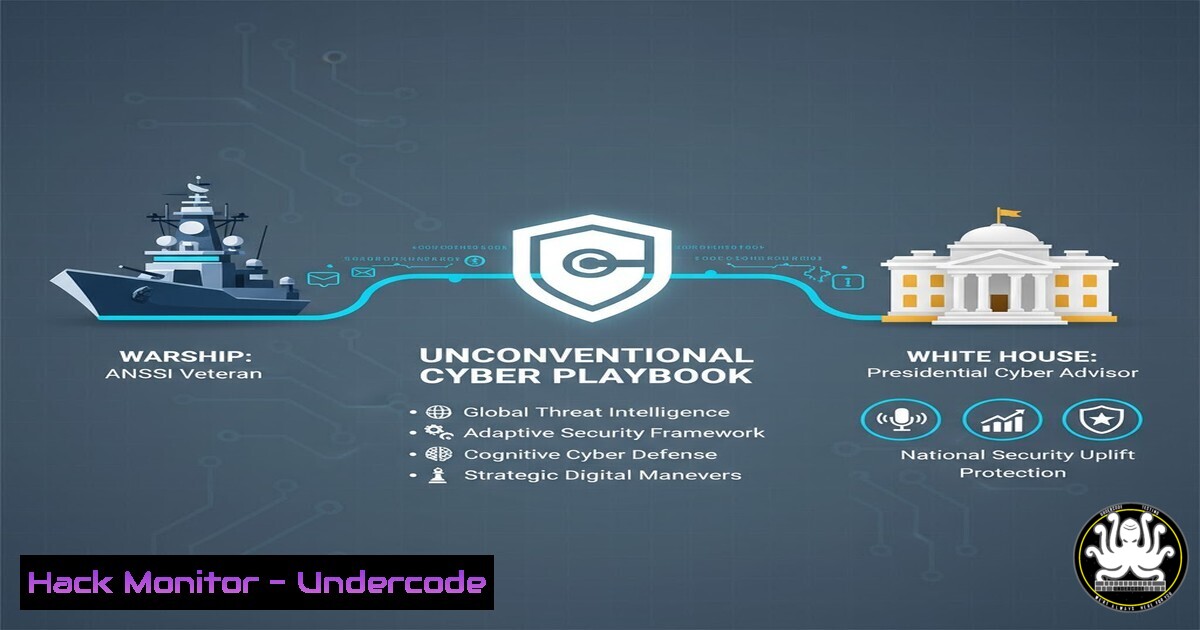
Introduction:
The path to becoming a cybersecurity master is rarely a straight line through a computer science lecture hall. For some of the most effective defenders, the core principles of resilience, anticipation, and crisis management are forged not in server rooms, but on the decks of naval combat vessels. This article deconstructs the philosophy of a former French Navy technician turned ANSSI expert, extracting the technical and strategic lessons from a career built on high-stakes environments. We will translate the mindset of “operational paranoia” into actionable system hardening guides, Linux survival commands, and incident response protocols that every IT professional should know.
Learning Objectives:
- Translate military-grade “operational paranoia” into practical Linux and Windows system hardening techniques.
- Master the “5C Rule” for incident response, shifting from theoretical PowerPoint plans to executable crisis management.
- Understand how to build a resilient home lab environment that mimics the “fire in the action” learning process.
- Identify the critical difference between penetration testing and holistic cyber defense strategy.
You Should Know:
- The “Overclocked Tower” Legacy: Building Your Cyber Range
Christophe’s journey began like many geeks: pushing hardware to its limits to gain a few extra FPS. However, the step from “sometimes it burns” to professional defense requires a controlled environment for failure. To replicate this “fire in the action” learning, you need a virtualized range.
Step‑by‑step guide: Building a Vulnerable Home Lab (Windows/Linux)
- Install Virtualization Software: Download and install VMware Workstation Player (Free) or Oracle VirtualBox.
- Acquire Target Images: Download purposely vulnerable VMs like Metasploitable 2 (Linux) or OWASP Broken Web Applications.
- Configure the Attacker Machine: Install a Linux distribution (like Kali Linux) on a separate VM.
- Network Settings: Ensure both VMs are on the same “Host-Only” or “NAT” network to isolate your experiments from your main network.
- Linux Command – Reconnaissance: From your Kali machine, run `netdiscover -r 192.168.1.0/24` (adjust for your subnet) to find the IP of your target VM.
- Linux Command – Scanning: Execute `nmap -sV
` to identify open ports and service versions on the vulnerable machine. This simulates the initial phase of understanding your "adversary" or your own exposed attack surface.</li>
</ol>

<h2 style="color: yellow;">2. The "Combat Building" Principle: Hardening the Infrastructure</h2>

Transitioning from IT to cyber defense means shifting from a mindset of functionality to one of survivability. On a warship, every system is compartmentalized to prevent total failure. This translates directly to network segmentation and system hardening.

<h2 style="color: yellow;">Step‑by‑step guide: Applying Military-Grade Hardening (Windows & Linux)</h2>

<ol>
<li>Windows - Eliminate Bloat & Entry Points: Open PowerShell as Administrator.</li>
</ol>

- To list all installed optional features: `Get-WindowsOptionalFeature -Online | Where-Object {$_.State -eq "Enabled"}`
- To disable a legacy, vulnerable service (e.g., SMBv1): `Disable-WindowsOptionalFeature -Online -FeatureName "SMB1Protocol"` (Reboot required).
2. Linux - Kernel Parameter Hardening: Edit the sysctl configuration file: <code>sudo nano /etc/sysctl.conf</code>.
- Add the following lines to prevent IP spoofing and source routing (common in MITM attacks):
[bash]
net.ipv4.conf.all.rp_filter = 1
net.ipv4.conf.all.accept_source_route = 0
net.ipv6.conf.all.accept_source_route = 0
– Apply changes:
sudo sysctl -p.3. The “Crisis Management” Playbook: The 5C Rule
The profile mentions the “5C Rule” – C’est Con mais C’est Comme Ça (It’s stupid, but it is what it is). In technical terms, this is the acceptance phase of incident response, allowing you to move from panic to mitigation.
Step‑by‑step guide: Implementing an Immediate Incident Response Protocol
When a breach is detected (e.g., ransomware alert), follow this “5C” technical workflow:
1. Contain (Network-Level): Immediately isolate the affected machine. Do not just shut it down (this may trigger further encryption). Instead, from the switch or via the host firewall, block its communication.
– Linux Command (on a gateway/responder): `sudo iptables -A FORWARD -s-j DROP` - Windows Command (on the host, if accessible): `New-NetFirewallRule -DisplayName "IsolateInfected" -Direction Outbound -RemoteAddress Any -Action Block` 2. Collect (Forensic Imaging): Before eradication, preserve evidence. Use `dd` on Linux or FTK Imager on Windows to create a bit-for-bit copy of the affected drive for analysis without altering the original. 3. Communicate: Log every action taken. This creates the "C'est Comme Ça" log that becomes the post-mortem report. <h2 style="color: yellow;">4. Beyond the Pentester Myth: Defensive Engineering</h2> The post explicitly calls out the "surfait" (overrated) idea that everyone graduates to become a pentester. True cyber resilience lies in defense. This involves automating the "paranoia" through monitoring. Step‑by‑step guide: Setting Up Basic File Integrity Monitoring (Linux) Attackers often modify system files to maintain persistence. Monitoring for these changes is a core defensive task. 1. Install AIDE (Advanced Intrusion Detection Environment): `sudo apt-get install aide` (Debian/Ubuntu). 2. Initialize the Database: <code>sudo aideinit</code>. This creates a checksum database of all critical system files. - The output file is typically <code>/var/lib/aide/aide.db.new</code>. <h2 style="color: yellow;">3. Rename the Database: `sudo mv /var/lib/aide/aide.db.new /var/lib/aide/aide.db`</h2> <ol> <li>Simulate an Attack: Create a fake user to mimic a backdoor: `sudo useradd malicious` 5. Run a Check: <code>sudo aide --check</code>. AIDE will compare current files against the database and report any changes, including new user entries in <code>/etc/passwd</code>, alerting you to unauthorized modifications.</p></li> <li><p>The "Chocolatine" Collective: API Security & Cloud Collaboration The emphasis on "playing as a team" is vital in modern cloud architectures where misconfigurations are the primary vulnerability. Collective defense here means shared responsibility and secure defaults.</p></li> </ol> <p>Step‑by‑step guide: Hardening an AWS S3 Bucket (Preventing Data Leaks) 1. Using AWS CLI (Linux/Windows): Ensure you have the AWS CLI installed and configured. 2. Check Current Permissions: `aws s3api get-bucket-acl --bucket your-bucket-name` - If this returns `Grantee` permissions for `AllUsers` or <code>AuthenticatedUsers</code>, your data is at risk. <h2 style="color: yellow;">3. Block Public Access (The "Paranoia" Setting):</h2> [bash] aws s3api put-public-access-block \ --bucket your-bucket-name \ --public-access-block-configuration BlockPublicAcls=true,IgnorePublicAcls=true,BlockPublicPolicy=true,RestrictPublicBuckets=true
4. Apply a “Least Privilege” Bucket Policy: Create a `policy.json` file that only allows access from a specific VPC or a specific IAM role, rather than the public internet. This enforces the “collective” security model where only trusted services can interact.
What Undercode Say:
- Operational Paranoia is a Protocol, not a Feeling: Christophe’s mindset translates directly to technical controls. It’s not about being afraid; it’s about implementing fail-safes like kernel hardening and network segmentation before the crisis hits. The warship doesn’t hope it won’t be hit; it has watertight doors.
- Resilience is Forged in the “Trench”: The anecdote about burning CPUs for FPS gains is a metaphor for hands-on learning. You cannot learn incident response solely from slides. You must build a lab, break things (in a VM), and practice the commands for containment and eradication until they become muscle memory.
- The Myth of the Lone Hacker: The profile dismantles the “lone wolf pentester” archetype. Modern security—especially cloud and API security—is a team sport. The “5C Rule” is a team-based acceptance mechanism. The most sophisticated firewall is useless if a teammate accidentally grants “Public” access to a database.
Prediction:
The future of cybersecurity hiring will increasingly value “non-traditional” candidates from high-pressure operational backgrounds (military, emergency services). As AI automates basic vulnerability scanning, the uniquely human skills—crisis management, team coordination under stress, and the “5C” acceptance of failure to move forward—will become the most sought-after commodities in the industry. We will see a rise in “Cyber Firefighter” roles focused purely on dynamic incident response rather than static compliance checks.
▶️ Related Video (82% Match):
🎯Let’s Practice For Free:
IT/Security Reporter URL:
Reported By: Romainpremaz Cyberstaaar – Hackers Feeds
Extra Hub: Undercode MoN
Basic Verification: Pass ✅🔐JOIN OUR CYBER WORLD [ CVE News • HackMonitor • UndercodeNews ]
📢 Follow UndercodeTesting & Stay Tuned:


