Listen to this Post
Introduction:
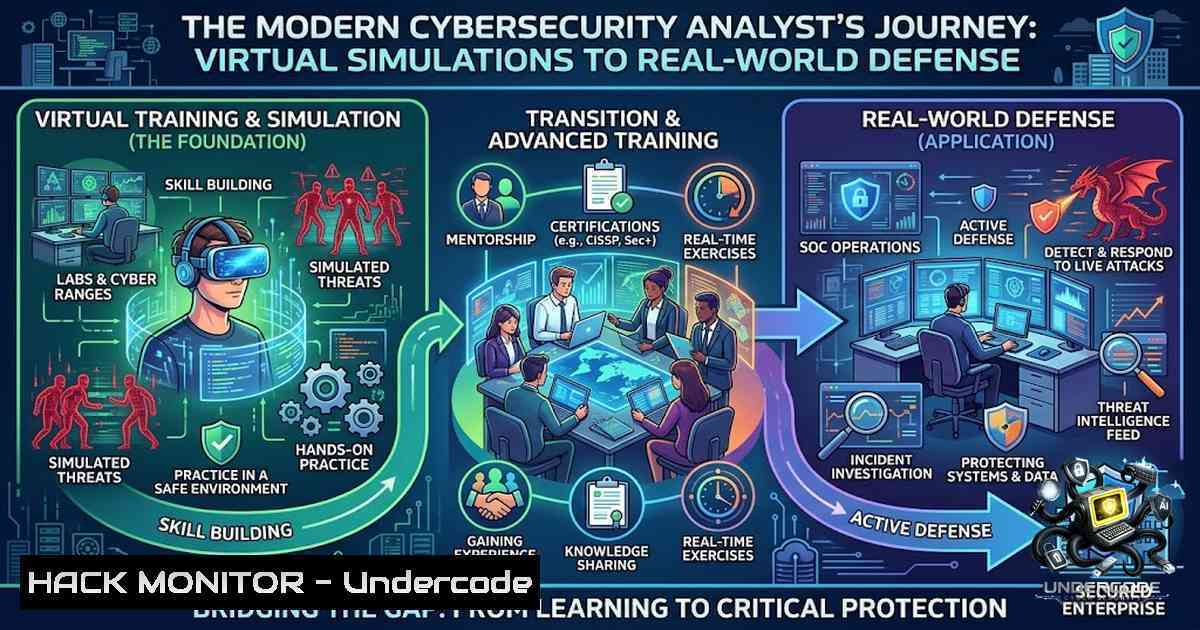
The cybersecurity landscape demands a rare combination of technical depth, strategic communication, and adaptive thinking — log analysis and Python scripting one day, client-facing risk presentations the next. Muhammad Zain Amir’s recent virtual job simulation experience across five major organizations — Deloitte, Mastercard, Datacom, PwC, and AIG — illustrates exactly this multifaceted reality. From investigating data breaches through web activity log analysis to designing phishing simulations, researching nation-state threat groups like APT34 via OSINT, and scripting ransomware recovery fixes for the Log4j zero-day, the throughline is clear: cybersecurity isn’t one skill set. It’s a continuous cycle of detection, analysis, response, and communication.
Learning Objectives:
- Understand how to investigate a data breach through web activity log analysis and trace suspicious activity to its source
- Design and evaluate phishing simulation campaigns with actionable training recommendations
- Apply OSINT techniques and the MITRE ATT&CK framework to research Advanced Persistent Threat (APT) groups
- Execute risk assessments, review change management controls, and present findings to stakeholders
- Respond to zero-day vulnerabilities like Log4j and script recovery solutions for ransomware-encrypted files
You Should Know:
1. Breach Investigation Through Web Activity Log Analysis
Web activity logs are the digital breadcrumbs of any cybersecurity investigation. When a data breach occurs, security analysts must parse through vast amounts of log data to trace suspicious activity back to its source. This process involves correlating timestamps, IP addresses, user agents, and access patterns to identify anomalies.
Step-by-Step Guide:
Step 1: Collect and Centralize Logs
On Linux systems, use `journalctl` and `rsyslog` to aggregate logs:
 View all system logs from the last hour
journalctl --since "1 hour ago"

Monitor authentication logs in real-time
tail -f /var/log/auth.log
On Windows, use PowerShell to extract security event logs:
 Get failed login attempts from the last 24 hours
Get-WinEvent -LogName Security | Where-Object { $<em>.Id -eq 4625 -and $</em>.TimeCreated -gt (Get-Date).AddDays(-1) } | Select-Object TimeCreated, Message
Step 2: Identify Anomalies
Use grep, awk, and `sort` to filter and count unusual patterns:
 Count failed SSH attempts by IP address
grep "Failed password" /var/log/auth.log | awk '{print $11}' | sort | uniq -c | sort -1r

Extract all POST requests from web server logs
grep "POST" /var/log/nginx/access.log | awk '{print $1, $7, $NF}'
Step 3: Trace the Attack Chain
Correlate suspicious IPs with access patterns. If an IP shows multiple failed logins followed by a successful one, investigate further. Use threat intelligence feeds to check if the IP is known for malicious activity.
Step 4: Document and Report
Create a timeline of events with timestamps, affected systems, and evidence of compromise. This forms the foundation of your incident report.
2. Designing and Evaluating Phishing Simulation Campaigns
Phishing remains the primary vector for initial compromise. Modern phishing simulations must evolve from static, mass campaigns to dynamic, behavior-driven learning experiences. Organizations should adopt an adaptive, continuous assessment model rather than a rigid quarterly schedule.
Step-by-Step Guide:
Step 1: Set Clear Objectives
Define what you want to measure — click-through rates, credential submission rates, or report rates. Without a clear objective, simulations drift and produce data nobody acts on.
Step 2: Design Role-Based Templates
Mirror the types of messages employees are most likely to receive in their work. Finance teams should see invoice-related lures; HR should see benefits-related templates.
Step 3: Establish Ethical Boundaries
Avoid designs that humiliate employees or create distrust, such as fake termination notices or disciplinary letters.
Step 4: Run the Campaign
Use platforms like GoPhish (open-source) or commercial solutions. Deploy at least twice monthly for optimal behavioral change.
Step 5: Analyze Results and Build Training
Segment users by risk level. Those who click repeatedly need additional training; those who report simulations should be recognized. Use the data to create targeted micro-learning modules.
3. OSINT Research on Nation-State Threat Groups (APT34)
APT34 — also known as OilRig, Greenbug, Helix Kitten, and Earth Simnavaz — is an Iranian state-sponsored APT group active since at least 2014. The group conducts spear-phishing operations using compromised accounts, often coupled with social engineering tactics. Their distinctive signature includes DNS tunneling for C2 exfiltration and command channels.
Step-by-Step Guide:
Step 1: Gather Open-Source Intelligence
Use OSINT tools to collect information on APT34’s history, targeted industries, motives, and attack techniques. Key sources include:
- MITRE ATT&CK framework for TTP mapping (T1566.001 — Spear Phishing Attachment, T1589 — Reconnaissance)
- Threat intelligence reports from Mandiant, CrowdStrike, and Trend Micro
- Public GitHub repositories documenting APT34 campaigns
Step 2: Map to MITRE ATT&CK
Document the group’s TTPs:
- Reconnaissance (TA0043): OSINT collection via LinkedIn, targeted spear-phishing
- Initial Access (TA0001): Spear-phishing attachments and links
- Command and Control (TA0011): DNS tunneling
- Execution (TA0002): PowerShell backdoors for remote command execution
Step 3: Build a Client Risk Assessment
Assess the client’s exposure to APT34-style attacks. Consider industry vertical (energy, government, telecommunications are prime targets), geographic presence, and existing security controls.
Step 4: Present Findings
Translate technical TTPs into business risk language. Explain what APT34 does, why they target specific sectors, and what controls mitigate their techniques.
4. Log4j Zero-Day Response and Ransomware Recovery Scripting
The Log4j vulnerability (CVE-2021-44228), also known as Log4Shell, allowed remote code execution via JNDI lookups. Attackers exploited this to deploy ransomware, crypto miners, and conduct data exfiltration. The only way to fully mitigate is to upgrade to patched versions: Log4j 2.3.2 (Java 6), 2.12.4 (Java 7), or 2.17.1 (Java 8 and later).
Step-by-Step Guide:
Step 1: Detect Vulnerable Instances
Use CISA’s scanning script from the CERTCC GitHub repository:
 Clone the scanner repository
git clone https://github.com/CERTCC/CVE-2021-44228_scanner.git
cd CVE-2021-44228_scanner

Run the scanner against your environment
python3 log4j_scanner.py --path /path/to/scan
For Windows systems, use the provided PowerShell script.
Step 2: Apply Mitigation
If immediate upgrading isn’t possible, mitigate by preventing JNDI lookups on Log4j versions 2.10–2.14.1:
 Set JVM argument to disable JNDI lookups
-Dlog4j2.formatMsgNoLookups=true
Or set the environment variable:
export LOG4J_FORMAT_MSG_NO_LOOKUPS=true
Step 3: Script Ransomware Recovery
For ransomware-encrypted files, a recovery script typically:
1. Identifies encrypted file extensions
2. Quarantines affected systems
3. Restores from clean backups
4. Applies decryption tools if available
 Python pseudo-script for ransomware recovery coordination
import os
import shutil
from datetime import datetime

def identify_encrypted_files(directory, extensions):
encrypted = []
for root, dirs, files in os.walk(directory):
for file in files:
if any(file.endswith(ext) for ext in extensions):
encrypted.append(os.path.join(root, file))
return encrypted

def quarantine_affected_systems(hosts):
 Isolate systems from network
for host in hosts:
os.system(f"ssh {host} 'iptables -P INPUT DROP'")
os.system(f"ssh {host} 'iptables -P OUTPUT DROP'")

Log all actions for forensic review
log_file = f"recovery_log_{datetime.now().strftime('%Y%m%d_%H%M%S')}.txt"
Step 4: Post-Incident Review
Document the attack vector, affected systems, response actions, and lessons learned. Update incident response playbooks accordingly.
5. Building a SOC Automation Homelab
Hands-on experience with SOC automation bridges the gap between theoretical knowledge and practical defense. A comprehensive homelab integrates pfSense (firewall), Suricata (IDS/IPS), Splunk or Wazuh (SIEM), and Shuffle (SOAR) for automated response.
Step-by-Step Guide:
Step 1: Set Up the Infrastructure
- Deploy pfSense as your network gateway and firewall
- Install Wazuh or Splunk for log aggregation and alerting
- Configure Suricata for network intrusion detection
Step 2: Integrate Threat Intelligence Feeds
Connect AbuseIPDB and VirusTotal APIs to enrich alerts:
 Example: Query VirusTotal API for IP reputation
curl --request GET \
--url 'https://www.virustotal.com/api/v3/ip_addresses/8.8.8.8' \
--header 'x-apikey: YOUR_API_KEY'
Step 3: Automate Response with SOAR
Use Shuffle or a similar SOAR platform to create automated playbooks:
– When Suricata detects a malicious IP, automatically block it on pfSense
– When Wazuh detects malware, isolate the affected host and trigger a ticket
Step 4: Test and Iterate
Simulate attacks using frameworks like Caldera or Atomic Red Team. Measure detection and response times. Refine rules and playbooks based on results.
6. Risk Assessment and Change Management Controls
Risk assessment in cybersecurity involves identifying assets, threats, vulnerabilities, and existing controls. Change management ensures that system modifications don’t introduce security gaps.
Step-by-Step Guide:
Step 1: Identify Assets and Threats
Catalog critical systems, data, and processes. Map threats to each asset using frameworks like STRIDE or OCTAVE.
Step 2: Review Existing Controls
Document preventive, detective, and corrective controls. For change management, review:
– Who approves changes?
– Are changes tested in a staging environment?
– Is there a rollback plan?
Step 3: Test Design and Operating Effectiveness
Complete a Test of Design and Operating Effectiveness documentation. Verify that controls are not only designed properly but also operating as intended.
Step 4: Present Findings
Create a one-slide summary with key risks, recommendations, and a risk heat map. Tailor the presentation to the audience — executives need business impact, technical teams need implementation details.
What Undercode Say:
- Key Takeaway 1: Cybersecurity is a T-shaped discipline — deep technical expertise in areas like log analysis, OSINT, and scripting must be paired with broad communication and risk assessment skills. The ability to explain a nation-state threat group to a non-technical stakeholder is as valuable as the ability to reverse-engineer malware.
-
Key Takeaway 2: Virtual job simulations on platforms like Forage offer a low-risk, high-reward way to build practical experience across multiple domains. They demonstrate initiative, expose gaps in knowledge, and provide concrete projects to discuss in interviews — all without leaving your laptop.
Analysis: The modern cybersecurity analyst must operate at the intersection of multiple disciplines. Log analysis and Python scripting one day; client-facing risk assessments and presentation skills the next. The rise of AI in security is creating new roles — AI risk顾问, model security red teams, and intelligent security architects — while the talent pool remains thin relative to demand. Professionals who build hands-on experience across detection, response, risk, and communication will be best positioned to thrive in this evolving landscape.
Prediction:
- +1 The integration of AI into SOC operations will accelerate, with LLM-powered autonomous SOCs becoming viable for tier-1 alert triage within 2–3 years, freeing human analysts for complex threat hunting.
-
+1 Virtual job simulations will become a standard part of cybersecurity hiring pipelines, as employers increasingly value demonstrated practical skills over credentials alone.
-
-1 Nation-state APT groups like APT34 will continue to evolve their TTPs, leveraging AI-generated phishing lures and living-off-the-land techniques that bypass traditional signature-based detection.
-
-1 The cybersecurity talent gap — currently estimated at 4.8 million globally — will widen as AI creates new specialized roles faster than the workforce can upskill.
-
+1 Professionals who build homelabs and pursue continuous, hands-on learning across the full cybersecurity spectrum will command premium salaries and have the greatest career mobility.
▶️ Related Video (86% Match):
https://www.youtube.com/watch?v=4ujKCuDMYg8
🎯Let’s Practice For Free:
🎓 Live Courses & Certifications:
Join Undercode Academy for Verified Certifications
🚀 Request a Custom Project:
Secure, high-velocity infrastructure and disruptive technological engineering. Contact our engineering team for high-tier development and proprietary systems:
[email protected]
💎 Smart Architecture | 🛡️ Secure by Design | ⭐ Trusted by Thousands
IT/Security Reporter URL:
Reported By: https://lnkd.in/p/e-iMuHm8 – Hackers Feeds
Extra Hub: Undercode MoN
Basic Verification: Pass ✅


