Listen to this Post
Introduction:
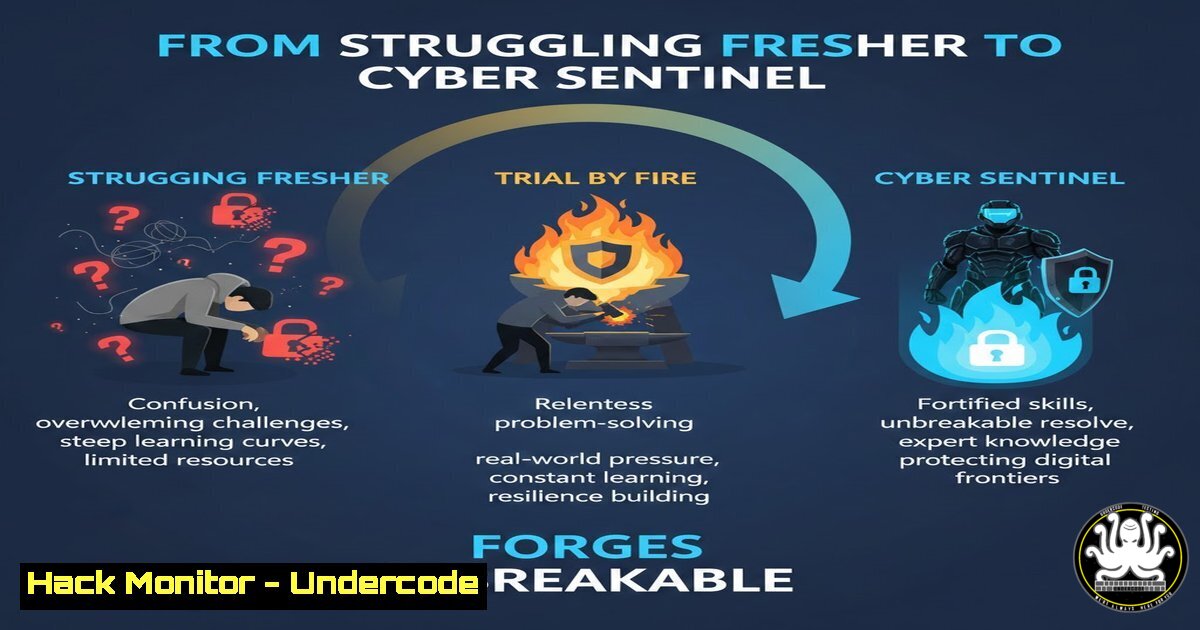
The cybersecurity landscape is a relentless battlefield, not a comfortable career path. This article deconstructs the linked motivational post through a technical lens, arguing that the “uncomfortable early phase” described is not merely personal growth but the essential, hands-on crucible where true defensive and offensive security expertise is forged outside of formal training and certifications.
Learning Objectives:
- Map the emotional resilience described in the post to practical, high-stress cybersecurity scenarios like incident response and threat hunting.
- Identify and leverage free, open-source training platforms and lab environments to build skills during “low pay, slow progress” phases.
- Develop a systematic self-training regimen using scripting, vulnerability analysis, and homelab hardening to transform “silent effort” into tangible, market-ready technical capability.
You Should Know:
- Building Your “Discipline When Motivation Fades”: The Homelab Crucible
The post mentions discipline replacing motivation. In cybersecurity, this translates to the consistent, often tedious work of building and maintaining a personal training lab. This is where theory meets practice.
Step‑by‑step guide explaining what this does and how to use it.
Objective: Create a controlled, isolated environment for practicing penetration testing, network defense, and malware analysis without legal or network risks.
- Choose Your Virtualization Platform: Install VMware Workstation Player (free for personal use) or VirtualBox. These allow you to run multiple virtual machines (VMs) on a single host.
2. Set Up a Vulnerable Practice Environment:
Download intentionally vulnerable VMs from VulnHub or the OWASP Broken Web Applications project.
Import these VM files (.ova format) into your virtualization software.
3. Configure an Isolated Network: In your hypervisor (e.g., VirtualBox), create a new “Host-Only” network adapter. Assign this adapter to your attack VM (e.g., Kali Linux) and your target vulnerable VM. This creates a private network between them, disconnected from your home internet.
4. Begin Systematic Practice: Use your Kali Linux attack VM, which comes pre-loaded with tools like Nmap, Metasploit, and Burp Suite. Start with basic reconnaissance.
 On your Kali Linux VM terminal, find the target's IP in the host-only network
sudo nmap -sn 192.168.56.0/24
 Perform a basic service and port scan on the discovered target IP
sudo nmap -sV -sC -O 192.168.56.105
- “When Results Are Invisible”: The Art of Log Analysis and Threat Hunting
The “invisible results” phase mirrors threat hunting—sifting through endless logs to find the one anomaly that indicates a breach. Resilience is built here.
Step‑by‑step guide explaining what this does and how to use it.
Objective: Develop skills in parsing system logs to identify malicious activity using native OS tools and simple scripting.
1. Linux Log Analysis (Using `/var/log`):
Authentication Logs: The primary file is `/var/log/auth.log` (on Debian/Ubuntu) or `/var/log/secure` (on RHEL/CentOS). Scan for failed login attempts, which could indicate brute-force attacks.
 Count failed login attempts by username
sudo grep "Failed password" /var/log/auth.log | awk '{print $9, $11}' | sort | uniq -c | sort -nr
 Look for successful logins from unexpected IPs
sudo grep "Accepted password" /var/log/auth.log
2. Windows Log Analysis (Using Event Viewer and PowerShell):
Use PowerShell to query Security logs for Event ID 4625 (failed logon):
Get-WinEvent -FilterHashtable @{LogName='Security'; ID=4625} -MaxEvents 20 | Format-List -Property TimeCreated, Message
Filter for specific suspicious accounts or source IP addresses.
- “Shape Character When Shortcuts Look Tempting”: Ethics, Compliance, and Secure Coding
The temptation of “shortcuts” in tech often means bypassing security controls for convenience. This phase builds the ethical foundation.
Step‑by‑step guide explaining what this does and how to use it.
Objective: Integrate basic security scanning into a development workflow, resisting the shortcut of pushing unvetted code.
- Integrate a SAST (Static Application Security Testing) Tool: For a Python project, use Bandit, a free tool from the OpenStack project.
2. Installation and Basic Scan:
pip install bandit
 Run Bandit recursively on your project directory
bandit -r /path/to/your/python/code/
3. Analyze the Output: Bandit will highlight issues like hard-coded passwords, use of insecure cryptographic functions, and potential SQL injection vectors. Fixing these before deployment is the “non-shortcut” path.
- “Silent Effort No One Applauds”: Mastering the Command Line and Automation
The unglamorous, silent work is mastering the automation that makes you efficient. This is the power of scripting.
Step‑by‑step guide explaining what this does and how to use it.
Objective: Create a Bash/PowerShell script to automate a routine security task: checking for outdated software with known vulnerabilities.
1. Linux (Debian/Ubuntu) – Bash Script:
!/bin/bash
 Script: vuln_check.sh
echo "Checking for upgradable packages..."
apt list --upgradable 2>/dev/null | grep -v "^Listing..."
echo ""
echo "Checking for known vulnerable packages (requires debsecan install)..."
 Install debsecan if not present: sudo apt install debsecan
if command -v debsecan &> /dev/null; then
debsecan --only-fixed
else
echo "debsecan not installed. Install with 'sudo apt install debsecan'"
fi
Run with: `chmod +x vuln_check.sh && sudo ./vuln_check.sh`
2. Windows – PowerShell Script:
 Script: Check-Hotfix.ps1
 Get recently installed hotfixes (security updates)
Get-HotFix | Sort-Object InstalledOn -Descending | Select-Object -First 20
 Check for specific critical vulnerability patches (example: PrintNightmare)
 This checks if the specific KB is installed
$kbID = "KB5006670"
if (Get-HotFix | Where-Object {$_.HotFixID -eq $kbID}) {
Write-Host "Patch $kbID is installed." -ForegroundColor Green
} else {
Write-Host "Patch $kbID is MISSING." -ForegroundColor Red
}
- “Learn, and Adapt”: Continuous Learning via Free Threat Intelligence & CTFs
Adaptation is fueled by continuous, structured learning from real-world threats and challenges.
Step‑by‑step guide explaining what this does and how to use it.
Objective: Establish a daily or weekly routine to consume threat intelligence and practice on Capture The Flag (CTF) platforms.
- Follow Free Threat Intelligence Feeds: Bookmark and regularly review:
URL: `www.us-cert.gov/ncas` (CISA Alerts)
URL: `github.com/ytisf/theZoo` (Live malware samples for analysis in a contained lab)
2. Engage in CTF Platforms:
URL: `tryhackme.com` (Beginner-friendly, guided learning paths)
URL: `hackthebox.com` (More advanced machines)
Methodology: Start with an “Easy” machine. Use the integrated VPN, perform reconnaissance (Step 1), document every command and finding, and only use write-ups as a last resort.
What Undercode Say:
- The Grind Is the Training: The emotional resilience preached in the original post is not abstract; it’s the exact mindset required to slog through terabytes of logs, false positives in vulnerability scans, and the complexity of reverse-engineering a new piece of malware. This “character-building” phase directly correlates to the stamina needed for a 72-hour incident response engagement.
- Free Resources Are the Great Equalizer: The post’s “low pay” phase is irrelevant when the most powerful training tools—Kali Linux, OWASP projects, VulnHub, TryHackMe, and open-source intelligence (OSINT)—are free. The barrier to entry is not money, but the disciplined application of effort through these resources. The professional who uses this “uncomfortable” time to build a prolific GitHub repository of scripts, documented CTF solutions, and a complex homelab will outpace certified peers with no hands-on experience.
Prediction:
The cybersecurity skills gap will increasingly be filled not solely by traditionally credentialed graduates, but by autodidacts who embraced the “struggle phase” as described. They will have honed their skills in unscripted, adaptive homelab environments, making them more adept at responding to novel, real-world attacks than those who only followed standardized training. Future hiring, especially for operational roles like SOC analysts and penetration testers, will prioritize evidence of this self-driven, hands-on technical perseverance—showcased through tool development, public write-ups, and demonstrable lab work—over passive credential collection. The “uncomfortable early phase” is becoming the definitive prerequisite for high-value security talent.
▶️ Related Video (82% Match):
🎯Let’s Practice For Free:
IT/Security Reporter URL:
Reported By: Minhaj313 Shaikhminhaj – Hackers Feeds
Extra Hub: Undercode MoN
Basic Verification: Pass ✅


