
Listen to this Post
Introduction:
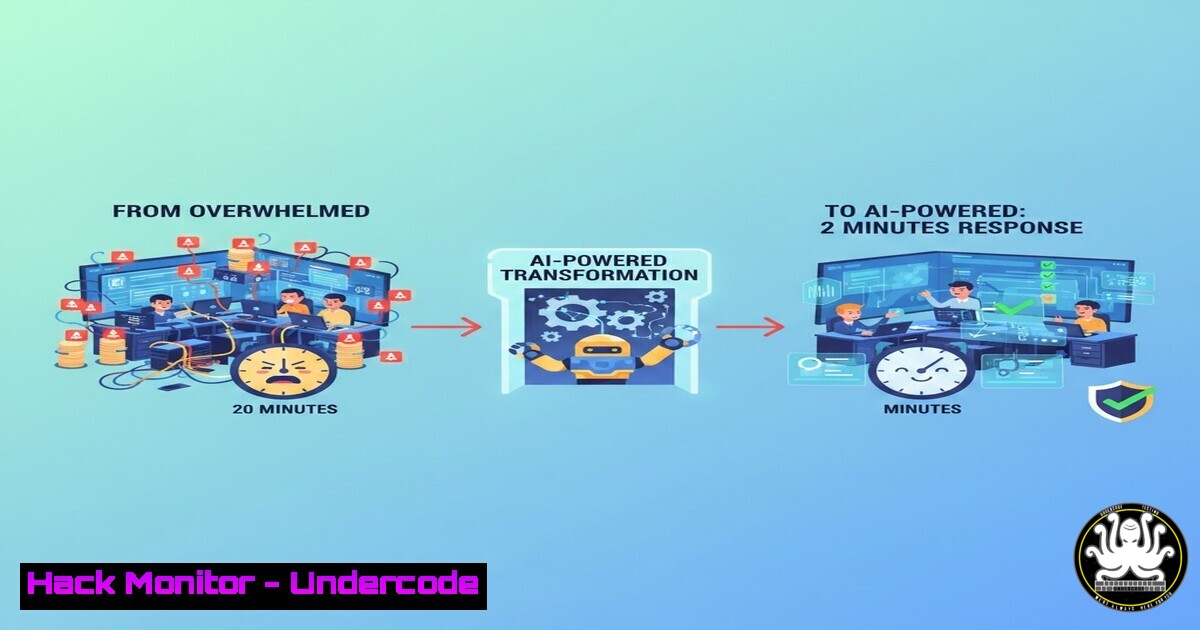
Security Operations Centers (SOCs), especially in resource‑constrained environments, are drowning in alerts. Manual triage is slow, inconsistent, and leads to knowledge loss. This article deconstructs an innovative, open‑source AI‑assisted SOC automation workflow built with n8n and Wazuh that not only automates response but also builds an institutional knowledge base in real‑time.
Learning Objectives:
- Understand the architecture and integration of Wazuh, n8n, and a lightweight AI model for real‑time alert processing.
- Learn how to implement a self‑learning knowledge base that generates and refines incident response playbooks.
- Gain practical steps to deploy and customize this open‑source workflow to enhance SOC consistency and speed.
You Should Know:
1. Architecture Overview: The Automation Trinity
This system creates a closed loop between detection, analysis, and knowledge management. Wazuh acts as the detection engine, generating security alerts. The n8n workflow automation platform serves as the orchestration brain, processing these alerts. A lightweight AI model (GPT‑4o‑mini) provides the analytical muscle for understanding incidents and generating guidance.
Step‑by‑step guide:
Component Setup: Begin by deploying the core tools. For Wazuh, a local server is typical.
 On a Linux server (e.g., Ubuntu), install Wazuh manager via its assistant
curl -sO https://packages.wazuh.com/4.7/wazuh-install.sh && sudo bash wazuh-install.sh --install wazuh-indexer wazuh-server wazuh-dashboard
Alert Forwarding: Configure Wazuh to send alerts via email or, more efficiently, via its RESTful API to trigger the n8n workflow. This involves modifying the Wazuh `ossec.conf` file.
n8n Deployment: Deploy n8n using Docker for simplicity, ensuring it can receive webhook calls from Wazuh and make outbound API calls to the AI model and internal systems.
docker run -it --rm \
--name n8n \
-p 5678:5678 \
-v ~/.n8n:/home/node/.n8n \
n8nio/n8n
2. Ingesting & Parsing Wazuh Alerts Automatically
The first node in the n8n workflow is a webhook, waiting for incoming Wazuh alerts. The critical task is to parse the verbose JSON alert to extract key fields: rule ID, severity, source IP, log data, and agent details.
Step‑by‑step guide:
Create Webhook: In your n8n workflow, start with a Webhook node. Generate a unique URL (e.g., `https://your-n8n-server.com/webhook/wazuh-alerts`).
Configure Wazuh Integration: In Wazuh, create an active response script or use the `integrations` capability to send a HTTP POST request with the full alert JSON to the n8n webhook URL upon rule triggering.
Parse JSON: Use n8n’s “Function” node or “Set” node to parse the incoming JSON. Extract crucial variables for later steps.
// Example in n8n Function node to extract data
const alertData = items[bash].json;
const ruleId = alertData.rule.id;
const severity = alertData.rule.level;
const srcIp = alertData.data.srcip;
return { ruleId, severity, srcIp, fullAlert: alertData };
3. The AI‑Powered Analysis & Decision Engine
Once parsed, the workflow queries an internal knowledge base (a simple database or vector store) using the rule ID and alert signature. If a match is found, the pre‑approved playbook is retrieved. If not, the system escalates to the AI model.
Step‑by‑step guide:
Knowledge Base Check: After parsing, use an n8n “Code” node to query your internal KB (e.g., a SQLite database). A simple query would look for a matching rule_id.
AI Fallback Path: If no KB match is found, route the alert to an HTTP Request node configured to call the AI model’s API (e.g., OpenAI’s GPT‑4o‑mini).
Craft the AI The prompt must include context: “You are a SOC analyst. Analyze this Wazuh alert [paste alert summary]. Suggest immediate containment, eradication, and recovery steps. Format as a clear playbook.”
Confidence Scoring: Implement logic to assign a confidence score to the AI’s output. Low‑confidence suggestions can be flagged for mandatory human review.
4. Building the Self‑Learning Knowledge Base
This is the system’s core innovation. When the AI generates a new playbook, it isn’t just used once—it’s stored for the future, creating an organic, growing repository of institutional knowledge.
Step‑by‑step guide:
Playbook Standardization: Design a schema for your KB. Essential fields: rule_id, alert_signature, playbook_steps, creation_date, confidence_score, last_used.
Automated KB Update: After AI generation and human validation, add an “Update Database” node in n8n to write the new playbook record.
-- Example SQL query executed via n8n to insert a new playbook
INSERT INTO soc_playbooks (rule_id, alert_signature, playbook_steps, confidence)
VALUES ({{$node["ExtractData"].data.ruleId}}, {{$node["ExtractData"].data.signature}}, {{$node["AIAnalysis"].data.playbook}}, 'awaiting_review');
Human‑in‑the‑Loop (HITL) Node: Use n8n’s “Wait” or “Approval” node to pause the workflow for analyst sign‑off on new AI‑generated playbooks before they enter the active KB, mitigating false‑positive integration.
5. Executing Actions & Notifying the Team
The final stage involves executing the response (if automated actions are approved) and delivering a concise, actionable report to the SOC team, regardless of the shift.
Step‑by‑step guide:
Action Orchestration: For high‑confidence, pre‑approved playbooks (e.g., blocking an IP), n8n can trigger scripts via SSH on firewalls or send API calls to cloud security groups.
 Example command a n8n "SSH" node could execute on a perimeter device
iptables -A INPUT -s {{$node["ExtractData"].data.srcIp}} -j DROP
Unified Reporting: Use an “Email” node (e.g., with SMTP) or a “Microsoft Teams” node to send the final incident report. The template should include: Alert Summary, Assigned Risk Level, Executed/Actionable Steps, and a link to the full playbook in the KB.
Feedback Loop: Include quick‑action buttons in the notification (e.g., “Playbook Approved,” “False Positive”) that can trigger a webhook back to n8n to update the playbook’s confidence score or flag it for review.
What Undercode Say:
- Democratizing Advanced SOC Capabilities: This workflow proves that sophisticated, AI‑augmented security operations are no longer the exclusive domain of well‑funded enterprises. The strategic use of open‑source and affordable AI models creates a powerful force multiplier.
- The Real Victory is Knowledge Capitalization: The self‑learning KB directly tackles the crippling problem of analyst turnover and inconsistent responses. It transforms reactive incident handling into a proactive process of organizational learning, making the SOC smarter with every alert.
Prediction:
The future of SOC automation lies in hyper‑contextual, domain‑aware systems. This project points toward a paradigm where AI workflows will not only respond to alerts but also simulate attacker campaigns against your specific digital footprint to proactively generate defensive playbooks. Furthermore, as lightweight AI models become more capable and private, we will see their direct integration into security appliances at the edge, performing initial analysis before an alert is even generated. The line between detection, response, and threat intelligence will continue to blur, driven by such automated, learning‑centric systems.
🎯Let’s Practice For Free:
IT/Security Reporter URL:
Reported By: Jason Sassine – Hackers Feeds
Extra Hub: Undercode MoN
Basic Verification: Pass ✅


