Listen to this Post
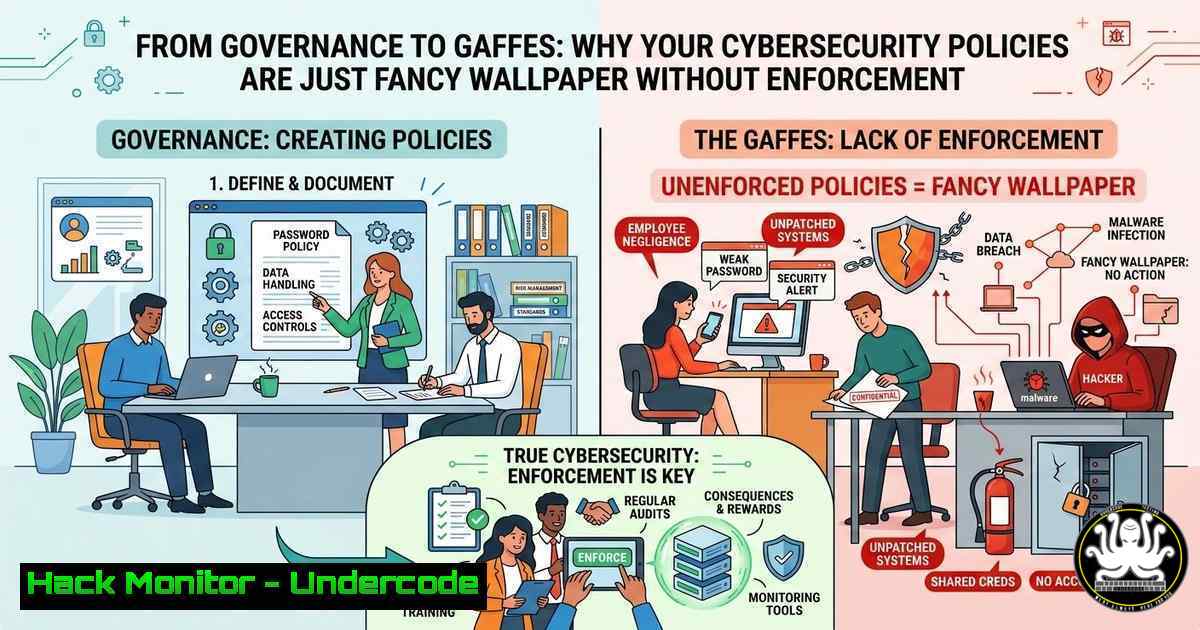
Introduction:
In the cybersecurity realm, a policy without enforcement is merely a suggestion, a form of “security cosplay” that provides a false sense of safety. This concept, highlighted in a recent industry discussion, underscores a critical gap: the chasm between documented governance and actual, enforceable technical controls. Without automated mechanisms to compel compliance, organizations leave their digital doors wide open, regardless of how robust their SharePoint policy repository appears.
Learning Objectives:
- Understand the technical distinction between “decorative policy” and enforceable security controls.
- Learn to implement automated enforcement mechanisms for common security policies.
- Identify and remediate technical debt that allows policy exceptions to become the norm.
You Should Know: From Policy Documentation to Technical Enforcement
The core of the argument is that “rules only matter when they cost something to ignore.” In IT and cybersecurity, this “cost” is enforced by automated systems, not human managers. Here is how to translate common governance failures into hardened, technical controls.
1. Mandatory Security Training Enforcement
The Policy Failure: You have a policy requiring annual security training, but accounts are never locked for non-completion.
The Technical Enforcement: Integrate your Learning Management System (LMS) with your Identity and Access Management (IAM) system.
Step‑by‑step guide (Conceptual with PowerShell for Windows):
- Identify Non-Compliant Users: Use your LMS API or export a report of users who have not completed training.
- Automate Account Control: Create a script (PowerShell for Active Directory, or bash for Linux LDAP) to disable or restrict access.
PowerShell (Windows Active Directory):
 Import list of non-compliant users from a CSV
$NonCompliantUsers = Import-Csv -Path "C:\Security\NonCompliantUsers.csv"

foreach ($User in $NonCompliantUsers) {
$ADUser = Get-ADUser -Identity $User.SamAccountName
if ($ADUser.Enabled -eq $true) {
Disable-ADAccount -Identity $User.SamAccountName
 Log the action
Write-Host "Disabled user: $($User.SamAccountName) for non-compliance." -ForegroundColor Red
 Send notification
Send-MailMessage -To "$($User.Email)" -Subject "Account Disabled Due to Training Non-Compliance" -Body "Complete training immediately to regain access." -SmtpServer smtp.yourcompany.com
}
}
Linux (LDAP/SSSD – using ldapmodify):
!/bin/bash
 Assuming user list is in a file 'users.txt'
while IFS= read -r username; do
 Create an LDIF file to disable the user account (setting userAccountControl to 514)
cat <<EOF > /tmp/disable_${username}.ldif
dn: uid=${username},ou=people,dc=example,dc=com
changetype: modify
replace: userAccountControl
userAccountControl: 514
EOF
ldapmodify -x -D "cn=admin,dc=example,dc=com" -W -f /tmp/disable_${username}.ldif
done < users.txt
- Enforcing the Principle of Least Privilege (Approval Processes)
The Policy Failure: Approval processes change based on who is asking, leading to privilege creep.
The Technical Enforcement: Implement a Just-In-Time (JIT) Privileged Access Management (PAM) solution.
Step‑by‑step guide (Using Linux `sudo` and Windows JIT tools):
Instead of permanent admin rights, users must request temporary elevation.
– Linux (sudo with SSSD and time-based rules):
Configure `/etc/sudoers` or a drop-in file `/etc/sudoers.d/jit_admin` to allow a group to run commands, but combine it with a timestamp timeout.
 Allow members of the 'admins' group to run all commands, but require a password every 5 minutes.
%admins ALL=(ALL) ALL
Defaults:admins timestamp_timeout=5
For true JIT, integrate with CyberArk, BeyondTrust, or use `sudo` with a custom script that checks a temporary approval ticket.
- Windows (Active Directory / Privileged Identity Management):
Use Azure AD PIM or third-party tools to require activation of privileged roles. This is configured in the Azure portal, forcing users to provide a justification and be approved before their account is temporarily added to “Domain Admins.”
3. Making Exceptions Harder than Compliance
The Policy Failure: “If exceptions are easier than compliance, your controls are optional.”
The Technical Enforcement: Utilize security groups and conditional access policies that require device compliance.
Step‑by‑step guide (Windows/Intune Conditional Access):
- Create a conditional access policy in Azure AD/Intune that blocks access to corporate resources unless the device is marked as compliant.
- Define compliance policies (e.g., requires BitLocker encryption, a specific OS version, or firewall enabled).
- Result: A user cannot simply ask for an “exception” to access email on a personal, unmanaged device; the technical control blocks it at the authentication layer. The user must enroll the device in management and make it compliant.
-
Moving Policies from SharePoint to Code (Infrastructure as Code)
The Policy Failure: Policies exist in static documents, not in the infrastructure.
The Technical Enforcement: Use Infrastructure as Code (IaC) tools like Terraform, Ansible, or AWS Config to define and enforce secure configurations.
Example: Enforcing an S3 Bucket “No Public Access” Policy (Terraform):
 This code will fail if someone tries to create a public bucket, enforcing the "no public buckets" policy.
resource "aws_s3_bucket_public_access_block" "example" {
bucket = aws_s3_bucket.example.id

block_public_acls = true
block_public_policy = true
ignore_public_acls = true
restrict_public_buckets = true
}

Or, use an AWS Config managed rule to detect and auto-remediate non-compliant buckets.
 aws configservice put-config-rule --config-rule file://s3-bucket-public-read-prohibited.json
5. Ensuring Audit Findings Don’t Repeat (Automated Remediation)
The Policy Failure: The same audit finding (e.g., “Unencrypted data at rest”) repeats annually.
The Technical Enforcement: Implement automated compliance scanning and remediation.
Step‑by‑step guide (Linux – Automating File Encryption Checks):
Use a cron job with a script to check for unencrypted sensitive files and automatically encrypt them or alert.
!/bin/bash
 /usr/local/bin/check_encryption.sh
SENSITIVE_DIR="/home/user/sensitive_data"
ALERT_EMAIL="[email protected]"

Check for unencrypted files (e.g., files not ending in .gpg or .enc)
UNENCRYPTED=$(find "$SENSITIVE_DIR" -type f ! -name ".gpg" ! -name ".enc")

if [[ ! -z "$UNENCRYPTED" ]]; then
echo "WARNING: Unencrypted files found: $UNENCRYPTED" | mail -s "Security Policy Violation" "$ALERT_EMAIL"

Optional: Auto-remediate by encrypting them with GPG (requires key management)
 for file in $UNENCRYPTED; do
 gpg --encrypt --recipient [email protected] "$file" && rm "$file"
 done
fi
Add to crontab: `0 /usr/local/bin/check_encryption.sh` (Runs every hour).
6. Eliminating “Documentation Theater” with Runtime Security
The Policy Failure: Firewall rules are documented as “strict,” but exceptions exist.
The Technical Enforcement: Use Network Security Groups (NSGs) and Cloud Access Security Brokers (CASB) to monitor and block traffic in real-time.
Command Example (Windows Firewall – Enforcing a “No RDP from Internet” Policy):
Instead of a document saying “RDP is blocked,” enforce it with PowerShell across all machines.
 Create a firewall rule to block RDP (port 3389) from all public profiles
New-NetFirewallRule -DisplayName "Block RDP from Internet" -Direction Inbound -LocalPort 3389 -Protocol TCP -Action Block -Profile Public
This command is pushed via Group Policy to every workstation, making the policy undeniable.
What Undercode Say:
- Key Takeaway 1: Technical debt is the biggest enabler of policy failure. If your operations are too “fragile” to enforce a rule, you are prioritizing instability over security.
- Key Takeaway 2: “Culture failed first” is a technical challenge. It requires shifting left from human psychology to machine logic—automate the enforcement so the system is inherently secure, regardless of user or manager preference.
The analysis here is clear: the conversation is moving from “what is our policy?” to “how is our policy codified?” The future belongs to organizations that can translate governance into Git commits and SIEM alerts. Security teams must become fluent in scripting, automation, and API integrations to ensure that compliance is not just documented, but mathematically guaranteed. The days of relying on manual oversight are over; the only way to make a rule cost something to ignore is to have a machine automatically levy the penalty.
Prediction:
As AI and automation mature, we will see the rise of “Autonomous Governance” where policies are not just enforced by code, but are dynamically generated and adjusted by AI based on real-time risk telemetry. The CISO’s role will evolve from policy writer to “orchestrator” of these automated enforcement engines. The failure to adapt will result in a stark divide: companies with self-healing, policy-enforcing infrastructures, and those still stuck in “documentation theater,” waiting for the inevitable breach that their decorative policies failed to prevent.
🎯Let’s Practice For Free:
IT/Security Reporter URL:
Reported By: Joshuacopeland Unpopularopinion – Hackers Feeds
Extra Hub: Undercode MoN
Basic Verification: Pass ✅


