Listen to this Post
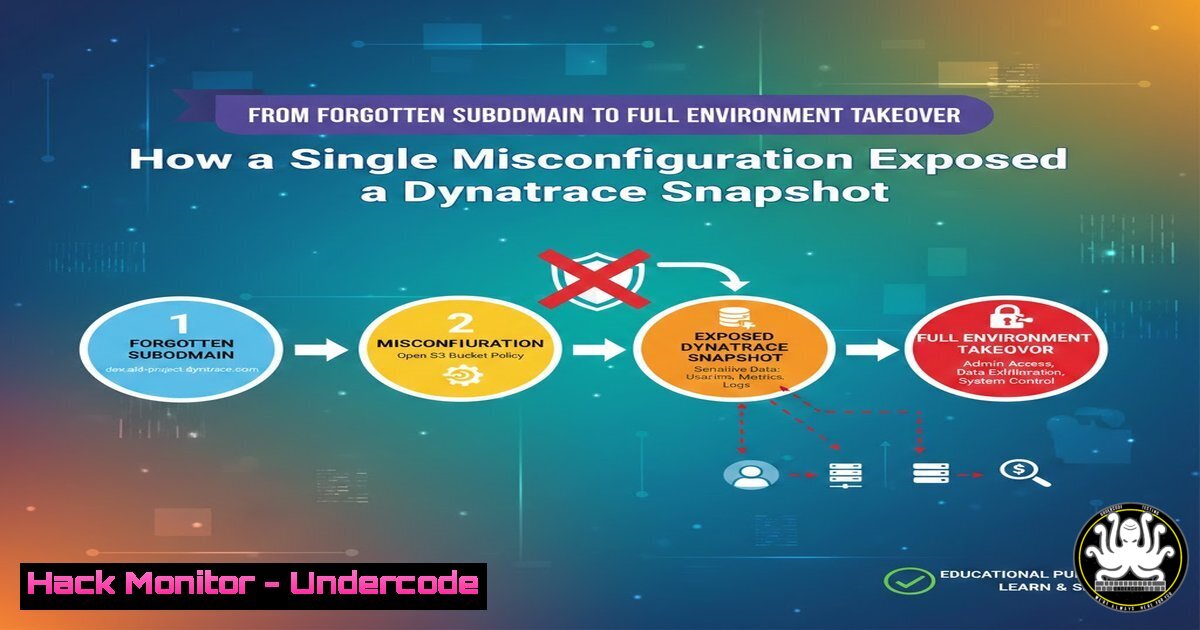
Introduction:
In a revealing penetration testing disclosure, a security researcher demonstrated how overlooked subdomains and common server misconfigurations can cascade into a critical breach. By exploiting a logic parser issue on a seemingly minor service, the tester gained access to unprotected Docker files, extracting API keys that ultimately led to the compromise of an entire Dynatrace monitoring environment. This incident underscores the critical importance of comprehensive asset management and hardening all exposed services, regardless of their perceived significance.
Learning Objectives:
- Understand the methodology of subdomain enumeration and service-specific vulnerability hunting.
- Learn how misconfigured parsers and unprotected development files can lead to credential leakage.
- Master techniques for securing Docker deployments and managing API keys to prevent environment takeover.
You Should Know:
1. Subdomain Enumeration: The Attack Surface Expander
The first step in this attack chain was identifying all subdomains, as each represents a potential entry point. Attackers rarely focus solely on the main domain; ancillary subdomains for staging, development, or specific services (like api., dev., docker.) are often less hardened.
Step‑by‑step guide:
- Use OSINT and Brute-Force Tools: Start with passive sources like `crt.sh` for certificate transparency logs. Then, use tools like `amass` or `subfinder` for broader discovery.
Using subfinder
subfinder -d target.com -o subdomains.txt
Using amass
amass enum -passive -d target.com -o subdomains_amass.txt
- Brute-Force with Wordlists: Tools like `ffuf` or `gobuster` can discover hidden subdomains.
ffuf -w /usr/share/wordlists/seclists/Discovery/DNS/subdomains-top1million-5000.txt -u https://FUZZ.target.com -H "Host: FUZZ.target.com" -fs 4242
- Service Fingerprinting: For every discovered subdomain, perform a port scan and service fingerprint with `nmap` to identify what’s running (e.g., HTTP, SSH, Docker Registry, Redis).
nmap -sV -p- --min-rate=10000 -iL subdomains_ips.txt -oA service_scan
2. Testing for Logic Parser and Server Misconfigurations
The post mentions an “issue in the logic parser.” This often refers to misconfigurations in web server software (like Nginx, Apache) or application logic that allows unauthorized file access, such as Directory Traversal or Local File Inclusion (LFI).
Step‑by‑step guide:
- Map the Application: Use a crawler like `katana` or `gospider` on the discovered subdomain service.
katana -u https://dev.target.com -o urls.txt
- Test for LFI/Directory Traversal: Manually and with tools, test parameters for file path traversal.
Manual test example
curl "https://dev.target.com/download?file=../../../../etc/passwd"
Using ffuf with wordlist
ffuf -w /usr/share/wordlists/seclists/Fuzzing/LFI/LFI-gracefulsecurity-linux.txt -u "https://dev.target.com/page?file=FUZZ" -mr "root:"
- Check for Exposed Directories: Use `gobuster` or `dirb` to find exposed administrative panels, backup directories, or version control folders (
.git/,.docker/).gobuster dir -u https://dev.target.com -w /usr/share/wordlists/seclists/Discovery/Web-Content/common.txt -x bak,old,src
-
Exploiting Unprotected Docker Files and API Key Extraction
The misconfiguration led to access to Docker-related files. These can includedocker-compose.yml, environment files (.env), or Docker daemon sockets, which frequently contain hardcoded secrets.
Step‑by‑step guide:
- Locate and Analyze Configuration Files: If you find a `docker-compose.yml` file, download and inspect it for other service definitions and linked volumes.
curl -s https://dev.target.com/exposed/path/docker-compose.yml | cat
- Search for Secrets in Environment Files: Look for `.env` files or sections in configs containing
POSTGRES_PASSWORD,REDIS_PASSWORD,API_KEY,SECRET_KEY, etc. - Extract and Validate Keys: Use the extracted keys with their corresponding service CLI or API. For example, a Docker Registry key can be used with
docker login.Example using a found registry credential docker login registry.target.com -u apiuser -p <extracted_password> docker pull registry.target.com/internal/app:latest
4. Pivoting with Stolen API Keys to Dynatrace
The researcher specifically mentions accessing a Dynatrace environment. Dynatrace API keys (DT_API_TOKEN, DT_PAAS_TOKEN) grant significant control over the monitoring platform, which can be used to disable alerts, manipulate data, or further explore the environment.
Step‑by‑step guide:
- Identify the Key Type: Dynatrace uses different tokens for API (
dt0c01.) and PaaS (dt0p01.). Identify which you have. - Interact with the Dynatrace API: Use `curl` or the Dynatrace CLI to probe the environment’s scope.
curl -H "Authorization: Api-Token <DT_API_TOKEN>" "https://<your_environment>.live.dynatrace.com/api/v2/entities?entitySelector=type(\"HOST\")"
- Download Environment Snapshots: As indicated in the post, APIs exist to fetch problem analyses or configuration snapshots, which contain a goldmine of architectural data.
curl -H "Authorization: Api-Token <DT_API_TOKEN>" "https://<your_environment>.live.dynatrace.com/api/v2/deployment/installer/agent/connectioninfo" -o connectioninfo.json
5. Hardening Your Defenses: A Blue Team Guide
To prevent such an attack chain, a defense-in-depth approach is required.
Step‑by‑step guide:
- Asset Inventory & Management: Use tools like `CloudMapper` (for AWS) or Microsoft Defender for Cloud to maintain a real-time inventory of all assets and subdomains. Regularly audit and decommission unused services.
- Secure Configuration Baselines: Harden web servers against LFI. For Nginx/Apache, disable directory listing and ensure user input is never used directly in file system calls.
Nginx example: Mitigating simple traversal location ~ /. { deny all; } location ~ ^/(docker-compose|.env|Dockerfile) { deny all; } - Secrets Management: Never hardcode API keys in files committed to repositories or left in deployment directories. Use dedicated secrets managers (AWS Secrets Manager, HashiCorp Vault) or at minimum, encrypted environment variables managed by the CI/CD pipeline.
- Implement API Key Security: For Dynatrace and similar services, follow the principle of least privilege. Create API tokens with narrow scopes (e.g., only “Read configuration”), set short expiry dates, and rotate them regularly via the platform’s UI or API.
What Undercode Say:
- The Perimeter is Everywhere: The modern attack surface is fractal. A single forgotten `dev.` subdomain can be the thread that unravels the entire environment. Continuous, automated discovery and classification of assets is non-negotiable.
- Secrets Sprawl is a Critical Vulnerability: Hardcoded credentials in configuration files remain a top breach vector. Security scanning must shift-left into the developer’s environment and the CI/CD pipeline to detect secrets before they are deployed, not after they are exposed.
This case is a classic example of an attacker following the path of least resistance. The focus wasn’t on a sophisticated zero-day but on systemic hygiene failures—poor asset management, weak server configurations, and secret sprawl. The future impact is clear: as environments grow more complex with microservices and cloud-native tooling (like Dynatrace), the number of potential “forgotten” services and embedded secrets explodes. Organizations must adopt automated secrets detection, enforce strict configuration-as-code policies, and assume that any exposed service, no matter how minor, will be found and tested by adversaries. The bridge between development and security operations must be seamless to manage this ever-expanding frontier.
▶️ Related Video (78% Match):
🎯Let’s Practice For Free:
IT/Security Reporter URL:
Reported By: Https: – Hackers Feeds
Extra Hub: Undercode MoN
Basic Verification: Pass ✅


