Listen to this Post
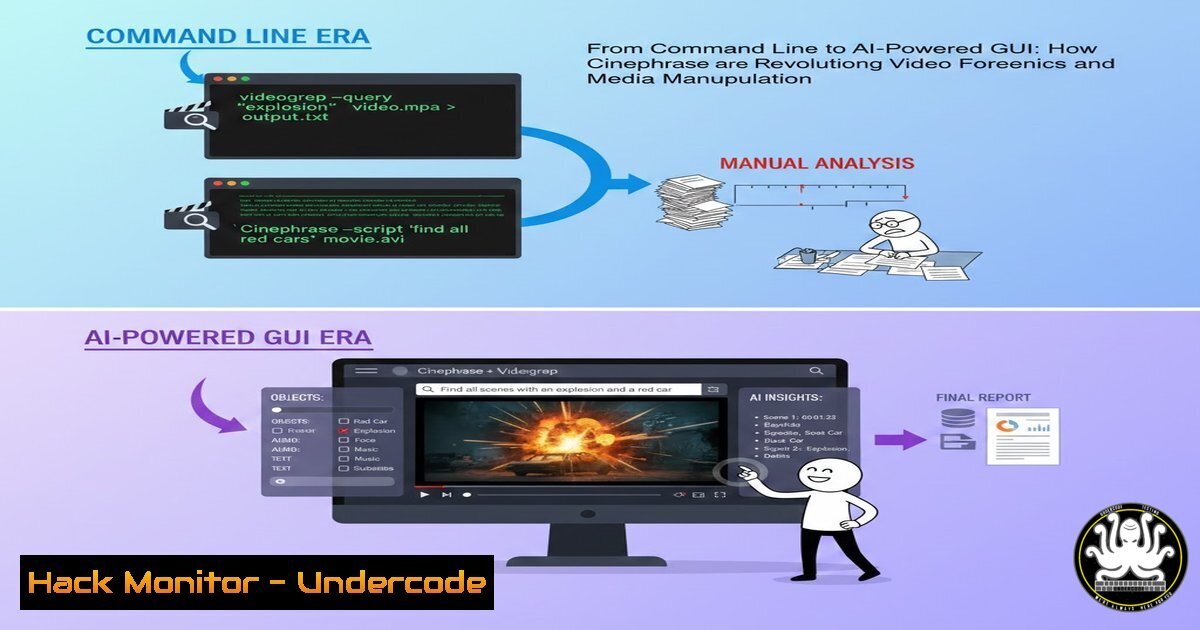
Introduction:
In the cybersecurity and IT landscape, the ability to quickly parse, analyze, and reconstruct digital media is invaluable for tasks ranging from forensic investigation to threat intelligence. Enter Videogrep and its next-generation counterpart, Cinephrase. At its core, Videogrep is a command-line Python tool that automates the creation of video “supercuts” by searching through subtitle files or AI-generated transcripts to find specific dialog. The newly mentioned Cinephrase project aims to wrap this powerful capability in an accessible graphical interface, leveraging newer AI models to handle massive video libraries and offer real-time search suggestions. For security professionals, this evolution represents a double-edged sword: a potent tool for analyzing hours of conference talks, press briefings, or training videos in minutes, and a potential vector for creating sophisticated misinformation or extracting sensitive information from leaked media.
Learning Objectives:
- Understand the core functionality of Videogrep and the promise of the Cinephrase GUI for automating video analysis.
- Master the installation, setup, and command-line operation of Videogrep for practical security and IT tasks.
- Learn to employ advanced features like regular expressions and AI transcription to refine video searches and data extractions.
- Recognize the operational security (OpSec) and misinformation implications of automated media manipulation tools.
You Should Know:
- Foundation: Installing and Preparing Your Video Analysis Toolkit
Before manipulating video, you need the right tools. Videogrep is a Python-based utility, and its functionality often pairs withyt-dlp, a powerful command-line program for downloading videos and their subtitles from the web.
Step-by-step guide explaining what this does and how to use it.
First, ensure you have Python and `pip` installed. Then, install the necessary tools via your command line (Terminal, PowerShell, or Command Prompt). These tools form the backbone of your media processing pipeline.
 Install Videogrep and the downloader utility
pip install videogrep
pip install yt-dlp
Next, use `yt-dlp` to acquire source material. For security analysts, this could be a publicly available incident response webinar or a series of public testimony videos. The `–write-auto-sub` flag is crucial, as it fetches the auto-generated subtitle file that Videogrep needs.
 Download a video and its auto-generated subtitles for analysis
yt-dlp "https://www.youtube.com/watch?v=exampleURL" --write-auto-sub -o evidence.mp4
Remember: The video file (e.g., evidence.mp4) and the subtitle file (e.g., evidence.en.vtt) must be in the same directory and share the same base name for Videogrep to find them automatically.
2. Core Operation: Executing Your First Forensic Supercut
Videogrep works by parsing subtitle files (.srt, .vtt) or JSON transcripts to find timestamps where specific words or phrases are spoken. It then uses `ffmpeg` to cut and concatenate those clips into a new video.
Step-by-step guide explaining what this does and how to use it.
A basic command requires an input file and a search term. This is ideal for quickly isolating all instances where a specific term like “vulnerability,” “breach,” or “exploit” is mentioned in a long recording.
 Create a supercut of every instance of the word "firewall"
videogrep --input evidence.mp4 --search "firewall" --output firewall_clips.mp4
By default, Videogrep cuts “sentences” (full subtitle blocks). For more precise, word-level accuracy, use the `fragment` search type. This requires subtitle files with word-level timestamps, commonly found in `.vtt` files from YouTube.
 Create a precise cut of each exact utterance of "zero-day"
videogrep -i evidence.mp4 -s "zero-day" --search-type fragment -o zeroday_fragments.mp4
- Precision Targeting: Leveraging Regular Expressions for Complex Analysis
For advanced threat intelligence or data mining, simple word searches are insufficient. Videogrep accepts full regular expressions (regex), enabling pattern-based search that is fundamental to security workflows.
Step-by-step guide explaining what this does and how to use it.
Regex allows you to create complex, flexible search patterns. For example, you can search for multiple related terms simultaneously or find words with specific prefixes or suffixes.
 Find mentions of common exploit prefixes or security tools
videogrep -i evidence.mp4 -s "CVE-|MS[0-9]+-|Metasploit|Nmap" -o exploits.mp4

Isolate phrases that might indicate uncertainty or evasion, useful for behavioral analysis
videogrep -i testimony.mp4 -s "(I don't recall|to the best of my knowledge|I believe)" -o uncertainty_clips.mp4
This capability transforms Videogrep from a simple clip generator into a powerful tool for linguistically analyzing hours of depositions, interviews, or technical briefings.
- Generating Intelligence: Using N-grams to Discover Frequent Topics
When exploring unfamiliar video content, you may not know what terms to search for. Videogrep’s `–ngrams` function performs frequency analysis on the transcript, identifying the most common words or phrases. This is a classic data analysis technique for generating initial intelligence.
Step-by-step guide explaining what this does and how to use it.
Running an n-gram analysis reveals the key themes of the video without watching it, perfect for triaging large volumes of media.
 List the 10 most common two-word phrases in the video
videogrep --input evidence.mp4 --ngrams 2
The output might show phrases like “attack surface,” “cloud migration,” or “log analysis,” immediately guiding your deeper investigation. You can then feed these top phrases back into a `–search` command to create a thematic supercut.
- Overcoming Limitations: Creating Transcripts for Videos Without Subtitles
A major operational hurdle is video without existing subtitles. Modern versions of Videogrep integrate the Vosk offline speech recognition engine to transcribe audio directly, a significant upgrade from earlier, less accurate systems.
Step-by-step guide explaining what this does and how to use it.
The `–transcribe` flag instructs Videogrep to use Vosk to generate a transcript before searching. This is computationally intensive but unlocks any video file for analysis.
 Transcribe and search a video that has no subtitles
videogrep --input raw_audio.mp3 --search "confidential" --transcribe
For security teams, this means internal training videos, off-the-record meetings (where legally permissible), or intercepted audio (in lawful penetration tests) can all be processed and analyzed textually. The latest updates have focused on improving this transcription process and fixing issues with non-English files.
- The Cinephrase Vision: GUI, AI, and Large-Scale Corpus Analysis
The LinkedIn post introduces Cinephrase, an ongoing project to build a proper GUI for Videogrep’s technology. Its proposed features point to the future of this tool:
GUI Accessibility: Moving beyond the command line opens this capability to a wider range of investigators and analysts.
Large Corpus Handling: Designed to load libraries with “100h+ playtime,” enabling enterprise-scale analysis of video archives.
AI-Powered Suggestions: The mention of “real-time text suggestions” and “newer models” implies an interactive search experience, where the AI predicts what you might be looking for based on the content. This could drastically speed up exploratory analysis.
While not yet production-ready, Cinephrase’s roadmap suggests a future where analysts can point-and-click their way through petabytes of surveillance, training, or publicly sourced video data with AI assistance.
What Undercode Say:
- A Tool for Auditors and Attackers Alike: Videogrep/Cinephrase is fundamentally an information extraction and manipulation engine. For defenders, it can audit years of security training for consistency or analyze press conferences for disclosure patterns. For threat actors, it could efficiently mine leaked video data for credentials or intel, or create convincing fake clips from real footage.
- The Subtitle File is the Attack Surface: The tool’s accuracy is entirely dependent on the quality and synchronization of the subtitle file. Maliciously crafted subtitle files (e.g., with incorrect timestamps) could cause the tool to produce misleading or nonsensical output, representing a potential supply-chain attack vector against automated analysis pipelines.
Prediction:
The trajectory from Videogrep to Cinephrase highlights the growing integration of AI with media manipulation. In the near future, we can expect these tools to evolve in critical ways for cybersecurity. Deepfake detection and provenance research will likely employ similar corpus-analysis techniques to identify anomalies across video sets. Conversely, AI-powered “phrase banking” could allow malicious actors to build libraries of an individual’s spoken words, making social engineering vishing attacks or advanced deepfake generation more scalable and credible. The underlying technology will become more accessible and automated, blurring the lines between legitimate forensic analysis, open-source intelligence (OSINT) gathering, and hybrid information warfare. Security protocols will need to adapt, potentially treating audio and video recordings with the same sensitivity as text-based logs, knowing they can be as easily mined and weaponized.
▶️ Related Video (74% Match):
🎯Let’s Practice For Free:
IT/Security Reporter URL:
Reported By: Cmprmsd The – Hackers Feeds
Extra Hub: Undercode MoN
Basic Verification: Pass ✅


