Listen to this Post
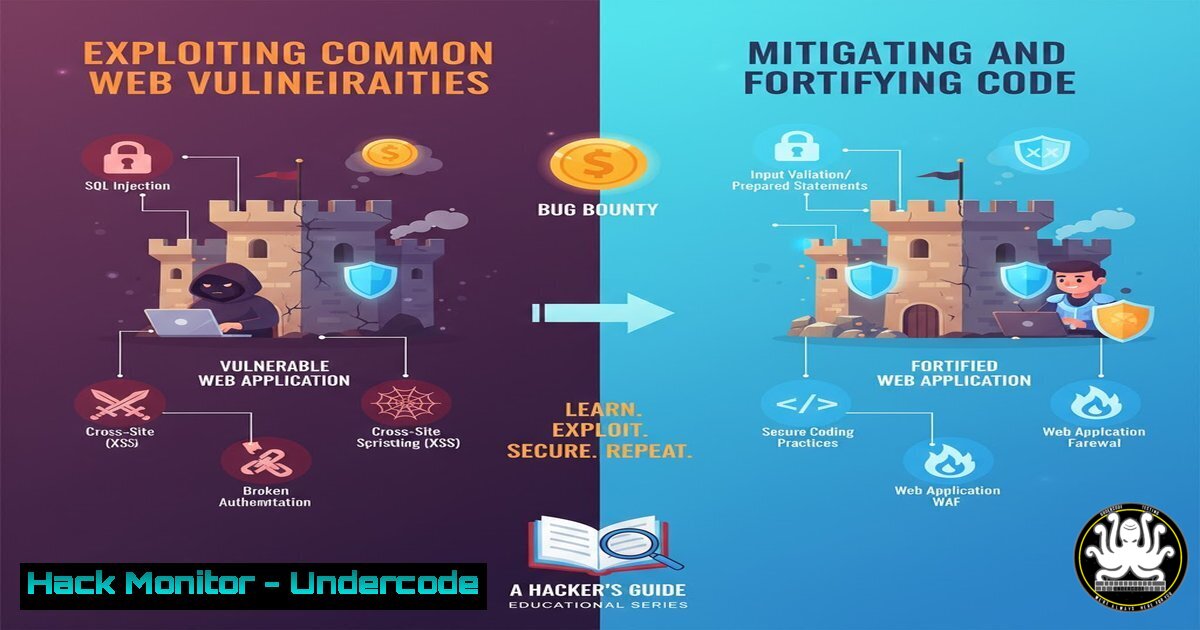
Introduction:
The recent discovery and bounty awards for three distinct web vulnerabilities—a Reflected XSS, a Business Logic Error, and an Improper Access Control flaw—highlight the critical attack surfaces threatening modern applications. This article deconstructs these specific vulnerability classes, providing a hands-on guide to both understand their exploitation and implement definitive mitigations, transforming bug bounty findings into actionable defense strategies.
Learning Objectives:
- Understand the mechanics and exploitation techniques for Reflected XSS, Business Logic Errors, and Improper Access Control.
- Learn to identify and test for these vulnerabilities using verified commands and manual testing techniques.
- Implement robust server-side and client-side defenses to harden web applications against these common attacks.
You Should Know:
1. Exploiting and Mitigating Reflected XSS (CWE-79)
Reflected Cross-Site Scripting occurs when an application includes unvalidated and unescaped user input in its immediate output. This allows an attacker to execute malicious scripts in the victim’s browser.
Exploitation Proof-of-Concept:
A typical attack involves injecting a script via a URL parameter.
`http://vulnerable-site.com/search?term=<script>alert(document.cookie)</script>`
Manual Testing with cURL:
`curl -s "http://vulnerable-site.com/search?term=<script>alert('XSS')</script>" | grep -i "script"`
Mitigation with Node.js/Express Output Encoding:
// Install the helmet package for security headers: npm install helmet
const express = require('express');
const helmet = require('helmet');
const app = express();

app.use(helmet({
contentSecurityPolicy: {
directives: {
defaultSrc: ["'self'"],
scriptSrc: ["'self'"]
}
}
}));

// Use a templating engine that auto-escapes by default (e.g., EJS, Pug)
app.get('/search', (req, res) => {
const userInput = req.query.term;
// The templating engine will automatically escape this input
res.render('search-result', { searchTerm: userInput });
});
2. Uncovering Business Logic Flaws (CWE-840)
Business Logic Errors are application-specific flaws that allow users to bypass intended workflows, often leading to unauthorized actions or financial loss, such as applying a discount coupon multiple times.
Testing for Coupon Reuse Vulnerability with Burp Suite Repeater:
1. Intercept a legitimate checkout request applying a coupon.
2. Send the request to Burp Repeater.
- Replay the same request multiple times and observe if the discount is applied each time, indicating a logic flaw.
Server-Side Mitigation Code (Python/Flask):
from flask import Flask, request, session
import sqlite3

app = Flask(<strong>name</strong>)
app.secret_key = 'your_secret_key'

@app.route('/apply-coupon', methods=['POST'])
def apply_coupon():
user_id = session.get('user_id')
coupon_code = request.json.get('coupon_code')

conn = sqlite3.connect('app.db')
cursor = conn.cursor()

Check if the coupon has already been used by this user
cursor.execute("""
SELECT id FROM coupon_redemptions
WHERE user_id = ? AND coupon_code = ?
""", (user_id, coupon_code))

if cursor.fetchone():
conn.close()
return {"error": "Coupon already used"}, 400

If not used, apply the coupon and record the redemption
cursor.execute("""
INSERT INTO coupon_redemptions (user_id, coupon_code)
VALUES (?, ?)
""", (user_id, coupon_code))
conn.commit()
conn.close()

return {"message": "Coupon applied successfully"}, 200
3. Bypassing Improper Access Control (CWE-284)
This vulnerability arises when an application fails to verify a user’s permissions for a specific function or resource, allowing unauthorized access to sensitive data or actions, such as accessing another user’s administrative panel.
Exploitation with cURL:
`curl -H “X-User-Id: 1337” http://vulnerable-site.com/api/admin/users`
If the application only checks for the presence of a user ID header but not the associated role, this request might succeed.
Manual Testing with Browser Developer Tools:
1. Log in as a standard user.
- Open Developer Tools (F12) and go to the Network tab.
- Observe a request to
/api/user/profile. Try changing the `userId` parameter in the request payload to another user’s ID and replay the request.
Mitigation with Role-Based Access Control (RBAC) Middleware (Node.js):
// Middleware to enforce RBAC
function requireRole(role) {
return (req, res, next) => {
// Assuming user object is attached to the request after authentication
if (req.user && req.user.role === role) {
next(); // User has the required role, proceed
} else {
res.status(403).json({ error: 'Insufficient permissions' });
}
};
}

// Route protection usage
app.get('/api/admin/users', requireRole('admin'), (req, res) => {
// Handler for fetching all users, only accessible by admins
res.json(users);
});
4. Hardening HTTP Security Headers
Security headers are a first line of defense against various attacks, including XSS and clickjacking.
Auditing Headers with a Bash Script:
!/bin/bash
Usage: ./check-headers.sh example.com
URL=$1
echo "Checking security headers for: $URL"
curl -sI "https://$URL" | grep -i -E "(content-security-policy|x-frame-options|x-content-type-options|strict-transport-security)"
Automated Enforcement with Nginx Configuration:
server {
listen 443 ssl;
server_name your-domain.com;

Strong Security Headers
add_header Strict-Transport-Security "max-age=31536000; includeSubDomains" always;
add_header X-Frame-Options "SAMEORIGIN" always;
add_header X-Content-Type-Options "nosniff" always;
add_header Referrer-Policy "strict-origin-when-cross-origin" always;

Content Security Policy (Adjust directives as needed)
add_header Content-Security-Policy "default-src 'self'; script-src 'self' 'unsafe-inline' https://trusted.cdn.com; object-src 'none';" always;

... Other server configuration
}
5. Input Validation and Sanitization Fundamentals
All user input must be treated as untrusted. Validation ensures data conforms to expected rules, while sanitization cleanses it of potentially malicious parts.
Server-Side Input Validation with Express Validator (Node.js):
const { body, validationResult } = require('express-validator');

app.post('/register',
[
// Validate and sanitize fields
body('username')
.isAlphanumeric().withMessage('Username must be alphanumeric.')
.isLength({ min: 3, max: 30 }).withMessage('Username must be between 3-30 chars.')
.trim()
.escape(), // Sanitization: escapes HTML characters
body('email')
.isEmail().withMessage('Must be a valid email.')
.normalizeEmail(), // Sanitization: canonicalizes the email address
],
(req, res) => {
// Check for validation errors
const errors = validationResult(req);
if (!errors.isEmpty()) {
return res.status(400).json({ errors: errors.array() });
}
// Proceed with safe, validated data
const { username, email } = req.body;
// ... save to database
}
);
6. Database Security: Preventing SQL Injection
SQL Injection remains a top vulnerability, allowing attackers to interfere with an application’s database queries.
Vulnerable Code Snippet (Python):
UNSAFE: String concatenation for query
user_id = request.args.get('id')
query = "SELECT FROM users WHERE id = " + user_id
cursor.execute(query)
Secure Parameterized Query (Python with SQLite3):
SAFE: Using parameterized queries
user_id = request.args.get('id')
query = "SELECT FROM users WHERE id = ?"
cursor.execute(query, (user_id,)) The user_id is passed as a parameter, not concatenated.
Automated SQLi Testing with sqlmap:
`sqlmap -u “http://test-site.com/user?id=1” –batch –level=3 –risk=2`
This command automatically tests the `id` parameter for SQL Injection vulnerabilities. Use this only on applications you own or have explicit permission to test.
7. Automating Security Scans in CI/CD
Integrating security testing into the development pipeline helps catch vulnerabilities before they reach production.
Sample GitHub Actions Workflow for Security Scanning (.github/workflows/security.yml):
name: Security Scan
on: [push, pull_request]
jobs:
security-scan:
runs-on: ubuntu-latest
steps:
- name: Checkout code
uses: actions/checkout@v3

<ul>
    <li>name: Run Snyk to check for vulnerabilities
uses: snyk/actions/node@master
env:
SNYK_TOKEN: ${{ secrets.SNYK_TOKEN }}</li>
    <li>name: Run OWASP ZAP Baseline Scan
uses: zaproxy/[email protected]
with:
target: 'https://your-test-app.com'
rules_file_name: ".zap/rules.tsv"
cmd_options: "-a"
What Undercode Say:
- The Shift from Purely Technical to Logic-Based Flaws: The bounties awarded demonstrate a critical market trend. While high-impact technical bugs like XSS are still valuable, the significantly larger reward for the Improper Access Control flaw signals a maturation of both offensive testing and defensive postures. Attackers and defenders are increasingly focusing on the complex, often undocumented business logic that underpins application workflows.
- Bug Bounties as a Continuous Security Audit: A public bug bounty program, like the one on YesWeHack, transforms a global community of security researchers into a persistent, cost-effective penetration testing team. This model is superior to point-in-time audits for organizations that can manage the triage process, as it continuously tests new code and configurations against evolving attack techniques.
The disparity in reward amounts is telling. The relatively modest payout for the Reflected XSS suggests it might be a common or easily detectable variant, whereas the substantial €2,000 for the Access Control issue indicates a more severe, potentially business-critical authorization bypass. This reflects a broader industry shift where misconfigurations and logical flaws in cloud and API permissions are causing more severe breaches than traditional injection attacks. For security professionals, this underscores the necessity of moving beyond basic vulnerability scanning and investing deeply in manual, logic-driven penetration testing and robust code reviews focused on authorization mechanisms.
Prediction:
The increasing financial incentive for discovering logic and access control flaws will catalyze the development of more sophisticated, AI-assisted security tools that can model intended application behavior and flag deviations indicative of a Business Logic Error. Furthermore, as standard vulnerabilities become harder to find in well-fortified applications, we will see a rise in “chained attacks,” where attackers combine a lower-severity finding (like a minor XSS) with a more significant logic flaw to achieve a critical compromise, making comprehensive defense-in-depth strategies not just advisable but essential for survival in the evolving threat landscape.
🎯Let’s Practice For Free:
IT/Security Reporter URL:
Reported By: Cyberrce Cybersecurite – Hackers Feeds
Extra Hub: Undercode MoN
Basic Verification: Pass ✅


