Listen to this Post
Introduction:
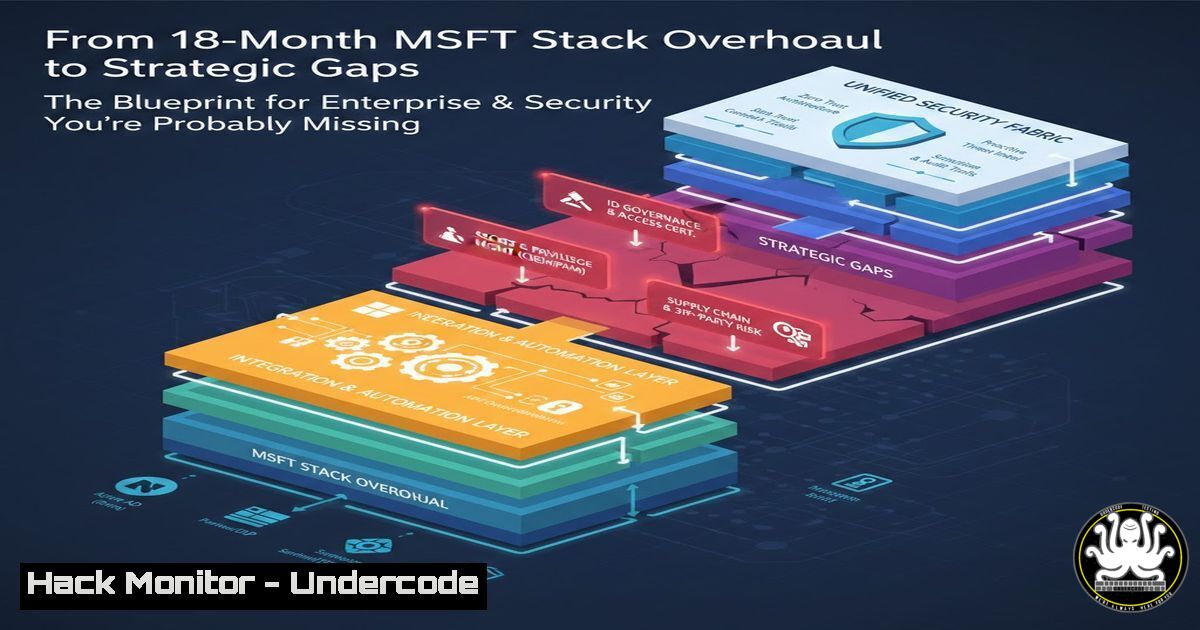
After 18 months architecting a large-scale enterprise transformation, Paul Sanders has surfaced with a stark reminder for the industry: technology is the easy part. The real battleground lies in identity, governance, and the messy “pre-sales” strategy phase. While most organizations rush to deploy shiny tools like MS365 E5, they often neglect the foundational architecture that prevents breaches. This article extracts the technical core of such a transformation, providing a deep dive into the hardening, automation, and strategic oversight required to secure a modern, AI-ready workplace.
Learning Objectives:
- Analyze the architectural pillars of an MS365 E5 enterprise transformation, focusing on identity and security.
- Implement advanced Conditional Access and Privileged Identity Management (PIM) to enforce Zero Trust.
- Execute device hardening and automated remediation scripts for Windows and Linux endpoints within a hybrid environment.
- Identify the gaps between “buying tech” and “implementing security” to prevent common misconfigurations.
You Should Know:
- The Architecture of MS365 E5: Beyond the License
Paul’s program involved “thousands of users, multiple locations, MS365 E5, identity, security, device management.” An MS365 E5 license is not a security solution; it is a toolkit. The architecture must enforce Defender for Office 365 P2, Microsoft Purview, and Azure AD Premium P2 (now Entra ID P2) in a cohesive manner.
Step‑by‑step: Enforcing Baseline Security with Conditional Access
To replicate the identity pillar of this transformation, you must move beyond simple MFA and implement location-based and risk-based policies.
1. Access the Portal: Navigate to `Microsoft Entra Admin Center` > `Protection` > Conditional Access.
2. Create a Named Location: Define your corporate headquarters IP ranges. Create a policy that blocks access unless the user is on a trusted IP or complies with MFA.
3. Implement Device Compliance: Integrate Microsoft Intune. Create a policy requiring devices to be marked as compliant.
PowerShell Snippet (Monitor sign-in logs for failures):
 Connect to MgGraph
Connect-MgGraph -Scopes "AuditLog.Read.All", "Directory.Read.All"
 Get risky sign-ins from the last 24 hours
Get-MgRiskyUser -Filter "riskLevel eq 'medium'" | Format-Table DisplayName, RiskLevel, RiskState
2. Privileged Identity Management (PIM) for JIT Access
A key aspect of the “identity and governance” layer is ensuring that no admin has permanent standing access. This mitigates the impact of compromised credentials, even at Tier 0.
Step‑by‑step: Configuring Azure AD PIM
- Activation: In Entra ID, go to `Identity Governance` >
Privileged Identity Management. - Azure AD Roles: Select a role like
Global Administrator. Change the assignment type from “Active” to “Eligible” . - Require Justification: In the role settings, enforce Azure MFA on activation, require a ticket number, and set a maximum activation duration (e.g., 4 hours).
- Approval Workflow: Require a separate security manager to approve the activation request. This ensures the 18-month project’s security posture is maintained by preventing unauthorized changes.
3. Hardening Windows and Linux Endpoints
“Device management” across multiple locations means managing a hybrid estate. This requires shifting from traditional GPOs to Microsoft Intune (Endpoint Manager) for Windows and onboarding Linux servers to Defender for Endpoint.
Step‑by‑step: Onboarding a Linux Server to Defender (Command Line)
For the Linux fleet within the organization, visibility is non-negotiable.
1. Download the Onboarding Package: From the Microsoft 365 Defender portal, download the Linux onboarding script.
2. Install Defender Agent (Ubuntu/Debian):
 Download the appropriate package
wget https://example.com/packages/prod/defender-for-endpoint.deb
 Install the package
sudo dpkg -i defender-for-endpoint.deb
 Install dependencies if needed
sudo apt-get install -f
3. Run the Onboarding Script:
 Copy the downloaded script to the server
sudo python3 MicrosoftDefenderATPOnboardingLinuxServer.py
 Check the health status
mdatp health --field healthy
4. Run a Quick Scan:
sudo mdatp scan quick
This provides the SOC team with the same visibility into Linux threats as they have for Windows, a crucial step for a “secure, AI-ready” environment.
- The “Pre-Sales” Security Audit: The Shiny Stuff Trap
Paul mentions helping organizations “before they start buying things.” This is the most critical step. Before deploying MS365 E5, you must perform a gap analysis.
Step‑by‑step: Conducting a Pre-Implementation Security Review
- Inventory Current State: Use a tool like `Nmap` or `Sparrow.ps1` (a CrowdStrike reporting script adapted for Microsoft) to audit current exposed assets.
Linux Nmap Scan for SMB Exposure:
sudo nmap -p 445 --script smb-os-discovery 192.168.1.0/24
2. Review Current Identity Hygiene: Run the `IdFix` tool from Microsoft to detect duplicate and invalid attributes in your on-premises Active Directory before syncing to Entra ID.
3. Check TLS Configurations: Use `testssl.sh` on Linux to ensure all web-facing services are using TLS 1.2+.
./testssl.sh --sweet32 --crime --heartbleed yourdomain.com
5. API Security in the Modern Workplace
An “AI-ready” workplace relies heavily on APIs (Graph API, custom connectors). Securing these is often overlooked.
Step‑by‑step: Hardening OAuth Permissions
- Audit Existing Apps: In Entra ID, go to `Applications` >
Enterprise applications. Review the permissions granted to third-party apps. - Revoke Over-Privileged Apps: If an app has `Mail.ReadWrite` but only needs to send mail, revoke the permission.
3. Use PowerShell to Audit:
 Requires AzureAD module
Get-AzureADServicePrincipal | ForEach-Object {
$sp = $_
Get-AzureADServicePrincipalOAuth2PermissionGrant -ObjectId $sp.ObjectId |
Select-Object @{Name="App";Expression={$sp.DisplayName}}, Scope
}
6. Cloud Hardening: Azure Secure Score Implementation
To maintain the posture Paul built, you must automate the remediation of security findings. Azure Secure Score provides the roadmap.
Step‑by‑step: Automating Secure Score Remediation
- Identify Low-Hanging Fruit: In the Defender for Cloud dashboard, look for recommendations with “Quick Fix” available (e.g., “MFA should be enabled on accounts with owner permissions on your subscription”).
2. Remediate via CLI:
 Enable MFA for critical subscription admins via Azure CLI
 (This is usually done via Conditional Access, but for direct Azure roles, use:)
az role assignment list --assignee [email protected] --include-inherited --output table
 Follow up by enforcing MFA via Entra ID as shown in section 1.
7. Exploitation Simulation: Testing the “Identity” Pillar
To validate the 18 months of work, you must simulate a token theft attack (a common AI-augmented attack vector).
Step‑by‑step: Simulating a Token Replay Attack
- Acquire a Token (Test Environment Only): Use a tool like `Roadtools` or `Microsoft.Identity.Client` to get a token for a test user.
- Attempt Replay from a Different Geolocation: Use a VPN or a VM in a different region.
- Verify Conditional Access: The sign-in should be blocked if you configured “Require compliant device” or “Require trusted location.” Check the sign-in logs in Entra ID under `Monitoring` > `Sign-in logs` for the “Conditional Access” status Failure.
- Create a Detection Rule: In Microsoft Sentinel, create an analytic rule that triggers when multiple failed logins from the same user originate from geographically impossible locations within a 5-minute window.
What Undercode Say:
- Key Takeaway 1: Architecture Over Appliances
The success of Paul’s program wasn’t the “MS365 E5” license, but the deliberate architecture of Conditional Access, PIM, and device compliance. Security teams must stop treating cloud suites as magic bullets and start configuring them as complex state machines requiring constant validation. - Key Takeaway 2: The Pre-Sales Phase is the Ultimate Hardening Control
The most effective security measure is preventing a bad purchase. Engaging architects before procurement ensures that the tool fits the governance model, rather than the organization bending (and breaking) its security policies to fit a tool. This “shift-left” strategy on governance saves millions in remediation costs later.
Analysis:
This post highlights a growing chasm in the industry. While vendors push consolidated suites (like E5), the complexity of implementation has skyrocketed. The narrative here is a return to fundamentals: strategy first. In a world of AI-generated phishing and deepfake vishing, the resilience of an organization depends less on the specific antivirus and more on the rigor of its identity architecture. The fact that Paul emphasizes “making sense of the complexity” over “selling the shiny stuff” is a direct critique of the current market, which often prioritizes feature lists over operational security. For defenders, this is a call to master the control plane (Entra ID/Intune) rather than just the endpoints.
Prediction:
As AI agents begin to operate with delegated user identities, the “identity and governance” architecture Paul built will become the primary attack surface. We will see a surge in “consent phishing” and “token replay” attacks targeting AI agents within the next 12 months. Organizations that failed to implement Just-In-Time (PIM) and strict Conditional Access during their “transformation” phase will face catastrophic data leaks, not from malware, but from legitimate credentials used by malicious AI prompts. The market will pivot from “Zero Trust” marketing to “Identity Fabric” enforcement.
▶️ Related Video (72% Match):
🎯Let’s Practice For Free:
IT/Security Reporter URL:
Reported By: Paulsanders87 So – Hackers Feeds
Extra Hub: Undercode MoN
Basic Verification: Pass ✅


