Listen to this Post
Introduction:
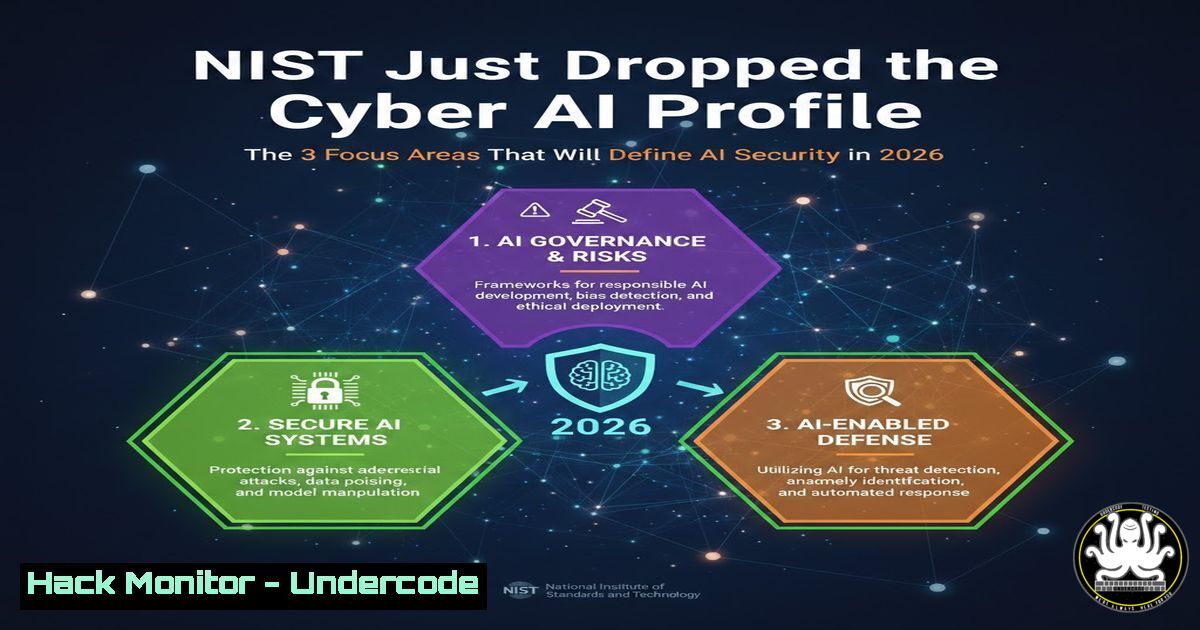
The National Institute of Standards and Technology (NIST) has officially released the initial preliminary draft of NIST Internal Report (IR) 8596, the Cybersecurity Framework Profile for Artificial Intelligence (Cyber AI Profile) . This landmark publication maps AI-specific cybersecurity outcomes directly to the NIST Cybersecurity Framework (CSF) 2.0, moving the conversation from theoretical risk to actionable control . For security teams, this ends the era of managing AI as “just another application” and establishes a structured approach to governing AI systems with the same rigor applied to critical infrastructure, addressing the dual reality that AI both expands the attack surface and offers new defensive capabilities .
Learning Objectives:
- Understand the three core focus areas of the NIST Cyber AI Profile (Secure, Defend, Thwart) and how they map to CSF 2.0 functions.
- Learn to implement practical, hands-on security controls for AI infrastructure using Linux, Windows, and cloud-native commands.
- Master the key artifacts (AIBOM, SBOM, VEX) and incident response protocols necessary to answer critical questions about your AI estate within minutes.
You Should Know:
- Focus Area 1: Securing AI System Components (The “Secure” Pillar)
The first pillar of the Cyber AI Profile addresses the need to secure the unique and dynamic components of AI systems. Unlike traditional software, AI attack surfaces include models, training data, prompts, agents, and the machine learning (ML) supply chain . This requires organizations to implement governance, inventory, monitoring, and change control specifically tailored for these assets .
Step‑by‑step guide: Implementing Basic AI Infrastructure Hardening
To secure the underlying infrastructure hosting AI models, you must first establish a baseline of system integrity and access control.
Linux (Model Server Hardening):
1. Harden SSH and access controls
sudo sed -i ‘s/PermitRootLogin yes/PermitRootLogin prohibit-password/’ /etc/ssh/sshd_config
sudo systemctl restart sshd
- Implement filesystem integrity monitoring for model weights (e.g., using AIDE)
sudo apt install aide -y
sudo aideinit
sudo mv /var/lib/aide/aide.db.new /var/lib/aide/aide.db
- Monitor for unusual process activity related to model inference
sudo auditctl -w /usr/local/bin/model_server -p wa -k model_integrity
sudo auditctl -w /opt/models/ -p wa -k model_weights
Windows (ML Development Environment):
- Configure Windows Defender for AI workload directories (PowerShell as Admin)
Add-MpPreference -ExclusionPath “C:\ML_Models”
Add-MpPreference -ControlledFolderAccessProtectedFolders “C:\ML_Models”
Set-MpPreference -EnableControlledFolderAccess Enabled
- Enable advanced audit logging for model file access
auditpol /set /subcategory:”File System” /success:enable /failure:enable
wevtutil set-log “Microsoft-Windows-Security-Auditing” /enabled:true /retention:false /maxsize:2GB
- Use Sysmon to log process creation and network connections for AI tools
Download and install Sysmon with a basic config
sysmon64 -i
Cloud (Kubernetes for AI/ML):
To secure AI workloads in the cloud, implement pod security standards and network policies to prevent unauthorized access to model serving endpoints.
Apply a restrictive pod security standard
kubectl label namespace ml-namespace pod-security.kubernetes.io/enforce=restricted
Create a network policy to restrict access to the model server
apiVersion: networking.k8s.io/v1
kind: NetworkPolicy
metadata:
name: deny-all-except-api
namespace: ml-namespace
spec:
podSelector:
matchLabels:
app: model-server
policyTypes:
- Ingress
ingress:
- from:
- podSelector:
matchLabels:
role: frontend-api
ports:
- protocol: TCP
port: 8080
- Focus Area 2: Conducting AI-Enabled Cyber Defense (The “Defend” Pillar)
This pillar shifts focus from securing AI to using AI as a tool for cybersecurity enhancement . It involves leveraging AI for triage, prioritization, investigation, and response consistency . However, NIST emphasizes that while AI can augment defense, human maturity and oversight remain critical .
Step‑by‑step guide: Using Open-Source AI for Log Analysis
Security teams can use locally hosted large language models (LLMs) to analyze logs without sending sensitive data to external APIs.
Linux (Using Ollama for log analysis):
1. Install Ollama (local LLM runner)
curl -fsSL https://ollama.com/install.sh | sh
- Pull a security-focused model (e.g., a fine-tuned model for log analysis)
ollama pull dolphin-mistral
- Create a script to analyze auth logs
!/bin/bash
analyze_logs.sh
LOG_FILE=”/var/log/auth.log”
RECENT_FAILURES=$(grep “Failed password” $LOG_FILE | tail -20)
ollama run dolphin-mistral “Analyze these SSH failure logs for a potential brute force attack. Provide a summary and risk level: $RECENT_FAILURES”
Windows (Using Python and Hugging Face for log analysis):
1. Install required Python libraries
pip install transformers torch pandas
- Python script to analyze Windows Security Logs
import pandas as pd
from transformers import pipeline
Load a smaller model suitable for log analysis
classifier = pipeline(“text-classification”, model=”roberta-base-openai-detector”)
Extract recent Event ID 4625 (failed logons) from Windows Event Log
import subprocess
result = subprocess.run([‘wevtutil’, ‘qe’, ‘Security’, ‘/q:Event[System[EventID=4625]]’, ‘/f:text’, ‘/c:10’], capture_output=True, text=True)
Analyze the output (simplified)
analysis = classifier(result.stdout[:1000])
print(f”Log analysis result: {analysis}”)
- Focus Area 3: Thwarting AI-Enabled Cyber Attacks (The “Thwart” Pillar)
The third pillar addresses preparing for and building resilience against attacks that leverage AI . This includes defending against AI-generated phishing, deepfakes, AI-generated malware, and autonomous agentic workflows that can accelerate reconnaissance, exploitation, and lateral movement . With AI-enabled attacks rising globally—such as a 47% increase in 2025 according to some reports—organizations must adapt their defenses .
Step‑by‑step guide: Detecting AI-Generated Phishing Emails
Traditional email filters often fail against highly personalized, AI-generated spear-phishing campaigns.
Linux (Using rspamd with ML modules):
1. Install rspamd (advanced spam filtering system)
sudo apt install rspamd -y
- Enable the neural network module for fuzzy matching
sudo nano /etc/rspamd/local.d/neural.conf
Add the following configuration:
enabled = true;
servers = “127.0.0.1:4777”;
learning_mode = “self”;
max_learn_requests = 1000;
- Train the system by feeding it known good (ham) and known bad (spam) corpora
sudo rspamc learn_spam /path/to/ai_generated_phishing_samples/
sudo rspamc learn_ham /path/to/legitimate_corporate_emails/
Windows (Simulating Deepfake Detection in PowerShell):
While deepfake detection often requires specialized tools, you can implement basic metadata analysis.
PowerShell script to analyze video file metadata for anomalies
$videoPath = “C:\Downloads\suspicious_video.mp4”
$shell = New-Object -ComObject Shell.Application
$folder = $shell.Namespace((Split-Path $videoPath))
$file = $folder.ParseName((Split-Path $videoPath -Leaf))
Check for missing or inconsistent metadata common in cheap deepfakes
$metadataCheck = @()
$metadataCheck += [bash]@{ Property = “Duration”; Value = $folder.GetDetailsOf($file, 27) } 27 is duration
$metadataCheck += [bash]@{ Property = “Frame Width”; Value = $folder.GetDetailsOf($file, 328) } 328 is width
$metadataCheck += [bash]@{ Property = “Frame Height”; Value = $folder.GetDetailsOf($file, 329) } 329 is height
$metadataCheck += [bash]@{ Property = “Date Created”; Value = $folder.GetDetailsOf($file, 4) }
$metadataCheck | Format-Table -AutoSize
4. Implementing the “4-Question” Incident Response Protocol
The LinkedIn post highlighted a critical challenge: If an AI incident hits, can you answer four questions in under 10 minutes? These are: What is deployed and where? What data touches it? What controls exist? What changed since the last release? . This requires an AI Bill of Materials (AIBOM), SBOM-backed supplier inventories, and VEX (Vulnerability Exploitability eXchange) reports .
Step‑by‑step guide: Generating an AI Bill of Materials (AIBOM)
Using `syft` (a CLI tool for generating SBOMs) with experimental AI support
1. Install syft
curl -sSfL https://raw.githubusercontent.com/anchore/syft/main/install.sh | sh -s — -b /usr/local/bin
- Generate an SBOM for a Python-based AI project
syft dir:/path/to/your/ml_project -o json > ml_project_sbom.json
- Manually extend the SBOM with AI-specific components (training data sources, model cards)
This is often done by adding annotations or using tools like `model-cards` orhuggingface_hub. -
Query the inventory to answer “what’s deployed?” (using `jq` for Linux)
cat ml_project_sbom.json | jq ‘.artifacts[] | {name: .name, version: .version, type: .type}’
5. For Windows (PowerShell), parse the JSON:
$sbom = Get-Content ml_project_sbom.json -Raw | ConvertFrom-Json
$sbom.artifacts | Select-Object name, version, type
- Cloud Hardening and Continuous Monitoring for AI Workloads
NIST emphasizes that AI systems require the same—if not more stringent—monitoring and change control as traditional critical systems . In cloud environments, this means moving beyond declarative security posture management to runtime-first, AI-aware threat detection .
Step‑by‑step guide: Implementing Progressive Sandboxing for AI Agents
To prevent an AI agent from causing damage (e.g., accidental `rm -rf /` or data exfiltration), implement sandboxing at the OS level .
Linux (Using Firejail for process sandboxing):
1. Install Firejail
sudo apt install firejail -y
- Create a custom profile for your AI agent
sudo nano /etc/firejail/my_ai_agent.local
Add restrictions:
read-only /etc
read-only /home/user/.ssh
private-dev
netfilter
noroot
- Run your AI agent within the sandbox
firejail –profile=/etc/firejail/my_ai_agent.local python3 my_ai_agent.py
4. Monitor sandboxed process activity
firejail –list
firejail –top
Windows (Using Windows Sandbox for testing untrusted AI code):
Create a Windows Sandbox configuration file (WindowsSandbox.wsb)
This allows testing of AI tools in an isolated, ephemeral environment
C:\ML_Test_Code
C:\ML_Test_Code
true
powershell -command “Start-Process ‘cmd'”
Save the file and double-click to launch the sandbox. Any changes are discarded on close.
What Undercode Say:
- The “App” Paradigm is Dead: The core takeaway from NIST IR 8596 is that AI systems are fundamentally different from traditional applications. Their dynamic nature, reliance on data provenance, and susceptibility to novel attacks (like prompt injection) require dedicated controls that cannot be retrofitted from standard IT security checklists. Organizations must treat AI as a distinct risk category with tailored governance and technical enforcement .
- Convergence is Key: The draft pushes organizations toward a “single evidence spine” approach. Instead of managing compliance for the EU AI Act, DORA, and NIST separately, leading practices suggest using a unified control catalog and artifacts (AIBOM, SBOM) that can map to multiple frameworks. This transforms AI governance from a reporting burden into a deployment accelerator . The ability to answer the four incident-response questions in under ten minutes is not just a compliance win; it is the ultimate test of an organization’s operational resilience and visibility into its AI estate.
Prediction:
Over the next 12-24 months, we will see the NIST Cyber AI Profile evolve from a voluntary guideline into a de facto standard referenced in regulatory actions and contractual obligations. As AI-enabled attacks become the default rather than the exception, courts and regulators will look to this profile as the benchmark for “reasonable” security practices . This will force a convergence between traditional GRC (Governance, Risk, and Compliance) and AI/ML engineering teams, leading to the widespread adoption of DevSecOps pipelines that automatically generate AIBOMs and enforce runtime sandboxing for every model deployment. The organizations that treat this as a strategic integration now will be the ones that can safely accelerate AI adoption without being paralyzed by the next generation of cyber risk.
▶️ Related Video (72% Match):
🎯Let’s Practice For Free:
IT/Security Reporter URL:
Reported By: Iamtolgayildiz Cybersecurity – Hackers Feeds
Extra Hub: Undercode MoN
Basic Verification: Pass ✅


