Listen to this Post
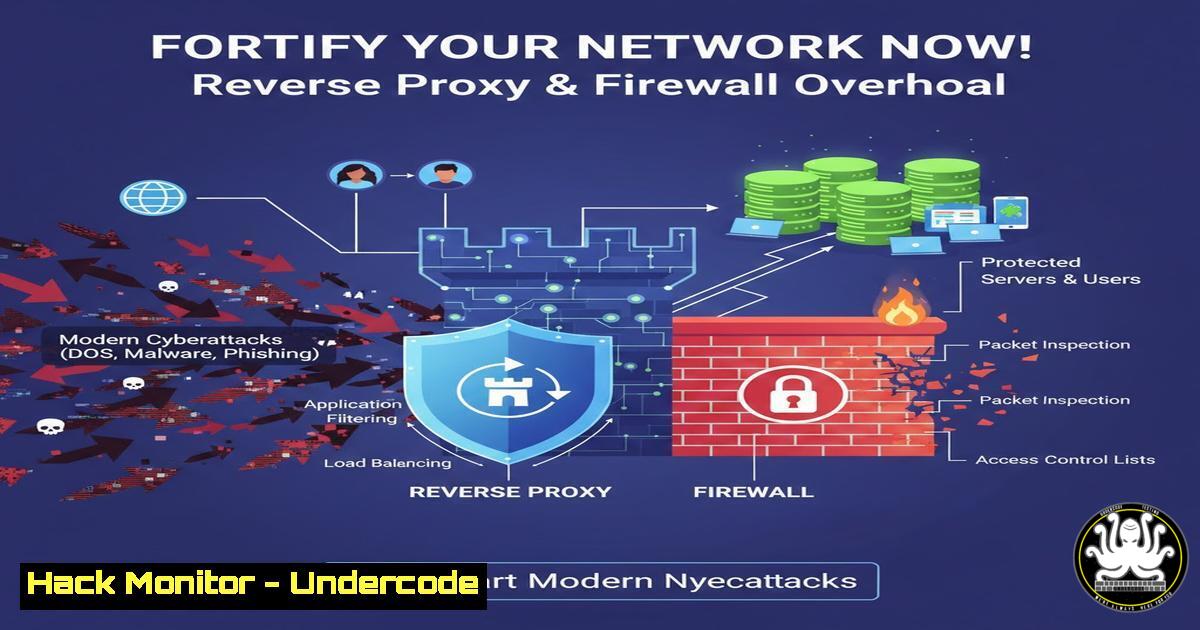
Introduction:
In an era of escalating cyber threats, securing network infrastructure is no longer optional but a critical imperative for organizational survival. The strategic deployment of a reverse proxy within a Demilitarized Zone (DMZ), coupled with meticulous firewall rule optimization, forms a foundational defense-in-depth strategy. This article deconstructs a real-world infrastructure hardening project, translating it into actionable steps to shield your services from exposure and attack.
Learning Objectives:
- Understand the strategic role of a reverse proxy in a DMZ for securing web services.
- Learn how to audit and optimize firewall rules for granular traffic control.
- Implement a fully secured HTTPS application access layer from end-to-end.
You Should Know:
1. Deploying a Secure Reverse Proxy with Caddy
A reverse proxy acts as a gatekeeper for your web servers, sitting in the DMZ and accepting traffic from the internet. It terminates TLS (HTTPS) connections, offloads encryption overhead from backend servers, and can hide the internal structure of your network, providing a single point of enforcement for security policies.
Step-by-step guide:
- Install Caddy: On your DMZ server, Caddy can be installed via its official packages.
Linux (Ubuntu/Debian):
sudo apt install -y debian-keyring debian-archive-keyring apt-transport-https
curl -1sLf 'https://dl.cloudsmith.io/public/caddy/stable/gpg.key' | sudo gpg --dearmor -o /usr/share/keyrings/caddy-stable-archive-keyring.gpg
curl -1sLf 'https://dl.cloudsmith.io/public/caddy/stable/debian.deb.txt' | sudo tee /etc/apt/sources.list.d/caddy-stable.list
sudo apt update
sudo apt install caddy
2. Configure Caddyfile: The `Caddyfile` is Caddy’s configuration. A basic configuration to proxy to an internal web server looks like this:
 /etc/caddy/Caddyfile
expose.yourcompany.com {
reverse_proxy 192.168.1.100:8080
encode gzip
header {
 Security Headers
X-Content-Type-Options nosniff
X-Frame-Options DENY
X-XSS-Protection "1; mode=block"
Strict-Transport-Security "max-age=63072000; includeSubDomains; preload"
}
}
This configuration tells Caddy to accept requests for expose.yourcompany.com, forward them to the internal server at 192.168.1.100:8080, compress responses, and add critical security headers.
3. Start and Enable Caddy:
sudo systemctl enable caddy
sudo systemctl start caddy
sudo systemctl status caddy
2. Hardening and Optimizing Firewall Rules
A firewall is your network’s bouncer. Default or permissive rules create vulnerabilities. Rule optimization involves applying the principle of least privilege: deny all traffic by default and only explicitly allow what is necessary.
Step-by-step guide:
- Audit Existing Rules: First, see what’s currently allowed.
Linux (UFW): `sudo ufw status verbose`
Windows (PowerShell): `Get-NetFirewallRule | Where-Object {$_.Enabled -eq ‘True’} | Format-Table Name, DisplayName, Direction, Action`
2. Implement a Default-Deny Policy:
Linux (UFW):
sudo ufw default deny incoming
sudo ufw default allow outgoing
Windows (PowerShell – Admin):
Set-NetFirewallProfile -All -DefaultInboundAction Block -DefaultOutboundAction Allow
3. Create Granular Allow Rules: Only open ports for essential services. For the Caddy reverse proxy, we need to allow HTTP (80) and HTTPS (443).
Linux (UFW):
sudo ufw allow 22/tcp comment 'SSH Management'
sudo ufw allow 80/tcp comment 'HTTP for Caddy'
sudo ufw allow 443/tcp comment 'HTTPS for Caddy'
sudo ufw enable
Windows (PowerShell – Admin):
New-NetFirewallRule -DisplayName "Allow HTTPS" -Direction Inbound -Protocol TCP -LocalPort 443 -Action Allow
New-NetFirewallRule -DisplayName "Allow HTTP" -Direction Inbound -Protocol TCP -LocalPort 80 -Action Allow
3. Enforcing End-to-End HTTPS with Modern TLS
HTTPS ensures data confidentiality and integrity in transit. Using a modern TLS configuration prevents downgrade attacks and exploits on older, vulnerable protocols.
Step-by-step guide:
- Leverage Automated Certificates: Caddy’s standout feature is automatic TLS certificate procurement and renewal from Let’s Encrypt. The basic configuration shown in section 1 is enough for Caddy to automatically set up HTTPS.
- Verify HTTPS Enforcement: Test your domain using online tools like SSL Labs’ SSL Test. Check that your site redirects HTTP to HTTPS.
- Harden TLS Configuration (Advanced): In your
Caddyfile, you can enforce modern security settings.{ Global settings for modern TLS servers { protocol { experimental_http3 } } auto_https disable_redirects if you want manual control } expose.yourcompany.com { tls /etc/ssl/certs/your_cert.pem /etc/ssl/private/your_key.pem { protocols tls1.2 tls1.3 ciphers TLS_ECDHE_ECDSA_WITH_AES_256_GCM_SHA384 TLS_ECDHE_RSA_WITH_AES_256_GCM_SHA384 } ... rest of config }This disables older TLS 1.0/1.1 and mandates strong ciphers.
4. Infrastructure Auditing and Performance Hardening
Security is not just software; it’s the entire stack. A physical and logical audit identifies single points of failure and misconfigurations.
Step-by-step guide:
- Physical Audit: Document rack layout, check for loose cables, verify UPS functionality, and ensure console access is secured.
2. Server Hardening:
Update Everything: `sudo apt update && sudo apt upgrade -y` (Linux) or regularly install Windows Updates.
Harden SSH: Disable root login and password authentication in /etc/ssh/sshd_config:
PermitRootLogin no
PasswordAuthentication no
AuthenticationMethods publickey
Check Listening Ports: Use `netstat -tulpn` or `ss -tulpn` to identify unexpected services listening for connections.
3. Network Device Security: Ensure switches and NAS devices are running updated firmware, use unique non-default admin passwords, and disable unused management protocols like HTTP or Telnet.
5. Proactive Monitoring and Resilience Planning
Performance and availability are security-adjacent. A downed service is a breached service. Monitoring helps detect anomalies and failures early.
Step-by-step guide:
- Implement Basic Health Checks: Use Caddy’s reverse proxy health check.
reverse_proxy 192.168.1.100:8080 192.168.1.101:8080 { health_uri /health health_interval 30s } - Set Up Logging and Alerting: Configure Caddy and your system (
journalctlon Linux, Event Viewer on Windows) to log to a central location. Set up alerts for critical errors or failed login attempts. - Test Your Backups: For your NAS and critical servers, regularly test restoration procedures from backup to ensure business continuity in case of a ransomware attack or hardware failure.
What Undercode Say:
- Layered Defense is Non-Negotiable: The combination of a hardened reverse proxy, a default-deny firewall, and encrypted transport creates a formidable barrier that significantly raises the cost of an attack.
- Automation is a Force Multiplier: Using tools like Caddy that automate TLS management eliminates human error, a leading cause of security failures, and ensures you are always using current best practices.
This project exemplifies a shift from a reactive to a proactive security posture. It’s not about patching one specific vulnerability but about architecting an environment that is inherently resilient. The DMZ proxy absorbs and filters application-layer attacks, the hardened firewall limits the network attack surface, and HTTPS ensures data privacy. This layered approach, combined with rigorous physical and system-level auditing, creates a robust foundation. In today’s threat landscape, such foundational hardening is not a luxury for elite teams but a baseline requirement for any organization that takes its digital presence and security seriously.
Prediction:
The architectural principles demonstrated here—zero-trust networking, automated security, and deep infrastructure hardening—will become the absolute baseline for corporate networks within the next 3-5 years. As AI-driven penetration testing tools become more accessible, manually configured, permissive networks will be discovered and breached in minutes. Future attacks will increasingly target the software supply chain and cloud management layers, making the integrity of deployment pipelines and the principle of least privilege on internal networks the next major battleground. Organizations that fail to implement these foundational controls will not be “less secure”; they will be fundamentally unsecured and non-compliant in a regulatory environment that is rapidly catching up to technical realities.
🎯Let’s Practice For Free:
IT/Security Reporter URL:
Reported By: Zin Elabdine – Hackers Feeds
Extra Hub: Undercode MoN
Basic Verification: Pass ✅


