Listen to this Post
Introduction:
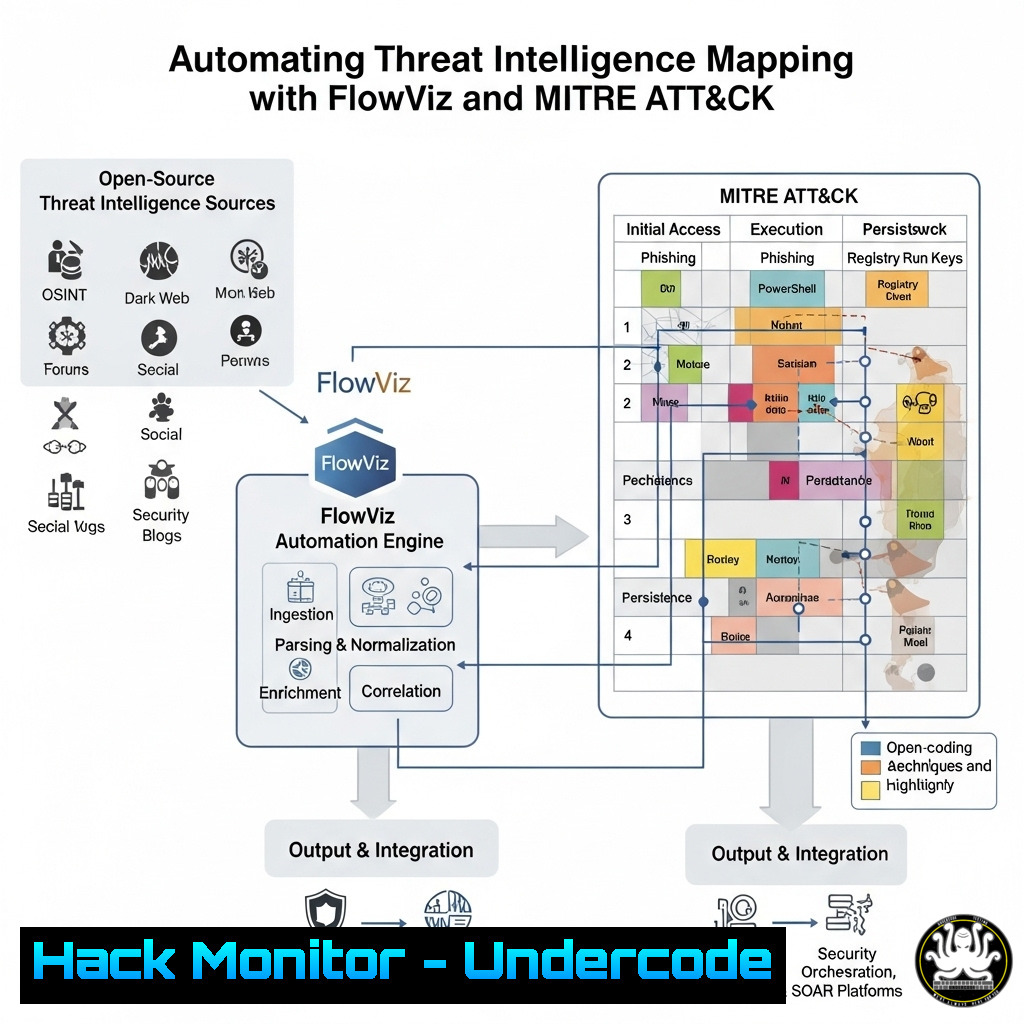
The volume of cyber threat intelligence reports is overwhelming for even the most seasoned analysts. Manually parsing these documents to map adversary behaviors to the MITRE ATT&CK framework is a time-consuming and error-prone process. FlowViz, a new open-source tool, promises to automate this workflow, instantly generating visual attack flow diagrams from any URL or raw text, revolutionizing how teams consume and operationalize intelligence.
Learning Objectives:
- Understand the core functionality and use cases of the FlowViz tool for threat intelligence automation.
- Learn how to integrate command-line and API-driven tools to parse and process threat data for analysis.
- Develop the skills to generate, customize, and export MITRE ATT&CK flow diagrams for reporting and detection engineering.
You Should Know:
1. Automated Report Ingestion with cURL
The foundation of FlowViz is its ability to accept intelligence from a variety of sources. Using curl, you can instantly submit a report URL for processing.
curl -X POST "https://api.flowviz.io/generate" \
-H "Content-Type: application/json" \
-d '{"url": "https://thedfirreport.com/2024/01/01/sample-incident"}'
This command sends a POST request to the FlowViz API with the target URL. The service will scrape the text content, run its natural language processing (NLP) models to identify ATT&CK techniques, and return a unique job ID. You can then use this ID to check the status and retrieve the generated diagram.
- Bulk Processing with Python and the Requests Library
For teams that need to process dozens of reports, manual submissions are impractical. This Python script automates bulk ingestion from a list of URLs saved in a text file.import requests import json</li> </ol> api_endpoint = "https://api.flowviz.io/generate" headers = {'Content-Type': 'application/json'} with open('report_urls.txt', 'r') as f: urls = f.readlines() for url in urls: data = {'url': url.strip()} response = requests.post(api_endpoint, headers=headers, data=json.dumps(data)) if response.status_code == 202: print(f"Successfully submitted: {url}") else: print(f"Error with {url}: {response.text}")This script reads URLs line-by-line, submits each one to the FlowViz API, and provides feedback on the success or failure of each submission, enabling large-scale automation of your threat intelligence pipeline.
3. Leveraging Local Text Files for Internal Reporting
Not all intelligence is public. For internal incident reports or proprietary intelligence, you can submit raw text directly.
curl -X POST "https://api.flowviz.io/generate" \
-H "Content-Type: application/json" \
-d '{"text": "The adversary attempted phishing using a malicious DOCX attachment (T1566.001) to gain initial access. After execution, a PowerShell script (T1059.001) was used to download a second-stage payload from a C2 server."}'
This is critical for ensuring all intelligence, regardless of source, is standardized into the MITRE ATT&CK framework. The tool’s NLP engine parses the text to identify technique codes (e.g., T1566.001) and narrative descriptions, building a coherent flow from them.
4. Exporting and Embedding Diagrams for Reporting
Once a diagram is generated, the real value is integrating it into reports and presentations. FlowViz provides options to export the visualization.
 Fetch the diagram as a PNG image
curl -o attack_flow.png "https://api.flowviz.io/jobs/<JOB_ID>/diagram.png"

Fetch the underlying data as JSON for custom processing
curl -o tactics_techniques.json "https://api.flowviz.io/jobs/<JOB_ID>/data"
Replacing `
` with the ID returned from your initial submission allows you to pull the finished product. The JSON data is particularly valuable for feeding into other security automation tools or custom dashboards. 5. Validating and Hardening the Tool’s API Security
Before integrating any new API into your sensitive environment, it’s crucial to perform basic security checks. Use these commands to interrogate the API’s security posture.
 Check for secure HTTP headers
curl -I https://api.flowviz.io

Test for common API vulnerabilities like SQLi or path traversal on the 'url' parameter
curl -X POST "https://api.flowviz.io/generate" \
-H "Content-Type: application/json" \
-d '{"url": "https://thedfirreport.com/;cat /etc/passwd"}'

Validate SSL/TLS configuration
nmap --script ssl-enum-ciphers -p 443 api.flowviz.io
These steps help ensure the tool you are using adheres to basic security principles, protecting your sensitive intelligence data from being intercepted or compromised during the analysis process.
6. Building a Local Analysis Workstation with Docker
For organizations requiring air-gapped analysis or wanting to avoid external API calls, the open-source nature of FlowViz allows for local deployment.
 Clone the repository
git clone https://github.com/flowviz/flowviz.git

Build and run with Docker Compose
cd flowviz
docker-compose up --build
After deployment, you can direct the previous `curl` commands to `http://localhost:8000` instead of the public API. This setup is ideal for analyzing highly classified or sensitive threat reports that cannot leave an internal network.
7. Integrating with SIEM and Automation Platforms
The true power of automation is realized by connecting FlowViz to your existing security infrastructure. This example shows how to forward parsed ATT&CK techniques to a Splunk SIEM.
 Command to extract techniques from FlowViz JSON and send to Splunk HTTP Event Collector (HEC)
JOB_ID="your_job_id"
TECHNIQUES=$(curl -s "https://api.flowviz.io/jobs/$JOB_ID/data" | jq '.techniques[] .id')

echo $TECHNIQUES | while read tech; do
curl -k "https://your-splunk-server:8088/services/collector/event" \
-H "Authorization: Splunk YOUR_HEC_TOKEN" \
-d "{\"event\": \"Technique $tech identified in latest threat report\", \"sourcetype\": \"flowviz\"}"
done
This script uses `jq` to parse the technique IDs from the returned JSON and then sends each one as a separate event to Splunk. This can automatically populate dashboards or trigger detection engineering workflows.
What Undercode Say:
- The automation of MITRE ATT&CK mapping is no longer a luxury but a necessity for scaling threat intelligence programs. Tools like FlowViz represent a critical step towards fully automated threat-informed defense.
- Open-source release lowers the barrier to entry for all organizations and ensures the tool can be vetted, hardened, and integrated into custom, secure pipelines, mitigating reliance on opaque commercial services.
Analysis: FlowViz tackles a fundamental bottleneck in cybersecurity: information overload. By leveraging AI/NLP to automate the tedious task of technique extraction, it frees analysts to focus on higher-order tasks like campaign analysis and detection engineering. Its API-first design is its greatest strength, enabling it to act as a force multiplier within a larger security automation ecosystem rather than just a standalone tool. The decision to open-source it builds immediate trust and encourages community-driven improvement, ensuring its evolution aligns with real-world analyst needs.
Prediction:
The release of FlowViz signals a broader shift towards intelligent, API-driven automation in threat intelligence. Within two years, we expect this functionality to become a standard, baked-in feature of major TI platforms and SIEMs. The “hack” here is not a vulnerability, but the innovative application of NLP to a common problem, effectively hacking the inefficient workflow itself. This will force adversaries to continuously innovate their TTPs to avoid predictable patterns, while defenders gain unprecedented speed and consistency in converting raw data into actionable defense.
🎯Let’s Practice For Free:
IT/Security Reporter URL:
Reported By: Dave Johnson – Hackers Feeds
Extra Hub: Undercode MoN
Basic Verification: Pass ✅🔐JOIN OUR CYBER WORLD [ CVE News • HackMonitor • UndercodeNews ]
📢 Follow UndercodeTesting & Stay Tuned:


