
Listen to this Post
Introduction:
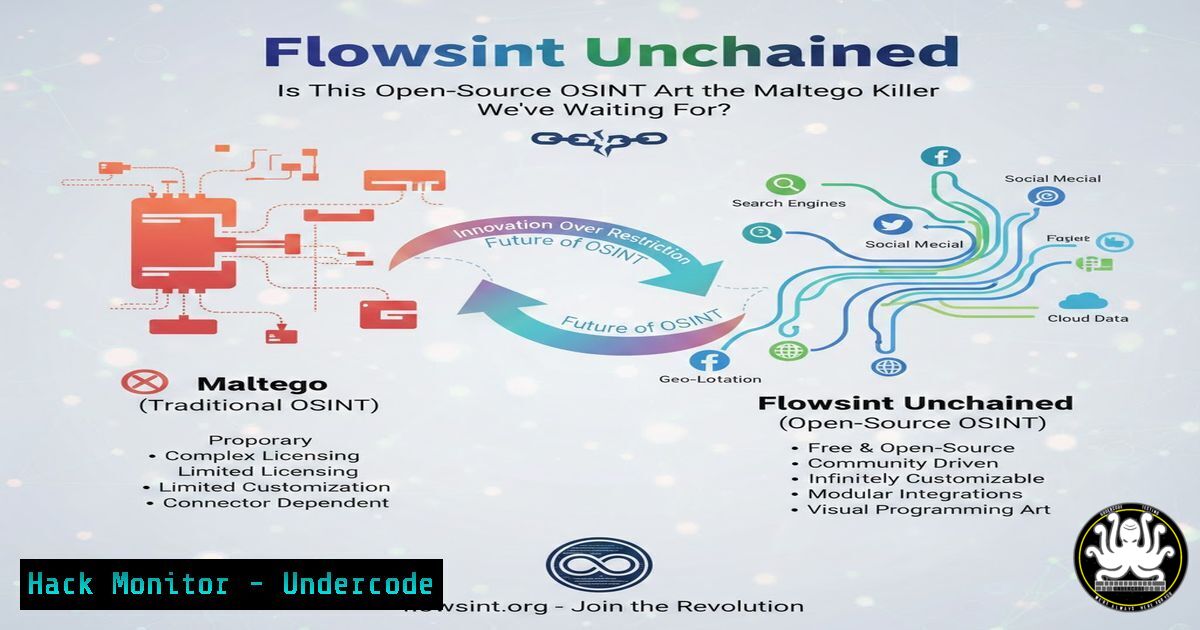
In the ever-evolving jungle of Open-Source Intelligence (OSINT) tools, a new contender emerges, promising not just functionality but a visually stunning and intuitive experience. Flowsint, an open-source data visualization and link analysis platform, is generating buzz for its ability to map complex relationships between entities, directly challenging established players in the cyber investigation space. This article delves into its installation, core capabilities, and potential to reshape tactical OSINT workflows for security professionals, threat hunters, and investigators.
Learning Objectives:
- Understand Flowsint’s role in the OSINT toolkit and how it compares to traditional solutions.
- Deploy a fully functional Flowsint instance using Docker and perform initial configuration.
- Execute a basic investigation by leveraging built-in enrichers to visualize data relationships.
You Should Know:
1. OSINT Fundamentals and The Flowsint Advantage
OSINT is the practice of collecting and analyzing publicly available information to produce actionable intelligence. Traditional tools like Maltego are powerful but can be complex and costly. Flowsint enters the arena as a modern, open-source alternative focusing on user experience, modular architecture, and visual elegance. It transforms raw data points—IP addresses, domains, email addresses, social media profiles—into interactive graphs, revealing hidden connections crucial for threat intelligence, attack surface mapping, or due diligence investigations. Its design philosophy centers on lowering the barrier to entry for sophisticated link analysis.
2. Deployment Deep Dive: Installing Flowsint with Docker
Flowsint leverages Docker for seamless deployment, ensuring a consistent environment across systems. Docker containerizes the application and its dependencies, simplifying setup. Before beginning, ensure Docker and Docker Compose are installed on your Linux system or Windows/macOS Docker Desktop.
Step‑by‑step guide:
Step 1: Clone the Repository. Open a terminal and clone the official Flowsint GitHub repository to get the latest code and docker-compose configuration.
git clone https://github.com/codeflows-intelligence/flowsint.git
cd flowsint
Step 2: Configure Environment Variables. Critical for security and functionality. Edit or create a `.env` file in the project root. At a minimum, set a strong secret key and configure database credentials.
cp .env.example .env
nano .env
Edit key variables:
SECRET_KEY=your_very_strong_random_secret_key_here
DB_PASSWORD=a_secure_database_password
Step 3: Launch with Docker Compose. This single command builds the necessary images and starts the Flowsint application and its PostgreSQL database in isolated containers.
docker-compose up -d
Step 4: Verify and Access. Check that the containers are running, then access the web interface via your browser.
docker-compose ps
Navigate to `http://localhost:8000` (or your server’s IP). The `-d` flag runs the process in the background.
3. Core Workflow: Launching Your First Investigation
Once logged into the Flowsint web interface, the intuitive dashboard awaits. The core activity is creating a new “flow” or graph to visualize relationships.
Step‑by‑step guide:
Step 1: Create a New Project. Click “New Project” or “New Flow.” Name it appropriately (e.g., “Phishing Campaign Analysis”).
Step 2: Add Your Seed Entity. Every investigation starts with a seed. Use the interface to add a node. For example, add an “Entity” type of “Domain” and enter a suspect domain name like example-suspicious[.]com.
Step 3: Apply Built-in Enrichers. Right-click on your new domain node. A context menu will show available “enrichers” or transforms. Flowsint comes pre-loaded with over 30 modules for queries against sources like WHOIS databases, DNS records (using dig-like logic), SSL certificate repositories, and social media platforms. Select “WHOIS Lookup” or “DNS Records.”
Step 4: Visualize the Expansion. The enricher executes and appends new connected nodes to the graph—registrant emails, nameservers, IP addresses, associated phone numbers. Click and drag nodes to organize the evolving map of connections.
4. Extracting Actionable Intelligence from the Graph
A sprawling graph is only useful if you can interpret it. Flowsint provides tools for analysis.
Step‑by‑step guide:
Step 1: Cluster Related Entities. Use the grouping function to manually or automatically cluster nodes that belong to the same attacker infrastructure (e.g., all domains sharing the same registrant email).
Step 2: Analyze Node Properties. Click on any node to open its detailed property pane. Here you’ll find raw data fetched by the enrichers—creation dates, geographic locations, associated hashes from malware repositories. This pane is where data becomes evidence.
Step 3: Export Findings. For reporting or further analysis, use Flowsint’s export features. You can export the entire graph as an image (PNG/SVG) for a briefing, or as structured data (JSON) for ingestion into other security tools like a SIEM or a threat intelligence platform (TIP).
- Navigating Current Limitations and the Custom Integration Frontier
The post accurately notes a current limitation: the non-trivial process for adding custom enrichers or private API integrations. This can restrict advanced users who rely on proprietary data feeds or specialized internal databases.
Step‑by‑step guide to understanding the architecture for future extension:
Step 1: Examine the Enricher Directory. Within the cloned repository, explore the `enrichers/` directory. Each enricher is a modular Python script defining its input, API call, and output node creation logic.
Step 2: Review the API Pattern. To build a custom enricher for an internal API, you would need to mimic the existing structure. This involves:
1. Creating a new Python file in the enrichers directory.
2. Defining metadata (name, description, input entity type).
- Writing the `run()` function to authenticate, call your API, parse the JSON/XML response, and create new nodes/edges using Flowsint’s SDK.
- Registering the enricher in the system’s plugin manifest.
Step 3: Await Future Developments. The developers have prioritized a modular design, signaling that simplified “point-and-click” enricher configuration or a marketplace is a likely future development, which would significantly increase its enterprise applicability.
What Undercode Say:
- Flowsint represents a paradigm shift towards accessible and visually-driven OSINT, lowering the skill barrier for effective link analysis without sacrificing depth.
- Its current strength lies in rapid deployment and out-of-the-box utility for common IOCs, but its true enterprise potential is locked behind the need for easier custom enricher integration.
The analysis underscores that Flowsint is not just a tool but a statement. It proves that powerful cyber intelligence platforms can be open-source, beautiful, and user-centric. While it may not fully replace every feature of mature suites like Maltego for advanced operators today, it forces a reevaluation of what is essential in an investigation workflow. Its active development and modular core suggest a roadmap that could quickly address its integration gaps, making it a formidable and cost-effective option for teams of all sizes.
Prediction:
Within the next 12-18 months, Flowsint will likely release a streamlined framework for community and commercial enricher development, fostering an ecosystem similar to script hubs for other security tools. This will trigger accelerated adoption by SOCs, CTI teams, and freelance investigators. Its pressure on the market will push established vendors to improve their own UI/UX and pricing models. Flowsint is poised to become the “Visual Studio Code” of OSINT—a free, extensible, and community-powered hub that becomes the default starting point for a new generation of security professionals, thereby democratizing advanced threat investigation techniques.
🎯Let’s Practice For Free:
IT/Security Reporter URL:
Reported By: Cyberflood Flowsint – Hackers Feeds
Extra Hub: Undercode MoN
Basic Verification: Pass ✅


