Listen to this Post
Introduction:
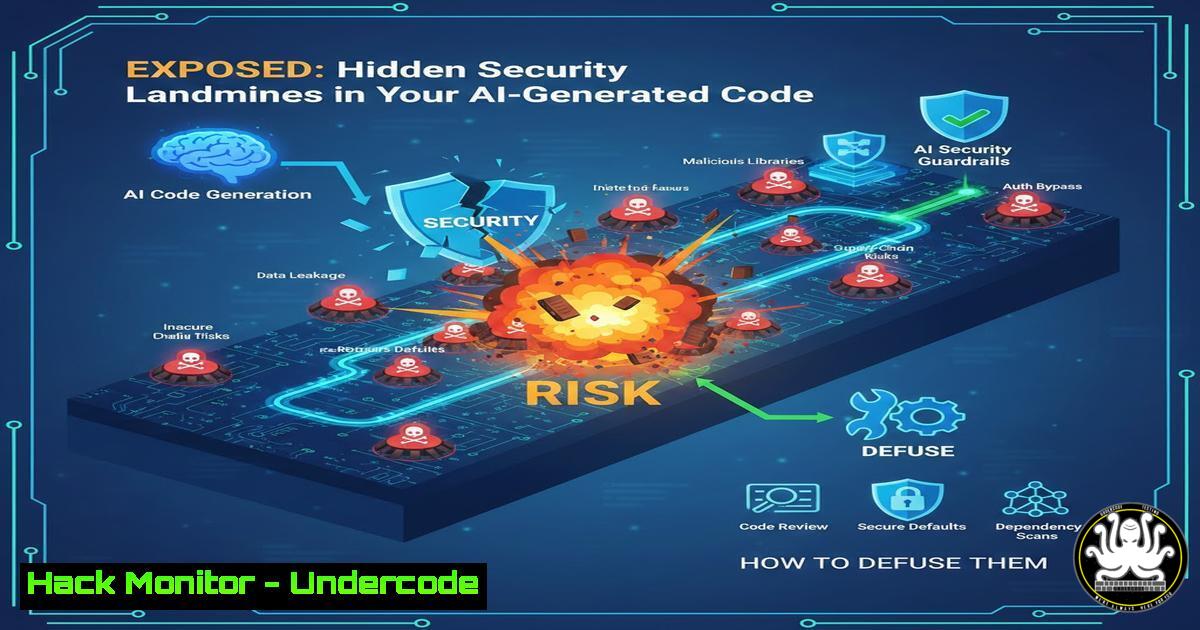
The rise of AI-assisted “vibe coding” has democratized development but often ships with hidden architectural debts and critical security flaws. This analysis delves into the essential cybersecurity and code review practices every developer must adopt to transform AI-generated prototypes into secure, production-ready applications, moving beyond mere functionality to fortified system design.
Learning Objectives:
- Identify the most common and dangerous security vulnerabilities introduced by AI coding assistants.
- Learn practical, immediate steps to audit and harden your application’s architecture, API, and cloud configuration.
- Develop a prioritized action plan to eliminate technical debt and build a scalable, secure development workflow.
You Should Know:
- Decoding the AI Security Audit: Beyond Surface-Level Scanning
A professional security audit, as offered in services like Vibe/Review, transcends automated linting. It involves a manual, deep dive into context-specific risks. For AI-built apps, this means scrutinizing how prompts may have led to insecure patterns.
Step‑by‑step guide explaining what this does and how to use it.
First, clone your repo and conduct a preliminary dependency scan. On Linux, use OWASP Dependency-Check:
 Install and run OWASP Dependency-Check
curl -L https://github.com/jeremylong/DependencyCheck/releases/download/v9.0.0/dependency-check-9.0.0-release.zip -o dcheck.zip
unzip dcheck.zip
./dependency-check/bin/dependency-check.sh --project "MyApp" --scan ./path/to/your/src --out report.html
This generates an HTML report listing known vulnerabilities (CVEs) in your libraries. Next, perform a static application security test (SAST) using `Bandit` for Python or `Semgrep` for multiple languages to find issues like hardcoded secrets or SQL injection vectors AI might have introduced:
 Scan Python code with Bandit
pip install bandit
bandit -r ./path/to/your/python/code -f html -o bandit_report.html
The goal is not to collect hundreds of generic warnings but to triage findings based on your app’s specific data flows and exposure points.
2. Hardening Authentication Flows and API Endpoints
AI assistants often generate boilerplate authentication that is functional but insecure for production. Common pitfalls include weak password policies, misconfigured OAuth scopes, or improper session management.
Step‑by‑step guide explaining what this does and how to use it.
Review your authentication middleware. For a Node.js/Express app, ensure you’re not using deprecated packages like `express-jwt` without validation. Use the `helmet` library to set secure HTTP headers:
const express = require('express');
const helmet = require('helmet');
const app = express();
// Use Helmet to set various security headers
app.use(helmet());
app.use(helmet.hsts({ maxAge: 31536000, includeSubDomains: true }));
For API endpoints, enforce rate limiting and input validation. Use a tool like express-rate-limit:
npm install express-rate-limit
const rateLimit = require("express-rate-limit");
const apiLimiter = rateLimit({
windowMs: 15  60  1000, // 15 minutes
max: 100, // Limit each IP to 100 requests per window
message: "Too many requests from this IP, please try again later."
});
app.use("/api/", apiLimiter); // Apply to all API routes
On Windows, use PowerShell to audit open ports that might expose unprotected APIs: Get-NetTCPConnection | Where-Object {$_.State -eq 'Listen'} | Select-Object LocalPort, OwningProcess | Format-Table.
- AI Workflow Audit: Preventing Technical Debt at Scale
An “AI Workflow Audit” assesses how you use tools like Cursor or Copilot. The goal is to ensure you’re generating maintainable code, not just rapid output. This involves checking for consistent patterns, proper error handling, and avoidance of AI “hallucinated” libraries.
Step‑by‑step guide explaining what this does and how to use it.
Create a checklist for your AI prompts. Before generating code, always specify security constraints in your prompt, e.g., “Generate a user login function in Python using bcrypt for password hashing and including audit logs.” After generation, manually review new code blocks for:
– Direct database queries concatenating user input (risk of SQL injection).
– Lack of parameterized statements.
– Sensitive data logged in plaintext.
Use `git history` to track AI-generated changes and review them:
 View recent commits and their diff to see what was added by AI-assisted coding
git log --oneline -n 5
git diff <commit-hash>  Inspect changes in a specific commit
Establish a pre-commit hook using `gitleaks` to prevent secrets from being committed:
 Install gitleaks (Linux/macOS example)
curl -L https://github.com/gitleaks/gitleaks/releases/download/v8.18.0/gitleaks_8.18.0_linux_x64.tar.gz -o gitleaks.tar.gz
tar -xzf gitleaks.tar.gz
mv gitleaks /usr/local/bin/
 Run as a pre-commit hook
gitleaks protect --source ./path/to/repo -v
4. Cloud Configuration Hardening: The Silent Vulnerability
AI-generated infrastructure-as-code (e.g., Terraform, CloudFormation) often uses overly permissive defaults. This step involves locking down cloud services (AWS, Azure, GCP) to the principle of least privilege.
Step‑by‑step guide explaining what this does and how to use it.
For AWS, use the `aws cli` and `prowler` to scan your configuration:
 Install Prowler, an AWS security tool
git clone https://github.com/prowler-cloud/prowler
cd prowler
./prowler -g check31  Run specific check for security groups with overly permissive rules
Check for S3 buckets with public read access and tighten policies:
aws s3api get-bucket-policy --bucket YOUR_BUCKET_NAME  Review policy
 Use this command to apply a private ACL (use with caution, test first)
aws s3api put-bucket-acl --bucket YOUR_BUCKET_NAME --acl private
On Azure, use Azure PowerShell to audit storage accounts:
 PowerShell command to get all storage accounts and check their public access level
Get-AzStorageAccount | ForEach-Object { Get-AzStorageContainer -Context $<em>.Context } | Where-Object { $</em>.PublicAccess -ne 'Off' }
Always ensure your cloud service credentials are never hardcoded in your repo. Use environment variables or secret managers.
- From Vulnerability Exploitation to Mitigation: A Practical Demo
Understanding how an attacker exploits a flaw is key to fixing it. Here, we’ll simulate exploiting a common vulnerability—insecure direct object reference (IDOR)—and then patch it.
Step‑by‑step guide explaining what this does and how to use it.
Assume your app has a route `/api/user/
– Exploitation Step: Use `curl` to test for IDOR by changing the user ID parameter:
curl -H "Authorization: Bearer <your_token>" http://yourapp.com/api/user/123
curl -H "Authorization: Bearer <your_token>" http://yourapp.com/api/user/124  Try accessing another user's data
If both return data, an IDOR exists.
- Mitigation Step: Implement server-side authorization. In your backend (e.g., Python/Flask), always verify the requesting user’s identity:
from functools import wraps
from flask import request, jsonify
import jwt</li>
</ul>

def token_required(f):
@wraps(f)
def decorated(args, kwargs):
token = request.headers.get('Authorization')
if not token:
return jsonify({'message': 'Token is missing!'}), 401
try:
data = jwt.decode(token.split()[bash], 'your_secret_key', algorithms=["HS256"])
current_user_id = data['user_id']
 CRITICAL: Check if the requested user_id matches the token's user_id
if kwargs.get('user_id') != current_user_id:
return jsonify({'message': 'Unauthorized access!'}), 403
except:
return jsonify({'message': 'Token is invalid!'}), 401
return f(current_user_id, args, kwargs)
return decorated

@app.route('/api/user/<user_id>')
@token_required
def get_user(user_id):
 Now user_id is validated
user = User.query.get(user_id)
return jsonify(user.serialize())
Run a final test with the same `curl` commands to confirm the fix returns a `403 Forbidden` for unauthorized requests.
6. Building Your Roadmap to Production: Prioritizing Actions
The final output of a professional review is a prioritized action plan. This involves categorizing findings by severity (Critical, High, Medium, Low) and effort (Quick Win, Major Refactor).
Step‑by‑step guide explaining what this does and how to use it.
Create a simple spreadsheet or markdown file. For each finding from your audits (e.g., from Bandit, Prowler), log:
– Finding: “S3 bucket publicly readable.”
– Severity: High.
– Effort: Quick Win.
– Action: Apply bucket policy to restrict access.
– Owner: Assign a team member.
– Deadline: Set a date.
Use a command-line tool like `jq` to parse JSON reports from security tools and generate an initial list:Parse a Bandit JSON output and extract high-severity issues bandit -r ./src -f json -o bandit_output.json cat bandit_output.json | jq '.results[] | select(.issue_severity == "HIGH") | .issue_text'
Start with all “Critical/Quick Win” items, then move to “High/Quick Win.” This methodical approach ensures you ship fixes that deliver the highest security impact first, transforming a “vibe-coded” app into a resilient system.
What Undercode Say:
- Key Takeaway 1: AI-assisted development accelerates prototyping but systematically introduces security blind spots—such as default configurations, inadequate input validation, and hardcoded secrets—that demand human expert review to catch and rectify.
- Key Takeaway 2: The true value of a specialized code review lies not in generating more bug reports, but in providing a context-aware, prioritized roadmap that focuses development effort on the fixes that most reduce real-world risk for that specific application.
The analysis underscores a paradigm shift: as AI becomes a core development partner, security must be integrated into the prompt-and-review workflow, not bolted on later. Services like Vibe/Review highlight the market need for senior, AI-native architectural oversight that bridges the gap between rapid AI output and production-grade resilience. The $200 flat fee model reflects the efficiency of async, tool-assisted reviews, but its effectiveness hinges on the reviewer’s deep experience in distributed systems and security—a combination essential for navigating modern tech stacks.
Prediction:
Within two years, AI coding assistants will evolve to incorporate real-time, context-aware security linters directly into their suggestion engines, dramatically reducing common vulnerabilities at the source. However, this will raise the stakes for architectural and adversarial security reviews, making human expert analysis for business logic flaws, complex attack chains, and supply chain risks more valuable—and potentially more expensive—than ever. The future will see a bifurcation: AI handling routine code hardening, while human specialists focus on strategic design and novel threat mitigation.
▶️ Related Video (80% Match):
🎯Let’s Practice For Free:
IT/Security Reporter URL:
Reported By: Bobarg Vibereview – Hackers Feeds
Extra Hub: Undercode MoN
Basic Verification: Pass ✅🔐JOIN OUR CYBER WORLD [ CVE News • HackMonitor • UndercodeNews ]
📢 Follow UndercodeTesting & Stay Tuned:


