Listen to this Post
Introduction:
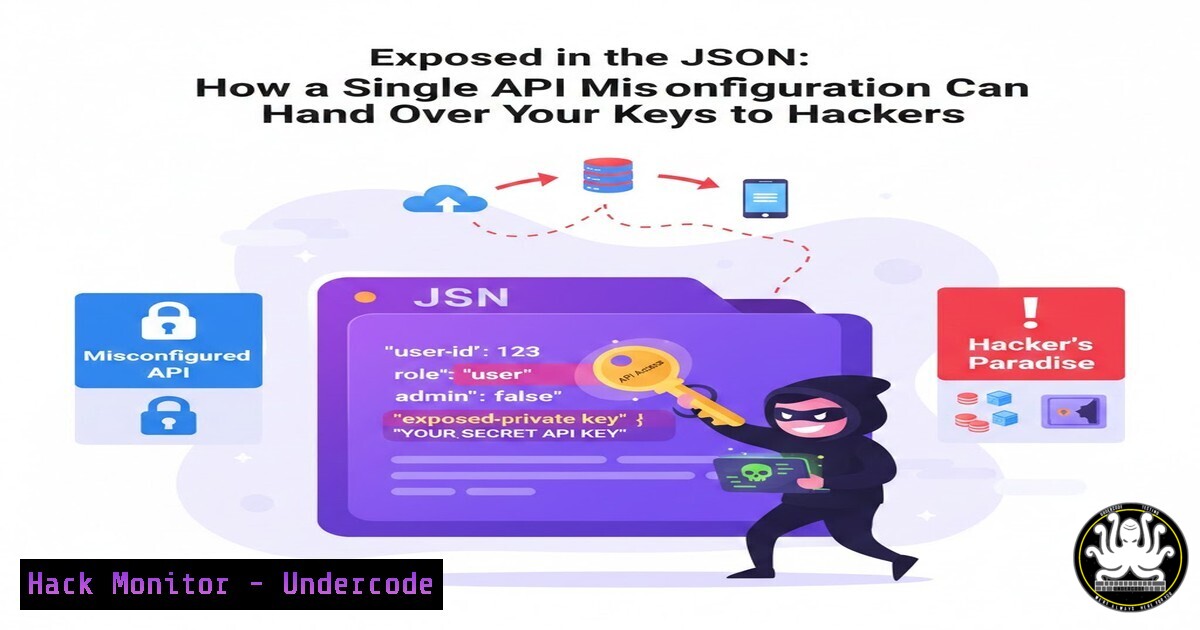
In the high-stakes world of web application security, a single misconfigured API endpoint can serve as a master key to your entire digital kingdom. A recent real-world penetration test revealed a critical vulnerability where backend API responses were inadvertently leaking sensitive credentials like API keys and secrets directly within JSON payloads. This article deconstructs this common yet devastating flaw, exploring its root causes, demonstrating its exploitation, and providing a hardened, step-by-step guide for developers and security professionals to eradicate such data exposure risks.
Learning Objectives:
- Understand how API response over-permission and improper error handling lead to credential leakage.
- Learn to identify and exploit exposed API keys using proxy tools like Burp Suite.
- Implement definitive mitigation strategies, including output sanitization, key vaults, and robust API gateway policies.
You Should Know:
1. The Anatomy of an API Credential Leak
An API credential leak often stems from a development paradigm where the backend returns full model objects or verbose error messages. Instead of sending only the data the client UI needs, the API might serialize an entire internal data structure, including fields meant for server-to-server communication or internal logging. This is frequently seen in RESTful APIs built with frameworks that automate serialization, like Django REST Framework or Spring Boot, without proper view or serializer configuration.
Step-by-step guide:
Step 1: Reconnaissance. Use your browser’s developer tools (F12 -> Network tab) to inspect all API calls made by the application. Look for responses with "apiKey", "secret", "token", "password", or `”auth”` in the JSON structure.
Step 2: Intercept with a Proxy. Configure Burp Suite as a proxy for your browser or application. Capture a relevant API request.
Step 3: Analyze the Response. In Burp’s Proxy `”HTTP history”` tab, find the captured request and examine the response from the server. Search for sensitive key-value pairs.
Step 4: Replay and Verify. Right-click the request and send it to Burp’s `”Repeater”` tool. Re-send the request and observe if the sensitive data is consistently present. This confirms the leak is not a one-time error.
2. Exploiting Leaked Keys for Unauthorized Access
Once a valid API key is extracted, an attacker can use it to impersonate the application or user, bypassing frontend authentication entirely. The key can be used to make direct, privileged requests to the API server.
Step-by-step guide:
Step 1: Extract the Credential. From the intercepted response, copy the value of the leaked key (e.g., "api_key": "sk_live_xyz123").
Step 2: Craft a Malicious Request. Using a tool like `curl` or Burp Repeater, construct a new request to a sensitive API endpoint. For example, an endpoint that lists users or modifies data.
Linux/Mac (curl):
curl -H "Authorization: Bearer sk_live_xyz123" https://target-api.com/api/v1/admin/users
In Burp Repeater: Add a new header: `Authorization: Bearer sk_live_xyz123` to the request for the target endpoint.
Step 3: Escalate Access. If the key has broad permissions, you may be able to interact with the API as an administrator, extracting data or modifying resources.
3. Mitigation 1: Implementing Strict Output Sanitization
The primary defense is to ensure your API never serializes and sends unauthorized fields. This must be explicitly defined at the serializer level.
Step-by-step guide (Django REST Framework Example):
Step 1: Define Explicit Serializers. Do not use `model = User` and fields = '__all__'. Instead, whitelist exact fields.
 BAD
class UserSerializer(serializers.ModelSerializer):
class Meta:
model = User
fields = '<strong>all</strong>'

GOOD
class PublicUserSerializer(serializers.ModelSerializer):
class Meta:
model = User
fields = ('id', 'username', 'email')  Only public data
Step 2: Use Different Serializers for Different Views. An admin endpoint might use `UserSerializer` (with care), while a public profile endpoint must use PublicUserSerializer.
- Mitigation 2: Leveraging Secrets Management & API Gateways
Hardcoded or config-file-based keys are an anti-pattern. Secrets should be injected at runtime, and API access should be gatekept.
Step-by-step guide:
Step 1: Use a Key Vault. Store secrets in Azure Key Vault, AWS Secrets Manager, or HashiCorp Vault.
Example (AWS CLI to retrieve a secret):
aws secretsmanager get-secret-value --secret-id production/APIKey --query SecretString --output text
Step 2: Implement an API Gateway. Use AWS API Gateway, Kong, or Apigee to enforce policies like rate limiting, request validation, and header stripping. The gateway should be the only component exposing public endpoints, while backend services sit in a private network.
5. Mitigation 3: Securing Error Handling & Logging
Verbose errors are a goldmine. A stack trace might reveal internal paths, library versions, or even database connection strings.
Step-by-step guide (Spring Boot Example):
Step 1: Configure Global Exception Handling. Create a `@ControllerAdvice` class to manage all exceptions.
@ControllerAdvice
public class GlobalExceptionHandler {
@ExceptionHandler(Exception.class)
public ResponseEntity<ErrorResponse> handleAllExceptions(Exception ex) {
// Log the full exception internally
logger.error("Internal Error", ex);
// Return a generic message to the client
ErrorResponse error = new ErrorResponse("An internal error occurred");
return new ResponseEntity<>(error, HttpStatus.INTERNAL_SERVER_ERROR);
}
}
Step 2: Sanitize Logs. Use log masking libraries to automatically redact patterns matching keys, passwords, and JWTs in your log streams (e.g., `logback` masking in Java).
6. Proactive Hunting: Automating Detection with Scripts
Integrate checks for credential leakage into your CI/CD pipeline and bug bounty reconnaissance.
Step-by-step guide (Basic Python Detection Script):
Step 1: Write a Response Checker. This script can be used to test staging environments.
import requests
import re

def check_for_leaks(url, headers={}):
try:
resp = requests.get(url, headers=headers)
 Patterns for common keys
patterns = [
r'api[_-]?key["\']?\s[:=]\s["\'][^"\']{10,}["\']',
r'secret["\']?\s[:=]\s["\'][^"\']{10,}["\']',
r'password["\']?\s[:=]\s["\'][^"\']{6,}["\']',
]
for pattern in patterns:
if re.search(pattern, resp.text, re.IGNORECASE):
print(f"[bash] Potential leak found in {url}")
print(f"Pattern matched: {pattern}")
return False
print(f"[bash] No obvious leaks in {url}")
return True
except Exception as e:
print(f"[bash] Failed to check {url}: {e}")
return False

Example usage
check_for_leaks('https://your-api.com/users/1')
Step 2: Integrate into Pipeline. Run this script as a post-deployment smoke test in a non-production environment.
What Undercode Say:
- The Principle of Least Exposure is Non-Negotiable. An API should return the absolute minimum data necessary for the client to function. Any additional field is a potential vulnerability.
- Security is a Default Setting, Not a Feature. Frameworks that serialize “all” by default are dangerous. Security-minded development requires explicit, whitelisted data design from the first line of code.
This vulnerability pattern underscores a critical shift in attack surfaces. As monolithic applications give way to microservices and API-driven architectures, the API layer itself becomes the new perimeter wall. The future impact is clear: automated bot attacks will increasingly focus on fuzzing API endpoints and parsing responses for accidental data leaks, making manual penetration testing insufficient. Continuous API security testing (CAST) and shift-left security practices, where developers are equipped with real-time feedback on misconfigurations, will become standard. Organizations that fail to embed these practices will face not just data breaches, but systemic compromise of their service infrastructure.
🎯Let’s Practice For Free:
IT/Security Reporter URL:
Reported By: Zeroday Shield – Hackers Feeds
Extra Hub: Undercode MoN
Basic Verification: Pass ✅


