Listen to this Post
Introduction
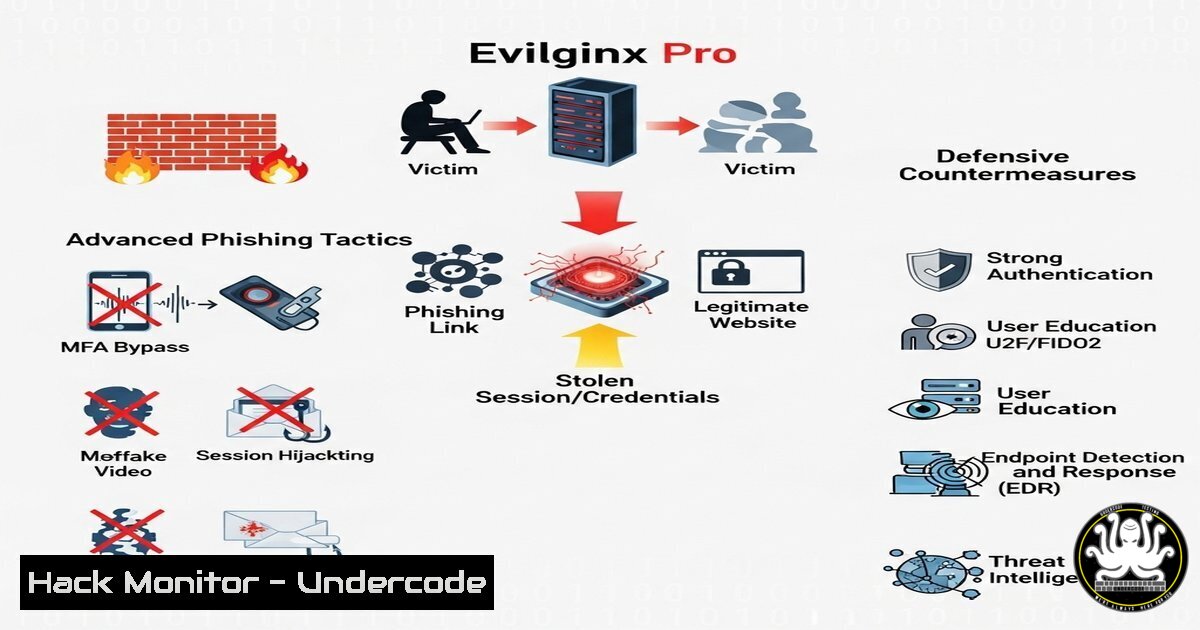
Evilginx Pro, a sophisticated phishing framework, has released version 4.2 with major upgrades, including a rewritten proxy engine, enhanced evasion techniques, and deeper Gophish integration. This article explores its new features, demonstrates key commands for security professionals, and provides defensive strategies against such attacks.
Learning Objectives
- Understand Evilginx Pro 4.2’s new anti-phishing evasion techniques.
- Learn how to detect and mitigate Evilginx-based phishing campaigns.
- Explore defensive configurations for DNS, email, and endpoint security.
You Should Know
1. Evilginx Proxy Engine Rewrite
Evilginx Pro 4.2 introduces a fully rewritten proxy engine, improving performance and stealth.
Command to Check Proxy Traffic (Linux):
sudo tcpdump -i eth0 -nn 'tcp port 443 or port 80' -w evilginx_traffic.pcap
Steps:
- Capture live traffic on ports 80/443 where Evilginx operates.
- Analyze the `.pcap` file in Wireshark for suspicious redirections.
- Look for abnormal TLS handshakes indicating reverse proxy activity.
2. Custom Hostnames for Lure URLs
Attackers can now generate dynamic phishing URLs.
Detecting Malicious Hostnames (Windows PowerShell):
Get-NetTCPConnection | Where-Object { $_.RemotePort -eq 443 } | Select-Object RemoteAddress, OwningProcess
Steps:
1. Identify suspicious outbound HTTPS connections.
- Cross-reference with known phishing domains using Threat Intelligence APIs.
3. Enhanced Gophish Integration
Evilginx now seamlessly integrates with Gophish for automated phishing campaigns.
Blocking Gophish C2 Traffic (Linux iptables):
sudo iptables -A INPUT -p tcp --dport 3333 -j DROP
Steps:
1. Block default Gophish admin port (3333).
2. Monitor for alternative ports (e.g., 8443, 8080).
4. Anti-Phishing Evasion Techniques
Evilginx 4.2 bypasses traditional detection by mimicking legitimate traffic.
Detecting Proxy-Based Phishing (Zeek/Bro IDS):
zeek -r evilginx_traffic.pcap -C
Steps:
1. Inspect `http.log` for abnormal `Host` header mismatches.
2. Flag sessions with high `User-Agent` diversity.
5. DNS Provider Support & Defensive Configurations
New DNS providers allow attackers to evade blacklists.
Hardening DNS Security (Windows via GPO):
Set-DnsClientServerAddress -InterfaceIndex 1 -ServerAddresses ("1.1.1.1","9.9.9.9")
Steps:
1. Enforce secure DNS (Cloudflare, Quad9).
2. Enable DNSSEC to prevent spoofing.
What Undercode Say
- Key Takeaway 1: Evilginx Pro 4.2’s proxy rewrite makes detection harder—organizations must adopt behavioral analysis.
- Key Takeaway 2: Phishing-as-a-Service (PhaaS) tools are evolving; defenders need automated threat hunting.
Analysis:
Evilginx’s advancements highlight the growing sophistication of phishing frameworks. Defenders must shift from signature-based detection to anomaly-based monitoring, leveraging tools like Zeek, Suricata, and EDR solutions.
Prediction
Future versions may incorporate AI-driven social engineering, making phishing nearly indistinguishable from legitimate traffic. Organizations must invest in Zero Trust architectures and continuous security training to mitigate risks.
Further Reading:
🎯Let’s Practice For Free:
IT/Security Reporter URL:
Reported By: Kubagretzky Hey – Hackers Feeds
Extra Hub: Undercode MoN
Basic Verification: Pass ✅


