Listen to this Post
Introduction:
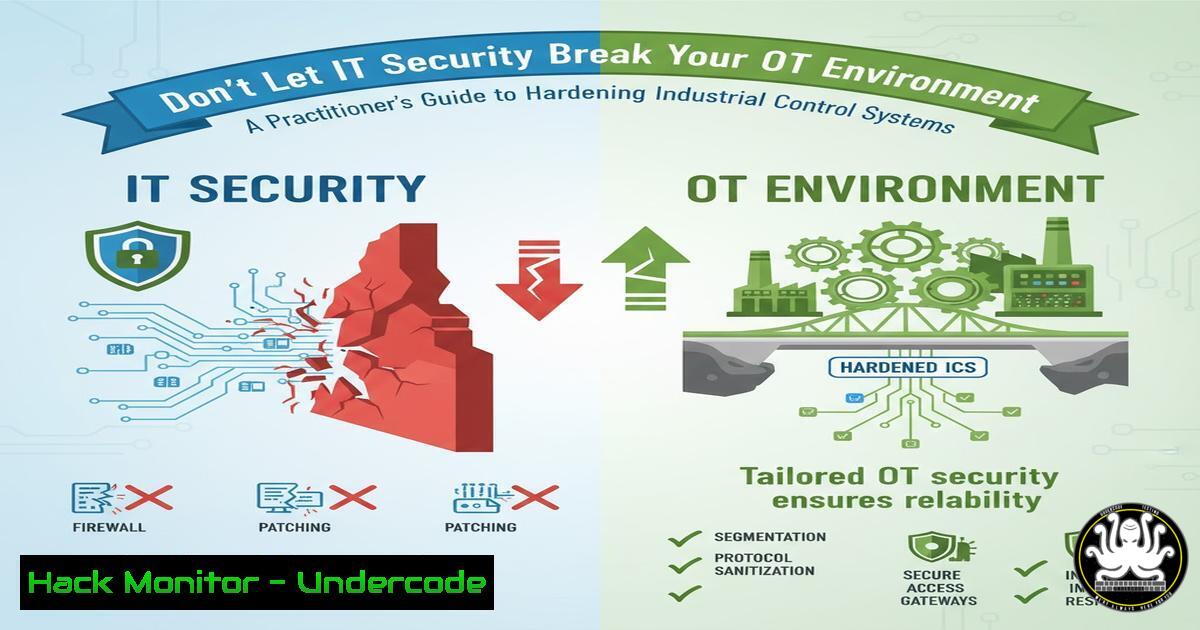
The convergence of Information Technology (IT) and Operational Technology (OT) has created a critical security paradox. Security controls designed for corporate IT environments can inadvertently disrupt the real-time, deterministic processes of industrial control systems, leading to catastrophic production outages. This guide provides the technical commands and configurations necessary to secure OT endpoints without compromising operational integrity.
Learning Objectives:
- Differentiate between IT and OT endpoint security requirements and deployment strategies.
- Implement verified, low-impact security configurations for Windows and Linux-based industrial assets.
- Establish continuous monitoring and hardening techniques tailored for ICS/SCADA environments.
You Should Know:
1. Asset Discovery and Passive Fingerprinting
Before deploying any security control, you must first discover what is on your network without causing disruption. Active scanning can crash fragile OT devices.
` Nmap passive OS detection using packet capture (non-intrusive)`
`sudo nmap -O -sS -T sneaky –script smb-os-discovery 192.168.1.0/24`
` Masscan for high-speed surveying of large networks`
`masscan 10.0.0.0/8 -p1-65535 –rate=10000 -oG masscan_output.txt`
Step-by-step guide: These commands allow for the discreet mapping of an OT network. The `nmap` command uses a slow, “sneaky” timing template (-T sneaky) to minimize network load and employs TCP SYN scanning (-sS) which is less likely to trigger alarms on industrial devices compared to connect scans. `Masscan` is useful for initial broad sweeps but should be used with extreme caution and low packet rates to avoid network congestion. Always conduct these activities during planned maintenance windows and validate with network architects.
2. Validating OEM-Approved Windows Configurations
Many PLCs and RTUs rely on specific Windows services. Blindly applying IT group policies can break critical functions.
` PowerShell to check for and list all running services`
`Get-Service | Where-Object {$_.Status -eq ‘Running’} | Format-Table Name, DisplayName -AutoSize`
` Audit current Windows Firewall rules for industrial protocols`
`Get-NetFirewallRule -DisplayName “Modbus”,”DNP3″,”OPC” | Format-Table DisplayName, Enabled, Direction, Action`
` Disable a non-essential service that may be enabled by IT (e.g., Print Spooler on a server)`
`Set-Service -Name “Spooler” -StartupType Disabled && Stop-Service -Name “Spooler” -Force`
Step-by-step guide: The first PowerShell command provides a baseline of all running services, which should be cross-referenced with the OEM’s documentation. The second command audits the Windows Firewall for rules specific to industrial protocols like Modbus (port 502), DNP3 (port 20000), and OPC, ensuring only authorized traffic is permitted. The third command exemplifies hardening by disabling the Print Spooler service, a common attack vector that is rarely needed on an OT endpoint.
3. Application Whitelisting with Software Restriction Policies
In OT environments where the software suite is static, application whitelisting is more effective and less disruptive than traditional antivirus.
` PowerShell to get certificate hashes for signed applications (e.g., from Siemens, Rockwell)`
`Get-AuthenticodeSignature “C:\Program Files\Siemens\Simatic\WinCC\bin\WinCC.exe” | Format-List`
` Using CertUtil to generate a file hash for a legacy unsigned application`
`certutil -hashfile “C:\Program Files\Vendor\app\plc_config_tool.exe” SHA256`
` Configure a path rule via Group Policy (conceptual)`
`New-Item -Path “HKLM:\SOFTWARE\Policies\Microsoft\Windows\Safer\CodeIdentifiers\Paths” -Force`
Step-by-step guide: Application whitelisting prevents the execution of unauthorized software. First, identify all approved applications, which typically include OEM engineering and HMI software. Use the `Get-AuthenticodeSignature` cmdlet to obtain publisher information for signed applications. For unsigned legacy tools, generate a hash using certutil. These hashes and publisher certificates are then used to create whitelist rules in tools like Windows AppLocker or a third-party application control product, effectively creating a “default deny” execution policy.
4. Linux-based Controller Hardening
Many modern controllers and gateways run on Linux. Hardening them is essential for securing the edge of the OT network.
` Check for and remove unnecessary network services`
`sudo netstat -tulpn | grep LISTEN`
`sudo systemctl disable –now avahi-daemon cups`
` Harden sysctl settings for network security (add to /etc/sysctl.conf)`
`echo ‘net.ipv4.conf.all.accept_redirects = 0’ | sudo tee -a /etc/sysctl.conf`
`echo ‘net.ipv4.conf.all.accept_source_route = 0’ | sudo tee -a /etc/sysctl.conf`
`echo ‘net.ipv4.icmp_echo_ignore_broadcasts = 1’ | sudo tee -a /etc/sysctl.conf`
` Configure auditd for immutable logging of critical actions`
`sudo auditctl -w /usr/bin/ -p wa -k system_binaries_mod`
`sudo echo “-e 2” >> /etc/audit/audit.rules`
Step-by-step guide: Begin by auditing listening ports with `netstat` and disable any non-essential services like `avahi-daemon` (mDNS) or `cups` (printing). The `sysctl` commands harden the network stack by disabling potentially malicious ICMP redirects and source-routed packets. Finally, configuring the audit daemon (auditd) to immutably watch (-w) the `/usr/bin/` directory for write or attribute changes (-p wa) ensures that any attempt to modify system binaries is logged and can be investigated.
5. Industrial Protocol Filtering and Monitoring
Deep packet inspection of industrial protocols is key to detecting malicious activity that traditional IT security tools would miss.
` Using tcpdump to capture and analyze Modbus TCP traffic`
`sudo tcpdump -i eth0 -A -s 0 ‘port 502’ -w modbus_capture.pcap`
` Using Python-Scapy to craft a Modbus packet for testing (ethical use only)`
`from scapy.all import `
`from scapy.contrib.modbus import `
`ip = IP(dst=”192.168.1.10″)`
`tcp = TCP(dport=502, flags=”PA”)`
`modbus = ModbusADURequest()/ModbusPDU01ReadCoilsRequest(startAddr=0, quantity=10)`
`pkt = ip/tcp/modbus`
`send(pkt)`
Step-by-step guide: Use `tcpdump` to capture traffic on the standard Modbus TCP port (502). Analyzing this traffic can reveal anomalies, such as unauthorized write commands or requests from unknown IP addresses. The Python Scapy script demonstrates how to craft a custom Modbus packet, which can be used by blue teams in a test environment to validate the detection capabilities of an Intrusion Detection System (IDS) like Suricata, which should be tuned with rules specific to OT protocols.
6. Secure Configuration Management and Backup
Maintaining known-good configurations and the ability to restore them quickly is a primary OT security control.
` Windows: Export a specific registry key for an HMI application`
`reg export “HKLM\SOFTWARE\Wonderware” C:\Backups\wonderware_config.reg`
` Linux: Use cron to schedule nightly configuration backups`
`sudo crontab -e`
` Add line: 0 2 /usr/bin/tar -czf /backups/plc_gateway_$(date +\%Y\%m\%d).tar.gz /etc/`
Use `diff` to compare current config against a gold master
`diff -u /etc/network/interfaces.goldmaster /etc/network/interfaces`
Step-by-step guide: Regularly back up critical configuration files, registry keys, and engineering station projects. The `reg export` command safely backs up a Windows registry hive. On Linux, use `cron` to automate nightly tarballs of the `/etc/` directory and other critical paths. The `diff` command is a simple but powerful tool for comparing the current running configuration against a known-good “gold master” image, allowing for quick detection of unauthorized changes.
7. Network Segmentation Validation
Proper segmentation is the cornerstone of OT security, preventing lateral movement from the IT network.
` Use hping3 to craft packets with specific TTLs to test firewall rules`
`sudo hping3 -S -c 3 -p 44818 -t 128 10.20.30.40`
` Script to check for dual-homed hosts (critical finding in OT)`
`ip route show | grep default`
` Check for multiple default gateways, indicating potential bridging`
` Nmap script to check for common IT protocols in the OT zone (a bad sign)`
`nmap –script smb-security-mode,http-title -p 445,80,443 192.168.1.50`
Step-by-step guide: Segmentation must be actively validated, not just assumed. The `hping3` command sends TCP SYN packets (-S) with a specific TTL (-t 128) to test if traffic on a critical EtherNet/IP port (44818) is truly blocked by a firewall. The script checks the IP routing table for multiple default gateways, which is a strong indicator of a dual-homed host that is bridging networks—a severe violation of the Purdue Model. The final `nmap` command checks for the presence of IT protocols (SMB, HTTP) on OT assets, which should typically be absent.
What Undercode Say:
- IT Tools Can Be OT Weapons: The very security tools designed to protect IT can become weapons that disrupt production when applied without OT-specific tuning.
- Validation is Non-Negotiable: Every security control, from a firewall rule to an endpoint agent, must be validated in a representative test environment against the OEM’s compatibility list before live deployment.
The core challenge in OT security is not a lack of security tools, but a surplus of inappropriate ones. The mindset of “secure everything” must be replaced with “secure what matters, safely.” This requires a deep technical understanding of the control system’s tolerances for latency, jitter, and resource consumption. An IT security admin’s goal is confidentiality; an OT security professional’s goal is availability and integrity. Failing to recognize this dichotomy is what leads to well-intentioned IT security measures breaking critical industrial processes. The commands and techniques outlined here provide a foundation for building a security posture that respects the unique constraints of the operational environment.
Prediction:
The future of OT security will be dominated by “Security-By-Contract” models, where OEMs will provide machine-readable security manifests with their devices. These manifests will explicitly define the tolerances for security scanning, approved network traffic, and compatible security software. AI-driven security orchestration platforms will then use these manifests to automatically configure and validate security controls in real-time, creating a dynamic and resilient security posture that adapts to the operational state of the control system without human intervention, finally bridging the gap between IT security rigor and OT operational safety.
🎯Let’s Practice For Free:
IT/Security Reporter URL:
Reported By: Otsecurityprofessionals Otsecprotipday21csam2025 – Hackers Feeds
Extra Hub: Undercode MoN
Basic Verification: Pass ✅


