Listen to this Post
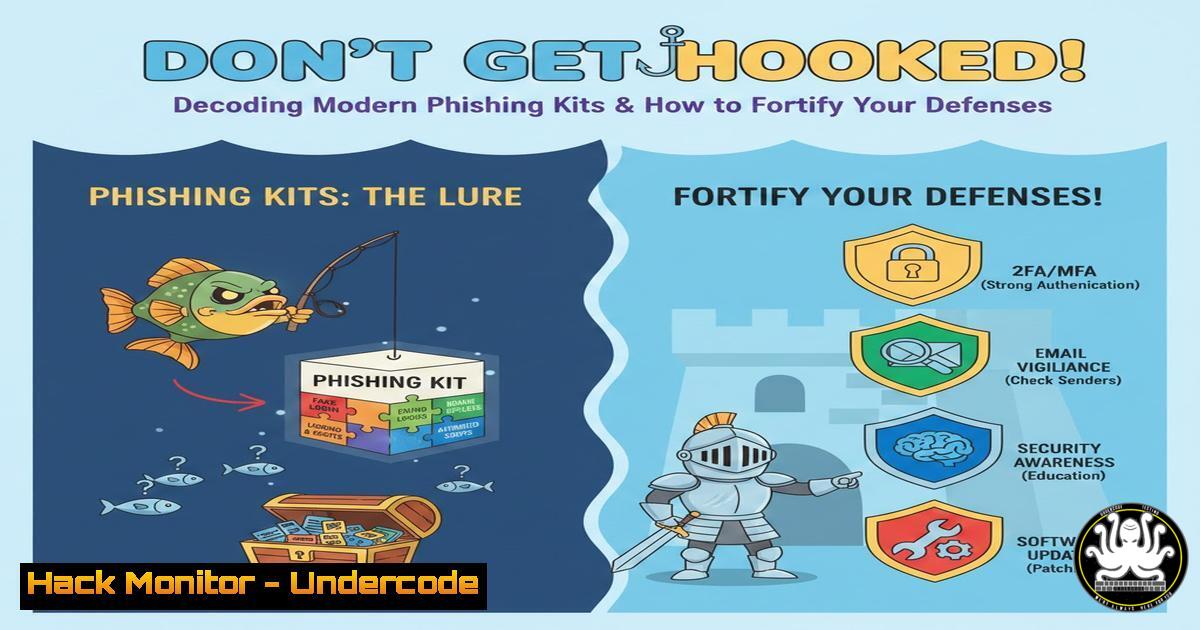
Introduction:
The phishing landscape has evolved from simple, poorly-crafted emails to sophisticated, automated campaigns powered by malicious software kits. These “phishing kits,” readily available on dark web markets, empower even low-skilled threat actors to launch convincing attacks that harvest credentials, financial data, and personal information. Understanding their mechanics is the first critical step in building robust, human-centric defenses for your organization.
Learning Objectives:
- Understand the core components and deployment methods of a typical phishing kit.
- Learn to identify technical indicators of phishing infrastructure through server log analysis.
- Implement proactive defense measures at the technical, administrative, and user-awareness levels.
You Should Know:
- Anatomy of a Phishing Kit: More Than Just a Spoofed Page
A modern phishing kit is a packaged archive containing all the files needed to spin up a fraudulent website. It’s not just an HTML page; it’s a full-fledged attack tool.
Step-by-step guide explaining what this does and how to use it:
When an attacker purchases a kit, they typically receive a ZIP file with a structure like this:
`index.php` / login.html: The fake login page mimicking a legitimate service (Office 365, Google, bank).
`panel.php` or admin.php: A control panel where the attacker can view captured credentials in real-time.
`send.php` or mailer.php: A script that emails stolen data to the attacker or posts it to a Telegram bot.
`htaccess` rules: Often included to block security researchers’ IPs or hide log files.
config.php: Configuration file for database connections, email settings, and target lists.
From a defender’s perspective, finding such a structure on your web server (e.g., in an unexpected `/vendor/` or `/assets/` directory) is a definitive sign of compromise. Use command-line searches to hunt for these files:
`find /var/www/html -type f -name “.php” -exec grep -l “mail()\|base64_decode\|gzinflate” {} \;` can help locate potentially obfuscated malicious PHP scripts.
2. Deployment & Obfuscation: Hiding in Plain Sight
Attackers rarely host kits on infrastructure they own. They exploit compromised web servers, often on shared hosting, or use services like AWS/Azure free tiers. Once uploaded, they employ obfuscation to evade detection by security scanners.
Step-by-step guide explaining what this does and how to use it:
A common obfuscation technique involves encoding the kit’s core functionality. A defender might find a file like `login.php` containing only this line:
``
This code decodes, decompresses, and executes the hidden malicious payload. To safely analyze such a string on a Linux forensic machine, you can decode it without execution:
`echo ‘…long-encoded-string…’ | base64 -d | gzip -d`
This will output the deobfuscated PHP source, revealing the kit’s true purpose. On Windows, you can use PowerShell: [System.Text.Encoding]::UTF8.GetString([System.Convert]::FromBase64String('...string...')) | Out-File decoded.txt.
3. The Credential Harvesting Flow & Log Analysis
When a victim visits the phishing page and submits their credentials, the kit’s backend script (post.php) processes the data. It typically logs it to a local file (stolen.txt) or a database, and often sends it externally.
Step-by-step guide explaining what this does and how to use it:
As a sysadmin, you can detect this activity in your web server logs. Look for POST requests to suspicious, non-standard paths and anomalous referrers.
In an Apache access.log, a telling line might look like:
`203.0.113.42 – – [01/Apr/2024:14:32:11 +0000] “POST /wp-includes/images/post.php HTTP/1.1” 200 452 “https://fake-login.yourdomain.com/” “Mozilla/5.0…”`
Here, a POST to a strangely located `post.php` with a referrer from a phishing subdomain is a major red flag. Use `grep` to quickly audit logs:
`grep “POST.php” /var/log/apache2/access.log | awk ‘{print $7, $11}’ | sort | uniq -c | sort -rn`
This command counts and sorts POST requests to PHP files by the request path and referrer, helping you spot phishing endpoints.
4. Hardening Web Servers Against Kit Deployment
Preventing initial compromise and limiting the damage of a successful kit upload is paramount.
Step-by-step guide explaining what this does and how to use it:
Principle of Least Privilege: Ensure the web server process user (e.g., www-data) has minimal write permissions. Key directories should be read-only.
`chmod -R 755 /var/www/html/` and `chown -R root:www-data /var/www/html/`
Disable Dangerous PHP Functions: In your `php.ini` file, disable functions commonly abused by kits.
`disable_functions = exec,passthru,shell_exec,system,proc_open,popen,curl_exec,curl_multi_exec,parse_ini_file,show_source`
Implement Web Application Firewall (WAF) Rules: Use ModSecurity to block requests containing known phishing kit patterns or outgoing connections to command-and-control servers.
5. Endpoint & Network Defenses: Blocking the Callback
Many kits “phone home” with stolen data. Blocking these callbacks can render the kit useless even if it collects data.
Step-by-step guide explaining what this does and how to use it:
Deploy DNS Filtering: Use DNS security services or internal DNS servers (like Pi-hole) to block resolutions to known malicious domains and newly registered domains (NRDs) often used in phishing.
Analyze Outbound Traffic: Configure firewall or SIEM rules to alert on outbound HTTP/HTTPS traffic from your web servers to unusual IP ranges or domains. On a Linux server, use `tcpdump` for a quick check:
`tcpdump -i eth0 ‘dst port 80 or dst port 443’ -nn | awk ‘{print $5}’ | cut -d. -f1-4 | sort | uniq -c`
This shows frequent outbound destinations from the server, which you should investigate.
6. User Awareness: The Final Layer of Defense
Technical controls can fail. Training users to spot subtle phishing cues is critical.
Step-by-step guide explaining what this does and how to use it:
Conduct regular, simulated phishing campaigns. Focus training on advanced lures:
Brand Impersonation: Look for slight domain misspellings (e.g., micr0soft-support.com).
Urgency & Fear Tactics: “Your account will be locked in 24 hours.”
Suspicious Links: Hover over links to preview the actual URL before clicking.
Unusual Sender Addresses: Even if the display name is “IT Support,” check the full email address.
What Undercode Say:
- The Commoditization of Crime: Phishing kits represent the democratization of cybercrime, lowering the barrier to entry and increasing the volume of attacks exponentially. Defenders must automate their responses accordingly.
- Defense is a Stack: No single solution works. Effective defense is a layered stack combining secure configuration, continuous monitoring, network filtering, and ongoing user education. A failure in one layer must be caught by another.
Prediction:
The future of phishing kits lies in increased automation and integration with Artificial Intelligence. We will see kits that use AI to generate highly personalized lures by scraping social media, dynamically create more convincing fake websites, and even conduct real-time chat-based phishing (vishing-over-text) to bypass 2FA. Defensively, AI will be leveraged for superior anomaly detection in user behavior and email content, but the core arms race will continue. The most resilient organizations will be those that combine advanced AI-driven technical controls with a pervasive, empowered culture of security awareness.
▶️ Related Video (82% Match):
🎯Let’s Practice For Free:
IT/Security Reporter URL:
Reported By: Marktrump Csuite – Hackers Feeds
Extra Hub: Undercode MoN
Basic Verification: Pass ✅


