Listen to this Post
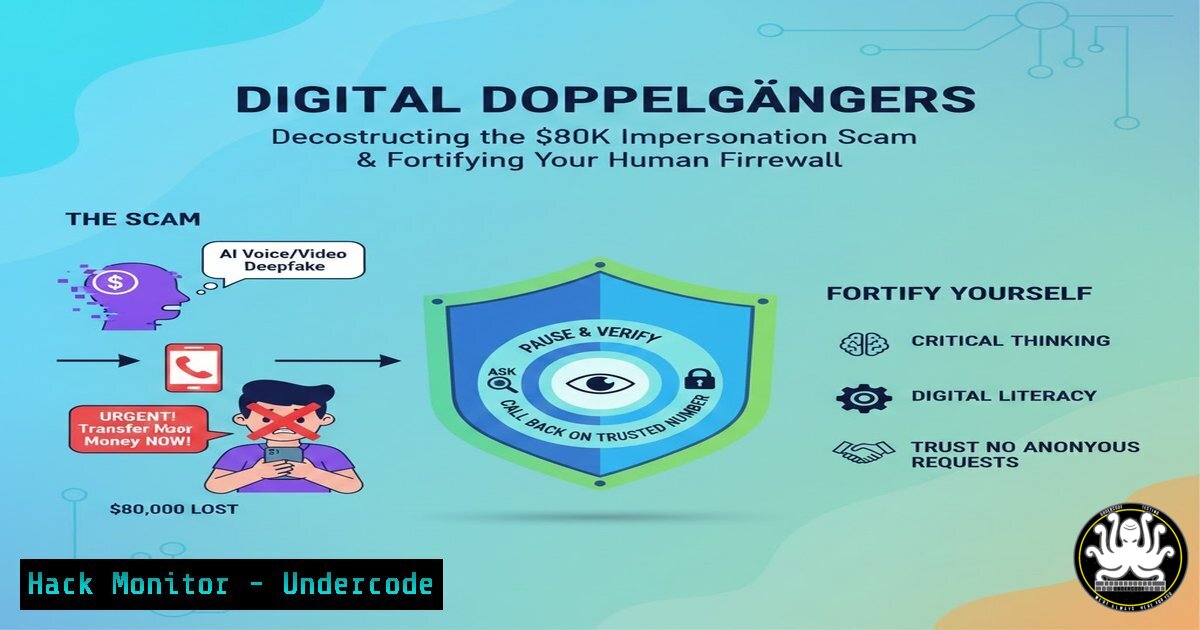
Introduction:
The recent case of a Waikato man defrauded of $80,000 over 26 days is not a simple tale of theft but a masterclass in social engineering, where scammers weaponized trust and fear through sophisticated impersonation. This attack vector, blending psychological manipulation with technical deception, bypasses traditional security controls by targeting the human element—the most vulnerable link in the cybersecurity chain. Understanding the technical hooks behind these scams is crucial for IT professionals and individuals alike to build effective human firewalls.
Learning Objectives:
- Decode the technical methods used in caller ID spoofing and email impersonation that facilitate these scams.
- Implement practical configurations and tools to verify identities and secure communication channels.
- Develop organizational and personal protocols to detect and respond to high-pressure social engineering attempts.
You Should Know:
- The Anatomy of Caller ID Spoofing & VoIP Exploitation
The scam likely began with a spoofed phone call, where the attacker manipulated the caller ID to display a legitimate number, perhaps mimicking the victim’s bank or a trusted contact. This is achieved using Voice over Internet Protocol (VoIP) services and SIP trunking, which allow cheap and easy alteration of outbound caller ID information.
Step‑by‑step guide explaining what this does and how to use it.
While ethical use is for testing, attackers use tools like `SIPVicious` or `asterisk` to set up rogue PBX systems.
1. Attacker Setup: An attacker configures a softPBX (e.g., Asterisk) or uses a malicious VoIP provider. In a simple Asterisk configuration file (/etc/asterisk/sip.conf), they can set the `fromuser` and `fromdomain` to impersonate a number.
[malicious-trunk]
type=peer
host=attacker-voip-provider.com
fromuser=+6491234567 ; Spoofed legitimate number
insecure=invite
2. Call Initiation: The attacker places a call through this configured trunk. The telecom network, trusting the provided caller ID data from the unverified source, passes it on to the recipient’s device.
3. Defense – Verification: Never trust caller ID. Implement a mandatory callback protocol. If a “bank official” calls, hang up and call back using the official number from the bank’s website or your card. For IT departments, consider STIR/SHAKEN protocol implementations for call authentication where available.
2. Email & SMS Spoofing: The Phishing Foundation
Follow-up communication would have used email or SMS spoofing to maintain the illusion. Attackers forge the “From:” header in emails or use cheap SMS gateways to mimic trusted senders, a technique central to Business Email Compromise (BEC).
Step‑by‑step guide explaining what this does and how to use it.
1. Command-Line Email Spoofing (Demonstration): Using `swaks` on Linux, an attacker can test mail server security:
swaks --to [email protected] --from "[email protected]" --header "Subject: Urgent Account Action Required" --body "Click here to verify..." --server mail.attacker-relay.com
2. Defense – Email Security Protocols: Enforce DMARC, DKIM, and SPF records for your domain. Check a domain’s records using command line:
dig TXT westpac.co.nz | grep -E "SPF|DKIM|DMARC"
nslookup -type=TXT _dmarc.westpac.co.nz
For personal Gmail/Outlook, always check email headers for mismatched `mailed-by` or `signed-by` fields.
3. Digital Footprint Reconnaissance & OSINT
Scammers tailor their approach using Open-Source Intelligence (OSINT). They scrape LinkedIn (like the post’s origin), Facebook, company websites, and data breach dumps to learn names, roles, relationships, and speaking styles to sound authentic.
Step‑by‑step guide explaining what this does and how to use it.
1. Attacker OSINT Tools: Use of `theHarvester` to find employee emails:
theHarvester -d company.com -b google,linkedin
Or `sherlock` to find usernames across social platforms.
- Defense – Audit Your Footprint: Regularly Google yourself and key staff. Use password managers with unique passwords for every site to limit credential stuffing attacks from past breaches. Train staff on sharing minimal personal info publicly.
4. Multi-Factor Authentication (MFA) Bypass & Sim-Swapping
If the scam involved accessing accounts, attackers may have attempted MFA bypass. A common method is SIM-swapping, where they socially engineer a mobile carrier to port the victim’s number to a SIM under their control, intercepting SMS-based 2FA codes.
Step‑by‑step guide explaining what this does and how to use it.
1. Defense – Hardening MFA:
Use Authenticator Apps (TOTP): Use Google Authenticator, Authy, or Microsoft Authenticator instead of SMS. Configure via `sshauth` or similar PAM modules for Linux server access.
Hardware Security Keys: Enforce FIDO2/WebAuthn keys (e.g., YubiKey) for critical systems. In Windows, configure via `gpedit.msc` under Computer Configuration > Administrative Templates > Windows Components > Windows Hello for Business.
Carrier Defenses: Set a PIN or passphrase with your mobile carrier to authorize SIM changes.
5. Psychological Triggers & Incident Response Playbooks
The “26 days” indicates prolonged manipulation using urgency, fear, and authority. Creating a low-pressure environment where verification is standard procedure is key.
Step‑by‑step guide explaining what this does and how to use it.
1. Create a Security Protocol: Develop a written, organization-wide playbook for financial requests.
Example Rule: “All payment instruction changes require in-person or video call verification using a pre-established internal contact, not contact details provided in the request email.”
2. Conduct Regular Phishing Drills: Use platforms like GoPhish to simulate targeted spear-phishing campaigns. Analyze click rates and provide immediate training.
3. Technical Transaction Delays: Implement banking rules requiring dual approval for payments above a threshold, with a mandatory 24-hour hold for new payee additions.
What Undercode Say:
- Key Takeaway 1: Modern scams are hybrid attacks, merging low-tech psychological manipulation with specific technical exploits like VoIP spoofing and email forgery. Defense requires a layered approach encompassing both technical controls (DMARC, MFA) and human-centric procedures (call-back verification, pressure-testing protocols).
- Key Takeaway 2: The human firewall is your last line of defense but can be your strongest. Continuous, scenario-based security awareness training that moves beyond “don’t click links” to “how to verify under pressure” is non-negotiable for organizational resilience.
The analysis reveals a critical shift: attackers are investing more time (26 days) in reconnaissance and relationship-building for higher payoff. This isn’t spray-and-pray phishing; it’s a targeted campaign. For cybersecurity professionals, this underscores the need to model such advanced persistent social engineering threats in risk assessments. Defensive tools must be complemented by fostering a culture where skepticism is empowered and verification processes are seamless and routine. The technical commands and configurations outlined serve as essential groundwork, but they are ultimately empowered by a user who is trained to pause, question, and follow a secure protocol when targeted.
Prediction:
The future of such scams points towards deep integration of Artificial Intelligence. AI-powered voice cloning (vishing) will make caller impersonation terrifyingly accurate, while AI-generated synthetic video (deepfakes) will facilitate convincing “video call” verification from “CFOs” or family members. Large Language Models (LLMs) will craft flawless, personalized phishing lures at scale. The mitigation will lie in AI-augmented defense: AI-driven anomaly detection in communication patterns, behavioral biometrics to verify user idiosyncrasies, and blockchain-based verification of digital identities. The arms race will escalate from human-vs-human to AI-assisted-human vs AI-assisted-human, making the principles of zero-trust architecture—”never trust, always verify”—more essential than ever.
▶️ Related Video (84% Match):
🎯Let’s Practice For Free:
IT/Security Reporter URL:
Reported By: Kevin Norquay – Hackers Feeds
Extra Hub: Undercode MoN
Basic Verification: Pass ✅


