
Listen to this Post
Introduction:
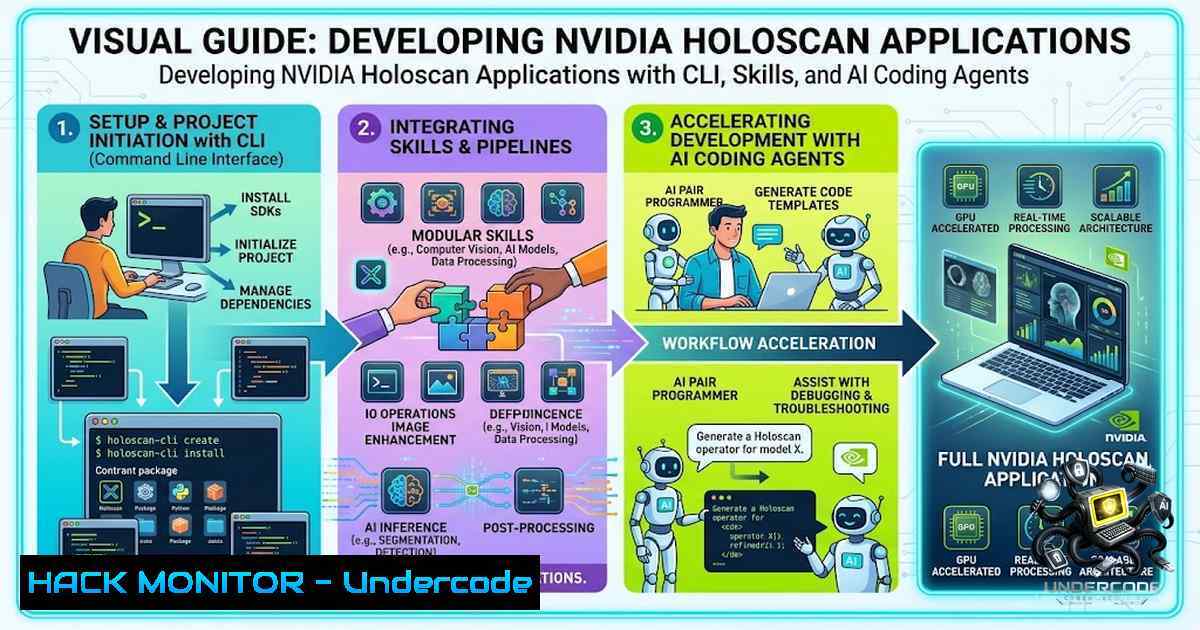
NVIDIA Holoscan is a platform for building real-time AI applications at the edge, spanning medical imaging, robotics, and industrial inspection. Its companion repository, HoloHub, provides reference applications and reusable components that showcase the platform’s development potential. The Holoscan CLI serves as the shared command engine behind metadata-driven source-project repositories, while AI coding agents—augmented with agent-readable skills—can navigate this ecosystem to accelerate application development. This article explores how general-purpose AI coding agents, using the Holoscan CLI, HoloHub documentation, and specialized development skills, can build production-ready edge AI applications in a fraction of the time traditionally required.
Learning Objectives & Secrets:
- Objective 1: Master the Holoscan CLI Workflow – Learn to use the Holoscan CLI through repository wrappers like `./holohub` to build, run, and package Holoscan applications in OCI-compliant containers. The CLI discovers projects from
metadata.json, builds and runs them in development containers, and provides diagnostics. -
Objective 2 Secret Tip: Leverage Agent-Readable Skills – Install agent-readable skills using the skills CLI (
npx @nvidia/skills), which runs through npx and prompts you to choose a skill and install destination—no manual git clone or folder copying required. Skills give AI assistants a reliable, reviewable procedure to follow instead of improvising. The Holoscan team publishes skills that help install, run, and explore the Holoscan SDK from inside AI coding assistants such as Claude Code, Cursor, or GitHub Copilot CLI. -
Objective 3 Secret Tip: Adopt Iterative, Agent-Driven Development – Break down the final application goal into smaller, verifiable engineering iterations. Each iteration produces reviewable code, output, and test cases that inform the next prompt and design decisions. This approach ensures design decisions are reviewed promptly and reduces agent processing time and token consumption.
You Should Know:
1. Setting Up the Holoscan Development Environment
Before diving into agent-driven development, ensure your environment is properly configured. The Holoscan CLI requires a platform supported by the Holoscan SDK, such as an x86_64 Ubuntu workstation with an NVIDIA GPU or a supported NVIDIA ARM developer kit. Container workflows also require Docker, the Docker buildx plugin, and the NVIDIA Container Toolkit. Host builds with `–local` additionally require the build tools and SDK installation expected by the source project.
Step-by-Step Setup Guide:
1. Clone the HoloHub repository:
git clone https://github.com/nvidia-holoscan/holohub.git
cd holohub
2. Install the skills CLI (Node.js required):
npx @nvidia/skills
Follow the interactive prompts to select the skills you want. The CLI installs each skill into the location appropriate for your AI assistant (project scope, user scope, or global).
- Verify the Holoscan CLI is accessible through the wrapper:
./holohub --help
The wrapper configures the source tree before delegating to the shared CLI backend.
4. Test a sample application:
./holohub run monai_endoscopic_tool_seg
This confirms that existing applications run locally before building new ones.
2. Understanding the Agent-Driven Development Workflow
The workflow operates in iterations: the engineer defines a goal and constraints, the coding agent inspects relevant examples and implements code, and the engineer reviews the results before setting the next objective. The team used Codex with GPT-5.6 sol max mode for their experiment. The Holoscan CLI, accessed through the `./holohub` wrapper, provides a unified execution interface for both developers and agents. Agents can discover various development operations through the CLI, and engineers can inspect and reproduce the same commands at any time.
Step-by-Step Agent Workflow Guide:
- Define the first iteration goal – For example: “Create a new Python HoloHub application that reuses an existing MONAI endoscopic tool segmentation model with a HoloViz overlay showing segmentation masks and statistics”.
-
Agent reads available skills – The agent reads the `holohub-app-lifecycle` skill, examines similar HoloHub examples, project metadata, and CLI documentation.
-
Agent generates the application scaffold through the CLI:
./holohub create my-endoscopic-app --template python
4. Agent builds and runs the application:
./holohub build my-endoscopic-app
./holohub run my-endoscopic-app
- Engineer reviews the code, output, and test cases, then sets the next iteration objective.
3. Packaging and Deploying Holoscan Applications
The Holoscan CLI provides the `holoscan package` command to generate HAP-compliant containers for your application. This is essential for production deployment.
Step-by-Step Packaging Guide:
1. Package a Python application (directory with `__main__.py`):
holoscan package --platform x64-workstation --tag my-awesome-app \
--config /path/to/config.yaml /path/to/application/
2. Package a Python file:
holoscan package --platform x64-workstation --tag my-awesome-app \
--config /path/to/config.yaml /path/to/application/my-app.py
3. Package a C++ application (directory with `CMakeLists.txt`):
holoscan package --platform igx-orin-devkit --platform-config dgpu \
--tag my-awesome-app --config /path/to/config.yaml /path/to/application/
- Save the package to a specific location (for transfer to another system):
holoscan package --platform x64-workstation --tag my-awesome-app \
--output /path/to/output /path/to/application/
5. Run the packaged application:
holoscan run --render --device ajantv0 video1 -- my-application-image:1.0
4. Performance Optimization and Benchmarking
Performance is critical for real-time edge AI applications. The Holoscan ecosystem provides comprehensive benchmarking tools to measure and analyze execution characteristics.
Step-by-Step Benchmarking Guide:
- Add a benchmark mode to your application that records latency and plots results.
-
Use the Holoscan Flow Benchmarking tools to systematically analyze performance bottlenecks and optimize execution times.
-
Optimize dashboard overhead rather than skipping inference frames. In the NVIDIA experiment, the agent cut mean application-path latency by 33.6% and raised rendered throughput from 204 to 306.9 FPS.
-
Compare real-time thread scheduling policies (SCHED_DEADLINE, SCHED_FIFO, SCHED_RR) against normal thread scheduling.
-
Run reproducible benchmarks across various SDK releases and deployment scenarios.
5. Ablation Study: What Works Best
NVIDIA ran the same first-iteration prompt under three different resource configurations to determine what accelerates agent-driven development:
| Configuration | Processing Time | Token Usage | Code Quality |
||–|-|–|
| CLI + Skills + Documentation | 40 minutes | 11M tokens | Best |
| CLI + Documentation (no skills) | 65 minutes | 20M tokens | Moderate |
| Documentation only | — | — | 2.6x slower |
Without skills, the agent resorted to generic Bash tools and more trial-and-error, increasing processing time and token usage. Without both CLI guidance and skills, the agent produced lower-quality code: it embedded model configs incorrectly, created a Dockerfile that ignored the existing HoloHub base image, and used custom PyTorch inference instead of optimized Holoscan operators, making the result 2.6x slower.
What Undercode Say:
- Key Takeaway 1: The quality of AI-assisted development depends heavily on the scaffolding around the agent. A well-structured CLI, project-specific skills, and clear documentation reduced token usage by nearly half and cut processing time by roughly 40% compared to an unguided agent. For teams evaluating generative code tools, the bottleneck isn’t just model capability—it’s how much context and structure you provide.
-
Key Takeaway 2: The agent and the developer use the same CLI commands, so the engineer can inspect every step. The final application runs end to end, offers visual, smoke, and benchmark modes, preserves model weights, and records reproducible benchmark evidence. This transparency is critical for production-grade edge AI deployments in regulated domains like medical devices.
Prediction:
-
+1 Agent-driven development with structured CLI and skills will become the standard workflow for edge AI application development, reducing time-to-market by 40–60% across healthcare, robotics, and industrial inspection.
-
+1 The Holoscan ecosystem will expand with more agent-readable skills, enabling AI assistants to handle increasingly complex development tasks—from sensor integration to full pipeline optimization.
-
+1 As skills and CLI tooling mature, we will see a shift from “coding” to “orchestrating”—where developers define goals and constraints while AI agents handle implementation details.
-
-1 Organizations that fail to invest in proper scaffolding (CLI, skills, documentation) for their AI coding agents will fall behind, as unguided agents produce inefficient, error-prone code that is 2.6x slower and requires significantly more human review.
-
-1 The reliance on large language models (like GPT-5.6) for agentic workflows introduces token cost and latency considerations that may not be viable for all development teams or budget constraints.
-
+1 The open-source nature of HoloHub and the Holoscan CLI on GitHub will foster community contributions, accelerating the availability of reference applications and reusable components.
-
+1 Real-time edge AI applications will become more accessible to a broader range of developers, as AI agents lower the barrier to entry for complex platforms like Holoscan.
-
+1 The iterative, verifiable approach to agent-driven development will set a new standard for AI-assisted software engineering, emphasizing reviewability and incremental progress over black-box code generation.
-
-1 Security and compliance concerns in regulated industries (e.g., medical devices) will require additional validation layers before agent-generated code can be deployed in production.
-
+1 The Holoscan CLI’s container-first execution model will simplify deployment across edge, cloud, and hybrid environments, making it easier to scale AI applications from development to production.
▶️ Related Video (86% Match):
https://www.youtube.com/watch?v=-yKALFS5ewY
🎯Let’s Practice For Free:
🎓 Live Courses & Certifications:
Join Undercode Academy for Verified Certifications
🚀 Request a Custom Project:
Secure, high-velocity infrastructure and disruptive technological engineering. Contact our engineering team for high-tier development and proprietary systems:
[email protected]
💎 Smart Architecture | 🛡️ Secure by Design | ⭐ Trusted by Thousands
IT/Security Reporter URL:
Reported By: https://lnkd.in/p/ehaHKXF5 – Hackers Feeds
Extra Hub: Undercode MoN
Basic Verification: Pass ✅


