
Listen to this Post
Introduction
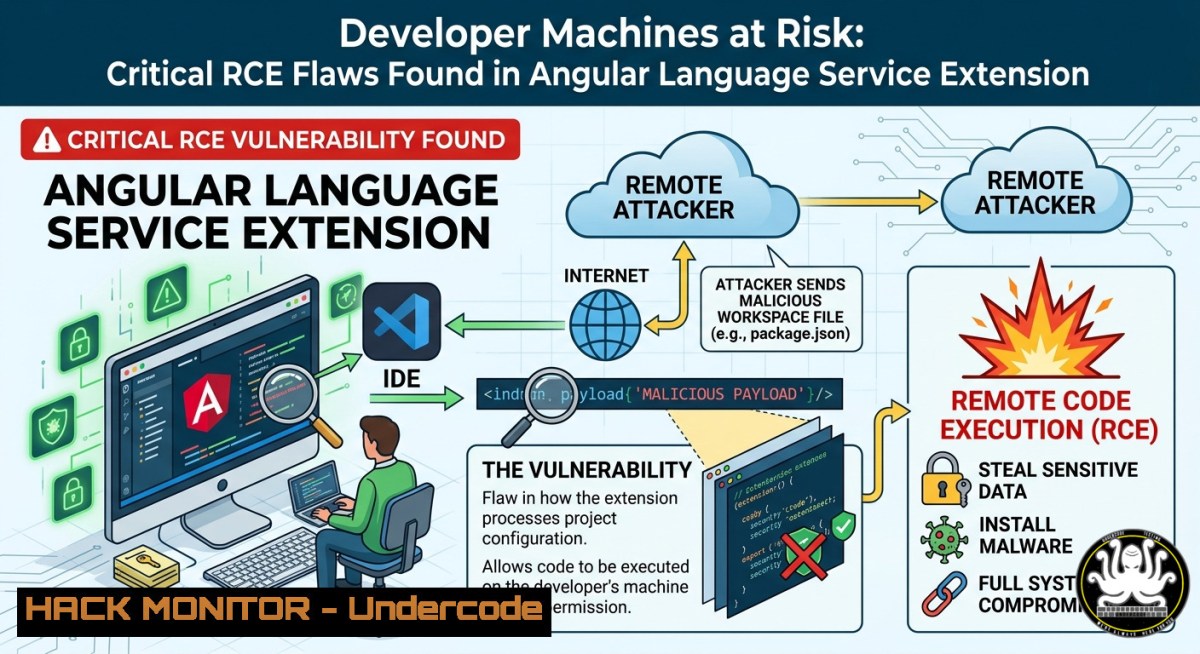
Multiple high-severity remote code execution vulnerabilities have been discovered in the Angular Language Service VS Code extension (Angular.ng-template), putting thousands of developers at immediate risk. These flaws, tracked under GitHub advisory GHSA-ccq4-xmxr-8hcq, allow attackers to compromise developer workstations simply by getting them to open a malicious project folder, bypassing VS Code’s Workspace Trust protections entirely.
Learning Objectives
- Understand the two distinct RCE attack vectors affecting the Angular Language Service extension.
- Learn how to manually inspect, verify, and update vulnerable VS Code extensions.
- Implement practical security controls to protect developer workstations from supply‑chain attacks targeting IDE tooling.
You Should Know
1. JSDoc Hover Markdown Command Injection (CWE-94/CWE-79)
This attack vector exploits how the Angular Language Service extension handles JSDoc tooltips. The client-side code configures VS Code’s Markdown tooltip renderer with the `isTrusted: true` flag, which enables active content like `command:` URIs. However, the Angular Language Server fails to sanitize brackets or raw links from JSDoc strings before forwarding hover content. An attacker can embed a malicious `command:` URI inside a JSDoc comment within a TypeScript/JavaScript file—or even within a third‑party npm package dependency. When a developer hovers over the annotated symbol and clicks the rendered tooltip link, VS Code executes the injected command on the host machine.
Step‑by‑step guide explaining what this does and how to use it:
1.1 Simulate a malicious JSDoc comment (for educational purposes)
/
 @description Regular description that appears harmless.
 {@link command:cmd.exe /c calc}
/
function demoFunction() {
console.log("Demo");
}
1.2 Verify extension version
In VS Code, open the Extensions view (Ctrl+Shift+X), search for “Angular Language Service”, and ensure the version is ≥21.2.4. If older, update immediately.
1.3 Audit project dependencies
Scan for suspicious `command:` URIs in JSDoc comments across your codebase and node_modules:
 Linux / macOS
grep -r "command:" --include=".ts" --include=".js" --include=".tsx"

Windows (PowerShell)
Get-ChildItem -Recurse -Include .ts,.js,.tsx | Select-String "command:"
1.4 Enable Workspace Trust strictly
Configure VS Code to prompt for trust before loading any workspace:
// settings.json
{
"security.workspace.trust.enabled": true,
"security.workspace.trust.startupPrompt": "always"
}
- Unsanitized tsdk Workspace Configuration / Insecure Dynamic Library Load (CWE-427, CWE-494)
This vector is particularly stealthy because it requires zero user interaction. The extension reads `typescript.tsdk` and `js/ts.tsdk.path` workspace settings directly from repository‑level `.vscode/settings.json` files without verifying VS Code’s Workspace Trust model or requesting developer consent. It then passes this path as a `–tsdk` argument to the background Node.js language server, which dynamically loads `tsserverlibrary.js` from the attacker‑controlled directory via Node’s native require(). By placing a malicious `tsserverlibrary.js` alongside a crafted `.vscode/settings.json` in a repository, the extension loads and executes the script silently as soon as the workspace is opened.
Step‑by‑step guide explaining what this does and how to use it:
2.1 Identify malicious workspace settings
 Linux / macOS
cat .vscode/settings.json | grep -E "tsdk|typescript.tsdk"

Windows (PowerShell)
Get-Content .vscode/settings.json | Select-String "tsdk|typescript.tsdk"
2.2 Validate `tsserverlibrary.js` integrity
 Linux / macOS
file node_modules/typescript/lib/tsserverlibrary.js
md5sum node_modules/typescript/lib/tsserverlibrary.js

Windows (PowerShell)
Get-FileHash node_modules/typescript/lib/tsserverlibrary.js
2.3 Monitor background process execution
Use process monitoring to detect unexpected `tsserverlibrary.js` loads:
 Linux
watch -n 1 "ps aux | grep tsserver"

Windows (PowerShell)
Get-Process | Where-Object {$_.ProcessName -like "tsserver"}
2.4 Prevent automatic loading of untrusted libraries
Configure VS Code to ignore workspace‑provided tsdk paths:
// settings.json
{
"typescript.tsdk": null,
"js/ts.tsdk.path": null
}
3. Verified Extension Badge Bypass
A separate but related weakness in VS Code’s extension verification process allows attackers to create malicious extensions that appear “verified” to unsuspecting developers. VS Code sends an HTTP POST request to `marketplace.visualstudio.com` to determine an extension’s verified status. By creating a malicious extension with the same verifiable values as an already verified extension (e.g., a Microsoft extension), attackers can bypass trust checks and distribute rogue extensions that execute arbitrary system commands while displaying a legitimate verified icon.
Step‑by‑step guide explaining what this does and how to use it:
3.1 Verify extension publisher authenticity
 List all installed extensions with publisher info (Linux / macOS / WSL)
code --list-extensions --show-versions
3.2 Manual extension inspection before installation
Before installing any VSIX file, extract and inspect its contents:
 Linux / macOS
unzip -l malicious.extension.vsix | grep -E ".js$|.ps1$|.sh$"
3.3 Restrict extension installation sources
// settings.json - only allow installation from official marketplace
{
"extensions.allowAutoUpdate": true,
"extensions.ignoreRecommendations": false,
"extensions.showRecommendationsOnlyOnDemand": true
}
3.4 Use IDE Shepherd for real‑time protection
Install the IDE Shepherd extension, which provides runtime protection against malicious extensions by monitoring and blocking suspicious network requests, process executions, and dynamic code evaluation.
4. Mitigation and Hardening Commands
Immediate remediation steps to protect developer workstations.
4.1 Update the Angular Language Service extension
 CLI update
code --install-extension Angular.ng-template --force

Verify installed version
code --list-extensions --show-versions | grep Angular.ng-template
4.2 Restrict VS Code extension auto‑updates
// settings.json - disable auto‑updates for critical environments
{
"extensions.autoCheckUpdates": false,
"extensions.autoUpdate": false
}
4.3 Implement Windows Defender Application Control (WDAC) or AppArmor
 Windows - list all Code.exe child processes for anomaly detection
Get-WmiObject Win32_Process | Where-Object {$_.ParentProcessId -eq (Get-Process code).Id} | Format-Table Name, ProcessId
 Linux - audit extension file integrity with AIDE
sudo aide --init
sudo mv /var/lib/aide/aide.db.new.gz /var/lib/aide/aide.db.gz
sudo aide --check
4.4 Network‑level egress filtering for developer workstations
Block unexpected outbound connections from VS Code extensions:
 Linux (iptables example)
sudo iptables -A OUTPUT -p tcp --dport 443 -m owner --uid-owner $(id -u) -j ACCEPT
sudo iptables -A OUTPUT -m owner --uid-owner $(id -u) -j REJECT
5. Supply‑Chain Hardening for IDE Extensions
Developer workstations have become high‑value targets because they hold SSH keys, cloud credentials, and source code, yet often lack the rigorous monitoring applied to production servers. Treat every installed extension as a dependency requiring the same governance as npm packages.
Step‑by‑step guide explaining what this does and how to use it:
5.1 Inventory all installed extensions
 Linux / macOS / WSL
code --list-extensions > extension_inventory.txt
5.2 Use Open VSX pre‑publish security checks
Eclipse Foundation now implements mandatory pre‑publish security scans for Open VSX extensions. Prefer extensions that have passed these checks.
5.3 Implement dependency scanning for extensions
 Use OWASP Dependency-Check to scan extension dependencies
dependency-check --scan .vscode/extensions --format HTML --out report.html
5.4 Enforce extension allowlists
Create an organization‑wide allowlist of approved extensions:
// .vscode/extensions.json - recommended but not enforced
{
"recommendations": [
"Angular.ng-template",
"ms-python.python"
]
}
What Undercode Say:
- Developer workstations are the new perimeter. The Angular Language Service vulnerabilities demonstrate that IDE tooling can no longer be trusted implicitly. Attackers are increasingly targeting developer environments because they bypass hardened production perimeters and offer access to sensitive credentials.
- Supply‑chain attacks are accelerating. With malicious extension detections quadrupling in 2025 and campaigns like TigerJack affecting over 17,000 downloads, organizations must shift from reactive patching to proactive governance of development tooling. Treat every extension as a potential attack vector.
Prediction:
As IDE extensions become the preferred entry point for software supply‑chain attacks, we will see the emergence of mandatory runtime sandboxing for all extension code, similar to browser extension models. Major vendors will likely introduce “Zero Trust for IDEs” frameworks within 12–18 months, requiring explicit per‑extension permissions for network access, file system operations, and process execution. Organizations that fail to treat developer workstations as critical infrastructure will face repeated breaches originating from seemingly benign development tools.
▶️ Related Video (82% Match):
🎯Let’s Practice For Free:
IT/Security Reporter URL:
Reported By: Angular Github – Hackers Feeds
Extra Hub: Undercode MoN
Basic Verification: Pass ✅


