
Listen to this Post
Introduction:
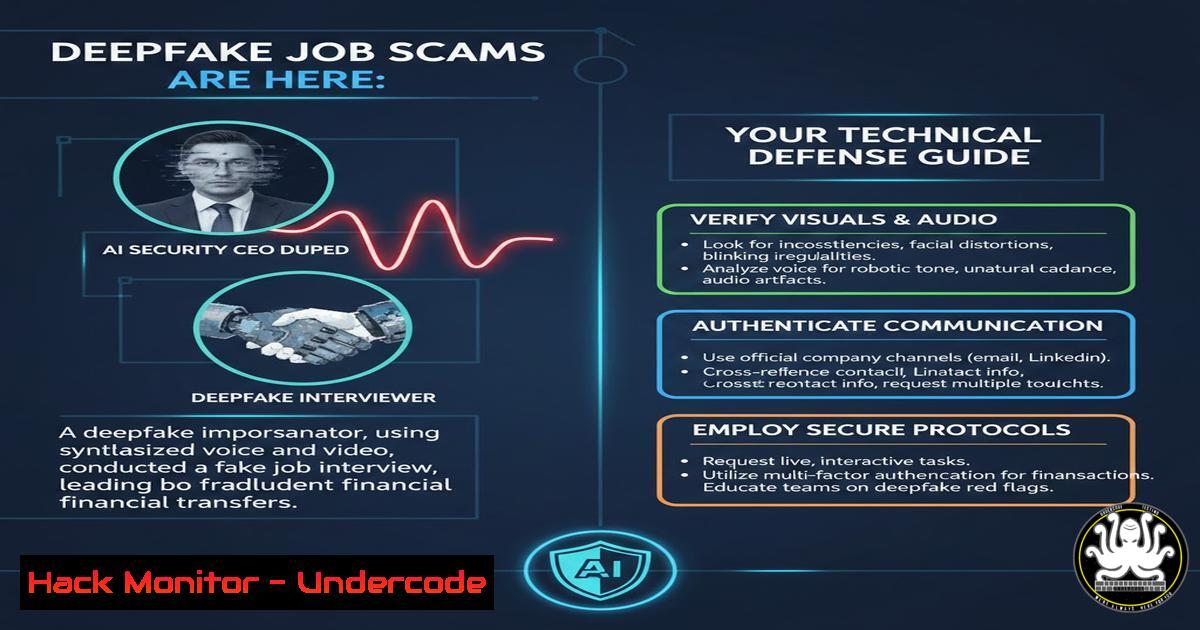
The cybersecurity landscape faces a paradoxical new threat: AI-powered deepfake attacks targeting the very companies built to secure AI. In a startling incident, the CEO of an AI security startup was audaciously scammed by a deepfake candidate during a job interview for a security researcher role. This case is not an anomaly but a signal of a sophisticated, growing threat campaign that leverages generative AI to infiltrate organizations, proving that no company—tech giant or startup—is immune.
Learning Objectives:
- Identify the technical and behavioral red flags of a deepfake interview in real-time.
- Implement a multi-layered verification protocol for remote hiring processes.
- Configure technical defenses and forensic checks to mitigate insider threats from fraudulent hires.
- Technical Detection: Spotting the Deepfake in the Interview
The core of the scam is a realistic, live-generated deepfake video. The CEO noted key technical glitches: a blurry, “plastic” face, a green screen reflection in the subject’s glasses, and inconsistent facial features like appearing and disappearing dimples. Modern deepfake software can create convincing static images but often falters with real-time rendering, especially with dynamic lighting and movements.
Step-by-Step Guide for Technical Analysis During a Call:
- Request a Clean Video Feed: Politely ask the candidate to disable any virtual background. A genuine refusal is a major red flag, as virtual backgrounds can mask poor deepfake rendering at the edges of the face.
- Observe for Artifacts: Instruct the candidate to move their head side-to-side or lean closer to the camera. Watch for a lack of natural shadow transitions, a static-looking hairline, blurring around the ears or glasses, and unsynchronized lip movements.
- Conduct a Simple Object Test: If suspicion remains, use a non-confrontational technical test. Ask them to briefly place a distinctive object (like a specific colored pen or a book with a visible title) in front of their face and then remove it. A deepfake system trained on a dataset of a single face will struggle to realistically render an object it has not been trained on.
- Record a Clip for Analysis (With Consent): If your company policy and local laws allow, inform the candidate that part of the interview may be recorded for quality assurance. A short clip can be analyzed later using tools or simple command-line utilities. For instance, you can use `ffmpeg` to extract frames for a closer look.
Extract frames from a recorded video clip for manual inspection
ffmpeg -i interview_clip.mp4 -vf "fps=1" frame_%04d.png
2. Candidate Verification: Pre-Interview Technical Vetting
The scam began with a resume hosted on a developer platform (Vercel), linked via a rushed LinkedIn introduction. This method bypasses traditional application channels and creates a false sense of connection.
Step-by-Step Guide for Pre-Interview Vetting:
- Verify the Digital Footprint: Cross-reference the candidate’s name, photo, and listed work history using search engines and professional networks. A lack of a coherent digital history is a warning sign. Use command-line tools like `whois` to check the registration details of any personal website or portfolio domain provided.
Check domain registration information (replace with provided domain)
whois candidate-portfolio.site
Look for recent creation dates or privacy-protected registrations that are inconsistent with a professional’s long-standing online presence.
- Initiate a Direct Technical Exchange: Before scheduling a video call, engage in a technical email thread. Ask a specific, non-public question related to their claimed expertise (e.g., “Explain how you would mitigate a specific SSRF flaw in a cloud function”). Request they reply directly and include a PGP-signed message or comment on a specific line of code in a shared (dummy) GitHub gist. This tests for authentic, real-time technical ability.
- Schedule a Preliminary Audio-Only Call: A brief, unscheduled phone or audio call can help establish a baseline for the person’s voice and communication style before the high-stakes video interview.
3. Interview Protocol: Hardening the Hiring Process
The attacker exploited social engineering by creating a false urgency (“check your spam folder”) and the interviewer’s hesitation to be “awkward.” A hardened protocol removes this ambiguity.
Step-by-Step Guide for Secure Interview Protocol:
- Mandatory Camera-On Policy: Establish a rule that the camera must be on before the interview begins. A delay of more than 10-15 seconds to activate the video, as experienced by the CEO, should be a disqualifying event.
- Standardized Verification Challenge: Implement a standard, non-negotiable verification step at the start of the interview. For example: “For verification, please hold your government-issued ID next to your face for 5 seconds, then show your current workspace by slowly panning your camera around.” A deepfake cannot perform this physical interaction.
- Use Enterprise-Grade Video Conferencing: Platforms like Microsoft Teams or Zoom offer built-in background blur (instead of virtual backgrounds) and, in some enterprise tiers, are integrating native deepfake detection features. Ensure these are enabled.
- Two-Interviewer Rule: For critical security roles, always have at least two company representatives on the interview call. One focuses on questions, while the other observes the candidate’s video feed for inconsistencies.
4. Post-Interview Forensic Analysis
If doubts persist after the interview, technical analysis can provide conclusive evidence.
Step-by-Step Guide for Post-Interview Analysis:
- Metadata Examination: Use tools like `exiftool` to analyze the metadata of any files (e.g., a submitted resume video) or screenshots taken during the call. Look for inconsistencies in software used, creation dates, or camera models.
Extract metadata from a file
exiftool candidate_video.mp4
- Deepfake Detection Tools: Submit recorded clips (obtained legally and ethically) to specialized detection APIs or software. Services like Microsoft Video Authenticator or open-source projects like
DeepFaceLab‘s detection scripts can analyze video for AI-generated artifacts. Note that this is a cat-and-mouse game, and detection is not always perfect. - Network Logging (For Corporate IT): For on-site final interviews, your network security team can log the connection metadata of the candidate’s device if they join your corporate Wi-Fi, providing another data point for investigation.
5. Onboarding as a Final Security Layer
The ultimate goal of these scams is to gain remote access and establish a foothold inside a corporate network. The final defense is a rigorous, in-person onboarding process.
Step-by-Step Guide for Secure Onboarding:
- Mandatory Initial On-Site Period: For any remote position, require the first week of work to be conducted on-site. As the article revealed, one company discovered the person who showed up on day one was not the person interviewed.
- In-Person Identity and Credential Verification: On the first day, verify identity documents in person before issuing any access credentials, laptops, or security tokens.
- Staged Privilege Access: Implement a principle of least privilege from day one. A new hire, especially in a non-leadership role, should not immediately receive access to critical source code repositories, production databases, or financial systems. Access should be granted gradually based on demonstrated need and trust.
- Monitor for Anomalous Behavior: Configure Security Information and Event Management (SIEM) rules to flag anomalous activity from new accounts, such as accessing systems outside their department, unusual data download volumes, or attempting to connect to external VPNs or cloud storage services not on the approved list.
What Undercode Say
- The Human Firewall is the Primary Target: This attack brilliantly exploits human psychology—politeness, fear of being wrong, and desire to avoid awkwardness—over technical systems. The CEO, an expert, experienced “inner turmoil” and hesitated to act on clear evidence. Training must evolve to empower employees to “be awkward” and trust their gut.
- Low-Tech Friction is a High-Impact Defense: The most effective countermeasures were simple: demanding no virtual backgrounds, requiring on-site onboarding, and performing physical object tests. In cybersecurity, sophisticated attacks are often best disrupted by adding basic, procedural friction that breaks the attacker’s script.
Analysis: This incident marks a significant escalation in social engineering. It moves beyond phishing emails to a multi-stage, hybrid attack blending AI technology with precise psychological manipulation. The targeting of an AI security firm is a deliberate message and a proof-of-concept. Defenses can no longer be siloed; HR, IT, and Security must develop a unified playbook. The solution is not a single magic tool but a “defense-in-depth” strategy for hiring, combining continuous employee awareness training, stringent technical verification protocols, and robust post-hire monitoring to create a resilient human-centric security culture.
Prediction
Deepfake job scams will evolve from crude, wide-scale attempts to highly targeted “big game hunting.” We predict a rise in “insider-in-waiting” attacks, where deepfake personas are cultivated over months on professional networks to build credibility before applying for roles with access to specific intellectual property or financial systems. This will force a fundamental shift in hiring: verified digital identities (potentially using decentralized identity or government-backed digital IDs) will become a prerequisite for professional hiring. Furthermore, the market for real-time, API-integrated deepfake detection will explode, with these tools becoming as standard in video conferencing for HR as anti-virus is on endpoints. Ultimately, the concept of “remote-first” hiring for sensitive roles will be reconsidered, potentially leading to a structured hybrid model where critical verification and onboarding phases are inherently physical.
▶️ Related Video (72% Match):
🎯Let’s Practice For Free:
IT/Security Reporter URL:
Reported By: Michael Tchuindjang – Hackers Feeds
Extra Hub: Undercode MoN
Basic Verification: Pass ✅


