Listen to this Post
Introduction:
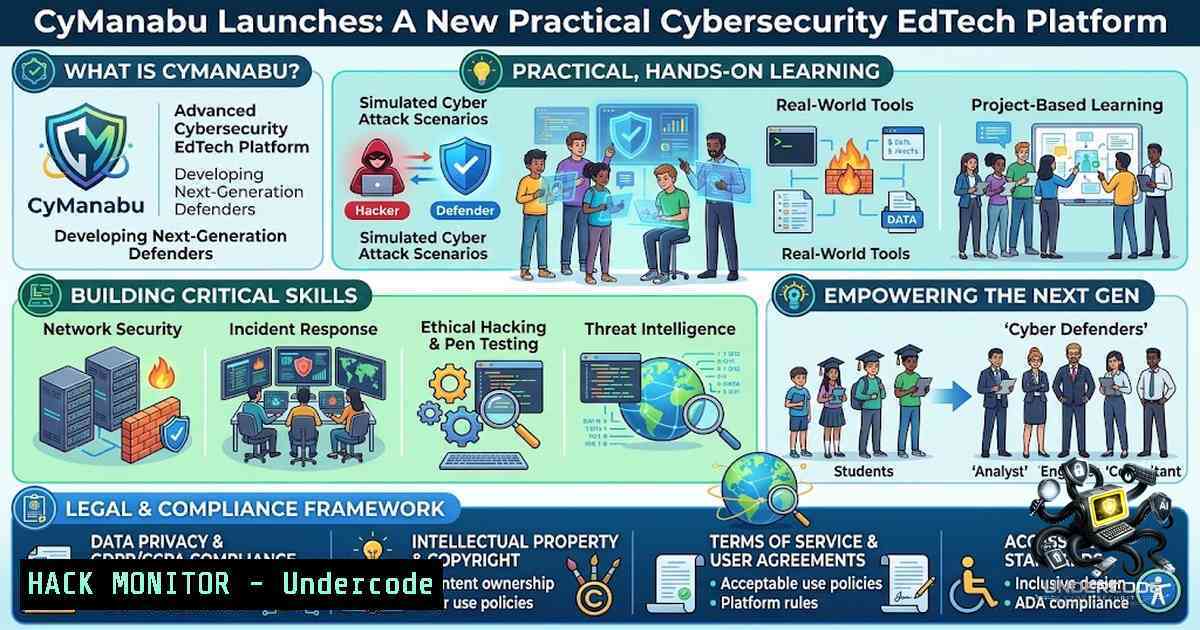
The cybersecurity skills gap continues to widen, with millions of unfilled positions globally and traditional education often lagging behind the rapid evolution of threats. To bridge this chasm, hands-on, practical training has become paramount for developing job-ready professionals. CyManabu is a new EdTech platform entering this space, aiming to deliver accessible, career-focused education that moves beyond theory to immerse learners in real-world defense scenarios.
Learning Objectives:
- Understand the core components and pedagogical approach of the CyManabu platform and its mission to democratize cybersecurity education.
- Learn how to integrate practical lab environments, CTFs, and AI-assisted learning into a structured career development pathway.
- Identify how to leverage resources like community groups and foundational tools to begin a journey towards roles in ethical hacking and security operations.
You Should Know:
- Building a Foundational Lab Environment for Hands-On Practice
CyManabu’s emphasis on practical labs necessitates a strong foundational environment where learners can safely experiment. A core part of any cybersecurity education is the ability to deploy virtual machines (VMs) and isolated networks to test tools and techniques. Setting up a local lab is the first step to replicating the platform’s hands-on ethos. For Linux-based systems, tools like `virt-manager` (KVM/QEMU) or VirtualBox are excellent for resource management. Windows users often rely on Hyper-V or VirtualBox. Below are key commands to verify virtualization support and manage virtual networks, which are essential for creating realistic, segmented lab environments.
Step‑by‑Step Guide: Verifying and Setting Up Virtualization
- Check for virtualization support (Linux):
egrep -c '(vmx|svm)' /proc/cpuinfo. A value greater than `0` indicates your CPU supports hardware virtualization. - List available virtual networks (Linux with virsh): `virsh net-list –all` to see existing NAT or bridge networks.
- Create a new virtual network (Linux): Define an XML file for a new network (e.g.,
mynet.xml) and usevirsh net-define mynet.xml, then `virsh net-start mynet` andvirsh net-autostart mynet. - Check Hyper-V status (Windows PowerShell):
Get-WindowsOptionalFeature -Online -FeatureName Microsoft-Hyper-V. Enable it if needed usingEnable-WindowsOptionalFeature -Online -FeatureName Microsoft-Hyper-V -All. - Set up a host-only network in VirtualBox (Windows/Linux): Go to File > Host Network Manager and create a new adapter (e.g.,
vboxnet0) for isolated VM-to-VM communication.
2. Core Cybersecurity Fundamentals and Tool Configuration
Understanding security fundamentals is critical before diving into complex exploits. CyManabu covers this by introducing learners to essential tools like Nmap for network mapping, Wireshark for packet analysis, and John the Ripper for password cracking. Configuring these tools correctly ensures accurate results. For instance, Nmap’s default SYN scan requires root/administrator privileges on Linux and Windows respectively to craft raw packets. Proper configuration of environment variables and aliases can streamline workflows, allowing learners to focus on interpreting results rather than syntax.
Step‑by‑Step Guide: Initial Setup and Basic Scanning
- Install Nmap and Wireshark (Debian/Ubuntu):
sudo apt update && sudo apt install nmap wireshark -y. For Windows, download the installers and ensure the Npcap driver is installed. - Run a basic SYN scan (Linux): `sudo nmap -sS -T4 -p- 192.168.1.1` to stealthily scan all ports on a target (requires root).
- Run a version detection scan (Linux/Windows): `nmap -sV -sC 192.168.1.1` to enable version detection and default scripts.
- Capture live traffic (Wireshark): Launch Wireshark, select an interface (e.g.,
eth0), and apply a filter like `ip.addr == 192.168.1.1` to isolate traffic to a specific host. - Configure a persistent alias for scanning (Linux): Add `alias fastscan=’sudo nmap -sS -T4 -p- 192.168.1.0/24’` to `~/.bashrc` to simplify repeated tasks.
3. Leveraging AI-Assisted Learning for Security Analysis
One of CyManabu’s standout features is its integration of AI-assisted learning. In a modern cybersecurity context, AI can expedite log analysis, code review, and even threat intelligence gathering. For example, using machine learning libraries in Python can help automate the detection of anomalies in network traffic. Understanding how to set up a basic Jupyter notebook environment and use libraries like Pandas, Scikit-learn, and TensorFlow for security data analysis is a valuable skill. This approach helps learners move from manual analysis to data-driven security operations.
Step‑by‑Step Guide: Setting Up a Simple AI Environment for Log Analysis
– Install Python and Jupyter (Linux/Windows): Use pip install jupyter pandas numpy matplotlib scikit-learn. For Windows, ensure Python is added to PATH.
– Launch Jupyter: `jupyter notebook` to start the server and open a browser-based notebook interface.
– Load a sample log file (e.g., Apache logs): Use Pandas: import pandas as pd; logs = pd.read_csv('access.log', sep=' ', header=None).
– Perform basic anomaly detection: Apply clustering (e.g., K-means) to group IP addresses by request frequency to identify potential scan sources.
– Visualize results: Use `matplotlib` to plot request counts per IP: logs[bash].value_counts().head(10).plot(kind='bar'). This AI-assisted analysis mimics how security analysts detect outliers at scale.
4. Capture The Flag (CTF) Challenges and Exploitation/Mitigation
CTFs are central to CyManabu’s practical learning model. These challenges teach exploitation techniques, from buffer overflows to SQL injection, and critically, the mitigation strategies for each. For a hands-on approach, setting up a local vulnerable machine, such as Metasploitable 2 or DVWA (Damn Vulnerable Web Application), allows learners to practice in a safe environment. Understanding the command-line tools used in CTFs, such as netcat, `python` for scripting, and `gdb` for debugging, is essential. Equally important is learning how to patch these vulnerabilities using system hardening techniques.
Step‑by‑Step Guide: Exploitation and Patch Practice
- Deploy a vulnerable web app (DVWA) with Docker: `docker pull vulnerables/web-dvwa` and
docker run -d -p 80:80 vulnerables/web-dvwa. Access it at `http://localhost`.
– Attempt a SQL injection: Use `sqlmap -u “http://localhost/vulnerabilities/sqli/?id=1&Submit=Submit” –cookie=”PHPSESSID=…; security=low”` to automate the detection of SQLi vulnerabilities. - Manual SQLi: In a login form, input `’ OR ‘1’=’1` in the username field to test for basic authentication bypass.
- Patch the SQLi vulnerability: Prepared statements are the proper mitigation. In PHP, replace `$query = “SELECT FROM users WHERE id = $id”;` with
$stmt = $conn->prepare("SELECT FROM users WHERE id = ?"); $stmt->bind_param("i", $id);. - Harden the Linux host: Run `sudo apt install unattended-upgrades` and enable automatic security updates to mitigate known vulnerabilities exploited in CTF environments.
5. Cloud Hardening and API Security
As the cybersecurity landscape evolves, cloud and API security have become critical. CyManabu’s real-world projects likely touch on these areas. Misconfigured cloud storage and insecure APIs are leading causes of data breaches. Therefore, knowing how to audit IAM policies and test API endpoints for vulnerabilities like BOLA (Broken Object Level Authorization) is paramount. Using tools like `awscli` for AWS security checks or `Postman` for API testing, alongside scripting with `curl` and `jq` for parsing JSON responses, equips learners with modern defensive capabilities.
Step‑by‑Step Guide: Auditing Cloud and API Security
- Check for public S3 buckets (AWS CLI): `aws s3api list-buckets –query “Buckets[].Name”` to list buckets, then `aws s3api get-bucket-acl –bucket
` to check permissions. - Test API endpoints (Linux/Windows): Use `curl -X GET “https://api.example.com/users/1” -H “Authorization: Bearer TOKEN”` to retrieve user data.
- Test for IDOR: Modify the user ID parameter (e.g.,
users/2) and check if you can access another user’s data without proper authorization. - Automate API scanning: Use an OWASP ZAP or Postman collection runner to iterate over a set of endpoints and verify access controls.
- Harden API: Implement rate limiting (e.g., using Redis with `express-rate-limit` in Node.js) to mitigate brute-force attacks on authentication endpoints.
What Undercode Say:
- Key Takeaway 1: CyManabu addresses the critical missing link in cybersecurity education: the integration of theory with continuous, hands-on practice through CTFs and labs, making it a valuable resource for career starters.
- Key Takeaway 2: The platform’s focus on AI-assisted learning and career preparation is a forward-looking move, acknowledging that modern security operations rely heavily on automation and data analysis, not just manual tools.
- Analysis: The launch of CyManabu arrives at a time when the demand for skilled professionals far outstrips supply. By providing a structured path from fundamentals to real-world projects, it lowers the barrier to entry. The inclusion of AI tools also highlights a trend towards “SecOps” roles where defensive automation is key. However, the platform’s success will depend on the quality and depth of its labs and the ability to keep content current with emerging threats. The community aspect, signaled by the WhatsApp group, is crucial for peer-to-peer learning and networking, which is often as valuable as the curriculum itself in the cybersecurity field.
Prediction:
- +1 CyManabu is likely to gain traction among self-learners and career-changers, given its comprehensive approach that mirrors the hands-on requirements of certifications like OSCP and CEH.
- +1 Its integration of AI-assisted modules predicts a future where the platform evolves into an adaptive learning system, tailoring content based on individual skill gaps and performance.
- -1 A potential challenge for CyManabu will be standing out in a crowded market of existing platforms (e.g., TryHackMe, HackTheBox, Cybrary), requiring strong marketing and unique, exclusive content.
- +1 The focus on real-world projects suggests that CyManabu could foster a portfolio-building environment, directly connecting learning to employability.
- -1 The sustainability of the platform will depend on continuous content updates, as cybersecurity threats evolve rapidly; static courses may quickly become obsolete.
- +1 The WhatsApp community integration is a positive move towards creating an interactive and supportive learner ecosystem, which is essential for retention and practical problem-solving.
- -1 The mention of AI-assisted learning is promising, but its real-world application and effectiveness will need to be proven, as many AI security tools remain in the experimental phase.
- +1 By lowering the entry barrier with clear fundamentals, CyManabu has the potential to significantly increase the diversity of the cybersecurity workforce.
▶️ Related Video (80% Match):
🎯Let’s Practice For Free:
🎓 Live Courses & Certifications:
Join Undercode Academy for Verified Certifications
🚀 Request a Custom Project:
Secure, high-velocity infrastructure and disruptive technological engineering. Contact our engineering team for high-tier development and proprietary systems:
[email protected]
💎 Smart Architecture | 🛡️ Secure by Design | ⭐ Trusted by Thousands
IT/Security Reporter URL:
Reported By: https://lnkd.in/p/e6d3GA8c – Hackers Feeds
Extra Hub: Undercode MoN
Basic Verification: Pass ✅


