Listen to this Post
Introduction:
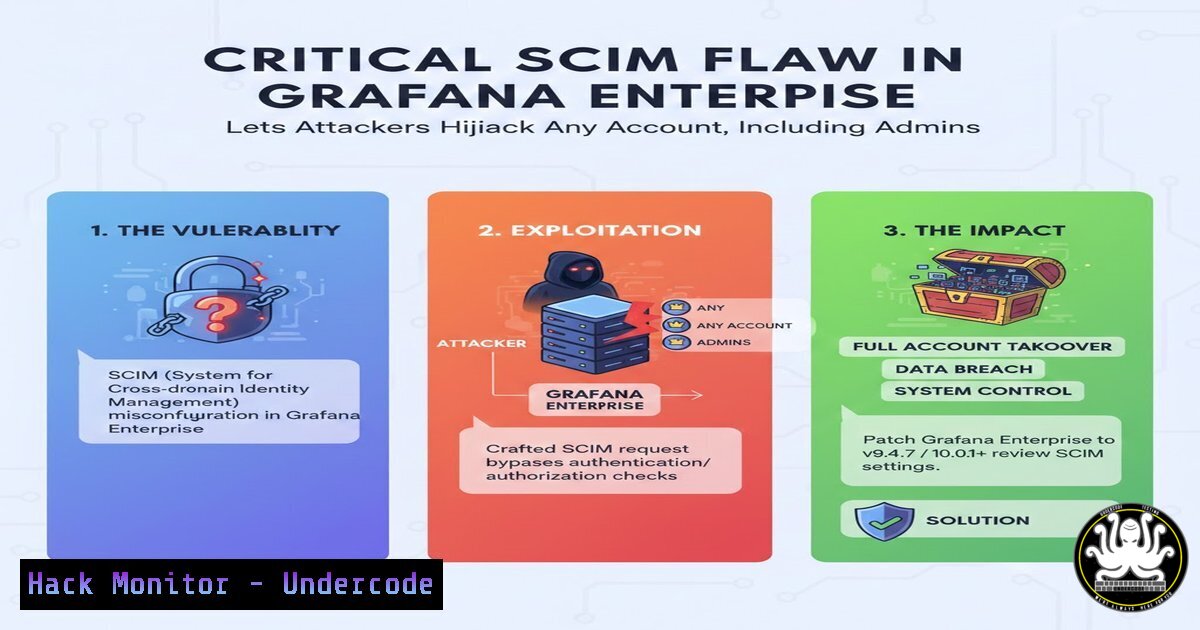
A critical vulnerability, CVE-2025-41115, has been identified in Grafana Enterprise’s SCIM (System for Cross-domain Identity Management) implementation, carrying a maximum CVSS score of 10.0. This flaw allows a malicious SCIM client to manipulate user identities, leading to full account takeover and privilege escalation to administrative levels. Given Grafana’s pervasive use in corporate monitoring stacks, this vulnerability poses a direct and severe risk to the security posture of enterprises globally.
Learning Objectives:
- Understand the technical mechanism behind the CVE-2025-41115 SCIM impersonation vulnerability.
- Learn how to immediately patch affected Grafana Enterprise instances or implement temporary mitigations.
- Develop a process for auditing SCIM integrations and identity synchronization logs for signs of compromise.
You Should Know:
- The Root Cause: Flawed ExternalId to UID Mapping
The vulnerability stems from an insecure direct object reference in the SCIM provisioning endpoint. Specifically, the `externalId` attribute sent by a SCIM client is directly and unsafely mapped to the internal user `UID` within Grafana’s database.
Step-by-step guide explaining what this does and how to use it.
A malicious actor controlling a SCIM client can send a provisioning request with an `externalId` set to a simple numeric value, such as “1”. This value corresponds to the `UID` of an existing user, often the first admin user created in the system.
– The Flawed Logic: Instead of rejecting this as a conflict or creating a new user, Grafana incorrectly associates the SCIM-provisioned account with the existing internal user account whose `UID` is “1”.
– The Exploit: The attacker can now use the SCIM-provisioned account to impersonate and fully control the targeted admin account, gaining all associated privileges over dashboards, data sources, and organizational settings.
2. Affected Versions and Immediate Patching Guide
The vulnerability exclusively affects Grafana Enterprise (and consequently, Grafana Stack) versions where SCIM is enabled and configured. Grafana Open Source (OSS) is not affected. Grafana Cloud has already been patched.
Step-by-step guide explaining what this does and how to use it.
Affected Versions:
- Grafana Enterprise versions 12.0.0 through 12.2.1 with SCIM enabled.
Patching Procedure:
Immediately upgrade to one of the following patched versions:
– Version 12.3.0
– Version 12.2.1 (patched)
– Version 12.1.3
– Version 12.0.6
Linux/MacOS Upgrade Command (Example using `wget` and `tar`):
 Stop the Grafana service
sudo systemctl stop grafana-server

Download the latest patched version (Replace URL with specific version from Grafana's site)
wget https://dl.grafana.com/enterprise/release/grafana-enterprise-12.3.0.linux-amd64.tar.gz

Extract and replace the binaries (Assuming installation in /usr/share/grafana)
sudo tar -zxvf grafana-enterprise-12.3.0.linux-amd64.tar.gz --strip-components=1 -C /usr/share/grafana

Restart the Grafana service
sudo systemctl start grafana-server
Always back up your `grafana.db` database and configuration files before performing an upgrade.
3. Emergency Mitigation: Disabling SCIM
If an immediate upgrade is not feasible, the vulnerability can be neutralized by disabling the SCIM functionality.
Step-by-step guide explaining what this does and how to use it.
This mitigation involves modifying the Grafana configuration file, typically named grafana.ini.
1. Locate your `grafana.ini` file. Common paths are `/etc/grafana/grafana.ini` or within your Grafana installation directory.
2. Open the file with a text editor like `vim` or nano.
3. Find or add the `[auth.scim]` section.
- Ensure the following settings are configured to disable SCIM and user sync:
[auth.scim]
enabled = false
user_sync_enabled = false
- Save the file and restart the Grafana service for the changes to take effect.
sudo systemctl restart grafana-server
This will completely disable SCIM provisioning, eliminating the attack vector until a permanent patch can be applied.
4. Auditing for Potential Compromise
After patching, it is crucial to investigate whether the vulnerability was exploited in your environment.
Step-by-step guide explaining what this does and how to use it.
1. Review Grafana Server Logs: Search for SCIM-related activity around the time of the incident. Look for POST requests to the `/api/scim/v2/` endpoints from unexpected sources.
 Example command to search for SCIM activity in logs
grep -i "scim" /var/log/grafana/grafana.log
2. Audit User Provisioning Logs: If your identity provider (IdP) like Azure AD or Okta logs SCIM requests, audit these logs for any provisioning requests with suspicious `externalId` values, particularly low integers.
3. Inspect Grafana Database: Query the `user` table in the Grafana SQLite database for anomalies. Look for users with unexpected `external_id` fields or changes to admin accounts.
-- Connect to the database (ensure Grafana is stopped)
sqlite3 /var/lib/grafana/grafana.db

-- Query for users with an external_id and their login/email
SELECT id, login, email, external_id FROM user WHERE external_id IS NOT NULL;
5. Hardening Your SCIM Integration Post-Patch
Simply applying the patch is not enough; a defense-in-depth strategy requires hardening the SCIM integration itself.
Step-by-step guide explaining what this does and how to use it.
1. Network Segmentation: Restrict network access to Grafana’s SCIM API endpoint (typically port 443) so that it can only be contacted by your trusted identity providers’ static IP addresses, not the entire internet.
2. API Authentication Strengthening: Ensure that the authentication token used by the SCIM client (from your IdP) is a long, complex, and randomly generated secret. Treat this token with the same sensitivity as an admin password.
3. Least Privilege Principle: Configure the service account used for SCIM provisioning in your IdP with the minimum permissions necessary. It should not have inherent admin rights beyond what is needed for user lifecycle management.
What Undercode Say:
- Identity is the New Perimeter: This exploit demonstrates that the identity layer, specifically automated provisioning (SCIM), has become a primary attack surface. A flaw here bypasses all other security controls.
- Trust, But Verify Your Integrations: The vulnerability existed in the trust relationship between Grafana and the SCIM client. Organizations must actively monitor and audit the data flowing through these critical integrations, not just assume they work securely.
The CVE-2025-41115 is a stark reminder that the tools used for operational visibility are themselves high-value targets. Compromising a monitoring platform like Grafana not only gives an attacker access to sensitive metric data but can also be used to manipulate dashboards to hide ongoing malicious activity. The fact that this vulnerability allows for direct admin impersonation with a simple API call elevates it from a mere bug to a fundamental design flaw in the identity sync process. Every minute an unpatched, SCIM-enabled Grafana instance is exposed to the network represents a critical business risk.
Prediction:
This vulnerability will rapidly be incorporated into automated attack toolkits and mass-scanning scripts due to its high impact and ease of exploitation. We anticipate a surge in attacks targeting exposed Grafana instances, leading to data breaches and ransomware incidents where attackers use their admin access to disrupt critical monitoring during the attack lifecycle. Furthermore, this event will force a industry-wide re-evaluation of SCIM and JIT provisioning security models, likely leading to the development of new signatures for SIEM systems to detect anomalous SCIM requests and increased scrutiny on the identity synchronization code in all enterprise software.
🎯Let’s Practice For Free:
IT/Security Reporter URL:
Reported By: Monpulse Grafana – Hackers Feeds
Extra Hub: Undercode MoN
Basic Verification: Pass ✅


