Listen to this Post
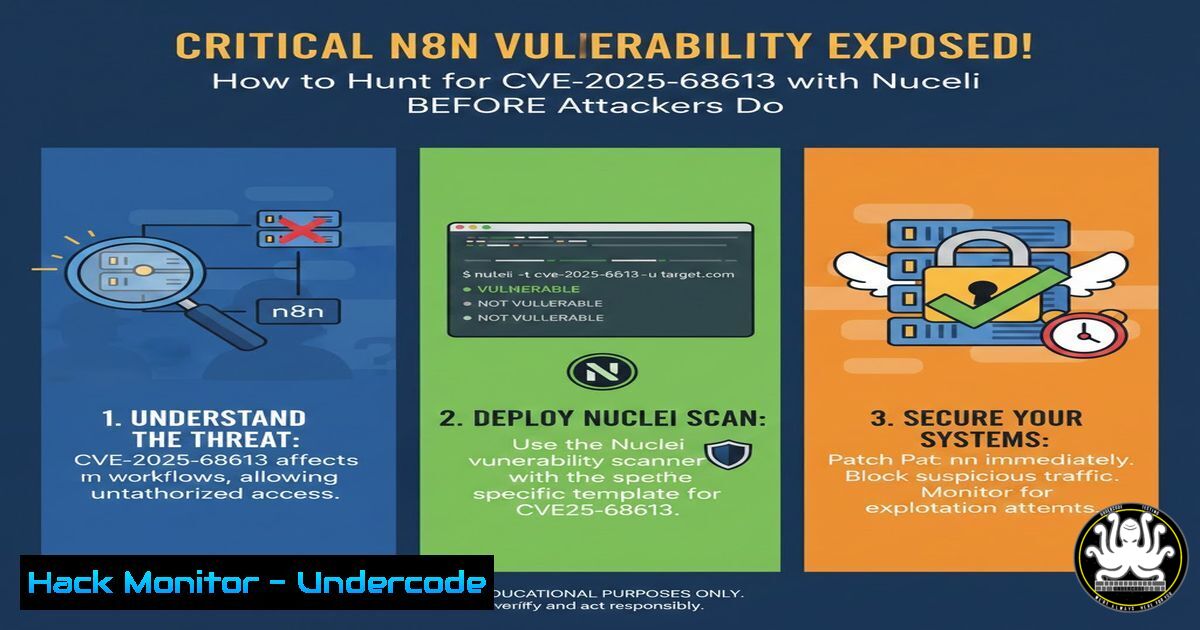
Introduction:
A critical security flaw, identified as CVE-2025-68613, has been discovered in the popular workflow automation platform n8n. This vulnerability, which allows for unauthenticated remote code execution (RCE), poses a severe threat to self-hosted instances. This guide details how security professionals can proactively identify and mitigate this risk using the open-source scanning tool Nuclei, leveraging a template released by ProjectDiscovery for both version detection and exploit validation.
Learning Objectives:
- Understand the mechanics and severity of the CVE-2025-68613 vulnerability in n8n.
- Learn to execute targeted security scans using the Nuclei engine, performing both unauthenticated and authenticated checks.
- Implement immediate mitigation strategies and establish a patch management protocol for critical applications.
You Should Know:
1. Understanding the Adversary’s Target: CVE-2025-68613
The vulnerability resides in n8n versions prior to a specific security patch. It exploits improper input validation in a component, allowing an unauthenticated attacker to execute arbitrary code on the host server. The public GitHub advisory confirms the critical nature of this flaw. Successful exploitation could lead to a complete compromise of the n8n instance, data theft, and lateral movement within the hosting environment.
Step‑by‑step guide explaining what this does and how to use it.
Step 1: Review the Advisory: First, analyze the official advisory to understand the scope. Visit the GitHub Security Advisory: https://github.com/n8n-io/n8n/security/advisories/GHSA-v98v-ff95-f3cp`. Note the affected version ranges and the patched version.https://cloud.projectdiscovery.io/library/CVE-2025-68613`. Reviewing this YAML file helps you understand the exact HTTP requests and patterns used to detect the vulnerability.
Step 2: Locate the Detection Logic: The Nuclei template published by ProjectDetection codifies the exploit logic. You can find it in their public template library:
2. Arming Your Toolkit: Installing and Configuring Nuclei
Nuclei is a fast, customizable vulnerability scanner that uses community-powered templates to detect known flaws. Unlike traditional scanners that may rely on version fingerprinting, Nuclei can send specially crafted payloads to actively confirm if a system is vulnerable.
Step‑by‑step guide explaining what this does and how to use it.
Step 1: Installation (Linux/macOS): The easiest method is using the go install command. Ensure you have Go (1.21+) installed, then run:
go install -v github.com/projectdiscovery/nuclei/v3/cmd/nuclei@latest
Step 2: Installation (Windows): Download the latest compiled binary from the official GitHub releases page, add it to your system PATH, or run it directly from the command prompt.
Step 3: Initial Setup: After installation, update the nuclei template database to ensure you have the latest detection signatures, including for CVE-2025-68613:
nuclei -update-templates
Step 4: Verify Installation: Confirm Nuclei is installed correctly by checking its version:
nuclei -version
3. The First Pass: Unauthenticated Version Detection Scan
The provided Nuclei template includes a “version check” module that works without credentials. This is a low-risk scan that identifies potentially vulnerable n8n instances by checking version information or specific behaviors indicative of a vulnerable codebase.
Step‑by‑step guide explaining what this does and how to use it.
Step 1: Target Identification: Prepare a list (targets.txt) containing the URLs of your self-hosted n8n instances (e.g., https://workflow.internal.company.com`,http://10.0.1.25:5678`).
Step 2: Execute the Version Scan: Run Nuclei with the specific CVE template against your targets. Use the `-id` flag to run a single template by its identifier.
nuclei -l targets.txt -id CVE-2025-68613 -etags version-check
Step 3: Interpret Results: Findings will be displayed in the console. A positive match indicates the target is running a version of n8n within the vulnerable range and requires immediate attention.
4. Confirming Exploitability: The Authenticated RCE Check
The most critical part of the template is the authenticated Remote Code Execution (RCE) check. This sends a benign, non-destructive proof-of-concept payload to confirm that the vulnerability can be actively exploited to run system commands. This step may require valid user credentials for the n8n instance.
Step‑by‑step guide explaining what this does and how to use it.
Step 1: Prepare Credentials: You will need a username and password for an n8n account. Nuclei can use these via an authentication header or request body as defined in the template.
Step 2: Execute the RCE Validation Scan: Run the scan, specifying the template and providing the necessary authentication flags. The exact command may vary based on the template’s auth requirements (refer to the template’s `http` section). A generic approach is:
nuclei -u https://target-n8n-url.com -id CVE-2025-68613 -etags rce -H "Authorization: Bearer YOUR_N8N_API_KEY"
(Replace `YOUR_N8N_API_KEY` with a valid key from your instance.)
Step 3: Analyze the Outcome: A positive result here is a critical finding. It proves an attacker could execute arbitrary commands on this host. Log this as a P1 (Priority 1) security incident.
5. From Detection to Action: Mitigation and Patching
Scanning reveals the risk; remediation eliminates it. Immediate action is required for any vulnerable instance.
Step‑by‑step guide explaining what this does and how to use it.
Step 1: Immediate Isolation: If an instance is confirmed vulnerable (especially via the RCE check), consider taking it offline or restricting network access to it via firewall rules while patching.
Step 2: Apply the Official Patch: The only complete fix is to upgrade n8n to the patched version specified in the GitHub advisory. Follow n8n’s official upgrade guide for your deployment method (Docker, npm, etc.).
Step 3: Post-Patch Validation: After upgrading, re-run the Nuclei scan against the patched instance. Both the version check and RCE check should now return negative results, confirming the vulnerability is closed.
Step 4: Continuous Monitoring: Integrate Nuclei scans into your CI/CD pipeline or regular security assessment cycle. Use ProjectDiscovery’s cloud template library to ensure you automatically receive new templates for critical vulnerabilities like this one.
What Undercode Say:
- The Era of Passive Scanning is Over: Tools like Nuclei demonstrate that modern vulnerability management requires active, behavior-based validation. Checking a version number is a clue; confirming RCE is a finding.
- Speed is a Defense Layer: ProjectDiscovery’s community released a detection template for CVE-2025-68613 likely within hours of the advisory. This empowers defenders to find their own exposure before widespread exploitation begins, turning vulnerability management from a reactive to a proactive practice.
The rapid community response to high-severity vulnerabilities via tools like Nuclei is fundamentally changing the vulnerability management lifecycle. While traditional enterprise scanners can take days to add detection for new CVEs, the open-source model provides actionable intelligence almost in real-time. This shift forces security teams to adopt more agile tools and processes. The ability to run precise, authenticated exploit checks transforms triage from assessing potential risk to confirming actual compromise, allowing teams to focus their most urgent efforts on proven, exploitable weaknesses in their critical applications like n8n.
Prediction:
The methodology showcased by CVE-2025-68613—rapid template creation for a critical app vulnerability—will become the standard for initial intrusion prevention. We will see deeper integration between vulnerability disclosure platforms (like GitHub Advisories) and scanning tools (like Nuclei) to enable fully automated, near-instantaneous patch validation workflows. Furthermore, the focus will shift from merely detecting known CVEs to automatically generating mitigation rules (e.g., WAF signatures, temporary network blocks) the moment a public proof-of-concept is released, creating a dynamic shield during the critical window between disclosure and patch application.
🎯Let’s Practice For Free:
IT/Security Reporter URL:
Reported By: Ehsandeepsingh N8n – Hackers Feeds
Extra Hub: Undercode MoN
Basic Verification: Pass ✅


