
Listen to this Post
Introduction:
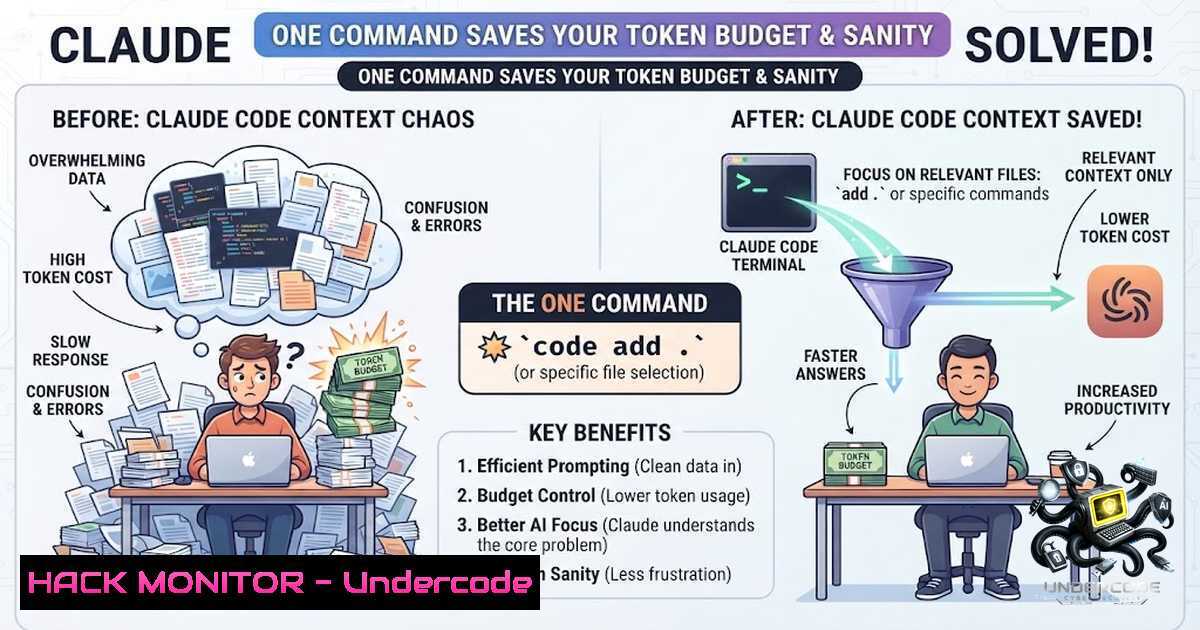
Every skill, rule, MCP server, and CLAUDE.md you have active gets injected into Claude’s context window on every single request — that’s not just noise, it’s real cost. More active artifacts mean more tokens per session, and Claude trying to reconcile instructions that were never meant to coexist, leading to hallucinated responses, degraded performance, and unnecessary API spend. Context isolation across different use cases — personal knowledge work, enterprise codebases, and financial analysis — has become a critical operational concern for AI-powered development workflows.
Learning Objectives:
- Understand the cost and performance implications of context pollution in AI coding assistants
- Master the filesystem-based approach to profile switching using symlinks and atomic JSON patching
- Implement a zero-dependency, cross-platform solution for managing MCP servers, skills, and rules per project domain
You Should Know:
- The Context Bleed Problem: Why Your AI Agent Is Confused
When you run Claude Code across multiple projects — a day job codebase, personal tools, or separate client repositories — each context requires completely different MCP tools, local rules, and workflow scripts. Modifying global files manually breaks your environments and forces Claude to reconcile conflicting instructions. The result: slower responses, higher token consumption, and unreliable outputs.
The `claude-profiles` tool solves this by isolating configurations into dedicated directories and using filesystem symlinks and atomic JSON patching to swap active profiles on the fly. It switches Claude Code’s active agent context — skills, instructions (CLAUDE.md), rules, agents, output styles, workflows, and MCP servers — without touching global config.
Step‑by‑step guide: Understanding the architecture
All profiles live in your home directory under ~/.agents/. Artifacts inside `shared/` are always active, while profile-specific artifacts cleanly override shared items on name conflict.
~/.agents/
profiles/
brain/
agents/  subagent .md files
rules/  instruction .md files (supports paths: frontmatter)
skills/  skill folders — each contains SKILL.md
output-styles/  output style .md files
workflows/  workflow .js files
CLAUDE.md  (optional) profile instructions
mcp.json  (optional) MCP servers for this profile
work/
...
shared/
agents/  always active across all profiles
rules/
skills/
output-styles/
workflows/
mcp.json  MCP servers always present across all profiles
current -> profiles/  symlink to active profile
.mcp-state.json  tracks which MCP servers we manage
The tool maps these artifacts to `~/.claude/` using symlinks for directories and a Python3 patch for MCP servers in ~/.claude.json.
2. Installation: Get claude-profiles Running in Minutes
The tool ships with Homebrew formula, shell completion for bash and zsh, a bats test suite, and GitHub Actions CI. It’s MIT licensed, pure bash, and supports Mac and Linux.
Step‑by‑step guide: Installation options
Option A: Homebrew (Mac/Linux) — Installs the binary and configures shell completion automatically:
brew tap bobobowis/claude-profiles
brew install claude-profiles
Option B: Curl — Completion is installed automatically via Homebrew. For curl installation:
curl -fsSL https://raw.githubusercontent.com/bobobowis/claude-profiles/main/install.sh | bash
If installing via curl, enable completion manually by adding this to your shell profile (~/.bashrc or ~/.zshrc):
eval "$(claude-profiles --completion-$(basename $SHELL))"
3. Core Commands: Switching, Initializing, and Validating Profiles
The tool provides a clean command-line interface for managing profiles. Here are the essential commands:
| Command | Description |
||-|
| `claude-profiles use
| `claude-profiles init
| `claude-profiles list` | Show all profiles, active, and artifact counts |
| `claude-profiles validate
` | Check integrity — symlinks, dirs, mcp.json, SKILL.md |
| `claude-profiles revert` | Remove current profile from Claude config, restore clean state |
| `claude-profiles uninstall` | Revert + binary removal instructions |

<h2 style="color: yellow;">Step‑by‑step guide: Creating and switching profiles</h2>

<h2 style="color: yellow;">Initialize a new profile for your work environment:</h2>

[bash]
claude-profiles init work
This scaffolds the directory structure under ~/.agents/profiles/work/. Populate it with your specific skills, rules, and MCP servers.
Switch to the work profile:
claude-profiles use work
What happens behind the scenes:
- Clean — remove all symlinks in managed `~/.claude/` subdirs whose target is inside `~/.agents/`
2. Link shared — symlink everything from `~/.agents/shared//` into `~/.claude/ /`
3. Link profile — symlink everything from `~/.agents/profiles// /` into `~/.claude/ /` (overrides shared on conflict)
4. Switch — update `~/.agents/current` symlink
- CLAUDE.md — if the profile has one, symlink it to `~/.claude/CLAUDE.md` (backs up any existing regular file)
- MCP — remove previously managed MCP servers from
~/.claude.json, inject merged `shared/mcp.json` + profile `mcp.json` servers
4. Shell Integration: One-Command Profile Switching and Launch
To automate switching profiles and launching Claude Code in a single action, add these aliases to your `~/.zshrc` or ~/.bashrc:
 Per-profile aliases
alias claude-brain='claude-profiles use brain && claude .'
alias claude-work='claude-profiles use work && claude .'

Generic function — takes profile name and optional path
cc() {
claude-profiles use "$1" && claude "${2:-.}"
}
 Usage:
 cc brain → switch to brain, open Claude in current dir
 cc work ~/myrepo → switch to work, open Claude in ~/myrepo
- MCP Server Management: Atomic Patching Without Breaking Existing Configs
MCP servers live in `~/.claude.json` (not a directory, so symlinks don’t work). `claude-profiles` uses Python3 to patch only the `mcpServers` key:
- Never touches pre-existing servers you added yourself
- Tracks ownership in `~/.agents/.mcp-state.json`
– On switch: removes previous profile’s servers, injects new ones - If new profile has no
mcp.json, previous profile’s servers are still cleaned - Requires `python3` (ships on every Mac/Linux — no install needed). Hard fails if missing and `mcp.json` is configured, so you always know MCP didn’t switch
- Takes effect on next Claude Code session start
Example MCP configuration for a brain profile:
{
"mcpServers": {
"my-brain-tool": {
"command": "npx",
"args": ["-y", "@example/brain-mcp"],
"env": {
"API_KEY": "${MY_API_KEY}"
}
}
}
}
What Claude Code sees after `use`:
~/.claude/skills/classify-inbox → ~/.agents/profiles/brain/skills/classify-inbox/
~/.claude/CLAUDE.md → ~/.agents/profiles/brain/CLAUDE.md
~/.claude.json mcpServers = { ...user_servers, ...shared, ...profile }
No plugin, no hook, no extension — just the filesystem Claude Code already reads.
6. Skill Structure: Organizing AI Capabilities Per Profile
Skills are folders, not single files:
skills/
classify-inbox/
SKILL.md  entrypoint — frontmatter + instructions
checklist.md  optional supporting files
`SKILL.md` frontmatter:
description: Classify inbox notes into the appropriate project category

Instructions for the skill...
Once linked, skills are invoked inside Claude Code using /skill-1ame.
7. Validating and Troubleshooting Your Profile Setup
Ensure your profile integrity with the validate command:
claude-profiles validate brain
This checks symlinks, directories, mcp.json, and SKILL.md files. If something is broken, the tool provides clear error messages.
To revert to a clean state without any profile:
claude-profiles revert
This removes the current profile from Claude config and restores a clean state.
What Undercode Say:
- Context isolation is not a luxury — it’s a cost-control necessity. Every active artifact consumes tokens, and token spend adds up fast across thousands of daily requests. The filesystem-based approach eliminates the overhead of plugin architectures and runtime hooks.
- The symlink + atomic patch pattern is elegant and portable. By leveraging what Claude Code already reads from the filesystem, this tool achieves zero coupling to Claude’s internals — it works today and will work tomorrow without chasing API changes.
- MCP server isolation is the hardest problem, solved cleanly. The Python3 patching mechanism tracks ownership and preserves user-added servers, making the switch seamless and safe.
The tool’s design philosophy — pure bash, no daemon, no plugin — means it’s lightweight, auditable, and won’t break when Claude updates. The MIT license and Homebrew distribution lower the barrier for adoption across teams. For organizations running Claude Code at scale, this is the missing piece for multi-context operations.
Prediction:
- +1 Context isolation tools will become a standard component of AI coding assistant workflows within 12 months, as token costs and context pollution emerge as the primary operational pain points for enterprise adoption.
- +1 The filesystem-based approach will inspire similar tooling for other AI agents (Cursor, Windsurf, GitHub Copilot) as developers demand portable, vendor-agnostic configuration management.
- -1 Without proper context isolation, organizations risk compounding technical debt as AI agents produce conflicting code patterns across projects, leading to increased maintenance costs and security vulnerabilities.
- +1 The emergence of profile-switching patterns will accelerate the development of “agent personas” — specialized AI configurations optimized for specific domains (security auditing, performance optimization, documentation generation).
- -1 Teams that ignore context isolation will face ballooning API costs and degraded agent performance, potentially undermining the ROI of AI coding assistant investments.
▶️ Related Video (82% Match):
🎯Let’s Practice For Free:
🎓 Live Courses & Certifications:
Join Undercode Academy for Verified Certifications
🚀 Request a Custom Project:
Secure, high-velocity infrastructure and disruptive technological engineering. Contact our engineering team for high-tier development and proprietary systems:
[email protected]
💎 Smart Architecture | 🛡️ Secure by Design | ⭐ Trusted by Thousands
IT/Security Reporter URL:
Reported By: Withbowis How – Hackers Feeds
Extra Hub: Undercode MoN
Basic Verification: Pass ✅


