
Listen to this Post
Introduction:
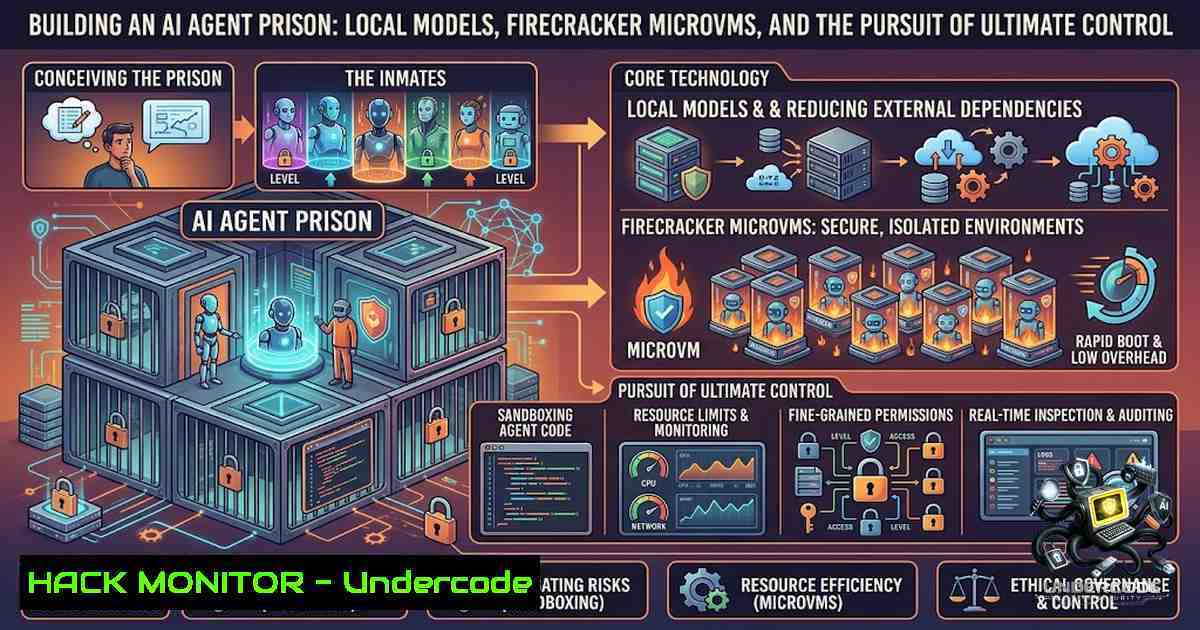
The democratization of AI agents has led to a clash between convenience and control. While cloud-based solutions offer rapid deployment, they sacrifice privacy and autonomy, forcing users to trust third-party infrastructure with sensitive data and continuous operations. For the security-conscious engineer, the only viable path is to run open-weight models locally within hardened, ephemeral environments that minimize attack surfaces and provide absolute sovereignty over compute resources.
Learning Objectives & Secrets:
- Objective 1: Establish a persistent, self-hosted AI agent infrastructure that runs continuously without relying on cloud APIs. Secret Tip: Instead of using standard
ollama serve, create a systemd service to ensure the Ollama daemon automatically restarts on failure, using `Restart=always` and `RestartSec=10` to maintain uptime during kernel updates or power fluctuations. - Objective 2: Optimize model selection and quantization for specific hardware constraints to maximize performance without sacrificing intelligence. Secret Tip: Use the `-q` flag with Unsloth’s tuned models to generate 4-bit or 8-bit quantized versions that cut VRAM usage by up to 50%, allowing larger context windows on consumer GPUs.
- Objective 3: Implement microVM isolation using Firecracker-based sandboxes to contain agent operations and prevent host system compromise. Secret Tip: Configure `sbx` with a read-only root filesystem and a tmpfs for `/tmp` to make the agent’s environment immutable, forcing all writes to be ephemeral and cleared on exit.
You Should Know:
- Setting Up the Local Model Ecosystem with Ollama
Deploying a local model is the first step. Ollama simplifies the process of downloading and running quantized LLMs, but continuous operation requires more than a single terminal command. To run models persistently, you must handle model loading, VRAM allocation, and context management.
Step‑by‑step guide:
- Linux: Install Ollama via
curl -fsSL https://ollama.com/install.sh | sh. After installation, pull a model:ollama pull unsloth/glimmer-7b. To run continuously, create a service: `sudo vim /etc/systemd/system/ollama.service` withExecStart=/usr/local/bin/ollama serve. Enable it withsudo systemctl enable ollama && sudo systemctl start ollama. - Windows: Use WSL2 for best performance. Install Ubuntu from the Microsoft Store, then follow the Linux steps inside the WSL environment. Ensure your GPU drivers are installed for CUDA support.
- Testing Hardware Limits: Use `ollama ps` to see active models and VRAM usage. Monitor context processing with `ollama run
–verbose` to get token generation speed and memory allocation. Adjust `OLLAMA_NUM_PARALLEL` to control concurrent requests, preventing out-of-memory errors.
2. Hardening the AI Agent with Unsloth Tunes
The Unsloth team provides fine-tuned versions of popular models that are optimized for speed and memory efficiency. These “aftermarket tunes” are not just performance boosts; they are security patches that reduce the model’s attack surface by streamlining its operation and reducing unnecessary dependencies that could be exploited.
Step‑by‑step guide:
- Install Unsloth: `pip install unsloth` (requires Python 3.10+). Ensure you have the correct CUDA toolkit installed (
nvcc --versionto verify). - Load a Tuned Model: Instead of using the base model, use Unsloth’s fast inference:
from unsloth import FastLanguageModel
model, tokenizer = FastLanguageModel.from_pretrained(
model_name = "unsloth/glimmer-7b-bnb-4bit",
max_seq_length = 2048,
dtype = None,
load_in_4bit = True,
)
- Generate with Constraints: Use `FastLanguageModel.for_inference(model)` to enable faster generation. To prevent prompt injection, sanitize inputs by escaping special characters and setting a maximum token limit of 1024. This limits the agent’s ability to generate long, malicious payloads.
- Building the MicroVM Sandbox with Firecracker and Docker `sbx`
Traditional containers share the host kernel, which is a known vector for container escapes. Firecracker, developed for AWS Lambda, creates lightweight microVMs that run their own kernel, providing hardware-level isolation. Docker’s `sbx` utility leverages this to launch AI agents in a “maximum security prison.”
Step‑by‑step guide:
- Linux: Install Docker and then
sbx:curl -fsSL https://get.docker.com | sh. Forsbx, you need to download the specific binary from Docker’s experimental channel. Alternatively, use Firecracker directly: download the binary from GitHub, set the jailer, and configure the VM with a minimal Alpine Linux rootfs. - Windows/Mac: Docker Desktop includes a VM, but for true microVM isolation, you need a Linux host. Use a cloud VM or a dedicated physical machine.
- Launching the Agent:
docker run -it --rm --runtime=sysbox-runc -e OLLAMA_HOST=host.docker.internal unsloth/agent-sbx
This command mounts nothing from the host, runs a separate kernel, and restricts network access to only the Ollama port (11434). The agent sees a clean filesystem with no access to `/proc` or
/sys.
4. Network Segmentation and API Security
Even within a microVM, the agent needs to call tools or access the internet. This is where network policies become critical. By default, Firecracker doesn’t allow outbound traffic unless explicitly configured. You should create a network namespace that routes traffic through a firewall.
Step‑by‑step guide:
- Create a No-Internet Policy: Use `iptables` on the host to block the microVM’s virtual interface from accessing external IPs, allowing only the host’s local IP.
- Proxy Configuration: If the agent must call external APIs, route requests through an internal proxy (e.g., Squid) that logs all activity and enforces allowlisting. This adds a layer of auditing.
- Windows Firewall: For WSL, use `New-1etFirewallRule` to restrict the WSL network adapter to localhost only.
5. Vulnerability Exploitation Mitigation and Monitoring
Assume the agent is compromised. Your sandbox must be resilient. Integrate monitoring tools that detect anomalies in system calls or memory usage.
Step‑by‑step guide:
- Use eBPF: On Linux, deploy `bpftrace` to trace execve calls inside the microVM. If the agent tries to spawn a shell, log it and kill the VM.
- Resource Quotas: Set a memory limit of 2GB and CPU limit of 1 core using Firecracker’s `–memory` and `–vcpu` flags. This prevents fork bombs or resource exhaustion.
- Logging: Send logs to a remote Syslog server that is read-only. Use `journalctl -u ollama -f` to monitor host-level activity while using
sbx‘s built-in logging to capture agent stdout.
6. Performance Tuning for Consumer GPUs
Running these models 24/7 demands heat management and power optimization. Unlike cloud instances, consumer GPUs throttle under sustained loads.
Step‑by‑step guide:
- Linux Overclocking: Use `nvidia-smi` to set persistent mode:
nvidia-smi -pm 1. Adjust power limits to 80% to reduce heat without sacrificing much performance: `nvidia-smi -pl 200` (for a 250W card). - Windows Tuning: Use MSI Afterburner to create a custom fan curve. Ensure the GPU doesn’t exceed 80°C. For multi-GPU setups, use `CUDA_VISIBLE_DEVICES=0` to isolate the agent to a single card.
- Swapping VRAM: If VRAM is insufficient, enable swap for the GPU using
--swap, but note this drastically slows inference. It’s better to use a smaller model or quantize further.
What Undercode Say:
- Key Takeaway 1: The old adage of “cloud is easy, local is hard” is being inverted. With Firecracker and Unsloth, local deployment not only matches cloud speed but exceeds it in security, offering near-container speed with the isolation of a full VM. The overhead is now measured in milliseconds, not minutes.
- Key Takeaway 2: The AI agent is inherently an adversarial user. Treating it like a hacker-in-a-box is the correct security posture. By assuming the agent will attempt to break out, you design systems that are resilient by default. MicroVMs, combined with read-only filesystems and strict network policies, neutralize 99% of potential escape vectors, making the “box” truly empty.
Prediction:
- +1: The open-source community will standardize on microVM-based execution for AI agents, leading to a new wave of “personal AI clouds” where users trade convenience for sovereignty, effectively dismantling the monopoly of centralized AI APIs within the next 18 months.
- +1: Hardware manufacturers will start bundling Firecracker-like isolation in consumer GPUs, enabling hardware-backed trust execution environments (TEEs) for AI workloads, making local deployment as safe as cloud enclaves.
- -1: The complexity of managing continuous local agents will lead to a “wild west” of insecure configurations, where users running default setups without proper sandboxing will inadvertently expose their systems to remote code execution from maliciously crafted prompts, mirroring the early days of the internet.
▶️ Related Video (78% Match):
🎯Let’s Practice For Free:
🎓 Live Courses & Certifications:
Join Undercode Academy for Verified Certifications
🚀 Request a Custom Project:
Secure, high-velocity infrastructure and disruptive technological engineering. Contact our engineering team for high-tier development and proprietary systems:
[email protected]
💎 Smart Architecture | 🛡️ Secure by Design | ⭐ Trusted by Thousands
IT/Security Reporter URL:
Reported By: https://lnkd.in/p/eGTDyWth – Hackers Feeds
Extra Hub: Undercode MoN
Basic Verification: Pass ✅


