
Listen to this Post
Introduction:
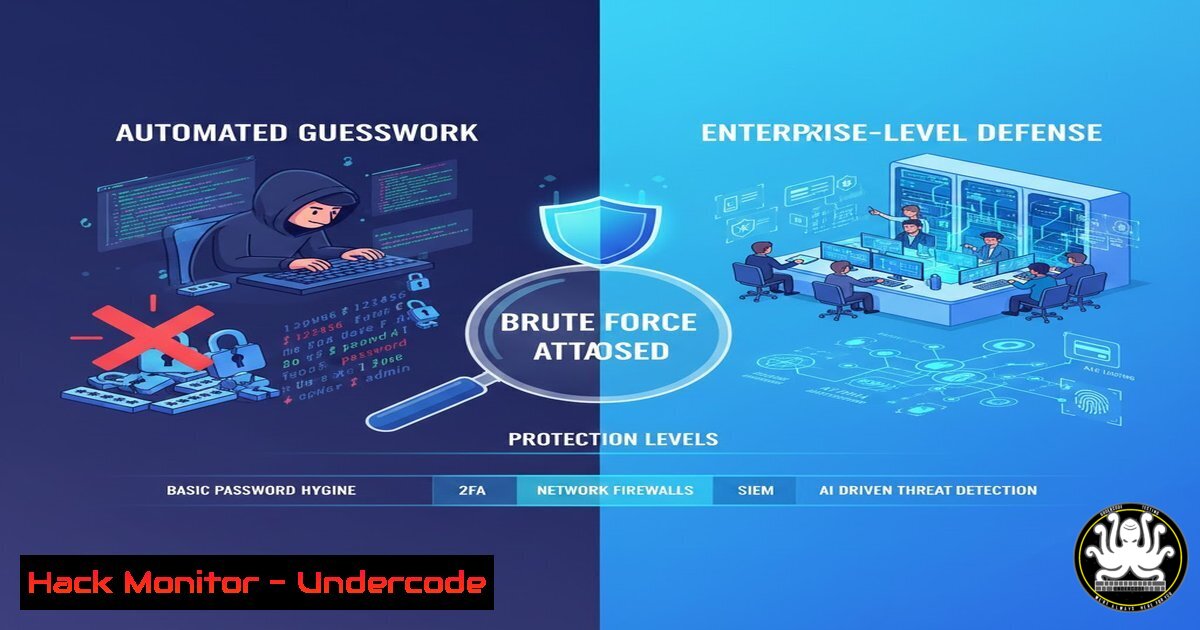
Brute force attacks represent one of the most fundamental yet persistently dangerous threats in cybersecurity. By leveraging automated tools to systematically guess credentials and keys, attackers exploit weak defenses at a scale and speed impossible for humans. Understanding both the offensive tools and defensive strategies is critical for any organization to protect its digital assets from this relentless form of intrusion.
Learning Objectives:
- Understand the core mechanics and tools used in modern brute force and password cracking attacks.
- Implement practical, command-level configurations to test and harden systems against these attacks.
- Architect a multi-layered defense strategy incorporating MFA, robust password policies, and cryptographic best practices.
You Should Know:
- The Attacker’s Toolkit: Offline Cracking with Hashcat & John the Ripper
When attackers exfiltrate a database of password hashes, the attack moves offline. Tools like Hashcat and John the Ripper can then attempt billions of guesses per second without triggering account lockouts.
Step-by-step guide:
Concept: These tools take a file of stolen cryptographic hashes and attempt to find a plaintext input (like a password) that generates the same hash. They use wordlists (like rockyou.txt), rules for mutation, and brute-force masks.
Basic Hashcat Command (Linux):
 Identify the hash type (e.g., MD5, SHA256, NTLM)
hashcat --example-hashes | grep -i ntlm -A 2
 Perform a dictionary attack on an NTLM hash file
hashcat -m 1000 -a 0 stolen_hashes.txt /usr/share/wordlists/rockyou.txt
 -m 1000 specifies NTLM hash type
 -a 0 specifies a straight dictionary attack
Mitigation: The defense is cryptographic. Use strong, adaptive hashing algorithms like bcrypt, scrypt, or Argon2. Most importantly, use a unique salt for each password. A salt is random data added to the password before hashing, rendering pre-computed rainbow tables useless.
2. Launching Online Attacks: Automated Logins with THC-Hydra
For direct attacks on live services (SSH, FTP, web forms), THC-Hydra automates login attempts across numerous protocols.
Step-by-step guide:
Concept: Hydra iterates through username/password combinations against a running service, logging in when a correct pair is found.
Basic Hydra Command (Testing a SSH server):
hydra -L user_list.txt -P password_list.txt ssh://192.168.1.100 -t 4
 -L: file with list of usernames
 -P: file with list of passwords
 -t: number of parallel connections (threads)
Mitigation: Implement account lockout policies (e.g., lock after 5-10 failed attempts) and rate limiting. For web applications, use CAPTCHAs after a few failures. Monitor logs for rapid, sequential authentication failures from a single IP address.
3. Wireless Network Auditing with Aircrack-ng
Aircrack-ng is a suite used to assess Wi-Fi security by capturing packets and attempting to crack the WPA/WPA2-PSK handshake.
Step-by-step guide:
Concept: The tool monitors for a client connecting to a network, captures the cryptographic handshake, and then performs an offline dictionary attack on it.
Basic Command Sequence:
 Put network interface in monitor mode
sudo airmon-ng start wlan0
 Capture all nearby traffic to a file
sudo airodump-ng wlan0mon -w capture
 Target a specific BSSID and channel, waiting for a handshake
sudo airodump-ng -c 6 --bssid AA:BB:CC:DD:EE:FF -w handshake wlan0mon
 Crack the captured handshake file using a wordlist
aircrack-ng -w /usr/share/wordlists/rockyou.txt handshake-01.cap
Mitigation: Use WPA3 wherever possible, which provides stronger encryption. For WPA2, ensure your Pre-Shared Key (PSK) is a long, complex passphrase (over 14 characters, unpredictable) not found in any dictionary.
4. Defending with Multi-Factor Authentication (MFA) Architecture
MFA is the most critical barrier against credential-based attacks, adding a layer independent of the password.
Step-by-step guide:
Concept: MFA requires a second (or more) factor from categories: something you know (PIN), something you have (authenticator app, hardware token), or something you are (biometrics).
Implementation: For cloud services like Azure AD or AWS IAM, enable MFA in the identity management console. For on-premise applications, integrate with standards like Time-based One-Time Passwords (TOTP) using libraries such as `pyotp` for Python.
 Example Python code to generate and verify a TOTP secret
import pyotp
 Generate a secret for a user
secret = pyotp.random_base32()
 Provisioning URI for authenticator apps (e.g., Google Authenticator)
provisioning_uri = pyotp.totp.TOTP(secret).provisioning_uri("[email protected]", issuer_name="SecureApp")
 Verify a code entered by the user
totp = pyotp.TOTP(secret)
is_valid = totp.verify("123456")  Returns True/False
5. System Hardening: Password Policies & Audit Commands
Prevent weak password creation and regularly audit for compromised credentials.
Step-by-step guide:
Windows (via Group Policy): Enforce via `gpedit.msc` > Computer Configuration > Windows Settings > Security Settings > Account Policies > Password Policy. Set minimum length (14+), complexity requirements, and maximum age.
Linux (via `pam_pwquality` and `faillock`):
 Edit /etc/security/pwquality.conf to set complexity
minlen = 14
minclass = 4  Requires 4 character classes (upper, lower, digit, special)
 Edit /etc/security/faillock.conf to set account lockout
deny = 5  Lock after 5 failures
unlock_time = 900  Lock for 15 minutes
Proactive Auditing: Use tools like `Have I Been Pwned` APIs or internal password auditing tools (that run offline in a secure environment) to check if user passwords have been exposed in known breaches.
- Advanced Defense: Implementing Key-Based Authentication & Zero Trust
Move beyond passwords for critical systems.
Step-by-step guide:
SSH Key-Based Authentication (Linux/Windows OpenSSH):
 On client, generate a key pair (use a strong passphrase for the private key)
ssh-keygen -t ed25519 -f ~/.ssh/my_secure_key
 Copy the PUBLIC key to the server
ssh-copy-id -i ~/.ssh/my_secure_key.pub user@server
 On the server, disable password authentication in /etc/ssh/sshd_config
PasswordAuthentication no
PubkeyAuthentication yes
Zero Trust Principle: Assume breach. Implement network segmentation, least-privilege access (via tools like `sudo` rules), and continuous verification. No single login, even successful, should grant broad network access.
What Undercode Say:
- The Tool is Neutral; Its Use Defines It: Tools like Hashcat and Hydra are essential for security professionals to test organizational resilience. Regular, authorized penetration testing using these tools is not optional; it’s a critical component of a mature security program.
- Defense is a Multi-Layered Architecture: Relying solely on strong passwords is a failing strategy. The only sustainable defense is a cohesive architecture combining robust cryptography (hashing/salting), behavioral defenses (lockouts, MFA), and continuous user education to create a system where a single compromised element does not lead to a breach.
Prediction:
The evolution of brute force attacks will be dominated by AI and cloud-scale computing. Attackers will increasingly use AI to generate context-aware password guesses and intelligently bypass behavioral defenses like CAPTCHAs. Defensively, the future lies in passwordless authentication (leveraging FIDO2/WebAuthn standards) and AI-driven anomaly detection systems that identify and block malicious authentication patterns in real-time, moving from static rule-based blocking to dynamic, adaptive security postures. The arms race will shift from raw computing power to algorithmic intelligence on both sides.
▶️ Related Video (88% Match):
🎯Let’s Practice For Free:
IT/Security Reporter URL:
Reported By: Luiz Heringer – Hackers Feeds
Extra Hub: Undercode MoN
Basic Verification: Pass ✅


