
Listen to this Post
Introduction:
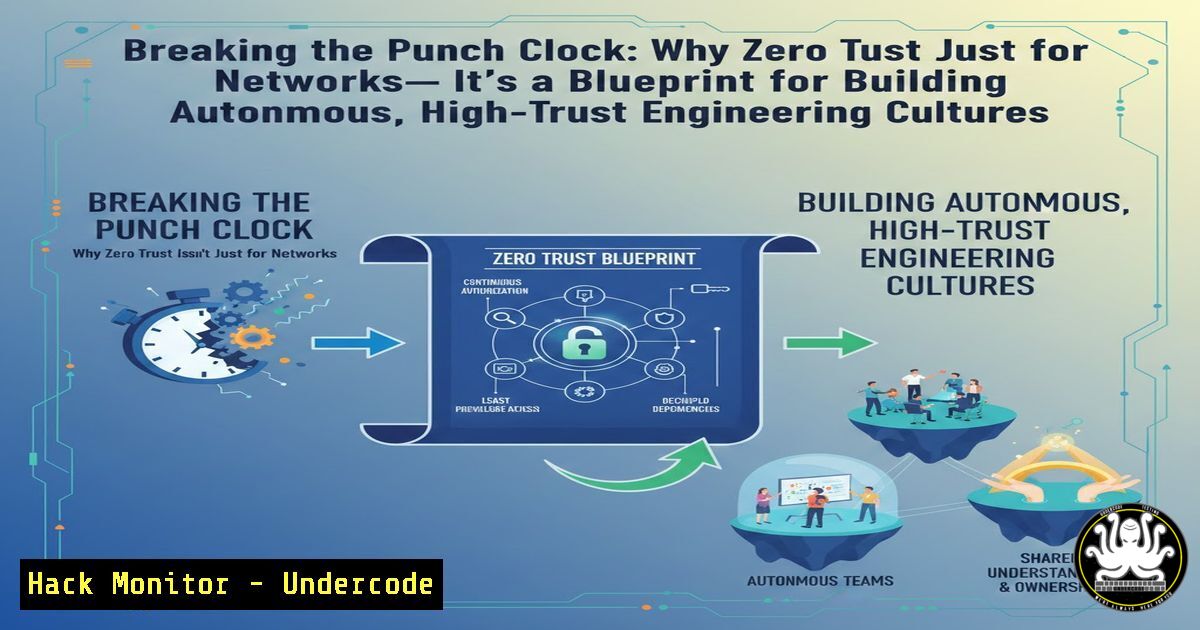
The recent LinkedIn post by Azaan Feroz Sait about Rahul Ashok destroying a punch-in machine at The Hub Bengaluru isn’t just a feel-good HR story; it is a direct metaphor for the failures of legacy access control models in the modern era. Just as rigid timecards treat employees like untrusted units that must be monitored, legacy IT architectures (perimeter-based security) treat internal users as inherently trustworthy once inside the network. This article extracts the core philosophy of “outcome over attendance” and applies it to cybersecurity, IT infrastructure, and AI training pipelines. We will explore how moving from implicit trust (punching the clock) to explicit, continuous verification (measuring outcomes) is the foundation of Zero Trust Architecture (ZTA), DevSecOps, and resilient cloud hardening.
Learning Objectives:
- Objective 1: Understand the correlation between “punch-in” legacy systems and the concept of implicit trust in network security.
- Objective 2: Learn how to replace rigid, time-based access controls with dynamic, attribute-based access control (ABAC) and Just-In-Time (JIT) privileges.
- Objective 3: Implement practical hardening steps across Linux, Windows, and cloud environments to enforce an “ownership” model over “compliance” model.
You Should Know:
- Destroying the Authentication Kiosk: Moving from Static Credentials to Token-Based Identity
The physical punch machine represents static, reusable credentials (passwords) that are shared and never rotated. In the IT world, this is akin to allowing employees to use the same local admin password for years or relying solely on a VPN for access without further scrutiny.
To emulate the “ownership” culture in tech, we must kill shared accounts and implement ephemeral access.
Step‑by‑step guide: Implementing Just-In-Time (JIT) Admin Access in Linux
Instead of granting permanent sudo rights (the “timecard”), we grant temporary elevation based on context.
1. Install and configure `sudo` with timestamp timeouts.
 Edit the sudoers file safely
sudo visudo
 Add a line to set a timestamp timeout (e.g., 5 minutes) - This is still a "punch" but limited.
Defaults timestamp_timeout=5
2. For a true “Zero Trust” approach, integrate with an Identity Provider (IdP) using tools like `sssd` or `pf9` to pull ephemeral SSH certificates.
3. The Command Shift: Instead of handing out the root password, use a tool like `teleport` or boundary. The user requests access (just like Rahul choosing to build), and the system grants a signed certificate valid for 30 minutes.
 Example using Boundary for a database connection
boundary connect postgres -target-id ttcp_1234567890
 This creates a temporary, audited tunnel. No permanent credentials exist.
2. Measuring Outcomes, Not Activity: Implementing Behavioral Analytics
Sait mentions, “We measure outcomes.” In cybersecurity, we cannot measure security by the volume of logs generated (activity), but by the anomalies detected (outcomes). This requires moving from SIEMs that just store data to AI-driven User and Entity Behavior Analytics (UEBA).
Step‑by‑step guide: Baselining User Behavior with Auditd (Linux)
- Install the Linux audit framework to track what commands are executed.
sudo apt-get install auditd audispd-plugins
sudo systemctl enable auditd
- Create a rule to watch specific binaries and log who executed them.
sudo auditctl -w /usr/bin/sudo -p x -k privilege_escalation
sudo auditctl -w /etc/passwd -p wa -k user_modification
- Search the logs for “outcomes” rather than just “presence.”
Search for all modifications to user accounts in the last hour
sudo ausearch -k user_modification -ts recent
- Windows Equivalent: Enable Advanced Audit Policy to track process creation and include command-line logging.
Via PowerShell (Run as Admin)
auditpol /set /subcategory:"Process Creation" /success:enable /failure:enable
Enable command line in event 4688
reg add "HKLM\Software\Microsoft\Windows\CurrentVersion\Policies\System\Audit" /v ProcessCreationIncludeCmdLine_Enabled /t REG_DWORD /d 1 /f
-
“No One is Just an Employee”: Implementing Attribute-Based Access Control (ABAC)
The idea that “nobody is just an employee” translates to ABAC. Access decisions are not based on a static role (e.g., “Marketing Employee”) but on attributes (e.g., “Currently working on Project X, from the office network, between 9 AM and 5 PM”).
Step‑by‑step guide: Configuring ABAC in AWS with S3 Buckets
1. Define attributes in the Principal’s tag. Tag your IAM users or roles (e.g., Project=Alpha, TempCred=True).
2. Create a policy that denies access unless the tag matches.
{
"Version": "2012-10-17",
"Statement": [
{
"Effect": "Deny",
"Action": "s3:GetObject",
"Resource": "arn:aws:s3:::critical-data-bucket/",
"Condition": {
"StringNotEquals": {
"aws:PrincipalTag/Project": "Alpha"
}
}
}
]
}
3. This forces the builder (user) to have the correct “intent” (tag) to access the data, rather than just having a blanket policy because they are part of the “Engineering” group.
- Killing the “Punch-In” Machine: Automating Cloud Hardening with Infrastructure as Code (IaC)
The physical machine was smashed because it was rigid. In the cloud, rigidity is a manual server configuration. To build an “ownership” culture, infrastructure must be version-controlled and ephemeral.
Step‑by‑step guide: CIS Benchmark Hardening with Ansible
- Instead of manually hardening a server (punching in), use Ansible to apply the Center for Internet Security (CIS) benchmarks automatically.
- Run a playbook to ensure SSH root login is disabled (a core hardening step).
</li>
</ol>

<ul>
<li>name: Harden SSH Configuration
hosts: all
become: yes
tasks:</li>
<li>name: Disable root SSH login
lineinfile:
path: /etc/ssh/sshd_config
regexp: '^PermitRootLogin'
line: 'PermitRootLogin no'
notify: restart sshd</li>
</ul>

handlers:
- name: restart sshd
service:
name: sshd
state: restarted
3. Run this playbook against your inventory. The outcome is a hardened server; the time spent is irrelevant.
- The Psychology of Trust: API Security and Rate Limiting
Trusting adults means letting them “ship” and “fix” without choking them. In API terms, this means you should not block users preemptively, but you must monitor and throttle anomalies. It is the difference between firing someone for being late (blocking IPs) and addressing poor performance (rate limiting suspicious spikes).
Step‑by‑step guide: Rate Limiting with Nginx
- Set up a limit_req zone to handle traffic based on the outcome (actual requests), not the identity.
In http block
limit_req_zone $binary_remote_addr zone=api_limit:10m rate=10r/s;

In server/location block
location /api/ {
limit_req zone=api_limit burst=20 nodelay;
proxy_pass http://backend_server;
}
–
rate=10r/s: Allows 10 requests per second (the “outcome” threshold).
–burst=20: Allows a short sprint (like a developer pushing a big commit) without breaking the build.- Vulnerability Exploitation: If You Use a Punch Clock, You Get Punched
Legacy systems (punch clocks) are vulnerable to relay attacks and spoofing. Modern identity systems must be resistant to replay. If you authenticate once and are trusted all day (like a physical badge), an attacker who steals that badge after lunch owns the network.
Step‑by‑step guide: Mitigating Pass-the-Hash on Windows
- In a domain using “attendance” style authentication (NTLM), an attacker can extract the NTLM hash from memory.
- Mitigation (Ownership style): Enable Credential Guard and Disable NTLM.
Disable NTLM authentication entirely (if possible)
reg add "HKLM\SYSTEM\CurrentControlSet\Control\Lsa" /v RestrictNTLM /t REG_DWORD /d 1 /f
reg add "HKLM\SYSTEM\CurrentControlSet\Control\Lsa" /v RestrictNTLMInDomain /t REG_DWORD /d 1 /f

Enable Windows Defender Credential Guard via Group Policy:
Computer Configuration -> Administrative Templates -> System -> Device Guard -> Turn On Virtualization Based Security.
This forces every authentication request to be a fresh, verified transaction rather than a reused credential.
What Undercode Say:
- Key Takeaway 1: The destruction of the punch clock is the destruction of implicit trust. Organizations must adopt a Zero Trust model where access is explicitly verified every time, regardless of network location, mirroring how The Hub values each contribution based on merit, not presence.
- Key Takeaway 2: Automation is the tool of “builders.” Just as The Hub empowers individuals to define their value, empowering security teams with Infrastructure as Code (IaC) and automated policy enforcement allows them to focus on strategic outcomes (fixing what moves) rather than manually applying patches (clocking in).
The narrative of Rahul Ashok smashing the punch machine is more relevant to cybersecurity than most technical manuals. It highlights the industry’s shift from a perimeter-based “castle and moat” mentality to a data-driven, identity-centric model. We are moving away from monitoring “if” someone logged in (attendance) to monitoring “what” they did (outcome). This requires a cultural shift where security is an enabler for builders, not a gatekeeper that demands timesheets. The tools are available—from JIT access in Linux to Conditional Access in Azure—but they require the courage to trust your users with ownership while verifying their every move with surgical precision.
Prediction:
We will see the rise of “Continuous Compliance” platforms that utilize AI to audit outcomes in real-time, replacing the archaic practice of quarterly compliance audits (the corporate equivalent of punching a timecard). As remote work solidifies, the companies that succeed will be those that treat their security posture like The Hub treats its employees—focused on what gets built, not when someone swiped a badge. The future is autonomous, ephemeral, and driven by intent, forcing legacy hardware-based authentication (like the physical punch machine) into the museum of IT history.
▶️ Related Video (70% Match):
🎯Let’s Practice For Free:
IT/Security Reporter URL:
Reported By: Azaanferozsait Send – Hackers Feeds
Extra Hub: Undercode MoN
Basic Verification: Pass ✅🔐JOIN OUR CYBER WORLD [ CVE News • HackMonitor • UndercodeNews ]
📢 Follow UndercodeTesting & Stay Tuned:
- The Psychology of Trust: API Security and Rate Limiting


