Listen to this Post
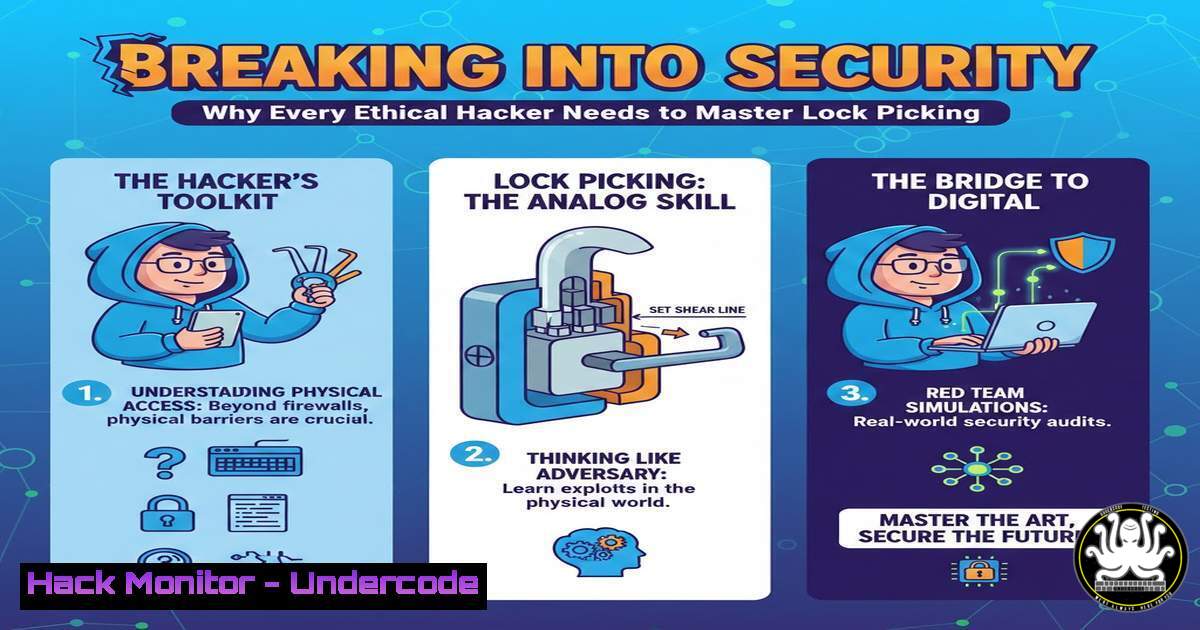
Introduction:
In an era dominated by discussions of zero-days, cloud misconfigurations, and AI-generated malware, a cybersecurity researcher recently took a step back to the fundamentals of physical security. Thanos Apostolidis, a Software Engineer and Security Researcher, presented at i0.rs on “Introduction to Physical Security: Lock Picking on a budget.” This topic serves as a critical reminder that digital defenses are meaningless if an attacker can simply walk through the front door. Understanding the mechanics of physical bypass techniques, from simple tension wrenches to raking, provides a holistic view of security that transcends the digital realm and reinforces the perimeter mindset.
Learning Objectives:
- Understand the fundamental mechanics of pin-tumbler locks and the tools required for manual bypass.
- Differentiate between basic lock picking techniques such as single-pin picking (SPP) and raking.
- Recognize the intersection of physical security and cybersecurity in comprehensive risk assessments.
You Should Know:
- The Anatomy of a Lock and the “Budget” Picker’s Toolkit
To understand lock picking, one must first understand what happens inside a standard pin-tumbler lock. When a key is inserted, its grooves lift a set of driver pins and key pins to a specific height, aligning at the “shear line.” This allows the plug to rotate. Without the key, a picker uses tools to replicate this action manually.
For a beginner on a budget, you don’t need expensive kits. As highlighted in the discourse around the article, the core tools include:
– Tension Wrench: Applies a slight rotational torque to the plug.
– Hook Pick: Used for single-pin picking (SPP) to lift each pin individually.
– Rake: A pick with multiple peaks designed to be scraped rapidly across the pins to bounce them into place.
Beginner’s Step‑by‑Step Guide to Tension and Raking:
- Apply Tension: Insert the tension wrench into the bottom of the keyway. Apply a very light, clockwise rotational force (similar to the pressure needed to hold a single sheet of paper against a wall). This is the most critical and difficult part; too much tension binds the pins, too little does nothing.
- Insert the Rake: With tension maintained, insert the rake all the way to the back of the keyway.
- The Raking Motion: Quickly slide the rake outwards while maintaining slight upward pressure against the pins. You are looking for a “click” or a slight rotation of the plug.
- Repeat and Adjust: If the plug doesn’t turn, release tension completely (to reset the pins), reapply slightly different tension, and rake again. Success usually comes in fractions of a second when the pins bounce to the shear line simultaneously.
2. From Raking to Single Pin Picking (SPP)
While raking relies on luck and speed, Single Pin Picking (SPP) is the methodical approach. This is where the “hook” pick comes into play. It is slower but essential for overcoming higher security locks or when raking fails.
Step‑by‑Step Guide to SPP:
- Set Tension: Apply light tension with your wrench.
- Find the Binder: As you apply tension, the mechanical imperfections of the lock cause one pin to “bind” (stick) more than the others. Gently press on each pin with your hook until you find the one that feels stiff or doesn’t move easily.
- Set the Pin: Push the binding pin upward. You will feel a slight “click” or give as the driver pin clears the shear line and the key pin contacts the plug housing. The plug may rotate slightly (a “counter-rotation”).
- Move to the Next: Maintain tension. The slight rotation of the plug will now cause a different pin to bind. Repeat the process.
- Open: Once all pins are set at the shear line, the plug will rotate fully, and the lock opens.
3. The Legal and Ethical Perimeter
It is vital to note that possessing lock picks is illegal in many jurisdictions without a license (locksmith) or legitimate reason. In the context of the cybersecurity community, these skills are strictly for education, red team engagements (with signed contracts), and personal locks you own. George Gerontakis’s suggestion in the comments regarding selling “ready to learn” packs highlights a potential business avenue, but as Thanos correctly notes, understanding the legal implications is paramount. This mirrors the ethics of penetration testing: you never attack a system without explicit permission.
4. Digital Correlation: Physical Access Equals System Compromise
In a penetration test or red team engagement, physical access is often considered “game over” for network security. If an attacker can pick a server room lock, they can bypass all your firewalls and IDS.
– Evil Maid Attacks: An attacker picks a lock, installs a hardware keylogger or a bootkit (like using a Raspberry Pi Pico to emulate a keyboard), and exfiltrates data or installs backdoors.
– Cold Boot Attacks: Physical access allows an attacker to perform a cold boot attack to retrieve encryption keys from RAM.
– Direct Console Access: Once at the console, an attacker can interrupt the boot process (GRUB editing) to gain single-user mode access, effectively resetting root passwords if full disk encryption isn’t properly implemented with a TPM.
Linux Console Hardening Command (to mitigate physical access):
To prevent someone from booting into single-user mode to bypass passwords, you can password-protect the GRUB editor.
 Generate a hashed password (you will be prompted for the password)
grub-mkpasswd-pbkdf2
 Copy the resulting hash (grub.pbkdf2.sha512.10000...)
 Edit the GRUB configuration file
sudo nano /etc/grub.d/40_custom
 Add the following lines at the end of the file:
 set superusers="admin"
 password_pbkdf2 admin <PASTE_THE_HASH_HERE>
 Update GRUB
sudo update-grub
5. Windows Physical Security Measures
On the Windows side, physical access can be mitigated through BIOS/UEFI passwords and BitLocker configurations.
– BIOS Password: Set a supervisor password to prevent boot order changes (preventing booting from a USB attacker device).
– BitLocker with PIN: In addition to TPM, you can require a startup PIN.
Configuration (via Command Prompt as Admin):
// Check BitLocker status
manage-bde -status

// If using TPM + PIN, you must configure the Group Policy:
// gpedit.msc -> Computer Configuration -> Administrative Templates ->
// Windows Components -> BitLocker Drive Encryption -> Operating System Drives
// -> "Require additional authentication at startup" -> Enable and check "Allow TPM + PIN"
// Then add the PIN:
manage-bde -protectors -add C: -TPMAndPIN
What Undercode Say:
- Key Takeaway 1: Physical security is not separate from cybersecurity; it is the foundation. A lock picked in the lobby leads to a server compromised in the data center. Red teamers and ethical hackers must train in these physical disciplines to accurately simulate real-world adversaries.
- Key Takeaway 2: The barrier to entry is remarkably low. As the article and comments suggest, budget-friendly kits and transparent practice locks make this skill accessible to anyone. This accessibility underscores the vulnerability of relying solely on physical locks in a modern security stack.
Analysis: The i0.rs talk serves as a humbling reminder to the tech community. While we focus on patching Log4j and configuring AWS S3 buckets, the physical world remains a primitive, mechanical attack surface. Understanding lock picking demystifies security and breeds a mindset of “defense in depth.” It teaches patience, tactile feedback, and the reality that no security measure is infallible—whether it’s a 256-bit AES key or a simple pin-tumbler lock. The conversation sparked by this post, including ideas about selling starter kits, highlights a growing demand for this blended skillset.
Prediction:
As cyber-physical systems (IoT, smart locks, industrial controls) become ubiquitous, the line between “hacking” and “lock picking” will blur further. We will likely see a rise in “red team” certifications that mandate physical bypass techniques. Furthermore, as hardware hacking tools like the Flipper Zero and advanced lock-picking devices (like electronic pick guns) become cheaper, the window between a physical breach and a digital compromise will narrow to seconds, forcing organizations to integrate physical security logs (door access) with their SIEMs for real-time correlation.
▶️ Related Video (84% Match):
🎯Let’s Practice For Free:
IT/Security Reporter URL:
Reported By: Https: – Hackers Feeds
Extra Hub: Undercode MoN
Basic Verification: Pass ✅


