Listen to this Post
Introduction:
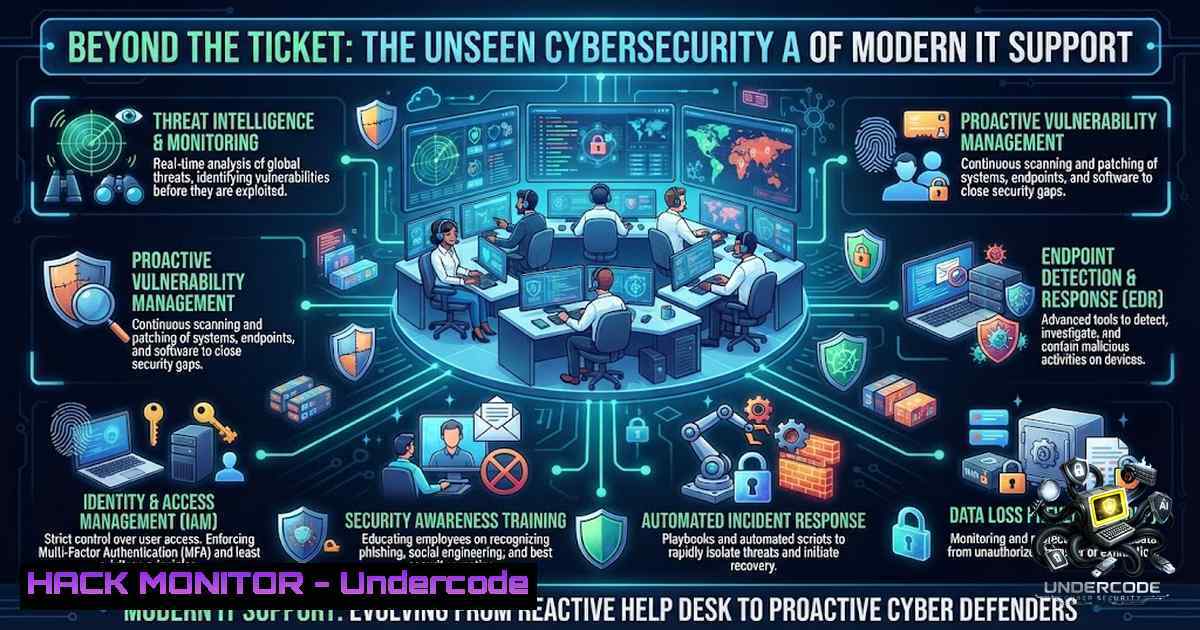
The modern IT Support professional operates at the intersection of operational continuity and digital defense. While the external perception often reduces this role to password resets and printer troubleshooting, the reality is a complex tapestry of identity management, cloud infrastructure hardening, and proactive threat hunting. As organizations accelerate their digital transformation, the IT Support team has evolved into the frontline of cybersecurity, ensuring that systems remain resilient against an ever-expanding threat landscape while enabling seamless productivity.
Learning Objectives:
- Master identity and access management using Active Directory and Entra ID PowerShell automation.
- Implement robust network troubleshooting and system optimization techniques across Windows and Linux environments.
- Develop a comprehensive incident response and security monitoring framework using open-source and native tools.
- Identity & Access Management: The Foundation of Zero Trust
Active Directory (AD) and Entra ID (formerly Azure AD) form the cornerstone of modern identity management. IT Support professionals must move beyond simple user creation to master the intricate replication topologies and security postures that define a healthy directory environment.
Step-by-Step Guide to AD Replication and Topology Management:
To ensure high availability and consistency across domain controllers, administrators can leverage the Active Directory Module for Windows PowerShell. This module provides robust cmdlets to manage replication, sites, domains, and partitions.
Linux/Windows Commands & Tutorials:
1. View Domain Controllers and Sites:
To get a comprehensive list of all domain controllers and their associated sites, use the following command in an elevated PowerShell session:
Get-ADDomainController -Filter | ft Hostname, Site
This provides a quick overview of the replication topology.
2. Manage Replication Sites:
To create a new replication site (e.g., for a branch office), execute:
New-ADReplicationSite BRANCH1
You can verify all sites using:
Get-ADReplicationSite -Filter | ft Name
This command returns a formatted list of site names.
3. Transfer FSMO Roles:
In the event of a domain controller failure, seizing or transferring Flexible Single Master Operation (FSMO) roles is critical. Use the `Move-ADDirectoryServerOperationMasterRole` cmdlet to transfer roles gracefully.
4. Auditing Privileged Accounts:
Security hygiene requires constant vigilance. Open-source PowerShell security modules now offer functions to detect Kerberoasting vulnerabilities and Golden Ticket indicators, which are essential for preventing privilege escalation attacks.
2. Network Troubleshooting & System Optimization
Network reliability is non-1egotiable. When connectivity issues arise, IT Support professionals must utilize a blend of legacy and modern command-line tools to diagnose and resolve faults swiftly.
Step-by-Step Guide to Network Diagnostics:
While modern Windows environments recommend PowerShell, the `netsh` (Network Shell) utility remains a versatile tool for configuring and monitoring network components.
Linux/Windows Commands & Tutorials:
1. TCP/IP Stack Reset:
When facing persistent connectivity issues, resetting the TCP/IP stack can resolve underlying configuration corruption:
netsh int ip reset
netsh winsock reset
A server restart is typically required after these commands.
2. ARP Cache Management:
To clear and refresh the Address Resolution Protocol (ARP) cache, which often resolves “General Failure” ping errors:
arp -d
3. Interface Configuration Verification:
Confirm that the correct subnet mask and gateway are applied:
ipconfig /all
For remote management, administrators can use `netsh -r RemoteMachineName` to execute commands on remote servers.
4. Linux Network Monitoring:
On Linux systems, the `ss` command is the modern replacement for netstat:
ss -tuln
This lists all listening ports, which is vital for identifying unauthorized services or open ports.
3. Cloud Infrastructure & Endpoint Hardening
Cloud misconfigurations are a leading cause of data breaches. IT Support must adopt a security-first mindset when managing Azure, AWS, or hybrid environments.
Step-by-Step Guide to Cloud Security Audits:
1. Audit Public Exposure (AWS):
To identify potential attack surfaces, list all EC2 instances with public IP addresses:
aws ec2 describe-instances --query 'Reservations[].Instances[].[InstanceId,State.Name,PublicIpAddress]' --output table
This command helps identify instances that should be restricted to private subnets.
2. Restrict Public Access (Azure):
In Microsoft Defender for Cloud, navigate to “Recommendations” and restrict public network access. Ensure that storage accounts and VMs are only accessible via private endpoints or VPNs.
3. Automated Security Hardening:
Utilize Infrastructure as Code (IaC) tools like Terraform to enforce CIS benchmarks. Automated scripts can audit password policies, enable logging (CloudTrail), and activate threat detection services like GuardDuty.
4. Endpoint Security Verification:
For endpoints connecting to secured networks, ensure that host verification is enabled. Commands like `sns-en-cli serverd` can enforce that only devices with active security software are granted access.
4. Cybersecurity Monitoring & Incident Response
When prevention fails, detection and response are paramount. IT Support teams are often the first to notice anomalous activity.
Step-by-Step Guide to Incident Response Automation:
1. PowerShell Security Assessment:
Install the open-source Windows Security Audit module to automate threat detection:
Install-Module WindowsSecurityAudit -Force
Run a comprehensive security scan that maps findings to the MITRE ATT&CK framework:
$report = Invoke-SecurityAssessment -Verbose
Export the findings to an HTML report for management review:
Export-SecurityReport -Format HTML -Path C:\Reports
This module consolidates 58 functions covering AD security, compliance automation (CIS, NIST), and advanced memory forensics.
2. SOC Automation Scripts:
Leverage Python and Bash scripts to automate Security Operations Center (SOC) tasks. For instance, an SSH Brute Force Detector can monitor logs and alert on multiple failed login attempts from a single IP.
 Example: Run the brute force detector
python3 ssh_bruteforce_detector.py
3. Unified Audit Log Search:
To investigate security incidents in Microsoft 365, use the `Search-UnifiedAuditLog` cmdlet in Exchange Online PowerShell. This is essential for extracting audit records over extended date ranges and exporting them to CSV for analysis.
5. Patch Management & System Optimization
Consistency in patching is the cybersecurity rhythm that prevents exploitation. IT Support must ensure that both Windows and Linux endpoints are updated promptly.
Step-by-Step Guide to Automated Patching:
1. Windows Patching (PowerShell):
Install the PSWindowsUpdate module to manage updates programmatically:
Install-Module -1ame PSWindowsUpdate -Force
Install all available updates and allow automatic reboots:
Get-WindowsUpdate -Install -AcceptAll -AutoReboot
Schedule this script via Task Scheduler to run weekly.
2. Linux Patching (Cron Jobs):
Automate daily security updates on Debian/Ubuntu systems by adding the following to the crontab (crontab -e):
0 2 /usr/bin/apt update && /usr/bin/apt upgrade -y
This ensures that vulnerability patches are applied consistently, reducing the risk of exploitation.
3. Vulnerability Scanning:
Regularly scan internal and external assets using Nmap to detect known vulnerabilities:
nmap -sV --script vuln <target_IP>
Review the results to prioritize patching efforts.
6. Microsoft 365 & API Security
With the shift to SaaS, securing Microsoft 365 tenants and APIs is a core responsibility.
Step-by-Step Guide to M365 Security Audits:
1. PowerShell Audit Script:
Administrators can run a single PowerShell script to audit MFA status, admin roles, guest users, and mail flow rules. This script exports data to CSVs, providing a snapshot of the tenant’s security posture.
Prerequisites: Install required modules (ExchangeOnlineManagement, Microsoft.Graph) and ensure you have Global Admin permissions.
2. API Rate Limiting (Nginx):
To protect APIs from DDoS and brute-force attacks, implement rate limiting at the web server level. Add the following to /etc/nginx/nginx.conf:
limit_req_zone $binary_remote_addr zone=api_limit:10m rate=100r/m;
This limits requests to 100 per minute per IP address.
What Undercode Say:
- Key Takeaway 1: IT Support is no longer a reactive helpdesk function; it is a proactive security operations center that enables business continuity through identity management, cloud hardening, and threat hunting.
- Key Takeaway 2: Automation is the force multiplier. Whether through PowerShell scripts for Active Directory, cron jobs for Linux patching, or Python scripts for SOC automation, reducing manual intervention eliminates human error and accelerates response times.
Analysis: The cybersecurity landscape demands that IT Support professionals transcend traditional boundaries. The integration of open-source security modules (like the 58-function PowerShell toolkit) demonstrates a shift toward accessible, enterprise-grade security for organizations of all sizes. Furthermore, the emphasis on cloud security checklists and Zero Trust architectures indicates that the perimeter has dissolved; security now resides in identity, endpoints, and data.
Prediction:
- +1 By 2027, AI-driven automation will handle 80% of Level 1 IT Support tickets, allowing human analysts to focus on complex threat hunting and strategic security architecture.
- +1 The adoption of open-source security frameworks will accelerate, driven by the need for cost-effective compliance (CIS, NIST) and the democratization of incident response tools.
- -1 Organizations that fail to integrate patch management and security automation into their IT Support workflows will face a 3x higher risk of ransomware incidents due to inconsistent security rhythms.
- +1 The role of the IT Support professional will evolve into “Security Operations Generalist,” requiring proficiency in both infrastructure management and cyber defense tactics.
▶️ Related Video (86% Match):
🎯Let’s Practice For Free:
🎓 Live Courses & Certifications:
Join Undercode Academy for Verified Certifications
🚀 Request a Custom Project:
Secure, high-velocity infrastructure and disruptive technological engineering. Contact our engineering team for high-tier development and proprietary systems:
[email protected]
💎 Smart Architecture | 🛡️ Secure by Design | ⭐ Trusted by Thousands
IT/Security Reporter URL:
Reported By: Vinodh Kumar – Hackers Feeds
Extra Hub: Undercode MoN
Basic Verification: Pass ✅


