
Listen to this Post
Introduction:
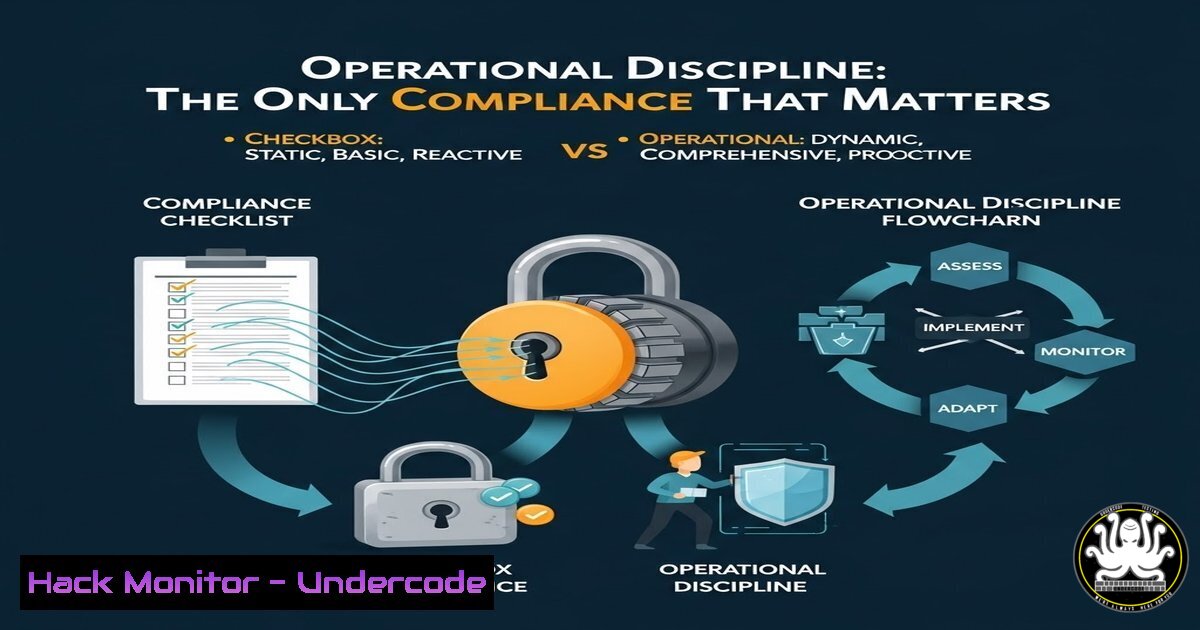
The pervasive culture of “checkbox compliance” is creating a facade of security that crumbles under real-world pressure. True cybersecurity resilience isn’t found in policy documents or attestation slides but in the mundane, repeatable execution of fundamental security hygiene. This article deconstructs the theater of paper-based compliance and provides a technical roadmap for building the operational discipline that actually mitigates risk.
Learning Objectives:
- Understand the critical gap between documented compliance controls and their operational implementation.
- Learn to translate common compliance requirements (like timely patching, access enforcement, and backup validation) into auditable, automated technical processes.
- Build a framework for evidence-based security that replaces assumptions with data and “trust” with verified technical controls.
You Should Know:
- From Policy to Process: Automating Patch Management Verification
A policy mandating “patches within 30 days” is worthless if systems remain unpatched. Operational discipline requires automated verification and enforcement.
Step‑by‑step guide:
Objective: Move from manual spreadsheets to automated patch compliance reporting.
Linux (Using `apt` & Cron): First, audit current state. Use `apt list –upgradable` to list all available upgrades. For a compliance report, create a script (/usr/local/bin/patch-audit.sh):
!/bin/bash
HOSTNAME=$(hostname)
DATE=$(date '+%Y-%m-%d %H:%M:%S')
UPDATES=$(apt list --upgradable 2>/dev/null | wc -l)
echo "$DATE,$HOSTNAME,$((UPDATES-1))" >> /var/log/patch-compliance.csv
Schedule it with cron (crontab -e): 0 2 /usr/local/bin/patch-audit.sh. This logs a daily count of pending updates.
Windows (Using PowerShell & Scheduled Tasks): Use `Get-Hotfix` to check for specific patches, or `Get-WindowsUpdate` via the PSWindowsUpdate module. A compliance script:
$Session = New-Object -ComObject Microsoft.Update.Session
$Searcher = $Session.CreateUpdateSearcher()
$Pending = $Searcher.Search("IsInstalled=0").Updates.Count
"$(Get-Date -Format 'yyyy-MM-dd HH:mm:ss'),$env:COMPUTERNAME,$Pending" | Out-File -Append C:\logs\patch-compliance.csv
Deploy via Group Policy or Scheduled Task. The output provides an auditable trail proving the state of systems against the policy.
2. Enforcing Access Control: Beyond the “Exception Spreadsheet”
Access policies fail through constant exceptions. Operational discipline mandates logging and reviewing all privileged access events.
Step‑by‑step guide:
Objective: Ensure all elevation of privileges (sudo/su/RDP/admin) is logged and centrally monitored.
Linux (Auditd & Sudo Logging): Configure `/etc/audit/audit.rules` to capture privilege escalation:
-a always,exit -F arch=b64 -S execve -C uid!=euid -F euid=0 -k privileged_esc
-a always,exit -F arch=b64 -S execve -C gid!=egid -F egid=0 -k privileged_esc
For sudo, ensure `/etc/sudoers` includes Defaults logfile=/var/log/sudo.log. Use a SIEM or even a simple `grep` cron job to forward these logs (grep -h "privileged_esc\|COMMAND" /var/log/audit/audit.log /var/log/sudo.log) to a secure, write-only server for daily review.
Windows (PowerShell & Windows Event Log): Enable detailed auditing via Group Policy (Computer Configuration > Policies > Windows Settings > Security Settings > Advanced Audit Policy Configuration). Enable “Audit Logon” and “Audit Privilege Use.” Query events with PowerShell:
Get-WinEvent -FilterHashtable @{LogName='Security'; ID=4672} -MaxEvents 20 | Select TimeCreated,Message
This pulls events for special privileges assigned to new logons. Automate daily reports to the security team.
3. Validating Backups: The “Test Restore” Imperative
Assuming backups work is a top cause of ransomware disaster. Operational discipline requires regular, automated restoration tests.
Step‑by‑step guide:
Objective: Implement a quarterly test to restore a random sample of files from backup to an isolated environment.
Process & Commands: This is less about a single command and more about a rigorous process.
1. Automate Selection: Write a script that picks 0.1% of backed-up files randomly from your backup catalog.
2. Isolated Restoration: Have a dedicated, air-gapped test environment (e.g., a locked-down VM). Use your backup tool’s CLI (e.g., Veeam’s Start-VBRRestore, `borg extract` for BorgBackup) to restore the selected files.
3. Integrity Verification: Post-restoration, generate hashes of the restored files and compare them to the hashes of the original files (stored during the backup process).
 Example integrity check for a restored file
sha256sum /restore/path/file.txt
 Compare against stored hash
grep file.txt /path/to/backup_manifest.sha256
4. Document Everything: The success/failure log, the random seed used for selection, and the hash comparisons are your compliance evidence.
4. Asset Inventory: From Guessing to Dynamic Discovery
You cannot secure what you do not know exists. Static asset lists are obsolete upon creation.
Step‑by‑step guide:
Objective: Build a dynamic, network-based asset inventory to complement your CMDB.
Tooling & Commands: Use a combination of authenticated (agent-based) and unauthenticated (network scan) discovery.
Network Scan with Nmap: Perform regular, authorized scans of your IP ranges to find live hosts and open ports. `nmap -sn 192.168.1.0/24` for ping sweep. `nmap -O -sV 192.168.1.10` for OS and service detection on a specific host.
Agent-Based Inventory (Linux): Use `dmidecode` for system info, `lshw` for hardware, and package managers for software. Correlate this data with a central system.
Cloud & Dynamic Environments: Leverage provider APIs (e.g., AWS CLI aws ec2 describe-instances, Azure PowerShell Get-AzVM) to snapshot running assets. Schedule these queries to run daily. The evidence is the continuously updated inventory database, not a yearly spreadsheet.
- Vendor Risk: Measuring Technical Posture, Not Trusting Paper
A vendor’s SOC2 report is a historical snapshot. Operational discipline requires continuous verification of their security posture.
Step‑by‑step guide:
Objective: Implement technical validation of key vendor security claims.
Process & Technical Checks:
- External Surface Monitoring: Use passive tools to monitor changes in a vendor’s digital footprint. This can be automated with CLI tools:
Use crontab to run weekly, diffing outputs
curl -s "https://api.shodan.io/shodan/host/$VENDOR_IP?key=$YOUR_API_KEY" | jq . > vendor_scan_$(date +%Y%m%d).json
- API Security Testing: If the vendor provides an API, include its security assessment in your contract. Use tools like `OWASP ZAP` or `curl` to test for basic misconfigurations (missing authentication, excessive data exposure) during onboarding and annually.
curl -H "Authorization: Bearer $TOKEN" $VENDOR_API_ENDPOINT
Check for proper HTTP status codes, rate limiting, and data filtering.
- Breach Notification Verification: Stipulate in the contract that they must provide you with IOC (Indicators of Compromise) within 24 hours of an incident, and test this clause via a tabletop exercise.
What Undercode Say:
- Compliance is a Consequence, Not a Goal: A truly secure and well-operated environment will naturally satisfy the intent of most compliance frameworks. Reversing the order—chasing checkboxes first—creates fragility.
- Evidence is the Only Truth: In security, if it didn’t happen in the logs, it didn’t happen. If you can’t query it, graph it, or alert on it, the control is not operational. Shift all accountability to verifiable data streams.
The central analysis is that the industry’s over-reliance on document-based audits has created a dangerous abstraction layer between risk managers and technical reality. This gap is where breaches live. The path forward is the meticulous engineering of security processes, treating compliance requirements as outputs of a healthy security program, not as inputs. This requires shifting budget and focus from “audit preparation” to “security engineering” and “operational automation.”
Prediction:
Within the next 3-5 years, major compliance frameworks (like NIST, ISO, and regulatory standards) will evolve to mandate machine-readable evidence and continuous control monitoring (CCM) as a foundational requirement. The annual audit will be supplemented or replaced by real-time compliance dashboards fed by automated technical feeds. Organizations that have built operational discipline will adapt seamlessly. Those mired in “paper safety” will face existential costs trying to retrofit proof into broken processes, accelerating the consolidation of security-savvy firms and the failure of those that treat cybersecurity as a documentation exercise rather than an operational imperative. AI will accelerate this by automatically mapping technical telemetry to control frameworks, making the compliance theater transparently obvious to regulators and boards.
▶️ Related Video (80% Match):
🎯Let’s Practice For Free:
IT/Security Reporter URL:
Reported By: Ironginaking Compliance – Hackers Feeds
Extra Hub: Undercode MoN
Basic Verification: Pass ✅


