Listen to this Post
Introduction:
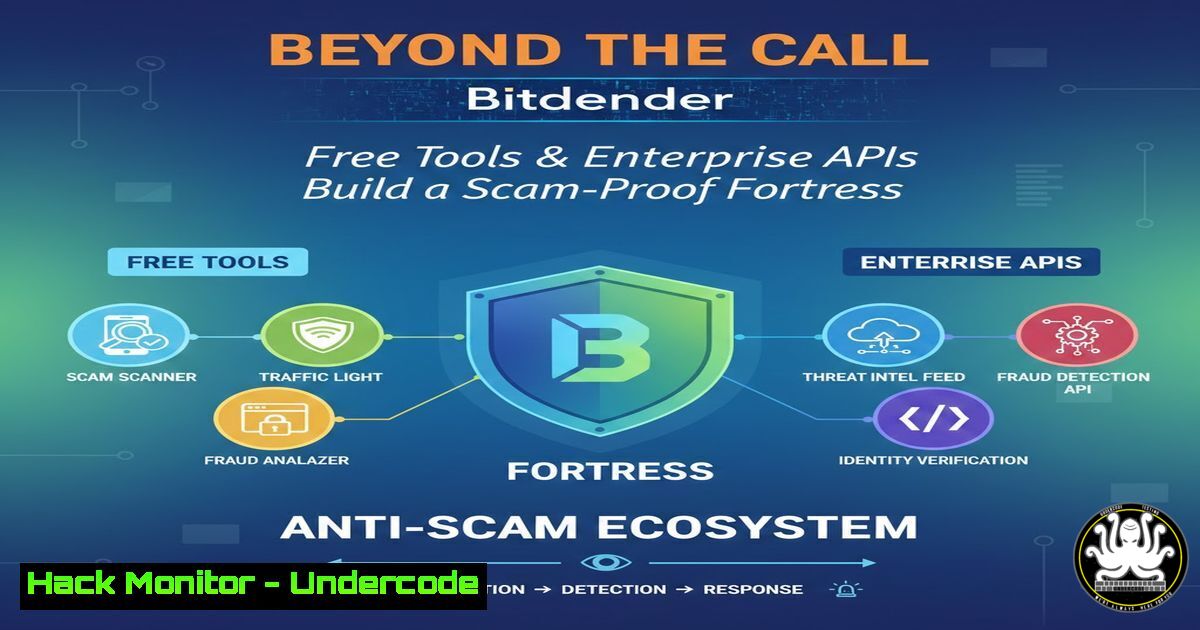
In an era where Americans field billions of spam calls annually and scammers deploy AI for voice cloning and fraudulent texts, the battle for digital trust is escalating. Bitdefender has responded with a dual-pronged strategy: launching free, accessible tools like the “Reverse Phone Lookup” and the AI-powered “Scamio” for consumers, while maintaining a sophisticated ecosystem of enterprise-grade APIs for organizational defense. This article delves into the technical workings of these solutions and demonstrates how they can be integrated into both personal security habits and professional IT workflows.
Learning Objectives:
- Understand the function and proper use of Bitdefender’s free consumer anti-scam tools.
- Learn how to authenticate with and make basic requests to the Bitdefender GravityZone Control Center API.
- Explore methods to automate security tasks and integrate threat intelligence into custom enterprise systems.
- Deploying Bitdefender’s Consumer Arsenal: From Phone Lookups to AI Chatbots
Step‑by‑step guide explaining what this does and how to use it.
Bitdefender’s free tools are designed for immediate, user-friendly protection. The Reverse Phone Lookup tool is a web-based service that checks a submitted phone number against a database of known scam and spam numbers. To use it, simply navigate to the tool’s webpage, enter the suspicious number, and review the assessment. A result marked as “likely safe” only indicates no known malicious activity; it is not a guarantee, as scammers constantly use new numbers.
For broader scams, Bitdefender Scamio acts as an AI-powered detective. Accessible via web, WhatsApp, Facebook Messenger, or Discord, it analyzes text, links, emails, or even uploaded screenshots. The process is conversational: you describe the suspicious item or paste its content, and Scamio provides an analysis and safety verdict based on Bitdefender’s threat intelligence.
Pro Technical Tip: While these are web-based, you can streamline access from a command line. For instance, you could use a simple shell script with `curl` to report a suspicious URL to a team channel by wrapping Scamio’s analysis logic, though direct API access for Scamio is not publicly documented for end-users.
 Example conceptual flow for automation (Scamio's own API is not public):
 1. User identifies a phishing link.
 2. A script extracts the link and sends it to a security monitoring tool.
 3. The tool could, in theory, query an internal service that uses Scamio-like logic.
 This highlights the need for enterprise-grade, automatable systems.
2. Foundational Enterprise Integration: Mastering the GravityZone API
Step‑by‑step guide explaining what this does and how to use it.
For organizations, true power lies in automation and integration via the Bitdefender GravityZone Control Center Public API. This API uses JSON-RPC 2.0 over HTTP POST, allowing you to programmatically manage endpoints, policies, incidents, and more.
The first critical step is authentication. You must generate an API key from the Control Center and use it with HTTP Basic Authentication.
 Step 1: Generate an API Key (in the GravityZone Control Center UI)
 Navigate to: My Account > API Keys > Add. Select the necessary APIs (e.g., Network, Incidents) and generate the key. SECURELY STORE IT.

Step 2: Construct the Authentication Header for an API Request
API_KEY="YOUR_GENERATED_API_KEY_HERE"
 The password for Basic Auth is an empty string.
AUTH_HEADER="Basic $(echo -n "$API_KEY:" | base64)"

echo "Authorization Header: $AUTH_HEADER"
 This header must be included in every API request.
- Executing Your First API Call: Querying the Network
Step‑by‑step guide explaining what this does and how to use it.
Once authenticated, you can start interacting with the API. A common task is retrieving a list of managed endpoints. The API base URL is specific to your GravityZone instance (e.g., `https://cloud.gravityzone.bitdefender.com/api/v1.0/jsonrpc/`). The following example uses `curl` to call the `getEndpointsList` method from the Network API.!/bin/bash API_KEY="YOUR_GENERATED_API_KEY_HERE" BASE_URL="https://cloud.gravityzone.bitdefender.com/api/v1.0/jsonrpc" API_ENDPOINT="$BASE_URL/network"</li> </ol> AUTH_HEADER="Basic $(echo -n "$API_KEY:" | base64)" JSON-RPC request payload to get the first page of 5 endpoints JSON_PAYLOAD='{ "id": "1", "jsonrpc": "2.0", "method": "getEndpointsList", "params": { "page": 1, "perPage": 5 } }' Execute the POST request curl -X POST "$API_ENDPOINT" \ -H "Authorization: $AUTH_HEADER" \ -H "Content-Type: application/json" \ -d "$JSON_PAYLOAD" A successful response will contain a JSON object with an array of endpoint data.This script provides a foundational template. You can modify the `method` and `params` in the `JSON_PAYLOAD` to interact with different APIs like `incidents` or
reports.4. Automating Security Workflows with Python
Step‑by‑step guide explaining what this does and how to use it.
For more complex automation, Python is an excellent choice. This script authenticates and calls the same `getEndpointsList` method, but structures it for integration into larger security applications.import base64 import requests import json Configuration api_key = "YOUR_GENERATED_API_KEY_HERE" base_url = "https://cloud.gravityzone.bitdefender.com/api/v1.0/jsonrpc/network" <ol> <li>Encode the API Key for Basic Auth (password is empty string) login_string = f"{api_key}:" encoded_bytes = base64.b64encode(login_string.encode('utf-8')) auth_header = f"Basic {encoded_bytes.decode('utf-8')}"</p></li> <li><p>Prepare the JSON-RPC 2.0 request headers and payload headers = { "Authorization": auth_header, "Content-Type": "application/json" } payload = { "id": "1001", "jsonrpc": "2.0", "method": "getEndpointsList", "params": { "page": 1, "perPage": 10, "filters": { "status": 1 Example filter for "Active" endpoints } } }</p></li> <li><p>Make the POST request and handle response try: response = requests.post(base_url, headers=headers, json=payload, verify=True) response.raise_for_status() Raises an exception for HTTP errors</p></li> </ol> <p>result = response.json() Check for JSON-RPC error if 'error' in result: print(f"API Error: {result['error']}") else: endpoints = result.get('result', {}).get('items', []) print(f"Found {len(endpoints)} endpoints.") for endpoint in endpoints: print(f" - {endpoint.get('name')} (ID: {endpoint.get('id')})") except requests.exceptions.RequestException as e: print(f"HTTP Request failed: {e}")This script can be extended to automatically quarantine endpoints, generate reports, or sync data with a SIEM system.
5. Advanced PowerShell Automation for Windows Environments
Step‑by‑step guide explaining what this does and how to use it.
Windows system administrators can leverage PowerShell to integrate Bitdefender management into their native toolkit. This script provides a reusable function for making API calls.Bitdefender GravityZone API PowerShell Module Snippet function Invoke-BitdefenderAPI { param( [bash]$ApiKey, [bash]$BaseUri, [bash]$Method, [bash]$Params, [bash]$ApiPath = "network" ) Construct the full URI $requestUri = "$BaseUri/v1.0/jsonrpc/$ApiPath" Encode the API Key for Basic Authentication $bytes = [System.Text.Encoding]::UTF8.GetBytes("${ApiKey}:") $encodedLogin = [bash]::ToBase64String($bytes) $authHeader = "Basic $encodedLogin" Build the JSON-RPC 2.0 request body $body = @{ id = "pwsh_$(New-Guid)" jsonrpc = "2.0" method = $Method params = $Params } | ConvertTo-Json Set headers and invoke the REST method $headers = @{ "Authorization" = $authHeader "Content-Type" = "application/json" } try { $response = Invoke-RestMethod -Uri $requestUri -Method Post -Headers $headers -Body $body return $response.result } catch { Write-Error "API Call Failed: $($_.Exception.Message)" return $null } } Example Usage: Fetch a list of security incidents $apiKey = "YOUR_GENERATED_API_KEY" $baseUri = "https://cloud.gravityzone.bitdefender.com/api" Call the 'getIncidentsList' method from the Incidents API $incidentParams = @{ page = 1; perPage = 20 } $incidents = Invoke-BitdefenderAPI -ApiKey $apiKey -BaseUri $baseUri -Method "getIncidentsList" -Params $incidentParams -ApiPath "incidents" if ($incidents) { $incidents.items | ForEach-Object { Write-Host "Incident ID: $($<em>.id), Severity: $($</em>.severity), Date: $($_.occurrenceTime)" } }- Building a Proactive Defense: From API Data to Action
Step‑by‑step guide explaining what this does and how to use it.
The real value of APIs is creating proactive, automated defenses. A powerful use case is correlating external threat data (like a feed of malicious phone numbers or URLs) with your internal endpoint list to identify potential risks.
Conceptual Workflow:
- Ingest: Use a scheduled script (Python/PS) to call the `getEndpointsList` API and fetch your asset inventory.
- Correlate: Cross-reference this inventory with an internal or external threat intelligence feed containing indicators of compromise (IoCs), such as malicious domains linked to recent vishing (voice phishing) campaigns.
- Act: If a match is found (e.g., an endpoint recently communicated with a known malicious IP), automatically trigger a response through the API. This could involve:
Moving the endpoint to a more restrictive security policy using the `Policies` API.
Initiating a custom scan on the endpoint via the appropriate API method.
Creating a ticket in your IT service management (ITSM) platform by calling the `Integrations` API.Pseudo-code for proactive threat hunting internal_endpoints = get_bitdefender_endpoints(api_key) threat_feed = get_latest_ioc_feed()</li> </ol> for endpoint in internal_endpoints: for ioc in threat_feed: if endpoint.last_ip == ioc.malicious_ip: Automated response action quarantine_endpoint(endpoint.id, api_key) create_incident_ticket(endpoint, ioc) break
7. Hardening Your API Security Posture
Step‑by‑step guide explaining what this does and how to use it.
Using APIs introduces new attack surfaces. Securing your Bitdefender API integration is paramount.
Principle of Least Privilege: When generating an API key in GravityZone, select only the specific APIs (e.g.,Read-Only Reports) necessary for the task. Never use a key with full administrative rights for a simple data-fetching script.
Secure Credential Storage: Never hardcode API keys in scripts. Use secure secret management solutions:
Windows: Use `Export-Clixml` with `ConvertTo-SecureString` or a credential manager.
Linux/macOS: Use environment variables or dedicated tools like HashiCorp Vault.Example using environment variables (Linux/macOS) export BITDEFENDER_API_KEY="your_key_here" Then in your Python/script, access it via: api_key = os.environ.get('BITDEFENDER_API_KEY')API Request Limits and Monitoring: Be aware of rate limits (e.g., 10 requests per second). Implement error handling for HTTP `429 Too Many Requests` responses with a retry-after delay logic. Regularly audit the API keys section in GravityZone and delete unused keys.
What Undercode Say:
The Strategy is Layered Defense: Bitdefender is not just releasing isolated tools; it’s constructing an interconnected defense ecosystem. The free tools like Scamio and Phone Lookup act as a massive, crowd-sourced threat intelligence network, feeding data that undoubtedly enhances the enterprise products and APIs. This creates a virtuous cycle where consumer and corporate security reinforce each other.
The “Privacy-First” Promise is a Strategic Advantage: By emphasizing “no sign-ups, no personal data required” for its consumer tools, Bitdefender directly addresses growing data privacy concerns. This differentiates it from competitors and builds essential user trust, which is the foundation of any effective security product. It turns a potential weakness (needing data to train AI) into a strength by using anonymized threat intelligence ethically.Prediction:
The fusion of AI-powered, user-friendly scam detectors and robust, automatable enterprise APIs represents the future of cybersecurity. We predict a move towards “hyper-contextual security,” where tools like Scamio will evolve to analyze not just content, but the full context of a potential scam—cross-referencing a suspicious call with recent data breaches, the user’s geographic location, and known current attack campaigns in real-time. For enterprises, APIs will become the central nervous system, moving beyond simple automation to enable predictive security orchestration. Systems will automatically adjust firewall rules, endpoint policies, and user awareness training modules based on API-derived intelligence about the latest threats targeting their specific industry, all with minimal human intervention.
▶️ Related Video (78% Match:):
🎯Let’s Practice For Free:
IT/Security Reporter URL:
Reported By: Michael Tchuindjang – Hackers Feeds
Extra Hub: Undercode MoN
Basic Verification: Pass ✅🔐JOIN OUR CYBER WORLD [ CVE News • HackMonitor • UndercodeNews ]
📢 Follow UndercodeTesting & Stay Tuned:
- Building a Proactive Defense: From API Data to Action


