
Listen to this Post
Introduction
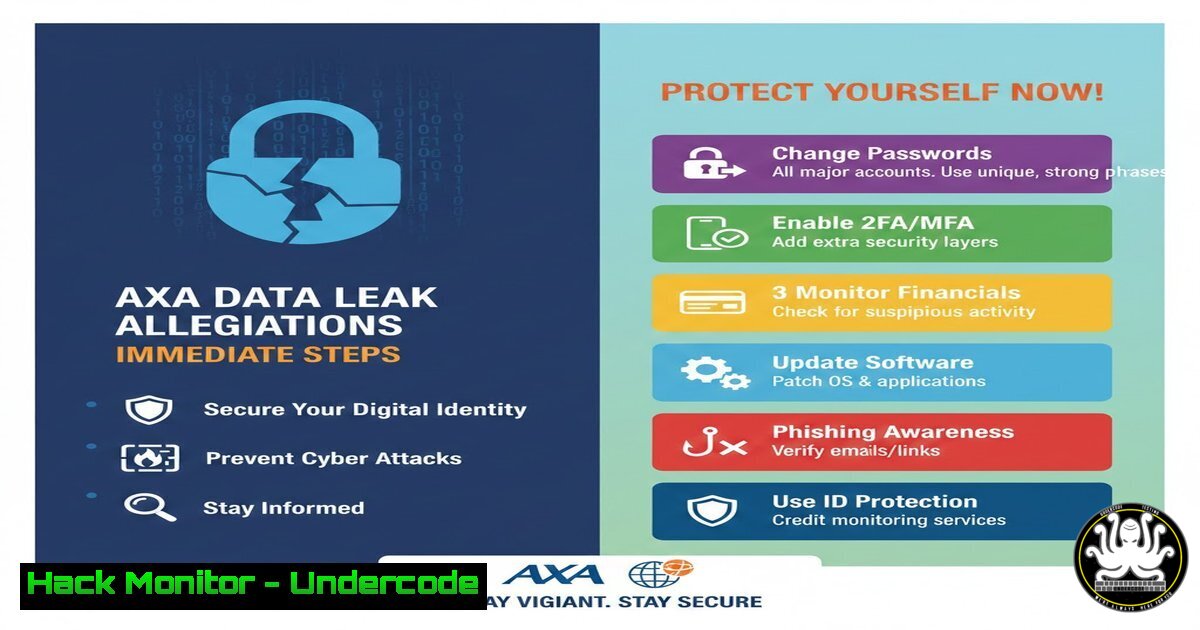
In the wake of unconfirmed reports of a major data leak at insurance giant AXA, customers and security professionals alike are bracing for potential fallout. Data breaches at financial institutions expose sensitive personal information—names, addresses, policy details, and payment data—that can fuel identity theft, phishing campaigns, and financial fraud. While the leak awaits official confirmation, proactive measures are critical to mitigate risk. This article provides a technical roadmap for individuals and organizations to verify exposure, harden accounts, and deploy both manual and AI-driven defenses against the cascading threats of a modern data breach.
Learning Objectives
- Objective 1: Learn how to verify if your personal or corporate data has been compromised using public breach databases and API-driven tools.
- Objective 2: Implement immediate security controls—password rotation, multi‑factor authentication (MFA), and account monitoring—across Windows and Linux environments.
- Objective 3: Understand advanced threat hunting techniques, including log analysis and network traffic inspection, to detect post‑breach malicious activity.
You Should Know
1. Verifying Data Exposure: Tools and Techniques
Before panic sets in, confirm whether your credentials or personal data appear in known breach dumps. The easiest method is to use the HaveIBeenPwned (HIBP) service.
Using the HIBP Website:
Visit haveibeenpwned.com and enter your email address. For domains, use the “Domain search” feature (requires verification).
Programmatic Verification with cURL (Linux/macOS):
If you have an HIBP API key, you can automate checks.
 Replace YOUR_API_KEY and YOUR_EMAIL
curl -H "hibp-api-key: YOUR_API_KEY" \
"https://haveibeenpwned.com/api/v3/breachedaccount/YOUR_EMAIL"
A non‑empty response lists breaches. For Windows, use PowerShell’s `Invoke-RestMethod` similarly.
Checking Password Hashes Securely:
HIBP also offers a Pwned Passwords API that never sends your actual password.
 Generate SHA‑1 hash of your password (example: "P@ssw0rd")
echo -n "P@ssw0rd" | sha1sum | awk '{print $1}' | tr '[:lower:]' '[:upper:]'
 Output: 21BD12DC183F740EE76F27B78EB39C8AD972A757
 Send first 5 chars to API
curl "https://api.pwnedpasswords.com/range/21BD1"
The response contains suffixes of hashes that match; if your full hash appears, the password is compromised.
- Immediate Password Hygiene: Changing Credentials and Enforcing MFA
If any account is flagged, change passwords immediately—especially for email, banking, and insurance portals.
Generating Strong Passwords (Linux/Windows):
On Linux, use `openssl` or `pwgen`:
openssl rand -base64 16  e.g., "5XkG3L9qR2tU7wY="
pwgen -s 20 1  e.g., "voh9AiG4phaCeiJ1eiqu"
On Windows PowerShell:
Add-Type -AssemblyName System.Web
Enabling MFA on Critical Services:
- Google/Gmail: Navigate to Security → 2‑Step Verification. Use an authenticator app (Google Authenticator, Authy) rather than SMS.
- Microsoft Accounts: Go to Security settings → Advanced security → Add a new way to sign in.
- AWS/Cloud Consoles: Enforce MFA via IAM policies (see AWS CLI:
aws iam enable-mfa-device).
For Linux systems, implement MFA for sudo and SSH:
sudo apt install libpam-google-authenticator  Debian/Ubuntu
google-authenticator  Follow setup
Then edit `/etc/pam.d/sshd` and `/etc/pam.d/sudo` to add auth required pam_google_authenticator.so.
3. Monitoring Financial Accounts and Credit Reports
After a breach, fraudsters often target financial profiles.
Setting Up Fraud Alerts:
Contact one of the three major credit bureaus (Equifax, Experian, TransUnion) to place a fraud alert. This requires creditors to verify your identity before opening new accounts.
Freezing Your Credit:
A credit freeze (security freeze) restricts access to your credit report entirely. You can temporarily lift it when applying for credit. Do this online with each bureau.
Automated Account Monitoring with Linux:
Use `inotifywait` to watch for changes in sensitive directories (e.g., bank statement downloads):
inotifywait -m ~/Documents/Bank_Statements -e create,modify |
while read path action file; do
echo "Alert: $file changed/added in $path"
 Trigger a custom alert (email, SMS via API)
done
On Windows, use PowerShell’s `FileSystemWatcher`:
$watcher = New-Object System.IO.FileSystemWatcher
$watcher.Path = "C:\Users\YourName\Documents\Bank"
$watcher.EnableRaisingEvents = $true
Register-ObjectEvent $watcher "Created" -Action { Write-Host "File created: $($Event.SourceEventArgs.Name)" }
4. Securing Email and Communication Channels
Email accounts are the keys to your digital kingdom. Attackers may set up forwarding rules to siphon sensitive information.
Checking for Unauthorized Forwarding Rules:
- Gmail: Settings → See all settings → Forwarding and POP/IMAP.
- Outlook.com: Settings → View all Outlook settings → Mail → Forwarding.
Using OpenSSL to Verify Email Server Security:
If you run your own mail server, check TLS certificates:
openssl s_client -connect mail.yourdomain.com:465 -showcerts
Look for valid certificate chains and strong ciphers.
Implementing DMARC/DKIM/SPF:
For domain owners, ensure these email authentication records are correctly configured to prevent spoofing. Use tools like `dig` to inspect:
dig TXT _dmarc.yourdomain.com
dig TXT yourdomain.com | grep "v=spf1"
- Advanced Threat Hunting: Analyzing Logs and Network Traffic
If you suspect your systems are already compromised, analyze logs and network flows for anomalies.
Linux Log Analysis:
Check authentication failures and unusual user activity:
sudo tail -f /var/log/auth.log | grep "Failed password"
sudo journalctl -u ssh --since "1 hour ago"
Windows Event Logs (PowerShell):
Get-EventLog -LogName Security -InstanceId 4625 -Newest 20  Failed logins
Get-WinEvent -FilterHashtable @{LogName='Security'; ID=4624} -MaxEvents 20
Network Traffic Capture with tcpdump:
Capture traffic to/from suspicious IPs:
sudo tcpdump -i eth0 -n host 185.130.5.133 -w suspicious.pcap
Analyze the pcap with Wireshark or `tshark`:
tshark -r suspicious.pcap -Y "http.request.method==POST"
Using Zeek (formerly Bro) for Intrusion Detection:
Deploy Zeek to generate comprehensive logs of network activity. Example configuration for monitoring HTTP requests:
 In site/local.zeek
@load protocols/http
Then run Zeek: zeek -i eth0 site/local.zeek. Review `http.log` for suspicious URIs.
6. Leveraging AI for Breach Detection and Response
Artificial intelligence can accelerate threat intelligence and automate repetitive security tasks.
Dark Web Monitoring with Python and AI APIs:
Use a service like SpyCloud or Dehashed, or build a simple script to query breach databases and summarize findings with OpenAI’s API.
import requests
import openai

Fetch breach data from HIBP
response = requests.get("https://haveibeenpwned.com/api/v3/breachedaccount/[email protected]",
headers={"hibp-api-key": "YOUR_KEY"})
breaches = response.json()
 Use GPT to summarize
openai.api_key = "YOUR_OPENAI_KEY"
summary = openai.ChatCompletion.create(
model="gpt-4",
messages=[{"role": "user", "content": f"Summarize these breaches: {breaches}"}]
)
print(summary.choices[bash].message.content)
AI‑Powered Phishing Detection:
Integrate AI models like TensorFlow or cloud‑based services (AWS Macie, Azure Cognitive Services) to scan emails for malicious patterns. For example, use the `transformers` library to classify emails:
from transformers import pipeline
classifier = pipeline("text-classification", model="ealvaradob/phishing-detect")
result = classifier("Your account has been compromised. Click here to reset.")
print(result)  Likely 'phishing' with high score
- Training and Awareness: Courses to Enhance Cybersecurity Posture
Continuous education is vital. Below are recommended courses for deepening technical skills in breach response and prevention.
| Course Provider | Course Name | Focus Area |
|-|-||
| SANS | SEC401: Security Essentials | Network defense, cryptography, incident response |
| Coursera | Introduction to Cyber Security Specialization (NYU) | Risk management, cryptography, security design |
| Pluralsight | Ethical Hacking: Network Scanning | Nmap, reconnaissance, vulnerability assessment |
| Offensive Security | PEN‑200 (OSCP) | Penetration testing, exploit development |
| LinkedIn Learning | Cybersecurity Awareness: Phishing and Social Engineering | Human‑centric attacks and mitigation |
Most courses offer hands‑on labs where you can practice log analysis, configure firewalls, and simulate breach scenarios.
What Undercode Say
- Key Takeaway 1: Data breaches are inevitable; proactive monitoring and rapid response are the only ways to limit damage. Even unconfirmed leaks demand immediate precautionary measures.
- Key Takeaway 2: A multi‑layered defense—combining strong passwords, MFA, credit freezes, and log monitoring—significantly reduces the attack surface. Automation and AI can augment human efforts but cannot replace foundational security hygiene.
The AXA incident underscores the fragility of trust in digital ecosystems. While corporations bear the primary responsibility for securing customer data, individuals must adopt a “zero trust” mindset—always assume a breach has occurred and act accordingly. The techniques outlined here, from simple API checks to advanced threat hunting, empower both end users and security teams to respond swiftly. In an era where a single compromised credential can cascade into identity theft and financial ruin, vigilance is not optional—it is survival.
Prediction
If confirmed, the AXA data leak will likely trigger investigations under GDPR and other data protection frameworks, potentially resulting in fines reaching millions of euros. Regulators will scrutinize AXA’s security controls and incident response timelines. Beyond financial penalties, this breach will accelerate the adoption of zero‑trust architectures in the insurance sector and push consumers toward privacy‑focused alternatives. Cyber insurance premiums will rise, and companies will invest more in breach detection, AI‑driven threat intelligence, and employee training. Ultimately, the incident will serve as a wake‑up call that no organization—regardless of size or reputation—is immune to sophisticated cyber attacks.
▶️ Related Video (78% Match):
🎯Let’s Practice For Free:
IT/Security Reporter URL:
Reported By: Jmetayer Dataleak – Hackers Feeds
Extra Hub: Undercode MoN
Basic Verification: Pass ✅


