
Listen to this Post
Introduction:
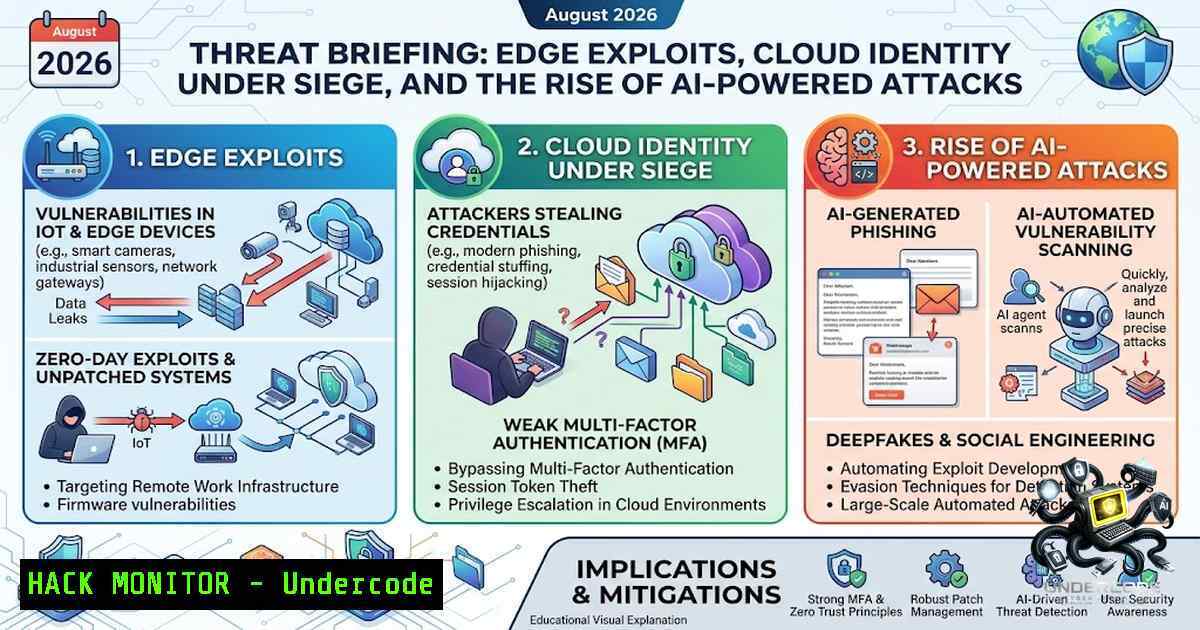
August 2026 proved to be a relentless month for cybersecurity defenders, marked by a surge in exploited vulnerabilities across edge appliances, cloud identity platforms, and emerging AI infrastructure. With 28 new KEV additions, four major campaigns, and eight ransomware victims across Malaysia alone, the threat landscape demonstrated that attackers are rapidly chaining zero-day exploits, leveraging AI to automate vulnerability scanning, and increasingly targeting the identity layer to bypass traditional defenses.
Learning Objectives & Secrets:
- Objective 1: Master the patching priorities for August’s most critical vulnerabilities, including PaperCut’s dual zero-day chain (CVE-2026-81578 & CVE-2026-82078), Citrix NetScaler CVE-2026-8452, VMware vCenter CVE-2026-59310, and Zimbra CVE-2026-73570.
- Objective 2 (Secret Tip): Move beyond standard MFA by enforcing phishing-resistant MFA (FIDO2/passkeys) for all privileged users—attackers are now bypassing traditional MFA with kits like Mirage2FA, which has already hit ~4,500 companies.
- Objective 3 (Secret Tip): Isolate AI/ML compute environments (ServiceNow, Langflow, Ray, MLflow, NVIDIA NemoClaw) from browsers and untrusted networks—attackers are aggressively targeting these platforms with CVSS 10.0 vulnerabilities.
You Should Know:
- PaperCut Zero-Day Chain: CVE-2026-81578 & CVE-2026-82078 — Patch Bypass and Emergency Release 2
PaperCut’s print management software, used by universities, hospitals, and enterprises worldwide, faced a critical exploit chain in late August. Attackers chained two distinct zero-day vulnerabilities: CVE-2026-81578 (CVSS 8.8), an authentication bypass in the web management interface allowing unauthenticated configuration changes, and CVE-2026-82078 (CVSS 9.4), an unsafe dynamic class-loading flaw in database utilities that enables remote code execution. Together, they allow pre-authentication RCE on internet-facing servers. The first emergency patch was quickly bypassed by researchers at watchTowr and Huntress, forcing PaperCut to issue Emergency Patch Release 2. Release 2 covers versions 24, 25, and 26 on Windows, Linux, and macOS. Organizations running version 23 or earlier must upgrade rather than wait for a backport.
Step‑by‑Step Guide to Remediate PaperCut:
- Identify Version: Check your PaperCut version by navigating to the Admin Console → About or checking the `version.txt` file in the installation directory.
- Download Emergency Patch Release 2: Visit the PaperCut security bulletin (https://www.papercut.com/kb/Main/security-bulletin-27-aug-2026-urgent-security-advisory/) and download the appropriate patch for your version (24.x, 25.x, or 26.x).
- Apply the Patch: Follow the vendor’s installation instructions. For Linux, this typically involves stopping the service, backing up the installation, and applying the update package.
- Restrict Network Access: Immediately restrict web access to trusted IP addresses only using firewall rules or network access controls.
- Verify Patch Success: After applying Release 2, confirm the patch version in the Admin Console. The Metasploit module for this exploit chain has been verified to fail against Release 2.
- Monitor for IoCs: Huntress observed attackers dropping hex-encoded Java class files and running reconnaissance commands. Check for unusual Java processes, unexpected outbound connections, and unauthorized admin account creations.
-
Citrix NetScaler CVE-2026-8452 — From Memory Overflow to Pre-Auth RCE
Citrix disclosed CVE-2026-8452 on June 30, 2026, describing it as a memory overflow vulnerability leading to denial of service. However, researchers at watchTowr Labs analyzed the patch and found the flaw could be chained into full, unauthenticated remote code execution. After they published a proof-of-concept on August 14, attackers began exploiting it in the wild, dropping web shells named “x.php” and “z.php” and running discovery commands like “id” and “echo”. CISA added CVE-2026-8452 to its KEV catalog on August 26, giving federal agencies until August 29 to remediate. The flaw affects NetScaler appliances configured as an AAA virtual server or a Gateway VPN server.
Step‑by‑Step Guide to Remediate NetScaler:
- Check Configuration: Verify if your NetScaler appliance is configured as an AAA virtual server or Gateway VPN server.
- Identify Version: Log into the NetScaler CLI and run `show version` to check your current build.
- Download Patch: Obtain the fixed versions from Citrix: 14.1-72.61, 13.1-63.18, or 13.1-37.272 (including FIPS releases).
- Apply Patch: Follow Citrix’s upgrade procedure. For appliances in high availability pairs, follow the vendor’s recommended sequence.
- Scan for Web Shells: Check for unexpected PHP files (especially `x.php` and
z.php) in web directories. Review system logs for suspicious `id` and `echo` command executions. - Verify Remediation: After patching, confirm the new version and monitor for any recurrence of exploitation attempts.
-
VMware vCenter CVE-2026-59310 — Babuk Ransomware Deployment via Directory Traversal
A suspected China-1exus APT group began exploiting CVE-2026-59310 (CVSS 9.8) just five days after Broadcom publicly disclosed the patch on July 29, 2026. This critical directory traversal vulnerability in the VMware vCenter Syslog Server allows unauthenticated attackers to gain root-level code execution on the vCenter appliance. Attackers then establish persistence through malicious cron jobs, deploy web shells, create rogue vSphere admin accounts, and ultimately deploy Babuk-derived ransomware that encrypts ESXi host files with the `.babyk` extension. As of mid-August, 361 victim IP addresses were confirmed across 47 countries.
Step‑by‑Step Guide to Remediate vCenter:
- Identify Version: Log into the vCenter Server Appliance Management Interface (VAMI) or run `vpxd -v` in the appliance shell.
- Download Patch: Apply VMSA-2026-0006.1 from Broadcom’s support portal.
- Apply Patch: Follow the vendor’s update procedure for the vCenter Server Appliance.
- Audit for Compromise: Check for unauthorized administrator accounts in vCenter. Review `/etc/cron.d` for unexpected cron jobs impersonating VMware services.
- Check ESXi Hosts: Scan for `.babyk` encrypted files as an indicator of full compromise.
- Rotate Credentials: After patching and auditing, rotate all vCenter and ESXi administrative credentials.
-
Microsoft Entra ID CVE-2026-69836 — CVSS 10.0 Deserialization Flaw
Microsoft disclosed CVE-2026-69836 (CVSS 10.0) on August 20, 2026, a remote code execution vulnerability involving deserialization of untrusted data in Microsoft Entra ID. The vulnerability was fully mitigated on the service side, requiring no customer action. However, the incident underscores the criticality of cloud identity infrastructure—Entra ID sits at the center of authentication, authorization, and access to Microsoft 365 and Azure. While Microsoft initially marked the flaw as exploited, it later corrected the status to “No”. Regardless, defenders should treat this as a reminder that identity platforms are prime targets.
Step‑by‑Step Guide for Entra ID Customers:
- Verify Mitigation: Check Microsoft 365 service health, Microsoft Defender portal notifications, and Entra admin center messages for any tenant-specific communications.
- Review Audit Logs: Examine Entra ID audit logs for any suspicious activity around the disclosure period (August 20-21, 2026).
- Enforce Phishing-Resistant MFA: Move all privileged users to FIDO2/passkeys—MFA alone is no longer sufficient.
- Monitor for Anomalies: Set up alerts for unusual sign-in patterns, service principal modifications, and application registration changes.
-
Zimbra Collaboration CVE-2026-73570 — SNMP Command Injection RCE
CVE-2026-73570 (CVSS 8.9) is a pre-authentication remote code execution vulnerability in Zimbra Collaboration Suite’s SNMP monitoring component. The flaw results from improper sanitization of untrusted input during SNMP notification processing. When the optional `zimbra-snmp` package is installed and SNMP notifications are enabled, an unauthenticated attacker can send specially crafted SMTP requests to execute arbitrary commands as the `zimbra` user. CERT Polska reported active exploitation on August 17, 2026. The fixed version is ZCS 10.1.20, released on July 20, 2026.
Step‑by‑Step Guide to Remediate Zimbra:
- Check Version: Run `zmcontrol -v` on your Zimbra server to identify the current version.
- Check Configuration: Verify if the `zimbra-snmp` package is installed and SNMP notifications are enabled (
snmp_notifyand `swatchdog` running). - Upgrade to ZCS 10.1.20: Download and install Zimbra Collaboration Suite version 10.1.20 or later.
- Revoke App Passcodes: After patching, revoke and reissue all application-specific passcodes.
- Audit for Compromise: Check system logs for suspicious command executions and review the `/opt/zimbra` directory for unauthorized modifications.
- Monitor SNMP Activity: Set up monitoring for unexpected SNMP notification traffic.
6. FortiOS SSL-VPN (FortiBleed) — Recurring Access Vector
The FortiBleed vulnerability, informally tracked and associated with exposed Fortinet SSL-VPN credentials, recurred as an access vector across multiple ransomware victims in August. This issue is linked to the exploitation of older FortiOS vulnerabilities, including CVE-2023-27997, which was patched in June 2023. Attackers have been leveraging exposed administrator credentials from FortiGate firewalls and FortiProxy VPN gateways to gain initial access.
Step‑by‑Step Guide to Secure Fortinet Devices:
- Confirm Patching: Verify that your FortiOS version includes patches for CVE-2023-27997 and other known SSL-VPN vulnerabilities.
- Check for Exposure: Ensure that SSL-VPN interfaces are not exposed to the internet unnecessarily.
- Rotate Credentials: Rotate all administrative credentials for Fortinet devices immediately.
- Review Access Logs: Audit SSL-VPN access logs for unauthorized connections or brute-force attempts.
- Enable MFA: Enforce multi-factor authentication for all SSL-VPN users.
What Undercode Say:
- Key Takeaway 1: The August 2026 threat landscape demonstrates that edge appliances remain the primary entry point for attackers. Organizations must prioritize patching internet-facing systems like PaperCut, NetScaler, and vCenter, and consider removing administrative interfaces from public exposure entirely.
- Key Takeaway 2: Traditional MFA is no longer sufficient—phishing-resistant MFA (FIDO2/passkeys) is now a minimum requirement for privileged users, especially as phishing kits like Mirage2FA successfully bypass MFA at scale. Additionally, AI platforms are becoming a new attack surface that demands isolation from untrusted networks.
Prediction:
- +1 The rapid response from vendors like PaperCut, Citrix, and VMware, coupled with CISA’s aggressive KEV catalog updates, will likely shorten the window of opportunity for attackers in future zero-day exploits.
- -1 The use of AI by threat actors to automate exploitation of legacy vulnerabilities (as warned by Cisco Talos) will accelerate the pace of attacks, making it harder for organizations to keep up with patching.
- -1 The recurrence of FortiBleed as an access vector across ransomware victims indicates that many organizations still fail to patch known vulnerabilities, leaving them exposed to repeated attacks.
- +1 The growing awareness of AI platform vulnerabilities will drive better security practices around AI/ML infrastructure isolation and access control.
- -1 As cloud identity platforms like Entra ID become prime targets, we can expect more sophisticated attacks targeting authentication and authorization layers, potentially leading to larger-scale breaches.
▶️ Related Video (76% Match):
🎯Let’s Practice For Free:
🎓 Live Courses & Certifications:
Join Undercode Academy for Verified Certifications
🚀 Request a Custom Project:
Secure, high-velocity infrastructure and disruptive technological engineering. Contact our engineering team for high-tier development and proprietary systems:
[email protected]
💎 Smart Architecture | 🛡️ Secure by Design | ⭐ Trusted by Thousands
IT/Security Reporter URL:
Reported By: https://lnkd.in/p/eKdTJ_3m – Hackers Feeds
Extra Hub: Undercode MoN
Basic Verification: Pass ✅


