Listen to this Post
Introduction:
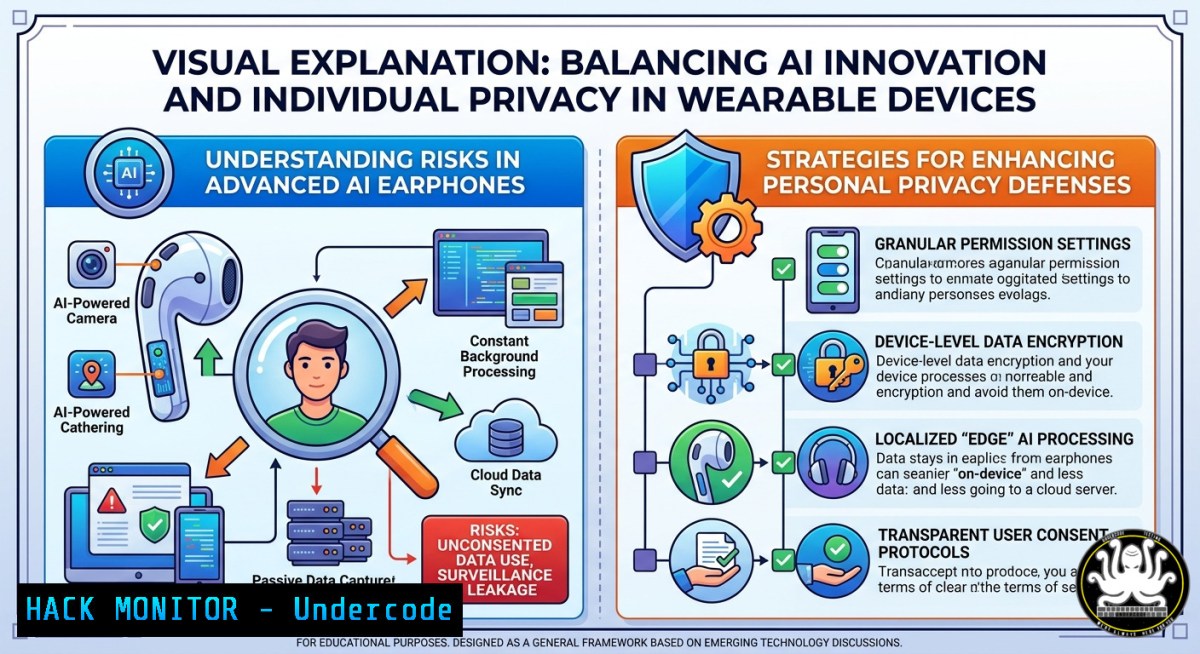
AI wearables like Apple’s rumored camera-equipped AirPods blur the line between ambient intelligence and pervasive surveillance. By giving Siri “eyes” to see what you see, these devices introduce unprecedented risks: real-time visual data harvesting, context-stealing inference attacks, and silent data exfiltration through audio channels.
Learning Objectives:
- Identify privacy and data leakage vectors introduced by always-on cameras in AI wearables.
- Implement host-based detection and network filtering to block unauthorized data streams from Bluetooth/USB devices.
- Apply cloud hardening and API security controls to mitigate backend risks from ambient intelligence platforms.
You Should Know:
- The Invisible Lens: How AirPods Cameras Harvest Contextual Data
Apple’s patent filings describe cameras embedded into earbud stems that scan surroundings without taking photos—but the visual features, gestures, and environment data are still transmitted to Siri’s AI models. This turns every glance into a data point for behavioral profiling.
Step‑by‑step guide to monitor Bluetooth device activity and block suspicious data flows:
Linux – List connected Bluetooth devices and capture HCI traffic:
 List paired and connected Bluetooth devices
bluetoothctl devices
bluetoothctl info <MAC_ADDRESS>

Capture raw HCI logs to analyze packets
sudo btmon -w airpods_capture.log

Monitor USB audio devices (camera feed may route via USB on Mac)
lsusb | grep -i "audio"
sudo tcpdump -i usbmon0 -w usb_audio.pcap
Windows – Track and disable Bluetooth devices:
 List all Bluetooth devices
Get-PnpDevice -Class Bluetooth | Select-Object FriendlyName, Status, InstanceId

Disable a specific Bluetooth device (e.g., Apple AirPods)
Disable-PnpDevice -InstanceId "USB\VID_05AC&PID_1234" -Confirm:$false

Block outbound connections from Bluetooth adapter via Windows Firewall
New-NetFirewallRule -DisplayName "Block Bluetooth Outbound" -Direction Outbound -Protocol Any -RemotePort Any -Action Block
How to use: Run the Linux commands to capture Bluetooth low-level communication; look for unexpected data bursts or ARP-like probes. On Windows, disable unused Bluetooth adapters and enforce “Airplane Mode” for sensitive meetings.
- Siri’s New Eyes: API Security Risks and Model Inference Attacks
When your earbuds send visual context to Apple’s cloud, each API call becomes an attack surface. Adversaries could intercept or manipulate the request to infer where you live, what documents you open, or who you meet.
Step‑by‑step guide to inspect and restrict outbound API traffic from your local machine:
Using mitmproxy (Linux/macOS):
 Install mitmproxy
pip3 install mitmproxy

Start transparent proxy on port 8080
mitmproxy --mode transparent --showhost

Route Apple traffic (or all traffic) through proxy
sudo iptables -t nat -A OUTPUT -p tcp --dport 443 -j REDIRECT --to-port 8080
Windows – Use Fiddler Classic + Custom Rules to block Apple domains:
 Block Apple intelligence endpoints via hosts file
echo "0.0.0.0 api.siri.apple.com" >> C:\Windows\System32\drivers\etc\hosts
echo "0.0.0.0 glances.apple.com" >> C:\Windows\System32\drivers\etc\hosts

Force DNS over HTTPS to prevent bypass (using dnscrypt-proxy)
 Download and configure dnscrypt-proxy, then set network adapter DNS to 127.0.0.1
What this does: Mitmproxy decrypts and logs HTTPS traffic, revealing endpoints that receive visual descriptors (e.g., POST /v1/contextual_glance). Blocking these domains stops AI inference at the network edge.
- Privacy Fatigue Is Real: Hardening Your Bluetooth Stack
Bluetooth Classic and BLE are notoriously leaky. Camera-equipped AirPods may broadcast their presence, leak MAC addresses, or even pair silently with nearby devices to upload harvested visual data.
Step‑by‑step Bluetooth hardening (Linux):
 Disable Bluetooth discovery and set non-discoverable mode
sudo hciconfig hci0 down
sudo hciconfig hci0 up
sudo hciconfig hci0 noscan  Disable inquiry scan
sudo hciconfig hci0 piscan  Disable page scan (requires kernel patch or use bluetoothctl:
Or using `bluetoothctl`:
bluetoothctl
agent on
default-agent
discoverable off
pairable off
power off  completely turn off Bluetooth when not needed
Windows – MAC randomization and Bluetooth firewall:
 Enable random MAC addresses for Bluetooth scanning (Windows 11)
Set-ItemProperty -Path "HKLM:\SYSTEM\CurrentControlSet\Services\BTHPORT\Parameters" -Name "RandomMacAddress" -Value 1

Log and block pairing attempts from new devices (via advanced audit)
auditpol /set /subcategory:"Detailed Tracking" /success:enable
wevtutil qe System /f:text /c:10 | findstr "Bluetooth"
Pro tip: On sensitive sites, use a hardware kill switch for Bluetooth. In Linux, run rfkill block bluetooth. In Windows, toggle via `devcon disable “Bluetooth”` (from Windows Driver Kit).
4. Data Exfiltration via Audio Channels (Sub‑audible Encoding)
Camera‑to‑AI data could be modulated into near‑ultrasonic tones or steganographically hidden in normal audio streams. Attackers who compromise the earbuds could exfiltrate video features as background noise.
Step‑by‑step guide to detect covert acoustic channels:
Linux – Capture and spectrogram audio to find hidden carriers:
 Record microphone input for 60 seconds
arecord -D hw:0,0 -f cd -t wav -d 60 capture.wav

Generate spectrogram using SoX and display hidden frequencies
sox capture.wav -n spectrogram -o capture.png
freqs=$(sox capture.wav -n stats 2>&1 | grep "Max freq" | awk '{print $3}')

Use Baudline for advanced analysis (install from baudline.com)
baudline capture.wav
Windows – Use SDR (SDRSharp) with a cheap RTL-SDR to scan for ultrasonic emissions:
 Download SDR and RTL-SDR drivers
 Tune to ~18-24 kHz (ultrasonic range)
 Look for narrowband spikes that change pattern when AirPods are active
Interpretation: A persistently changing spike above 18 kHz while no audio plays suggests covert data transmission. Block this by using an ultrasonic filter in hardware or software (e.g., `ladspa` plugin ultrasonic_block.so).
5. Cloud Hardening for AI Wearable Backends
If you manage or deploy an AI‑wearable backend (e.g., for enterprise testing), you must secure the pipeline that ingests visual context. Apple’s implementation will likely use encrypted WebRTC or QUIC streams, but the backend data store is a goldmine for attackers.
Step‑by‑step guide to harden a hypothetical “Visual Context API” in AWS:
IAM Policy to restrict camera‑stream access:
{
"Version": "2012-10-17",
"Statement": [
{
"Effect": "Deny",
"Action": "s3:PutObject",
"Resource": "arn:aws:s3:::visual-context-bucket/",
"Condition": {
"StringNotEquals": {
"s3:x-amz-server-side-encryption": "AES256"
},
"Bool": {
"aws:SourceIp": "10.0.0.0/8"
}
}
}
]
}
Enable VPC endpoint for Kinesis Video Streams and log data access:
aws kinesisvideo create-stream --stream-name "AirPodsContext" --data-retention-in-hours 24 --device-name "earbud_unique_id" --region us-east-1

Enable CloudTrail for all data events on the stream
aws cloudtrail put-event-selectors --trail-name "WearableTrail" --event-selectors '[{"ReadWriteType": "All", "IncludeManagementEvents": true, "DataResources": [{"Type": "AWS::KinesisVideo::Stream", "Values": ["arn:aws:kinesisvideo:::stream/AirPodsContext"]}]}]'
Key controls: Enforce encryption at rest and in transit, limit ingestion to specific VPCs, and configure anomaly detection (GuardDuty) for unusual context‑volume spikes.
6. Vulnerability Exploitation: Compromising the Earbud’s Firmware
Camera‑equipped wearables introduce new attack surfaces – the image sensor driver, the ISP (image signal processor), and the AI accelerator. A malicious BLE payload could force the earbud to stream live video instead of just “context.”
Step‑by‑step guide to fuzz Bluetooth GATT services (ethical testing only):
Using `gattool` (Linux):
 Connect to the AirPods (assuming MAC discovered)
sudo gatttool -b AA:BB:CC:DD:EE:FF -I

<blockquote>
  connect
  primary  list all services
  characteristics
   Find the service that handles camera/visual data (look for UUID like 0xFFE0)
  char-write-req 0x0012 0100  send malformed enable command
  char-notify 0x0014  watch for unexpected responses
Using BetterCAP to inject malicious pairing packets:
sudo bettercap -eval "set ble.recon true; ble.recon on; sleep 2; ble.show"
 Target the AirPods and send a pairing request with buffer overflow payload
ble.write AA:BB:CC:DD:EE:FF 0x0020 41414141414141414141  20 'A's
Mitigation: For endpoints, disable Bluetooth when not in use. For manufacturers, implement input validation on GATT characteristics and enable secure firmware signing.
- Corporate Defense: Policies and Detection for Rogue Wearables
Organizations must prepare for employees wearing camera AirPods into secure areas. Visual context streaming could capture whiteboards, screens, or classified documents without a visible camera.
Step‑by‑step group policy to block generic USB audio devices (Windows Server / MDM):
 Deploy via Intune or GPO: Block installation of devices with class GUID for audio
 First, find the class GUID for audio endpoints
Get-PnpDevice -Class AudioEndpoint | Select-Object -ExpandProperty Class

Set device installation restrictions in registry
$blockedGuid = "{c166523c-fe0c-4a94-a586-f1a80cfbbf3e}"  Example – use actual audio GUID
New-ItemProperty -Path "HKLM:\SOFTWARE\Policies\Microsoft\Windows\DeviceInstall\Restrictions\DenyDeviceClasses" -Name "1" -Value $blockedGuid -PropertyType String

Network‑based detection: Look for QUIC traffic to Apple CDN during non‑audio hours
sudo tcpdump -i eth0 'udp port 443 and host .aaplimg.com' -c 100 -w apple_quic.pcap
Physical countermeasure: Install Bluetooth scanners (e.g., Ubertooth One) near sensitive zones and alert when unknown “Apple Audio” devices appear with camera service UUIDs.
What Undercode Say:
- Zero trust for wearables – treat every AI‑enabled device as a potential data exfiltration tool; enforce micro‑segmentation.
- Transparency is vaporware – without open‑source firmware or auditable data flows, “privacy protecting” claims are unverifiable.
- Defense must be sensory – traditional endpoint protection fails against ultrasonic or modulated BLE exfiltration; you need spectrum analysis and host‑based USB/audio filtering.
Analysis: Apple’s move reflects a broader industry shift toward “ambient intelligence,” but from a security standpoint, it weaponizes proximity. The lack of hardware kill‑switches for cameras inside earbuds means users cannot physically isolate the sensor. Meanwhile, AI inference APIs become a new frontier for side‑channel attacks—imagine an adversary who reverse‑engineers the visual descriptor format and replays your “context” to Siri. The only robust mitigation is to disable Bluetooth entirely or use Faraday pouches, which defeats the product’s purpose. Expect a surge in demand for wearable‑aware firewalls and ultrasonic jammers in 2026.
Prediction:
By 2027, camera‑equipped smart earbuds will be banned in government facilities, sensitive corporate campuses, and courtrooms, mirroring the smartphone camera restrictions. This will spark a new category of “anti‑surveillance wearables” that emit disruptive ultrasonic noise or actively de‑auth Bluetooth connections. Simultaneously, regulatory bodies (EU’s ePrivacy Directive, California’s CPPA) will mandate that any wearable with a nondiscrete camera must display a persistent LED indicator and obtain real‑time consent per data capture session. The AI model providers who fail to implement verifiable on‑device processing will face class‑action lawsuits for “digital stalking.” The long‑term winner will be open‑source firmware for wearables—projects like Pine64’s Bangle.js that give users back control over sensors.
▶️ Related Video (72% Match):
🎯Let’s Practice For Free:
IT/Security Reporter URL:
Reported By: Markgurman Apples – Hackers Feeds
Extra Hub: Undercode MoN
Basic Verification: Pass ✅


