Listen to this Post
Introduction:
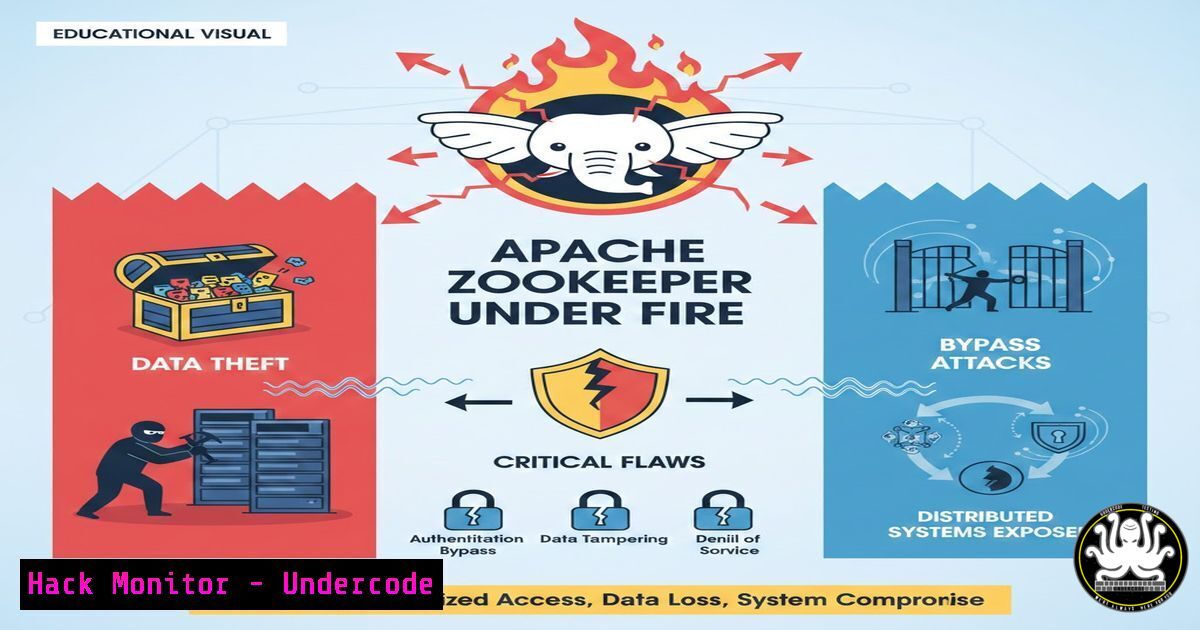
Apache ZooKeeper, a cornerstone service for maintaining configuration information, naming, and providing distributed synchronization in clustered environments, has come under scrutiny. Recently disclosed vulnerabilities (CVE-2024-51504 and CVE-2024-56337) threaten the integrity of these systems, potentially allowing unauthorized actors to access sensitive configuration data and bypass critical hostname verification mechanisms. For security professionals managing distributed applications like Apache Kafka or Hadoop, understanding these flaws and their mitigation is not just best practice—it is an operational necessity to prevent cluster compromise and data leakage.
Learning Objectives:
- Understand the technical nature of the two recently disclosed Apache ZooKeeper vulnerabilities.
- Identify vulnerable versions of ZooKeeper in your infrastructure.
- Implement patching and configuration hardening steps to mitigate the risks.
- Learn verification commands to confirm the security posture of ZooKeeper instances.
You Should Know:
1. Dissecting the Flaws: CVE-2024-51504 and CVE-2024-56337
The security researchers Youlong Chen and Nikita Markevich uncovered two distinct yet critical issues. The first flaw, tracked as CVE-2024-51504, relates to information disclosure. It stems from how ZooKeeper handles the “4lw.commands.whitelist” property. In affected versions (3.8.x up to 3.8.5, and 3.9.x up to 3.9.4), administrators who relied on this whitelist to restrict administrative commands (like `config` or envi) could find their restrictions bypassed. An attacker with network access to the ZooKeeper port could potentially execute these commands remotely, exposing sensitive configuration data, including database connection strings and internal network topologies.
The second flaw, CVE-2024-56337, is a hostname verification bypass within the `org.apache.zookeeper.ClientCnxnSocketNetty` class. When Netty is used for the client connection, the system fails to properly validate that the SSL certificate’s Common Name (CN) or Subject Alternative Names (SANs) match the hostname of the server the client is trying to connect to. This allows a man-in-the-middle (MITM) attacker who possesses a valid certificate issued for a different domain to impersonate a legitimate ZooKeeper server and intercept or manipulate the data stream.
2. Identifying Vulnerable Instances
Before patching, you must identify which of your systems are running the vulnerable versions. Here’s how to check across different environments.
Step-by-step guide:
- Locate ZooKeeper: Navigate to your ZooKeeper installation directory. This is often `/opt/zookeeper` or
/usr/local/zookeeper. - Check Version (Linux/macOS): Run the following command to output the version details.
cd /opt/zookeeper
bin/zkServer.sh version
Alternatively, if the server is running, you can use `echo` to query it directly (if the `stat` command is whitelisted):
echo stat | nc localhost 2181 | grep "Zookeeper version"
- Check Version (Windows): Navigate to the ZooKeeper directory in Command Prompt or PowerShell.
.\bin\zkServer.cmd version
- Analyze the Output: You are looking for versions `3.8.0` through `3.8.5` and `3.9.0` through
3.9.4. If you see these, your system is vulnerable.
3. Patching and Remediation for CVE-2024-51504
The primary and most effective solution is to upgrade to the patched versions: 3.8.6 or 3.9.5. However, if an immediate upgrade is not possible, you can apply a configuration workaround for the information disclosure flaw.
Step-by-step guide to patching (Linux):
- Download the new binary from the official Apache archive.
wget https://downloads.apache.org/zookeeper/stable/apache-zookeeper-3.9.5-bin.tar.gz
2. Stop the current ZooKeeper service.
sudo systemctl stop zookeeper
 Or using the script
 /opt/zookeeper/bin/zkServer.sh stop
3. Backup your current configuration and data directory.
cp -r /opt/zookeeper/conf /opt/zookeeper/conf.backup
cp -r /var/lib/zookeeper /var/lib/zookeeper.backup
4. Extract the new version and replace the old directory.
tar -xzf apache-zookeeper-3.9.5-bin.tar.gz
sudo mv apache-zookeeper-3.9.5-bin /opt/zookeeper
5. Restore your custom `zoo.cfg` from the backup to the new `/opt/zookeeper/conf/` directory.
6. Start the service.
sudo systemctl start zookeeper
Workaround:
If patching is delayed, review your `zoo.cfg` and ensure the `4lw.commands.whitelist` is as restrictive as possible. While this does not fully fix the bypass, it minimizes the attack surface.
 In zoo.cfg, only allow absolutely necessary commands
4lw.commands.whitelist=ruok,stat
4. Hardening Against Hostname Verification Bypass (CVE-2024-56337)
Fixing CVE-2024-56337 requires the version upgrade as well, as the patch corrects the logic in the `ClientCnxnSocketNetty` class. After upgrading, you must ensure your client connections are configured to use SSL properly and enforce the verification.
Step-by-step guide to secure client configuration:
- Verify Client Configuration: If your applications connect to ZooKeeper using SSL, check their connection strings. They should be using the `zookeeper.client.secure` property.
- Enforce Hostname Verification: In the client application code or configuration, you must ensure the SSL context is set up correctly. For Java clients, this involves setting system properties or configuring the `ZooKeeper` constructor to use a `SslVerificationMode` that enforces hostname checking. The upgrade defaults to the secure mode.
Example JVM argument for a Java client:
-Dzookeeper.ssl.hostnameVerification=true
3. Check Netty Usage: Review your `zoo.cfg` to see if Netty is explicitly set as the client connection factory. The patch ensures that even if Netty is used, the verification now works.
 In zoo.cfg, ensure this line is reviewed, though the fix is in the code, not the config.
 server.cnxn.factory=org.apache.zookeeper.server.NettyServerCnxnFactory
5. Implementing Firewall Rules and Monitoring
Beyond patching, network segmentation is a critical layer of defense for ZooKeeper, which is not designed to be exposed to untrusted networks.
Step-by-step guide to firewall hardening (Linux – iptables example):
1. Restrict Access by IP: ZooKeeper typically runs on port 2181 (client port). Limit access to this port only to your application servers and other ZooKeeper nodes in the ensemble.
 Allow access only from the trusted application subnet (e.g., 192.168.1.0/24)
sudo iptables -A INPUT -p tcp --dport 2181 -s 192.168.1.0/24 -j ACCEPT
 Allow access from other ZooKeeper nodes for quorum communication (ports 2888, 3888)
sudo iptables -A INPUT -p tcp --dport 2888 -s 192.168.1.10 -j ACCEPT
sudo iptables -A INPUT -p tcp --dport 3888 -s 192.168.1.10 -j ACCEPT
 Drop all other traffic to these ports
sudo iptables -A INPUT -p tcp --dport 2181 -j DROP
2. Save the rules to make them persistent (method varies by distribution, e.g., iptables-save).
Monitoring for Suspicious Activity:
Check ZooKeeper logs (zookeeper.out or the file defined in zoo.cfg) for unusual access patterns or commands.
 Look for unexpected 4-letter word commands from unknown IPs
grep -i "4lw" /var/log/zookeeper/zookeeper.out
What Undercode Say:
- Patching is Paramount: These vulnerabilities highlight the risks of configuration bypasses and weak TLS implementations. Upgrading to versions 3.8.6 or 3.9.5 is non-negotiable for any organization running distributed data stores.
- Defense in Depth: Never rely on a single security control. The hostname verification bypass shows that even SSL/TLS can be undermined by flawed logic. Network segmentation (firewalling ZooKeeper ports) remains a critical compensating control to prevent external attackers from even reaching the service to attempt exploitation.
The disclosure of these flaws serves as a critical reminder that the components of our infrastructure—even stable, trusted ones like ZooKeeper—require continuous vigilance. Organizations often treat these coordination services as “set and forget,” but they are high-value targets. An attacker who compromises ZooKeeper can effectively poison the well for every application that relies on it, leading to widespread data corruption, service redirection, and system instability. The swift response from Apache is commendable, but the onus is now on engineers and security teams to ensure these updates are integrated into their change management processes immediately, closing the window of opportunity for attackers scanning for unpatched ensembles.
Prediction:
In the coming months, we will likely see an increase in automated scanning campaigns targeting exposed ZooKeeper instances. Given the dual nature of the flaws—one allowing data exfiltration and the other enabling MITM attacks—threat actors may chain these vulnerabilities to not only steal configuration data containing cloud credentials but also to poison the configuration data itself. This could lead to a new wave of supply-chain style attacks where a compromised ZooKeeper ensemble pushes malicious configurations to thousands of downstream clients (like Kafka brokers or HBase nodes), turning them into bots or data leak conduits. This incident will also accelerate the industry-wide push toward mTLS (mutual TLS) for all internal service communication, moving beyond simple hostname verification to full mutual authentication.
▶️ Related Video (78% Match):
🎯Let’s Practice For Free:
IT/Security Reporter URL:
Reported By: Tamilselvan S – Hackers Feeds
Extra Hub: Undercode MoN
Basic Verification: Pass ✅


