Listen to this Post
Introduction:
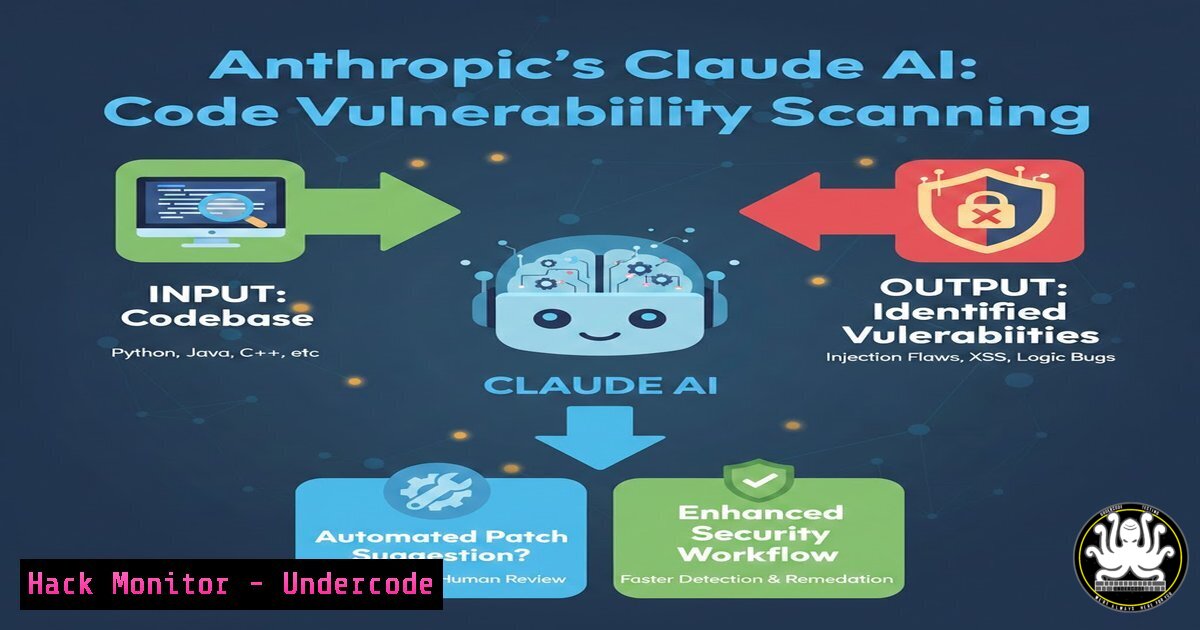
The integration of Artificial Intelligence into the software development lifecycle (SDLC) is rapidly evolving from code generation to active security enforcement. Anthropic’s introduction of Claude Code Security represents a significant shift toward “shift-left” security, where vulnerabilities are identified and remediated during the coding phase rather than post-deployment. By leveraging large language models (LLMs) to analyze codebases contextually, this tool promises to automate the detection of logic flaws and insecure coding patterns that traditional static analysis tools (SAST) might miss, offering developers instant, targeted patches.
Learning Objectives:
- Understand the architecture and operational mechanics of AI-driven code vulnerability scanners like Claude Code Security.
- Learn how to integrate AI-based security tooling into a DevSecOps pipeline for automated patch generation.
- Differentiate between traditional SAST tooling and generative AI approaches to vulnerability remediation.
You Should Know:
1. Understanding Claude Code Security: Context and Capabilities
The recently announced feature from Anthropic, currently in a research preview for Enterprise and Team customers, is designed to function as an intelligent security layer within a developer’s workflow. Unlike conventional scanners that rely on predefined rule sets (e.g., MISRA or CWE lists), Claude Code Security utilizes the model’s deep understanding of code semantics to identify vulnerabilities, including business logic flaws that are notoriously difficult to detect statically. It does not just report the issue; it suggests a targeted patch, effectively acting as a real-time code reviewer.
Step‑by‑step: Conceptual Integration via CLI
While Anthropic’s specific API is under preview, the general implementation of such a tool typically follows these steps:
1. Installation: The tool is usually installed via a package manager (e.g., `pip install claude-cli` or a direct binary download).
2. Authentication: You authenticate using your Anthropic Enterprise API key.
 Example command structure
claude auth login --api-key YOUR_ANTHROPIC_KEY
3. Scanning a Directory: Navigate to your project root and initiate a security scan.
 Navigate to your codebase
cd /path/to/your/project
 Run the security scanner
claude code scan ./src --format json --output report.json
4. Analysis: The tool parses the code, sends relevant segments to the Claude API, and returns a report with severity levels, CWE mappings (if applicable), and a natural language explanation of the flaw.
2. Setting Up an AI-Powered Security Pipeline
To utilize a tool like Claude Code Security effectively, it should be integrated into a Continuous Integration/Continuous Deployment (CI/CD) pipeline. This ensures that every pull request is automatically vetted for vulnerabilities before merging.
Step‑by‑step: GitHub Actions Integration Example
Assuming the tool has a CLI, you can create a GitHub Actions workflow (.github/workflows/ai-security-scan.yml):
name: AI Security Scan

on:
pull_request:
branches: [ main ]

jobs:
claude-security-scan:
runs-on: ubuntu-latest
steps:
- name: Checkout code
uses: actions/checkout@v4

<ul>
<li>name: Set up Python
uses: actions/setup-python@v5
with:
python-version: '3.11'</p></li>
<li><p>name: Install Claude CLI (Hypothetical)
run: pip install claude-cli</p></li>
<li><p>name: Run Vulnerability Scan
env:
ANTHROPIC_API_KEY: ${{ secrets.ANTHROPIC_API_KEY }}
run: |
claude code scan . --severity high --fail-on critical</p></li>
<li><p>name: Upload Report
uses: actions/upload-artifact@v4
with:
name: security-report
path: ./scan_results.json
What this does: This workflow triggers on every pull request, checks out the code, installs the scanner, runs a security scan that fails the build if critical vulnerabilities are found, and then archives the report.
3. Analyzing Suggested Patches: A Developer’s Checklist
The most powerful aspect of this tool is its ability to suggest patches. However, blindly accepting AI-generated code for security fixes is dangerous. Developers must act as the human-in-the-loop.
Step‑by‑step: Patch Review Process
- Receive Suggestion: The tool outputs a suggestion, perhaps flagging an SQL injection vulnerability in a Python Flask route.
Vulnerable Code:
@app.route('/user')
def get_user():
user_id = request.args.get('id')
query = f"SELECT  FROM users WHERE id = {user_id}"
cursor.execute(query)
2. AI Suggestion:
@app.route('/user')
def get_user():
user_id = request.args.get('id')
 Suggested patch: Use parameterized query
query = "SELECT  FROM users WHERE id = ?"
cursor.execute(query, (user_id,))
3. Validation:
- Context Check: Is this a SQLite or MySQL connector? The `?` placeholder is for SQLite; MySQL typically uses
%s. The developer must correct this based on the actual DB driver. - Logic Check: Ensure the patch didn’t introduce a new bug, such as breaking pagination or error handling.
- Apply and Test: Apply the patch locally and run unit tests.
git apply patch.diff
pytest tests/test_db.py
4. Hardening the Environment: Post-Scan Remediation
Sometimes the vulnerability lies not in the code logic, but in the configuration. AI tools can also scan Dockerfiles, Kubernetes manifests, or cloud Terraform scripts for misconfigurations. After identifying a flaw, you must harden the environment.
Step‑by‑step: Remediating a Docker Misconfiguration
If the scanner flags that your Docker container is running as root:
1. Vulnerable Dockerfile:
FROM python:3.11-slim
COPY . /app
WORKDIR /app
RUN pip install -r requirements.txt
CMD ["python", "app.py"]  Runs as root
2. Apply the Fix: Add a user and switch to it.
FROM python:3.11-slim
RUN useradd -m -u 1000 appuser && chown -R appuser /app
USER appuser
COPY --chown=appuser:appuser . /app
WORKDIR /app
RUN pip install --user -r requirements.txt
ENV PATH="/home/appuser/.local/bin:${PATH}"
CMD ["python", "app.py"]
3. Verify: Rebuild and scan again.
docker build -t secure-app .
docker run secure-app whoami  Should output 'appuser'
- Beyond the Code: API Security and Logic Flaws
Traditional scanners excel at injection flaws but struggle with broken access control (e.g., OWASP API Top 10). AI models can potentially understand the intended flow of an application. For example, if an e-commerce API allows a user to modify the price of a cart item by intercepting the request, an AI tool analyzing the code might flag that the price is being taken directly from the request body without a server-side validation check against a database of valid prices.
Step‑by‑step: Simulating the Fix
1. Flawed API Logic (Node.js/Express):
app.post('/api/cart/update', (req, res) => {
const { itemId, newPrice } = req.body; // TAKES PRICE FROM CLIENT
// ... database update logic ...
});
2. Hardened Logic: The correct implementation ignores client input for prices and fetches the canonical price from the product catalog.
app.post('/api/cart/update', (req, res) => {
const { itemId } = req.body;
// Fetch the real price from the database
const product = db.products.get(itemId);
if (!product) return res.status(404).send('Item not found');

// Use server-side price only
const newPrice = product.price;
// ... proceed with update ...
});
What Undercode Say:
- The Shift to “Generative Remediation”: The true innovation is not detection—we have had SAST tools for decades—but the automated generation of context-aware fixes. This moves us from simply identifying problems to actively solving them at machine speed.
- AI as the Junior Developer: Claude Code Security acts as a tireless junior developer or a vigilant pair programmer. However, just as you wouldn’t deploy a junior’s code without review, AI patches require rigorous validation to prevent the introduction of logical errors or insecure patches that merely obscure the original flaw.
Analysis: Anthropic’s move signals a broader trend where LLMs become the primary interface for code analysis. While this dramatically lowers the barrier to secure coding for novice developers, it raises concerns about model hallucination leading to bad patches. The success of this feature hinges on its explainability—can it clearly articulate why a block of code is vulnerable, not just how to change it? Furthermore, the computational cost of scanning massive codebases with LLMs currently limits its widespread use to well-funded enterprise teams, potentially widening the security gap between large corporations and smaller startups.
Prediction:
We will see a rapid consolidation of AI features into existing SAST and DAST tools (like Snyk, Checkmarx, or Veracode) within the next 12-18 months. The next frontier will be “autonomous remediation,” where, with minimal human oversight, AI agents not only suggest patches but also open pull requests, run integration tests, and auto-merge the fixes, fundamentally transforming the role of the application security engineer from analyst to validator.
▶️ Related Video (82% Match):
🎯Let’s Practice For Free:
IT/Security Reporter URL:
Reported By: Arthurdealba Anthropic – Hackers Feeds
Extra Hub: Undercode MoN
Basic Verification: Pass ✅


