Listen to this Post
Introduction:
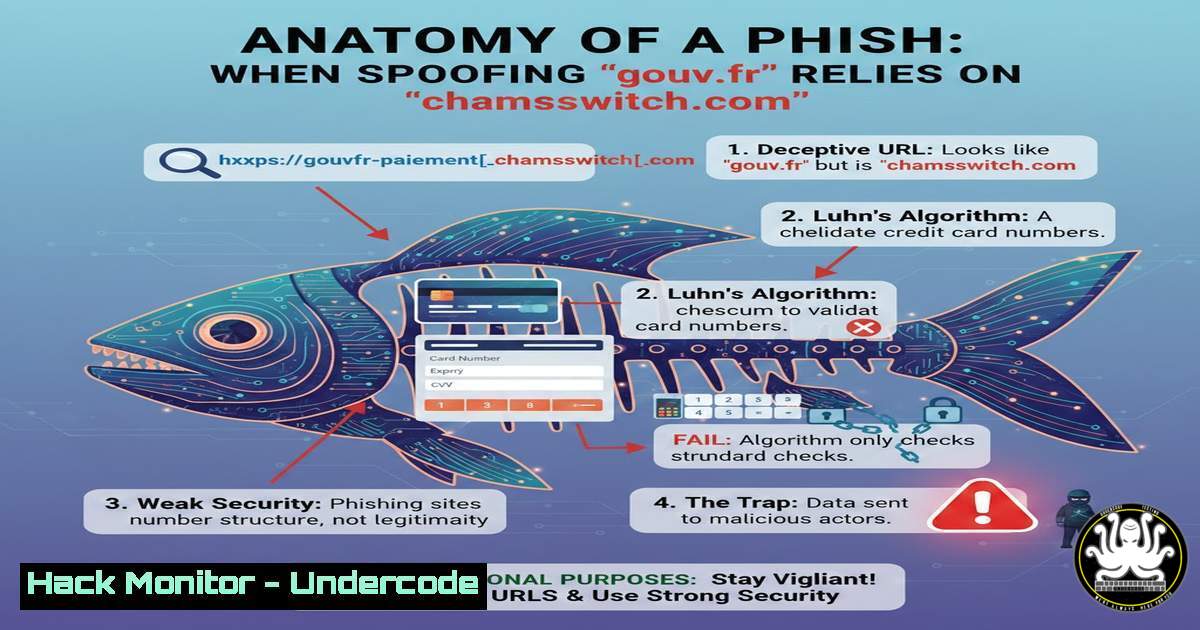
In a recent social media expose, a French cybersecurity professional highlighted a phishing attempt so poorly constructed it bordered on comical. The email, purporting to be from the official French government road safety agency (Antai.gouv.fr), originated from the dubious domain `chamsswitch.com` and directed victims through a URL shortener to a fraudulent landing page. This incident provides a perfect case study in basic email header analysis, URL sandboxing, and the critical failure of attackers to implement even rudimentary validation checks like the Luhn algorithm, exposing the gap between amateur fraud and professional cybercrime.
Learning Objectives:
- Analyze email headers to identify spoofing attempts and trace the true origin of a phishing message.
- Perform static and dynamic analysis on suspicious URLs using command-line tools and online sandboxes.
- Understand the implementation of the Luhn algorithm for PAN validation and how its absence signals a low-sophistication attack.
You Should Know:
- Deconstructing the Email Header: Why `[email protected]` is a Dead Giveaway
The first glaring red flag in this phishing attempt is the sender address:[email protected]. In the email world, the domain after the `@` symbol is the true source. While the display name can be forged to say “Antai.gouv.fr,” the actual mail exchange (MX) routes throughchamsswitch.com. A legitimate government agency will never send emails from a unrelated, private domain.
Step‑by‑step guide: How to analyze email headers on different clients
On Linux/macOS (using `curl` or `openssl` to simulate a mail server is complex; instead, focus on analyzing a received email):
If you have the raw email source (.eml file), you can use command-line tools to extract the “Received” chain.
 Save the email source as email.txt
grep -i "^Received:" email.txt | head -5
 This shows the path the email took. The first "Received" is usually the most recent (your server), the last is the origin.
On Windows (using PowerShell):
If you have exported the email as a `.msg` or .eml, you can read it, but for live analysis, you typically view headers in the client. To analyze a header string manually, you can use PowerShell to parse it:
 Paste the header into a variable
$headers = @"
Received: from mail-wm1-f53.google.com (mail-wm1-f53.google.com [209.85.128.53])
by mx.google.com with ESMTPS
Received: from mail-sor-f41.google.com (mail-sor-f41.google.com [209.85.220.41])
by mail-wm1-f53.google.com with SMTPS
"@
 Extract the originating IP
$headers -match 'from .?[(\d+.\d+.\d+.\d+)]' > $null
Write-Host "Originating IP: $($matches[bash])"
In the case of chamsswitch.com, performing an `nslookup` or `dig` would quickly reveal a server hosted on a cheap VPS or compromised shared host, far removed from the French government’s infrastructure.
2. URL Sandboxing: Tracing the Redirection Chain
The post mentions a link `hxxps://scanned[.]page/…` which redirects to `hxxps://lnkd[.]in/eDBMbX2U` (a LinkedIn shortlink). Attackers use URL shorteners to hide the final malicious destination from the initial glance.
Step‑by‑step guide: Unmasking the final destination without clicking
We can use `curl` to follow the redirection chain safely from the command line.
Linux/macOS command:
curl -L -I -H "User-Agent: Mozilla/5.0" https://scanned.page/... 2>&1 | grep -i "location"
Explanation:
-L: Tells curl to follow redirects.-I: Fetches only the headers (not the page content), which is safer.-H: Sets a common User-Agent to avoid being blocked by basic bot detection.- The output will show the `Location:` headers, revealing the final URL, which in this case was likely the phishing page hosted on a lookalike domain.
Windows PowerShell alternative:
$request = [System.Net.HttpWebRequest]::Create("https://scanned.page/...")
$request.AllowAutoRedirect = $false
$response = $request.GetResponse()
$response.GetResponseHeader("Location")
$response.Close()
If the final URL hosts a login page mimicking the “Amendes.gouv.fr” portal, it is a confirmed phish.
- The Luhn Algorithm Failure: How Attackers Forgot Basic Validation
The post’s author lamented, “Même pas fichu de contrôler un PAN avec la clé de Luhn.” This refers to the Luhn algorithm, a simple checksum formula used to validate credit card numbers (PANs). A sophisticated phishing kit would validate any entered number on the client-side or server-side to ensure it is a structurally valid card before submitting it.
Code Example: Implementing Luhn in Python for verification
If the attackers had implemented this, the fake payment page would feel more legitimate. Here’s how it works:
def luhn_check(card_number):
"""Validates a card number using the Luhn algorithm."""
total = 0
reverse_digits = [int(d) for d in str(card_number)][::-1]
for i, digit in enumerate(reverse_digits):
if i % 2 == 1:  Double every second digit
doubled = digit  2
total += doubled if doubled < 10 else doubled - 9
else:
total += digit
return total % 10 == 0

Example usage
test_card = "4532015112830366"  A valid test number
print(f"Is valid: {luhn_check(test_card)}")  Output: True
The fact that the phishing site likely accepted any 16-digit number (or crashed) shows a lack of technical polish, making it easier for vigilant users to spot the scam.
4. Defending Against Lookalike Domains: Email Gateway Configuration
To prevent emails from `chamsswitch.com` (or any domain trying to spoof gouv.fr) from reaching users, organizations must enforce strict email authentication policies. This involves publishing and enforcing DMARC, DKIM, and SPF records.
Step‑by‑step guide: Checking a domain’s SPF record
You can check if `gouv.fr` has published a record that explicitly denies `chamsswitch.com` the right to send on its behalf.
dig TXT gouv.fr | grep -i "v=spf1"
 or on Windows
nslookup -type=TXT gouv.fr
If the SPF record is strict (-all or ~all), then any email failing the SPF check (like one from chamsswitch.com) should be quarantined or rejected by a properly configured email gateway.
5. The Psychology of “Ridiculous” Phishing
Why do such obvious scams still exist? From a threat intelligence perspective, this is often a “shotgun” approach. The attackers rely on volume and the fact that a tiny percentage of users are either not paying attention or are technically unsavvy. By making the scam obvious to professionals, they effectively filter out the high-value, technically-aware targets, leaving only the most vulnerable in their funnel. This is the opposite of spear-phishing, which aims for quality over quantity.
What Undercode Say:
- Key Takeaway 1: Basic security hygiene, such as checking the email domain before the display name, remains the most effective defense against the majority of phishing attacks. Technology fails when users don’t look at the `@` symbol.
- Key Takeaway 2: Attackers are not always sophisticated. The failure to implement simple checks like the Luhn algorithm or use a domain with any logical relation to the target indicates a low-tier threat actor, likely operating a mass-market scam rather than a targeted espionage campaign.
Analysis: This incident serves as a reminder that cybersecurity is a layered game. While organizations invest millions in advanced threat protection, the simplest attacks—those with bad grammar, mismatched domains, and broken logic—often succeed because they bypass our complex expectations of what a “hack” looks like. We train users to look for sophisticated exploits, but we forget to remind them that sometimes, the scammer is just incompetent. The real risk is that users might dismiss this as a joke, whereas the correct response is to delete, block, and report.
Prediction:
As AI tools become cheaper and more accessible, the era of “lazy phishing” may be short-lived. Within the next 12-18 months, we will see a sharp decline in these amateurish attempts as even low-tier cybercriminals adopt generative AI to craft perfect lures, fix their grammar, write functional code, and register more convincing homograph domains. The “ridiculous” phish will become a rarity, replaced by highly convincing, personalized attacks that leave few typographical traces. The current laughable attempt by `chamsswitch.com` to impersonate the government may soon be a nostalgic reminder of a simpler, less dangerous internet.
▶️ Related Video (80% Match):
🎯Let’s Practice For Free:
IT/Security Reporter URL:
Reported By: Blasdo Bon – Hackers Feeds
Extra Hub: Undercode MoN
Basic Verification: Pass ✅


