Listen to this Post
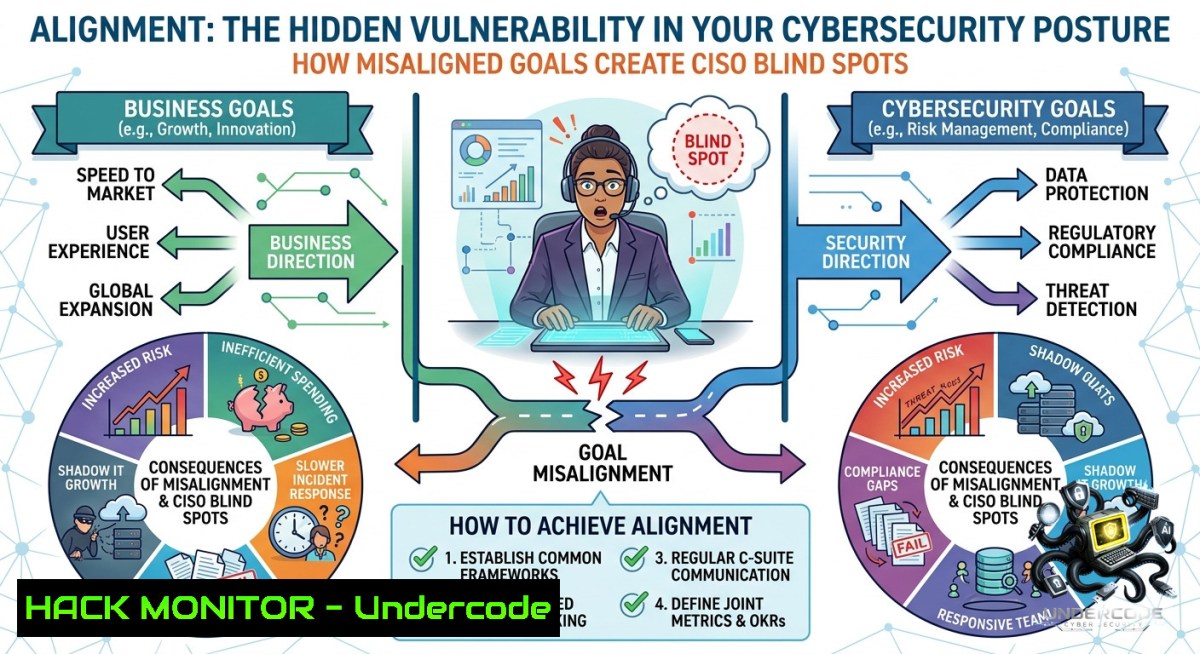
Introduction:
Alignment in cybersecurity is not just about compliance checklists; it is the strategic synchronization of business objectives, security policies, and technical implementations. When these elements fall out of sync—whether through configuration drift, over-privileged access, or mismatched patch cycles—attackers exploit the gaps with devastating efficiency. This article translates the universal principle of “alignment” into actionable security controls, providing Linux/Windows commands, cloud hardening steps, and AI-driven monitoring techniques to keep your defenses perfectly aligned.
Learning Objectives:
– Assess and remediate misalignments between system configurations and security baselines using native OS tools.
– Implement cloud IAM and API security alignment checks to eliminate excessive permissions and data exposure.
– Deploy automated, AI-assisted alignment monitoring to detect drift and anomalies in real time.
You Should Know
1. Auditing System Configuration Drift with Built‑in OS Tools
Configuration drift—when a server’s settings deviate from the hardened baseline—is a primary symptom of misalignment. Use these commands to detect and correct drift on Linux and Windows.
Linux Commands – Detect Privilege & Service Misalignments
 Find all SUID binaries (potential privilege escalation if misaligned with least privilege)
find / -perm /4000 2>/dev/null

 List running services and compare against an approved baseline file
systemctl list-units --type=service --state=running | awk '{print $1}' > current_services.txt
comm -23 current_services.txt approved_services.txt  Shows extra, unapproved services

 Check file permission drift against CIS benchmark (install Lynis first)
sudo lynis audit system | grep -i "suggestion"
Windows PowerShell – Group Membership & Policy Alignment
 Identify misaligned local admin members (e.g., Domain Users should not be present)
Get-LocalGroupMember -Group "Administrators" | Where-Object {$_.PrincipalSource -1e "Local"}

 Export current security policy and compare to a gold image template
secedit /export /cfg C:\secpolicy_current.inf
 Use `fc` or `Compare-Object` to diff against C:\secpolicy_gold.inf

 Check for disabled but running services (misalignment of state vs. intent)
Get-Service | Where-Object {$_.StartType -eq 'Disabled' -and $_.Status -eq 'Running'}
Step‑by‑Step Guide:
1. Run the above commands weekly on critical servers.
2. Save the output as a timestamped log.
3. Use a change management tool (e.g., Ansible, SaltStack) to automatically revert detected drifts to the approved baseline.
2. Cloud Hardening Alignment with Zero Trust IAM
Misaligned cloud IAM policies—such as unused privileges or overly permissive roles—are the 1 cloud breach vector. Align every identity with the principle of least privilege using CLI tools.
AWS CLI – Identify Untagged & Over‑Permissive Resources
 Find EC2 instances without a "BusinessUnit" tag (governance misalignment)
aws ec2 describe-instances --query 'Reservations[].Instances[?!not_null(Tags[?Key==`BusinessUnit`])]'

 Generate an IAM access advisor report to find unused permissions
aws iam generate-service-last-accessed-details --arn arn:aws:iam::123456789012:role/MyRole
 Then retrieve the report ID to see which services were never used
Azure CLI – Enforce Alignment with Policy
 List all storage accounts with public network access enabled (misaligned with internal‑only policy)
az storage account list --query "[?publicNetworkAccess=='Enabled'].{Name:name, RG:resourceGroup}"

 Assign an Azure Policy to auto-remediate misaligned resources
az policy assignment create --1ame 'enforce-tags' --policy '/providers/Microsoft.Authorization/policyDefinitions/...' --params '{"tagName":{"value":"CostCenter"}}'
Step‑by‑Step Alignment Workflow:
1. Export all IAM roles/policies using `aws iam get-account-authorization-details`.
2. Run a tool like `PMapper` (`principalmapper` on GitHub) to visualize unused privileges.
3. Remove or restrict misaligned permissions and enforce tagging through CI/CD pipelines.
3. API Security Alignment – Preventing Excessive Data Exposure
APIs that return more data than the business requires are misaligned with data minimization principles. Attackers exploit this via IDOR or mass assignment.
Detecting Over‑Fetching with OWASP ZAP & Curl
 Spider an API endpoint and check for alignment issues (e.g., returning internal fields)
zap-cli quick-scan --spider -s all https://api.example.com/v1/users/123

 Compare normal response vs. response with a modified parameter (IDOR detection)
curl -X GET "https://api.example.com/v1/invoices/100" -H "Authorization: Bearer $TOKEN" > response_100.json
curl -X GET "https://api.example.com/v1/invoices/101" -H "Authorization: Bearer $TOKEN" > response_101.json
diff response_100.json response_101.json
GraphQL Alignment Check
 Use graphql-inspector to detect schema changes that break business logic alignment
npx @graphql-inspector/ci diff schema-old.graphql schema-1ew.graphql
Step‑by‑Step Remediation:
1. Run an API discovery tool (e.g., `amass`, `Shodan`) to find unlisted endpoints.
2. Implement allowlist-based API gateways (Kong, AWS API Gateway) that reject non‑aligned requests.
3. Use `jq` to strip extraneous fields in a proxy or middleware layer.
4. Vulnerability Exploitation Due to Patch Alignment Gaps
The window between patch release and deployment is where ransomware thrives. Align your patch cadence with criticality SLAs using automation.
Linux – Script to Check Patch Alignment (Debian/Ubuntu)
!/bin/bash
LAST_UPDATE=$(stat -c %Y /var/lib/apt/periodic/update-success-stamp)
DAYS_SINCE=$(( ($(date +%s) - LAST_UPDATE) / 86400 ))
CRITICAL_SLA=3

if [ $DAYS_SINCE -gt $CRITICAL_SLA ]; then
echo "ALERT: Patch alignment violation - no updates in $DAYS_SINCE days"
 Trigger remediation: sudo apt update && sudo apt upgrade -y
fi
Windows – Check Missing Patches Against Microsoft’s Bulletin
 List installed hotfixes and compare against a known-good list (exported from WSUS)
Get-HotFix | Sort-Object InstalledOn -Descending | Select-Object -First 10

 Use PSWindowsUpdate module to list missing updates
Install-Module PSWindowsUpdate -Force
Get-WUList -Category "Security Updates" | Where-Object {$_.IsInstalled -eq $false}
Step‑by‑Step Alignment Strategy:
1. Categorize assets into risk tiers (Critical, High, Medium).
2. Set SLAs: Critical = 48 hours, High = 7 days.
3. Deploy Azure Update Manager or Ansible Tower to enforce these SLAs automatically, generating alerts for any violation.
5. AI‑Driven Alignment Monitoring with Anomaly Detection
Traditional SIEM rules lack context. Use machine learning to detect when user or system behavior deviates from the aligned baseline.
ELK Stack – Detect Login Rate Anomalies
// Real‑time aggregation with a 3‑sigma threshold
{
"aggs": {
"per_host": {
"terms": { "field": "host.keyword" },
"aggs": {
"failed_logins": {
"date_histogram": { "field": "@timestamp", "fixed_interval": "1h" }
},
"deviation": {
"extended_stats": { "field": "failed_logins" }
}
}
}
}
}
Python Scikit‑learn – Baseline Drift Detection
import pandas as pd
from sklearn.ensemble import IsolationForest

 Load historical authentication logs (timestamp, user, source_ip, success_flag)
df = pd.read_csv('auth_logs.csv')
features = df[['hour_of_day', 'attempts_per_minute', 'failure_ratio']]

model = IsolationForest(contamination=0.02, random_state=42)
df['anomaly'] = model.fit_predict(features)
misaligned_events = df[df['anomaly'] == -1]
print(f"Found {len(misaligned_events)} behaviorally misaligned sessions")
Step‑by‑Step Implementation:
1. Collect 30 days of baseline logs (authentication, network flow, process creation).
2. Train an Isolation Forest or autoencoder model.
3. Deploy the model as a microservice that ingests real‑time logs from Kafka or Azure Event Hubs, alerting on scores exceeding the threshold.
What Undercode Say
– Alignment is a continuous feedback loop, not a one‑time audit. Integrate drift detection into CI/CD pipelines using tools like `InSpec` or `OpenSCAP`; any merge that introduces a misalignment should fail the build.
– Most breaches (over 80%) originate from privilege misalignment or configuration drift. Treat alignment metrics (e.g., “time to remediation of drift”, “percentage of over‑privileged roles”) as key security KPIs, reviewed weekly by the CISO.
– The convergence of AI and security alignment will enable predictive realignment. Instead of reacting to violations, future systems will forecast drift based on patch release cadences and user behavior shifts, automatically queuing remediation playbooks.
Prediction
– -1 Organizations that ignore alignment will face escalating regulatory fines as frameworks like NIST CSF 2.0 and ISO 27001:2025 introduce mandatory “continuous control validation” clauses, replacing point‑in‑time audits with real‑time evidence. Non‑compliance penalties could rise by 300% by 2027.
– +1 AI‑powered “Alignment Engines” will emerge as a new security product category, merging SOAR, CSPM, and posture management into a single platform. Early adopters will see a 70% reduction in false positives and a 60% faster mean time to remediation, transforming alignment from a compliance burden into a competitive advantage.
🎯Let’s Practice For Free:
🎓 Live Courses & Certifications:
[Join Undercode Academy for Verified Certifications](https://undercode.co.uk/certifications/)
🚀 Request a Custom Project:
Secure, high-velocity infrastructure and disruptive technological engineering. Contact our engineering team for high-tier development and proprietary systems:
[[email protected]](mailto:[email protected])
💎 Smart Architecture | 🛡️ Secure by Design | ⭐ Trusted by Thousands
IT/Security Reporter URL:
Reported By: [%F0%9D%90%80%F0%9D%90%A5%F0%9D%90%A2%F0%9D%90%A0%F0%9D%90%A7%F0%9D%90%A6%F0%9D%90%9E%F0%9D%90%A7%F0%9D%90%AD %F0%9D%90%93%F0%9D%90%A1%F0%9D%90%9E](https://www.linkedin.com/posts/%F0%9D%90%80%F0%9D%90%A5%F0%9D%90%A2%F0%9D%90%A0%F0%9D%90%A7%F0%9D%90%A6%F0%9D%90%9E%F0%9D%90%A7%F0%9D%90%AD-%F0%9D%90%93%F0%9D%90%A1%F0%9D%90%9E-%F0%9D%90%8A%F0%9D%90%9E%F0%9D%90%B2-%F0%9D%90%AD%F0%9D%90%A8-%F0%9D%90%94-ugcPost-7468606068156329984-o9CE/) – Hackers Feeds
Extra Hub: Undercode MoN
Basic Verification: Pass ✅
🔐JOIN OUR CYBER WORLD [ CVE News • HackMonitor • UndercodeNews ]
[💬 Whatsapp](https://undercode.help/whatsapp) | [💬 Telegram](https://t.me/UndercodeCommunity)
📢 Follow UndercodeTesting & Stay Tuned:
[𝕏 formerly Twitter 🐦](https://x.com/undercodeupdate) | [@ Threads](https://www.threads.net/@undercodetesting) | [🔗 Linkedin](https://www.linkedin.com/company/undercodetesting/) | [🦋BlueSky](https://bsky.app/profile/undercode.bsky.social)


