Listen to this Post
Introduction:
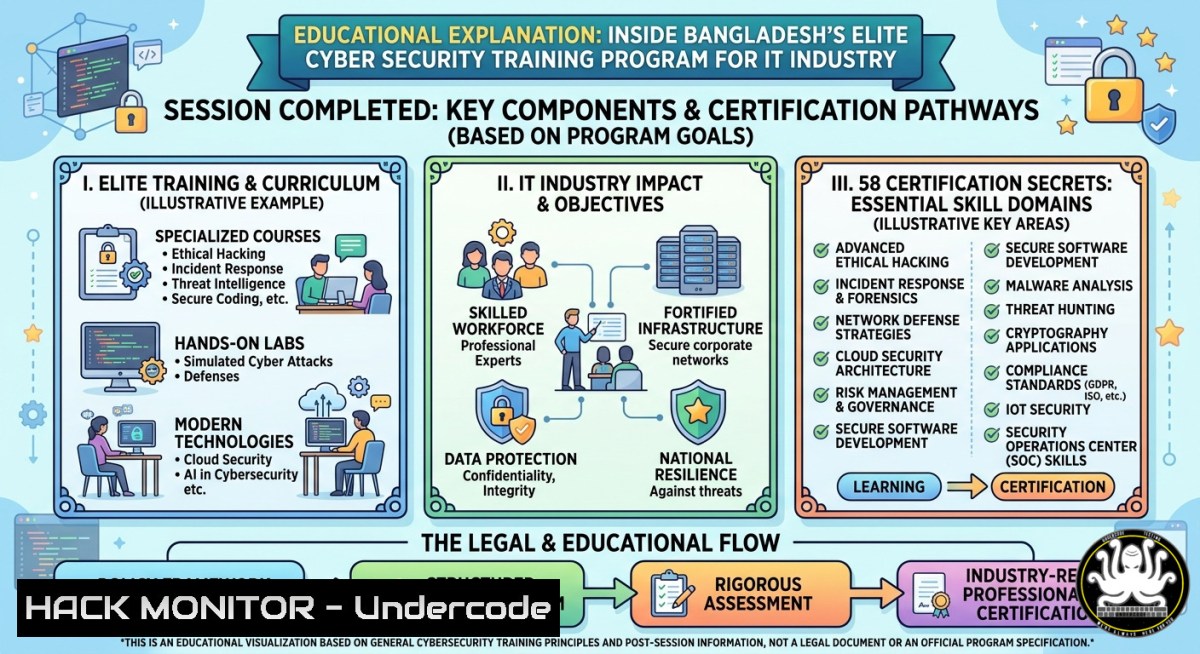
The Bangladesh IT industry recently witnessed a high-stakes cyber security session organized by BCS (Bangladesh Computer Society), led by a multi-talented innovator with 58 certifications across cybersecurity, forensics, programming, and electronics. This closed-door training addressed real-world threats, cloud hardening, and AI-driven defense mechanisms – moving beyond theory into hands-on exploitation and mitigation techniques that every IT professional must master.
Learning Objectives:
- Implement advanced reconnaissance and vulnerability scanning using Nmap, Masscan, and custom PowerShell scripts.
- Harden Windows and Linux endpoints against privilege escalation and persistent malware.
- Apply API security controls (JWT, rate limiting, input validation) and simulate OWASP Top 10 attacks.
- Deploy cloud security best practices for AWS/Azure, including IAM hardening and network ACLs.
- Leverage AI/ML tools like Splunk ES and TensorFlow for anomaly detection in SIEM logs.
You Should Know:
- Hands-On Reconnaissance & Vulnerability Discovery – Linux/Windows Command Arsenal
Many attendees at the BCS session struggled with initial asset discovery. The key is systematic enumeration using both built-in OS tools and dedicated security frameworks.
Step-by-step guide:
- Linux – Network sweep & port scanning:
`sudo nmap -sS -T4 -p- 192.168.1.0/24 -oA network_scan`
Explains: SYN stealth scan of all ports across a /24 subnet, saving outputs in three formats.
– Windows – Native discovery without third-party tools:
Open PowerShell as Admin:
`Test-NetConnection -ComputerName 192.168.1.10 -Port 445`
`Get-NetTCPConnection -State Listen | Where-Object {$_.LocalPort -eq 3389}`
- Using Masscan for high-speed Internet-wide scans:
`sudo masscan -p80,443,22,3389 203.0.113.0/24 –rate=10000 -oB masscan.bin`
- Automated vulnerability scanning with OpenVAS:
`gvm-setup` thengvm-start; create a target and task via Greenbone Security Assistant. - Interpret results: Prioritize services like SMB (445) for EternalBlue, SSH weak ciphers, and RDP without NLA.
- Privilege Escalation & Mitigation – Kernel Exploits vs. Hardening
During the training, a live demo showed how a misconfigured sudoers file on Ubuntu gave full root access. Here’s how to test and fix.
Step-by-step guide:
- Check sudo rights (Linux): `sudo -l` – look for `(ALL) NOPASSWD: /usr/bin/apt`
- Exploit: `sudo apt update -o APT::Update::Pre-Invoke::=/bin/sh` – spawns root shell.
- Windows privilege escalation check:
`whoami /priv` – find `SeImpersonatePrivilege` or `SeTakeOwnershipPrivilege`.
`sysinternals\accesschk.exe -uwcqv “Authenticated Users” `
- Mitigation:
- Linux: Edit `/etc/sudoers` with
visudo, remove wildcards and passwordless entries. - Windows: Apply LAPS for local admin password rotation, disable debug privileges via secpol.msc.
- Verification: Re-run `sudo -l` and `whoami /priv` after hardening.
- API Security Exploitation & Hardening (OWASP Top 10)
A highlight from BCS session: how a broken object-level authorization (BOLA) flaw led to data leakage. Attendees practiced on a deliberately vulnerable API.
Step-by-step guide:
- Setup a test API using Docker (Ubuntu):
`docker run -d -p 5000:5000 –name vulnerable-api cr0hn/vulnerable-api`
- Extract endpoints with Burp Suite or curl:
`curl -X GET http://localhost:5000/api/users/1` – returns user 1 data.
Then try `curl -X GET http://localhost:5000/api/users/2` – if not blocked, BOLA exists. - JWT bypass attempt: capture token, use `jwt_tool` to test `none` algorithm or weak secret.
- Mitigation:
- Implement rate limiting with `express-rate-limit` (Node.js) or
flask-limiter. - Use API gateways (Kong, AWS API Gateway) with strict IAM roles.
- Validate user context for every object request: `if (req.user.id !== req.params.id)`
- Command to test for SQLi in API parameters:
`sqlmap -u “http://localhost:5000/api/users/1” –data “id=1&name=test” –dbs`
- Cloud Hardening – IAM, Network ACLs, and Log Monitoring
Many IT pros in Bangladesh rely on AWS and Azure. The training covered real misconfigurations found in production.
Step-by-step guide:
- Check for overly permissive IAM policies (AWS CLI):
`aws iam list-policies –scope Local –only-attached` then `aws iam get-policy-version –policy-arn–version-id `
Look for `”Effect”: “Allow”, “Action”: “”, “Resource”: “”`
- Fix with least privilege:
`aws iam create-policy –policy-name RestrictS3 –policy-document file://policy.json`
- Network ACL hardening (Azure):
$nsg = Get-AzNetworkSecurityGroup -Name "frontend-nsg" -ResourceGroupName "rg-prod"
Add-AzNetworkSecurityRuleConfig -Name "DenyAllInternet" -NetworkSecurityGroup $nsg -Access Deny -Protocol  -Direction Inbound -Priority 4096 -SourceAddressPrefix Internet -SourcePortRange  -DestinationAddressPrefix  -DestinationPortRange
Set-AzNetworkSecurityGroup -NetworkSecurityGroup $nsg
- Enable CloudTrail (AWS) and export to S3 for anomaly detection:
`aws cloudtrail create-trail –name prod-trail –s3-bucket-name my-cloudtrail-logs –is-multi-region-trail`
- Use GuardDuty for threat detection: `aws guardduty create-detector –enable`
- Using AI for SIEM Anomaly Detection – Hands-On with Splunk and TensorFlow
The session introduced AI-driven security analytics, moving beyond static rule-based alerts.
Step-by-step guide:
- Ingest Windows Event Logs into Splunk free tier:
On Windows, install Splunk Universal Forwarder, configure `inputs.conf`:
[WinEventLog://Security]
index = windows_security
disabled = false
– Train a simple anomaly detection model (Python with TF):
import pandas as pd
from sklearn.ensemble import IsolationForest
 Load login attempts (timestamp, user, success flag)
df = pd.read_csv('auth_logs.csv')
model = IsolationForest(contamination=0.05)
df['anomaly'] = model.fit_predict(df[['hour','attempt_count']])
– Deploy as a cron job (Linux) that alerts on anomalies:
`0 /6 /usr/bin/python3 /opt/anomaly_detect.py && mail -s “Anomaly alert” [email protected] < /tmp/alerts.txt`
- Mitigation: Automatically block anomalous IPs using fail2ban:
`sudo fail2ban-client set sshd banip 10.0.0.99`
6. Windows Forensics & Persistence Detection (PowerShell)
Given the Bangladesh IT industry’s heavy Windows footprint, the training emphasized memory forensics and registry persistence.
Step-by-step guide:
- Capture memory dump (requires admin):
`.\DumpIt.exe` or use `winpmem -o mem.raw`
- Analyze with Volatility 3 (Linux or WSL):
`python3 vol.py -f mem.raw windows.pslist` – find hidden processes.
`python3 vol.py -f mem.raw windows.malfind` – detect injected code. - Check for persistence via Scheduled Tasks:
PowerShell: `Get-ScheduledTask | where {$_.State -ne “Disabled”} | fl TaskName, Actions` - Remove malicious startup entries:
`reg delete “HKLM\SOFTWARE\Microsoft\Windows\CurrentVersion\Run” /v malicious /f`
- Enable Sysmon for continuous monitoring:
Download Sysmon, then `sysmon64 -accepteula -i sysmon-config.xml`.
What Undercode Say:
- A single well-structured training session can bridge the gap between certification hoarding and real-world incident response – actionable commands and live demos are what stick.
- The BCS and Bangladesh IT industry’s openness to offensive security techniques (simulated exploitation) is a leading indicator that APAC regions are maturing their cyber defense posture.
- Combining classic pentesting tools (nmap, metasploit) with AI anomaly detection is no longer optional – it’s the baseline for any enterprise SOC.
Prediction:
Within 12 months, Bangladesh will see a 40% increase in locally developed AI-driven SOAR platforms, fueled by sessions like this. The demand for professionals who can write custom Splunk queries and harden cloud IAM will outstrip supply, driving up salaries for those with both certifications (58+) and demonstrated hands-on ability. Expect BCS to launch a national purple-team certification by Q4 2026.
▶️ Related Video (74% Match):
🎯Let’s Practice For Free:
IT/Security Reporter URL:
Reported By: Rezwandhkbd Alhamdulillah – Hackers Feeds
Extra Hub: Undercode MoN
Basic Verification: Pass ✅


